
Magic Eraser & Retouch: Omit
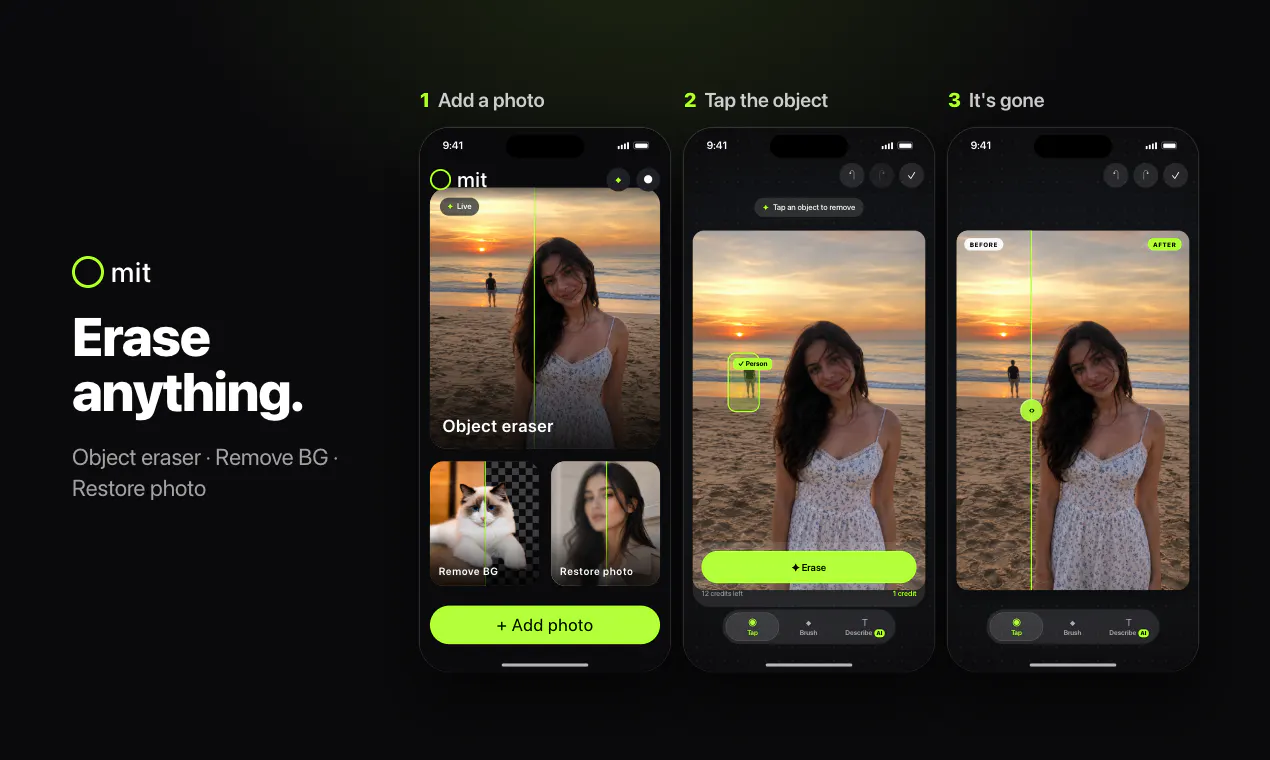
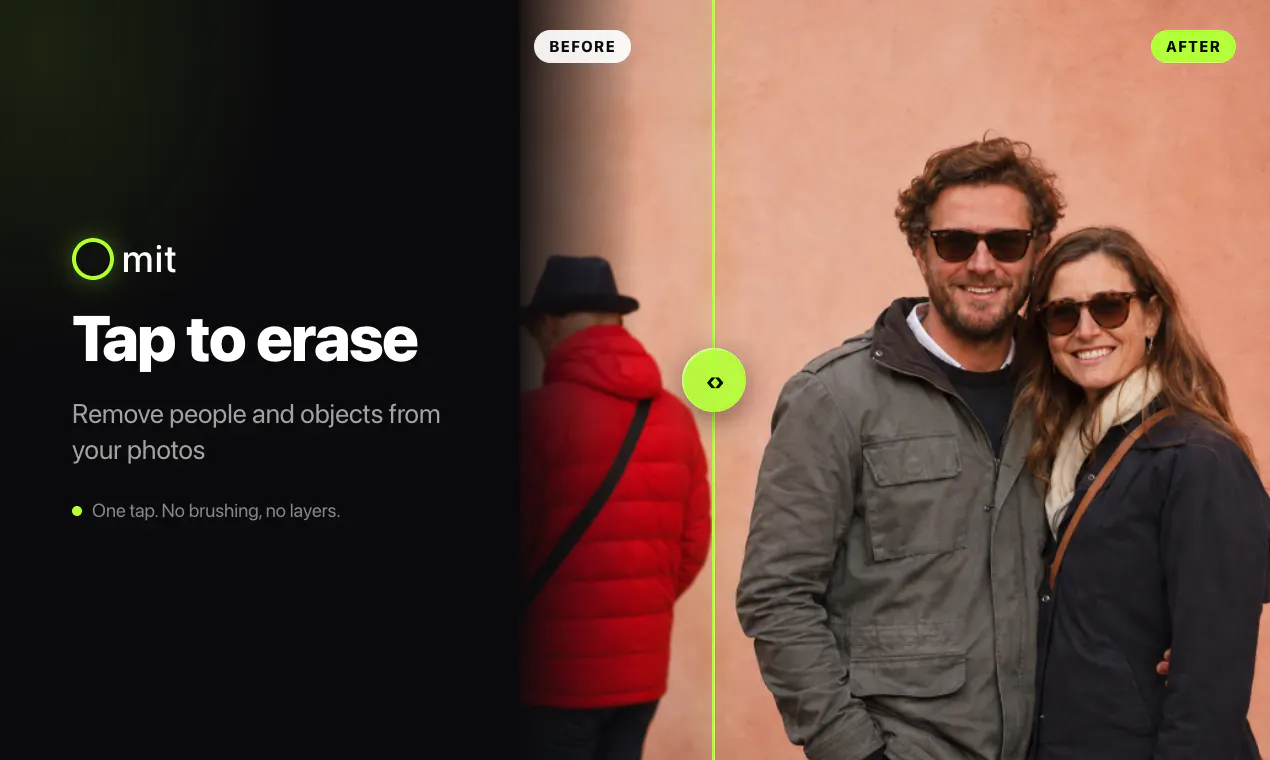
Tap the object, not around it. AI erases the rest.
About Magic Eraser & Retouch: Omit
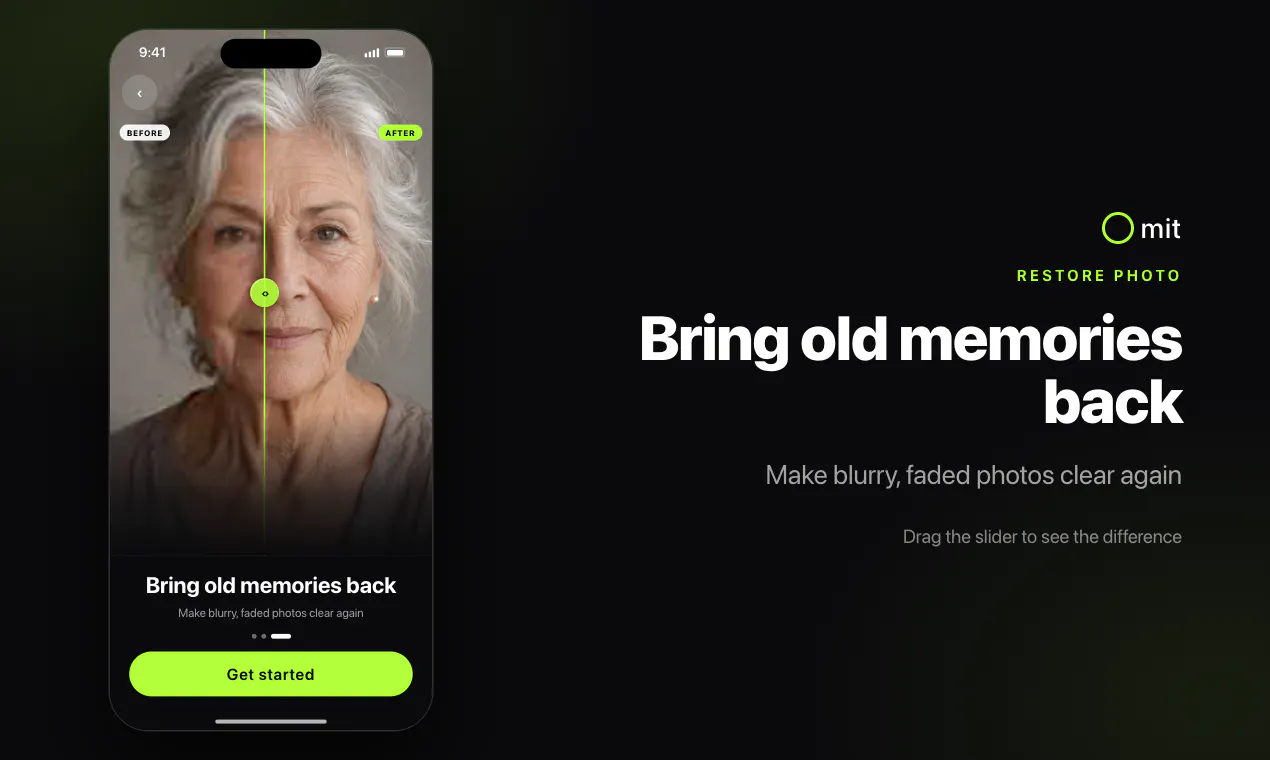
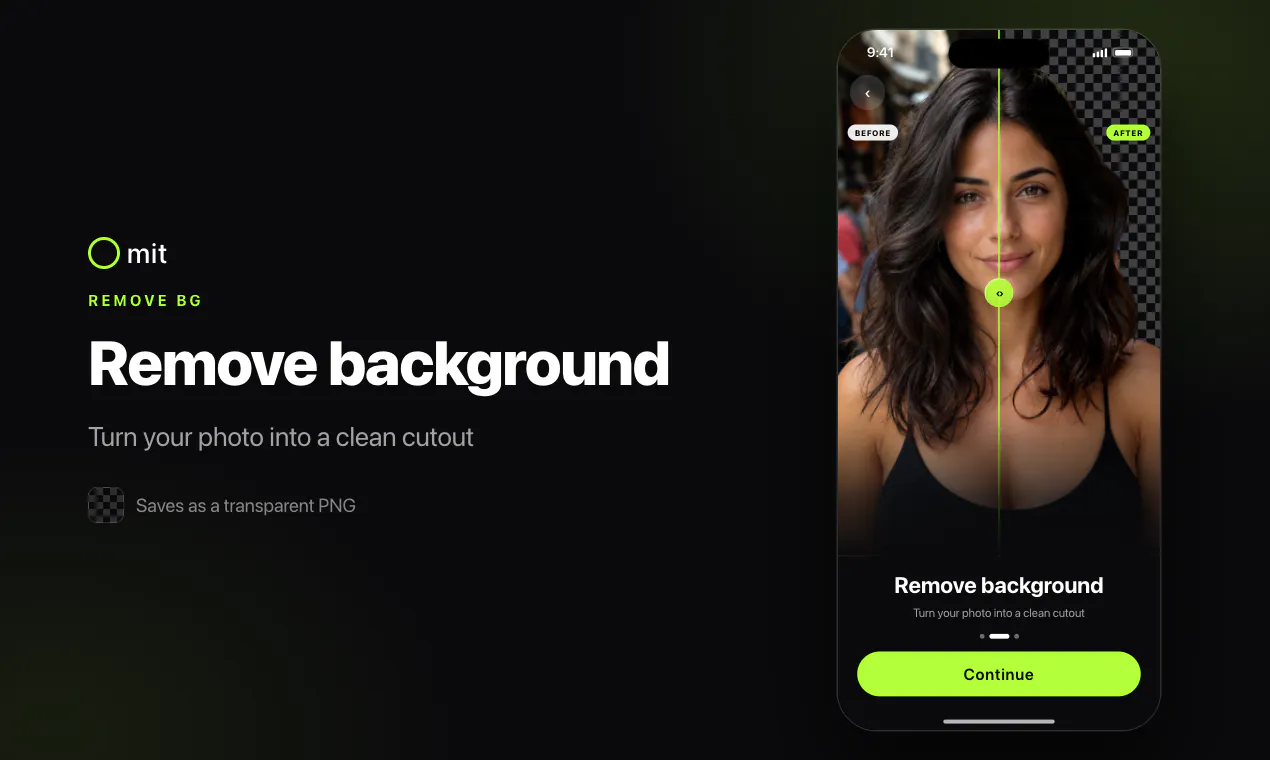
Omit is a user-friendly photo editing app designed to make object removal effortless through AI-powered technology. Unlike traditional editing tools that require manual brushing or complicated selections, Omit allows users to simply tap on the object they wish to remove, and the AI automatically selects and erases it, seamlessly rebuilding the background behind it. This approach makes editing accessible for both amateurs and professionals, providing quick results without a steep learning curve. Additional features like background removal, photo restoration, cropping, adjustments, and filters are just a tap away, enhancing images with minimal effort. With free credits to get started and no account needed, Omit offers a hassle-free experience for anyone looking to clean up or enhance their photos efficiently.
Screenshots
Pros
- ✓Intuitive tap-to-remove functionality with AI automation
- ✓No need for brushes or manual selection
- ✓Additional editing tools like background removal and filters
- ✓No account required to start, with free credits
- ✓One-tap escalation for better results when needed
Cons
- ✗Limited information on advanced editing capabilities
- ✗Potential accuracy issues with complex backgrounds
- ✗No details on subscription or pricing plans
Use Cases
Pricing
Pricing not verified
Quick Info
Topics
Makers

Mahipal Singh
Alternatives
Similar Tools in AI Assistants




Embed Badge
Add this badge to your website to show that Magic Eraser & Retouch: Omit is featured on Visalytica.
<a href="https://www.visalytica.com/tool/magic-eraser-retouch-omit" target="_blank" rel="noopener noreferrer" style="display:inline-flex;align-items:center;gap:6px;padding:6px 14px;background:#7c3aed;color:#fff;border-radius:8px;font-family:-apple-system,system-ui,sans-serif;font-size:13px;font-weight:600;text-decoration:none;transition:background .2s" onmouseover="this.style.background='#6d28d9'" onmouseout="this.style.background='#7c3aed'"><svg width="14" height="14" viewBox="0 0 24 24" fill="none" stroke="currentColor" stroke-width="2.5" stroke-linecap="round" stroke-linejoin="round"><path d="M12 20V10"/><path d="M18 20V4"/><path d="M6 20v-4"/></svg>Featured on Visalytica</a>