
LocateStore
Create a map of all your stores using Google Sheets
About LocateStore
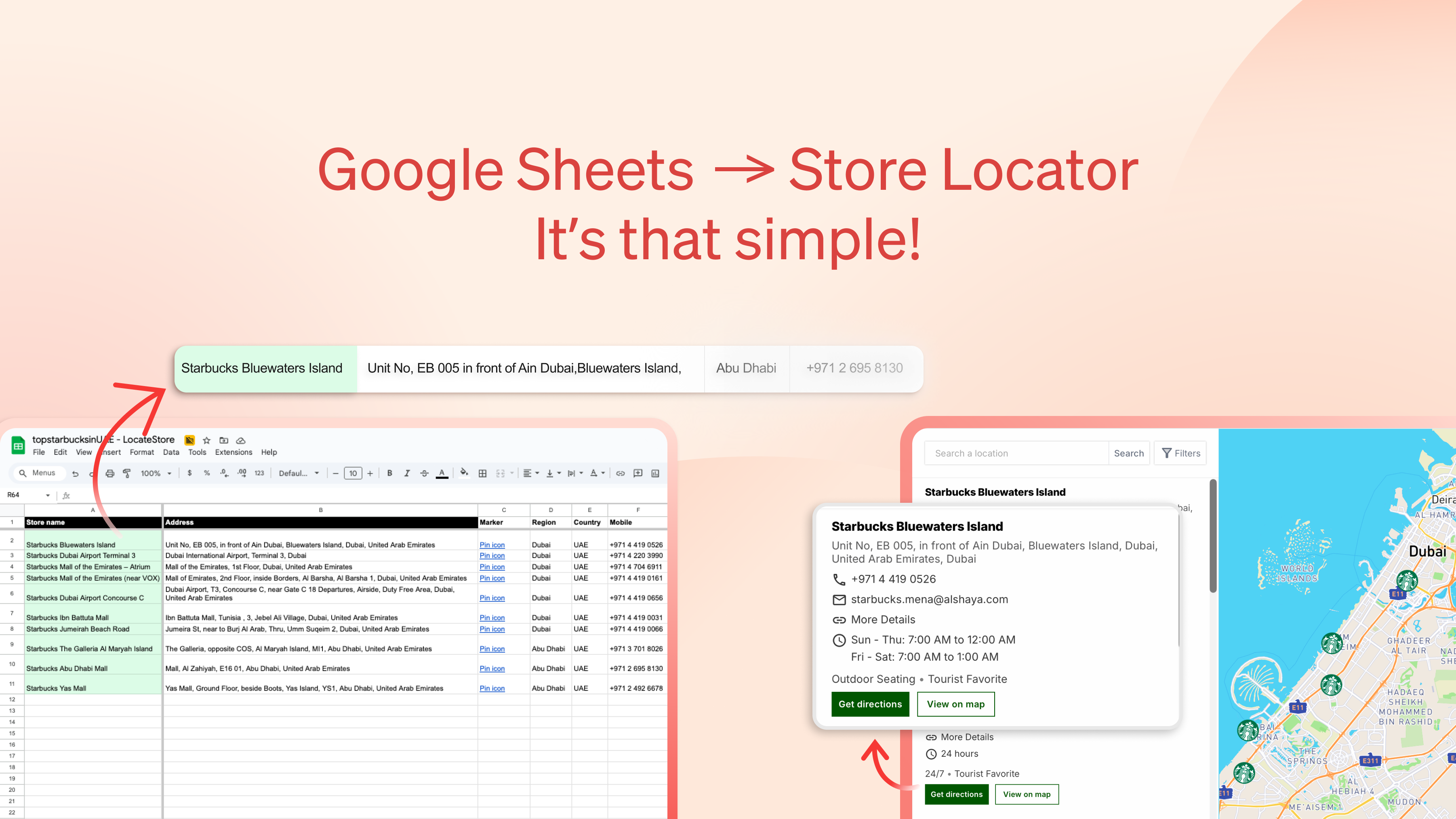
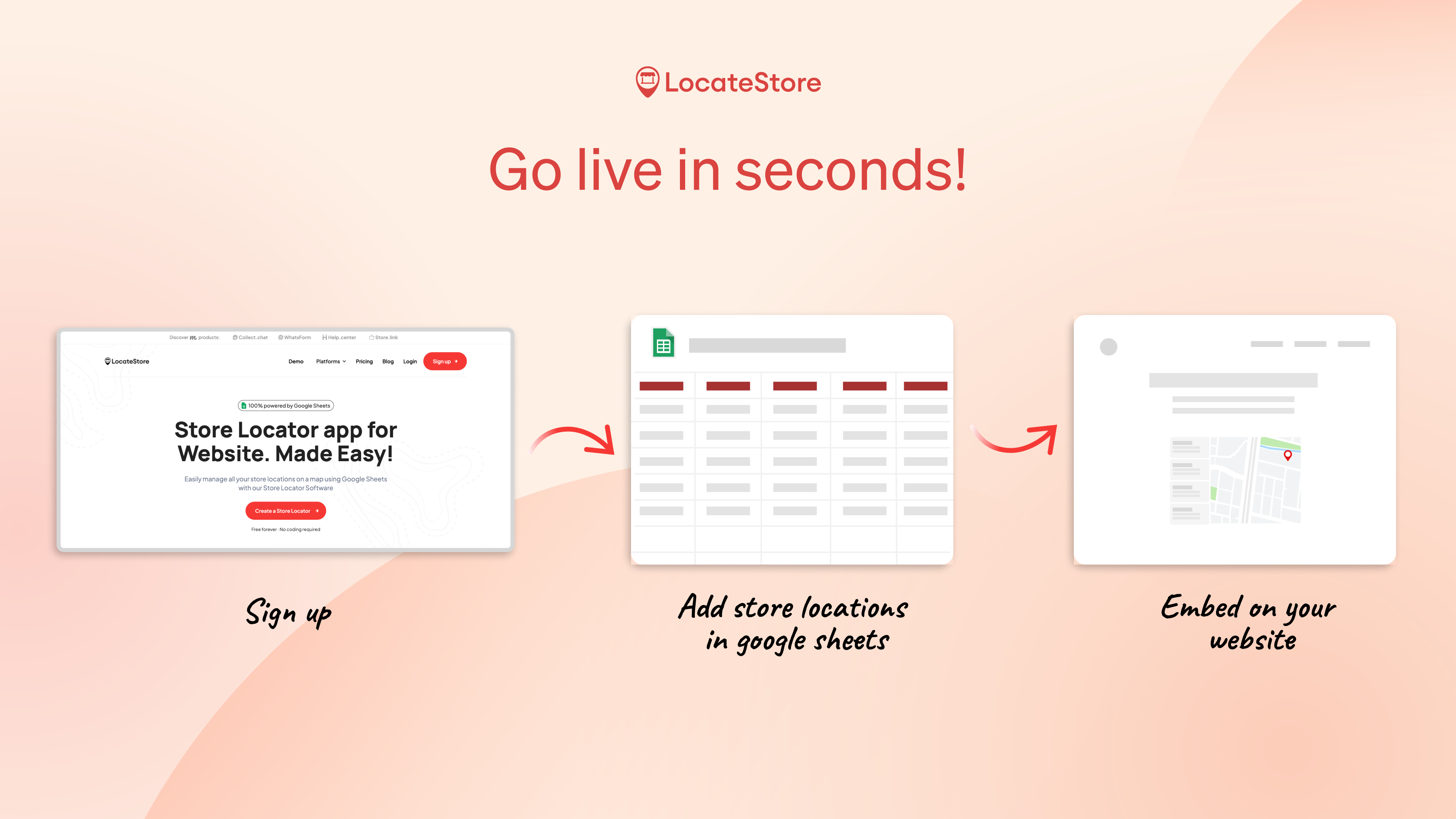
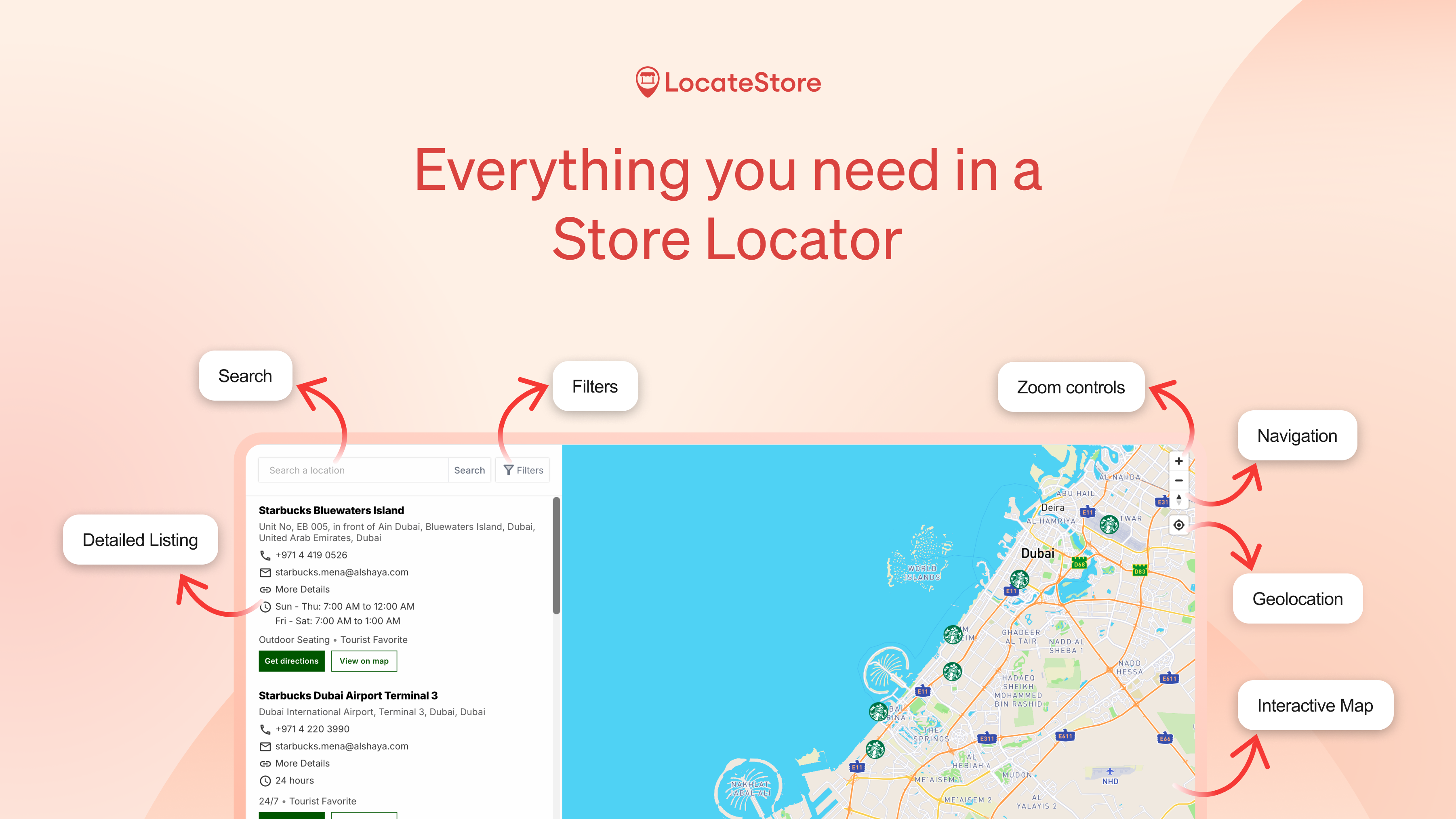
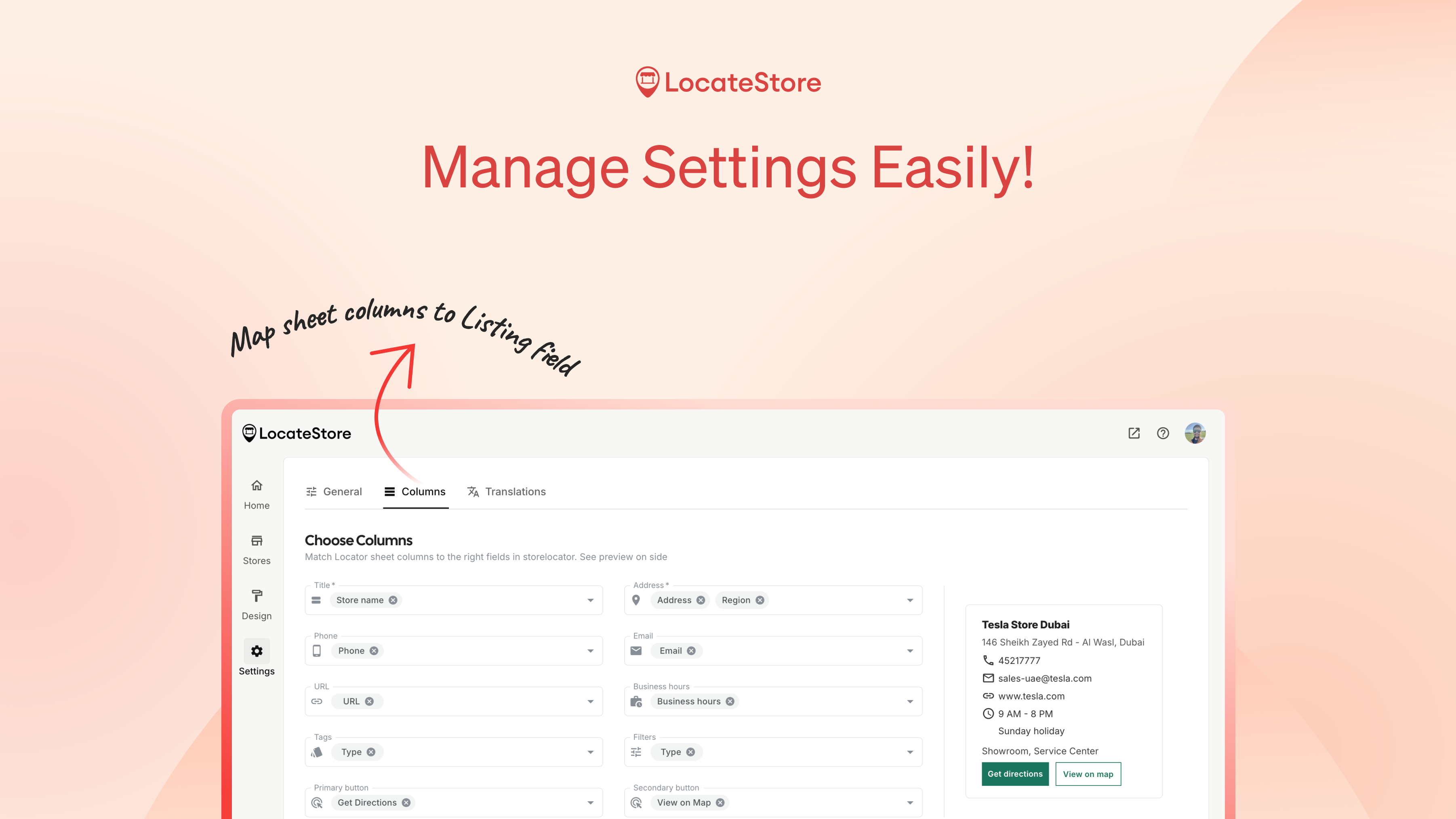
LocateStore simplifies the process of creating interactive store locators by transforming Google Sheets into mobile-friendly maps. Designed for multi-location brands, it allows users to add store addresses directly into a Google Sheet and instantly generate a customizable map with search and filter options. Its seamless integration means no coding, API keys, or complex setup is required, making it accessible for small businesses and enterprise brands alike. The real-time sync ensures that any updates to the spreadsheet are immediately reflected on the map, facilitating easy management of multiple store locations. Its embed capability allows businesses to incorporate the locator directly into their websites effortlessly, enhancing the local shopping experience for customers. Overall, LocateStore offers a straightforward, efficient solution for brands seeking an easy-to-maintain store locator that adapts to their evolving needs.
Screenshots
Pros
- ✓No coding or API keys required, user-friendly setup
- ✓Real-time sync with Google Sheets for instant updates
- ✓Mobile-friendly, optimized for user experience
- ✓Easy embedding into websites without technical expertise
- ✓Customizable search and filter options
Cons
- ✗Limited advanced customization compared to custom-built maps
- ✗Dependent on Google Sheets, which may be restrictive for complex data needs
- ✗Potential limitations with very large datasets
Use Cases
Pricing
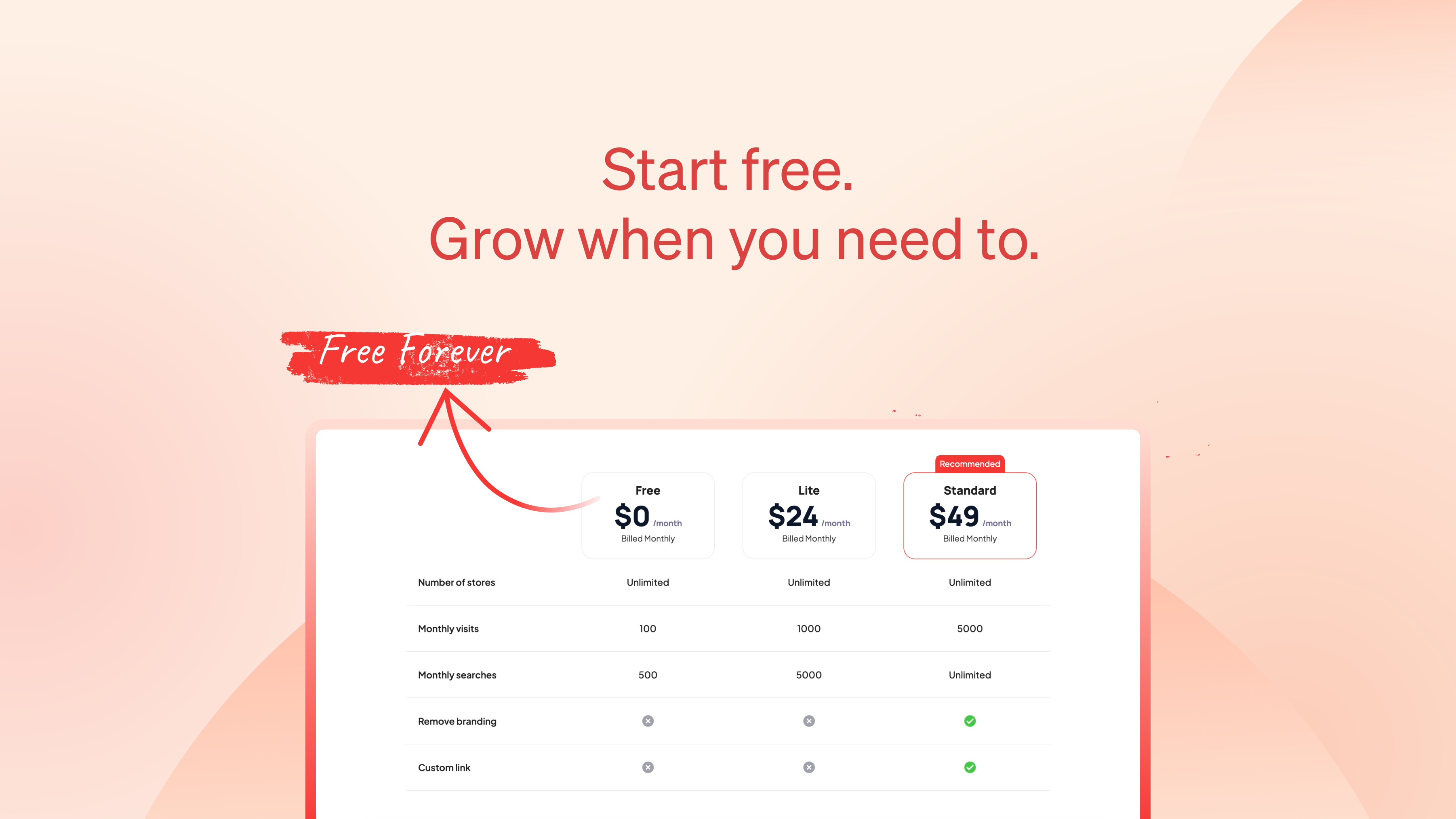
Likely operates on a freemium model, offering a free tier with basic features and paid plans starting around $X/month for additional customization, larger datasets, or advanced features. Exact pricing details are not specified but are typical for SaaS mapping tools.
Quick Info
Topics
Similar Tools in E-commerce




Embed Badge
Add this badge to your website to show that LocateStore is featured on Visalytica.
<a href="https://www.visalytica.com/tool/locatestore" target="_blank" rel="noopener noreferrer" style="display:inline-flex;align-items:center;gap:6px;padding:6px 14px;background:#7c3aed;color:#fff;border-radius:8px;font-family:-apple-system,system-ui,sans-serif;font-size:13px;font-weight:600;text-decoration:none;transition:background .2s" onmouseover="this.style.background='#6d28d9'" onmouseout="this.style.background='#7c3aed'"><svg width="14" height="14" viewBox="0 0 24 24" fill="none" stroke="currentColor" stroke-width="2.5" stroke-linecap="round" stroke-linejoin="round"><path d="M12 20V10"/><path d="M18 20V4"/><path d="M6 20v-4"/></svg>Featured on Visalytica</a>