
Lazy AWS
A keyboard-driven home for your AWS resources
About Lazy AWS
Lazy AWS is a innovative, keyboard-driven interface designed to streamline the management of AWS resources. It consolidates your AWS environment into a single terminal, allowing developers and sysadmins to browse, inspect, and execute confirmed AWS CLI commands efficiently without leaving their keyboard. By focusing on keyboard shortcuts and command-line operations, Lazy AWS aims to enhance productivity, reduce context switching, and simplify complex cloud management tasks. Its open-source nature and GitHub integration make it a flexible choice for developers seeking a more streamlined AWS experience. Suitable for those comfortable with command-line tools, Lazy AWS offers a unique approach that combines simplicity with powerful control over cloud resources, making cloud management faster and more intuitive.
Screenshots
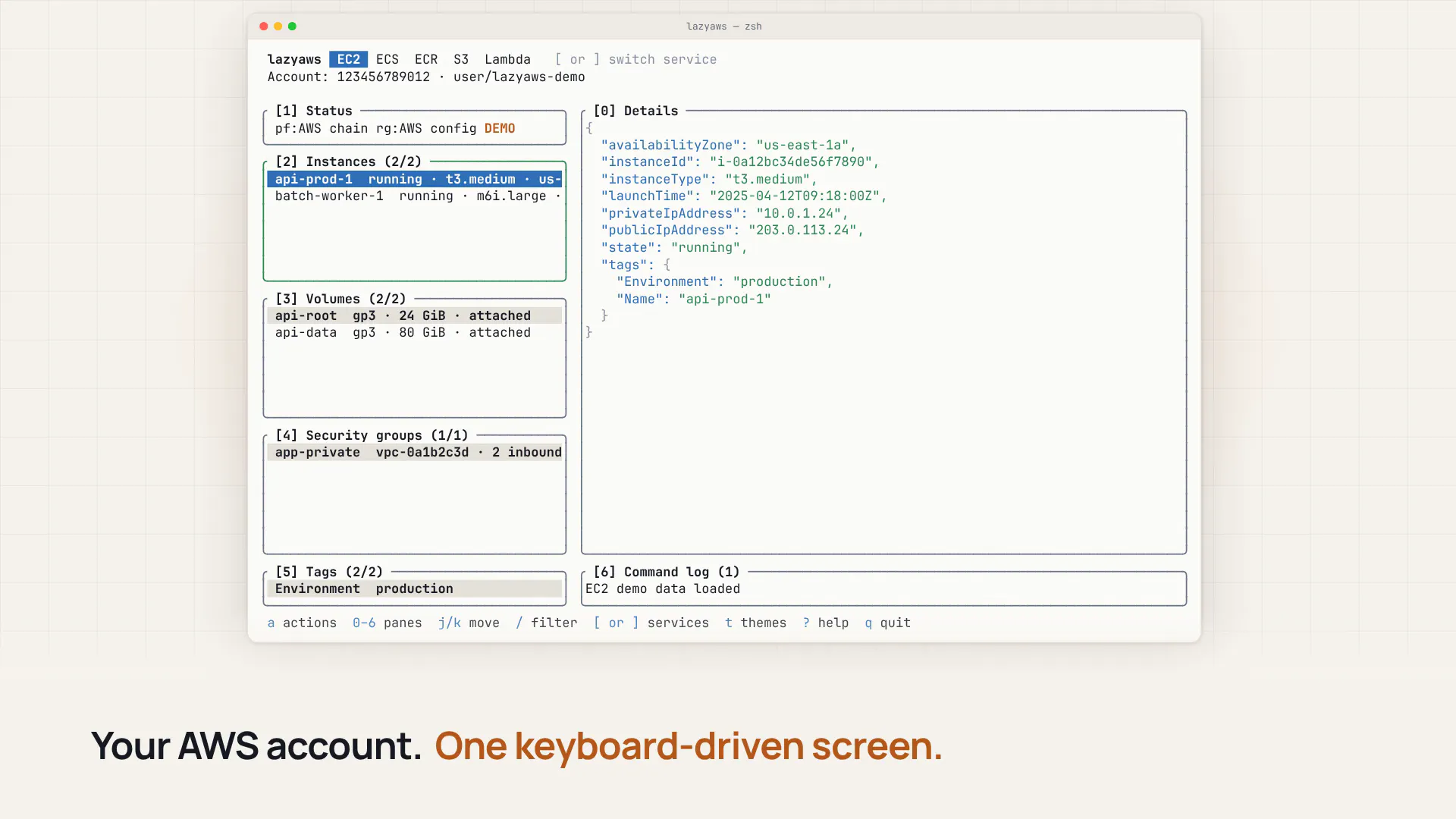
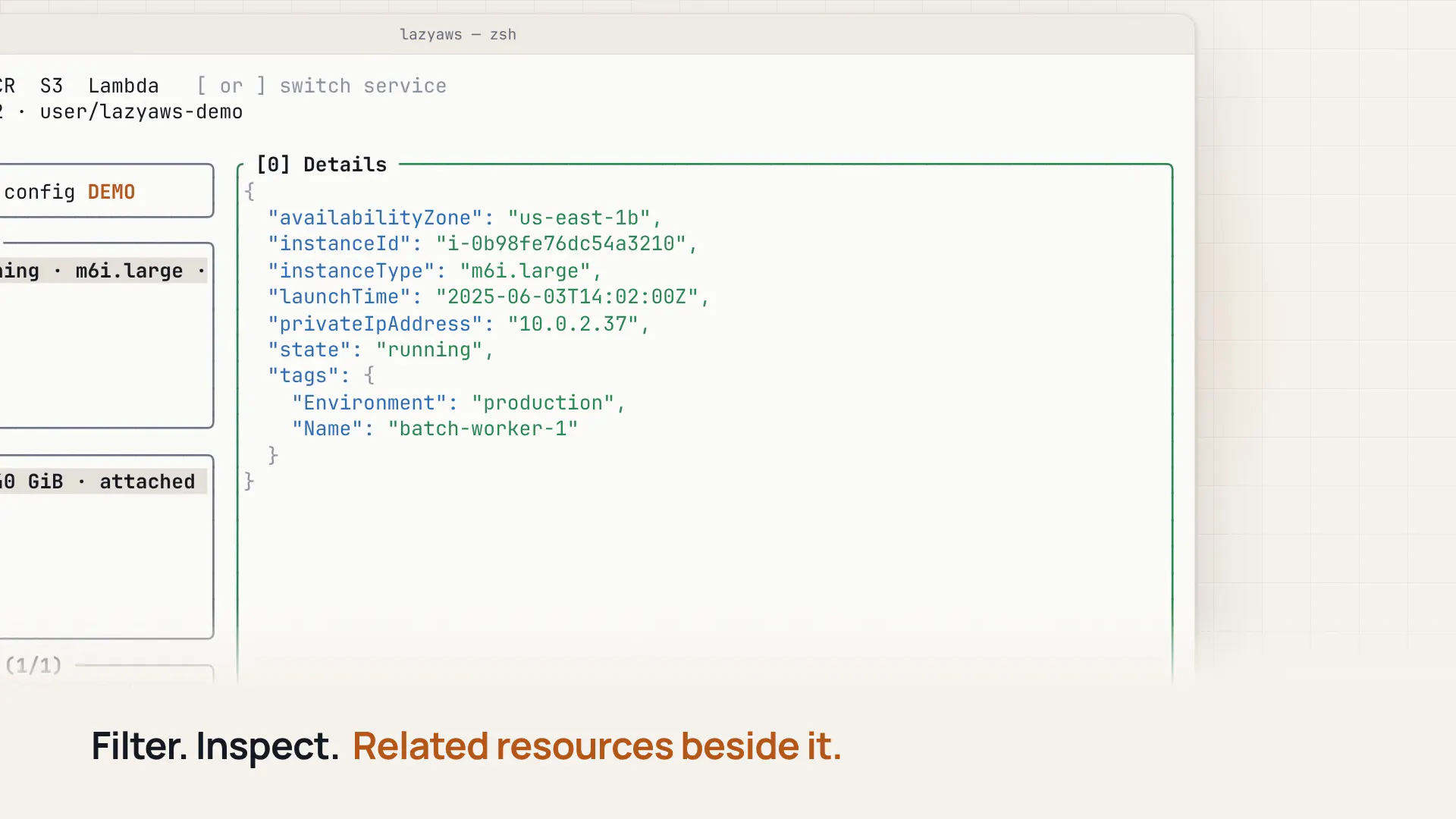
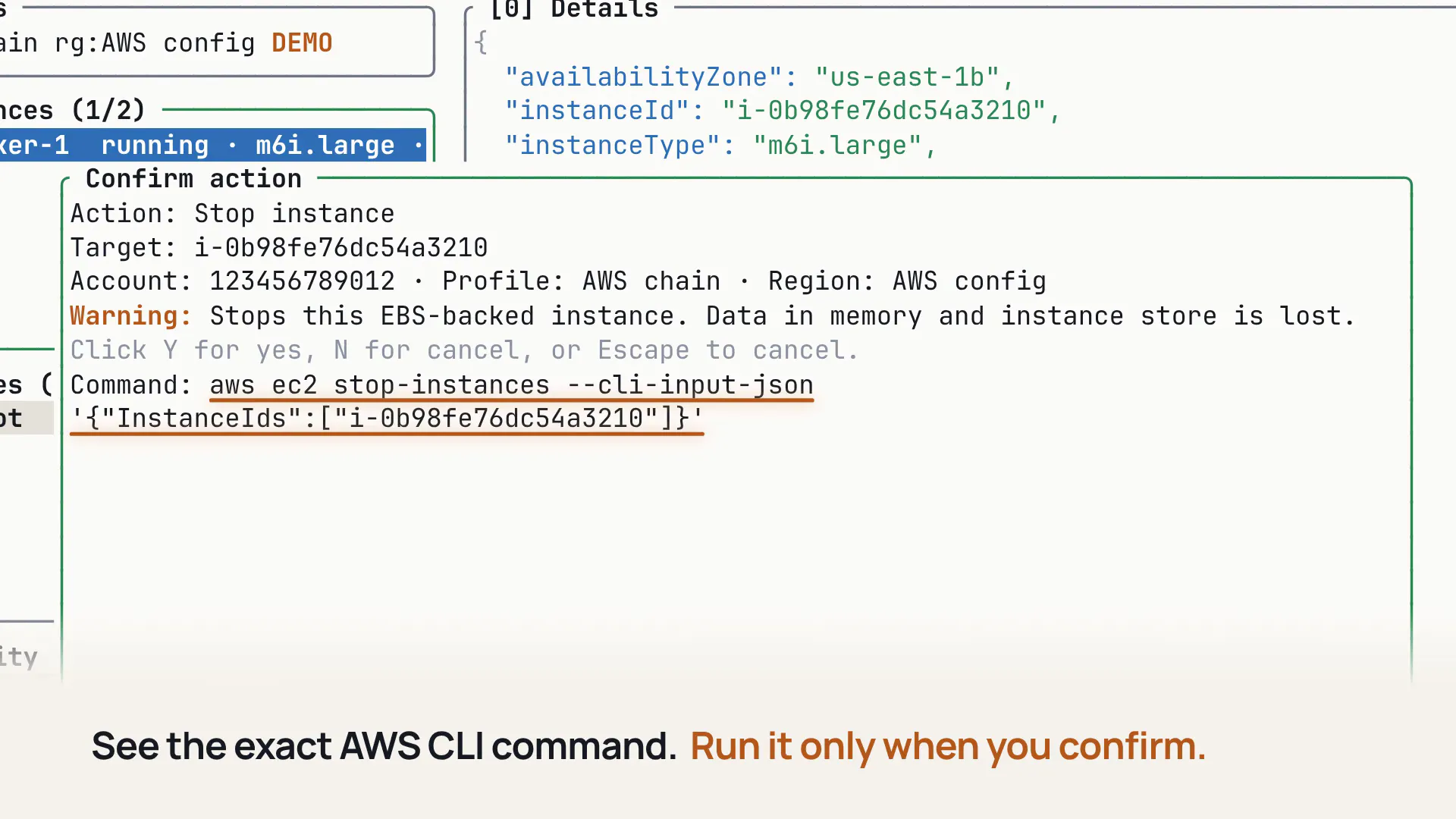
Pros
- ✓Keyboard-driven interface enhances speed and efficiency
- ✓Consolidates AWS resources into a single terminal environment
- ✓Facilitates browsing, inspection, and execution of AWS CLI commands
- ✓Open source, allowing customization and community contributions
- ✓Reduces need to switch between multiple tools or dashboards
Cons
- ✗Requires familiarity with CLI and keyboard shortcuts
- ✗Limited information on advanced features or integrations
- ✗Votes on ProductHunt are currently zero, indicating limited adoption
Use Cases
Pricing
Pricing not verified
Quick Info
Topics
Makers

Piyush Choudhari
Alternatives
Similar Tools in Developer Tools




Embed Badge
Add this badge to your website to show that Lazy AWS is featured on Visalytica.
<a href="https://www.visalytica.com/tool/lazy-aws" target="_blank" rel="noopener noreferrer" style="display:inline-flex;align-items:center;gap:6px;padding:6px 14px;background:#7c3aed;color:#fff;border-radius:8px;font-family:-apple-system,system-ui,sans-serif;font-size:13px;font-weight:600;text-decoration:none;transition:background .2s" onmouseover="this.style.background='#6d28d9'" onmouseout="this.style.background='#7c3aed'"><svg width="14" height="14" viewBox="0 0 24 24" fill="none" stroke="currentColor" stroke-width="2.5" stroke-linecap="round" stroke-linejoin="round"><path d="M12 20V10"/><path d="M18 20V4"/><path d="M6 20v-4"/></svg>Featured on Visalytica</a>