
Jotted
Record any meeting. No bot in the call, no account to start.
About Jotted
Jotted is a unique recording tool designed for users who need to capture meetings on Zoom, Teams, and Google Meet without the hassle of bots or accounts. Unlike traditional recording solutions, Jotted operates silently in the background, preserving the full video and providing a comprehensive transcript, summary, and action items. Its standout feature is that it requires no account setup or login, making it quick and easy to use—simply download, open, and record. Currently available only for Windows, Jotted fills a niche for Windows users who want a simple, privacy-conscious way to record meetings without intrusive bots or cloud dependencies. Developed solo in the Philippines, it addresses a common pain point: most bot-free tools either discard footage or are Mac-exclusive, but Jotted keeps everything intact, making it ideal for users who prioritize full recordings and easy access.
Screenshots

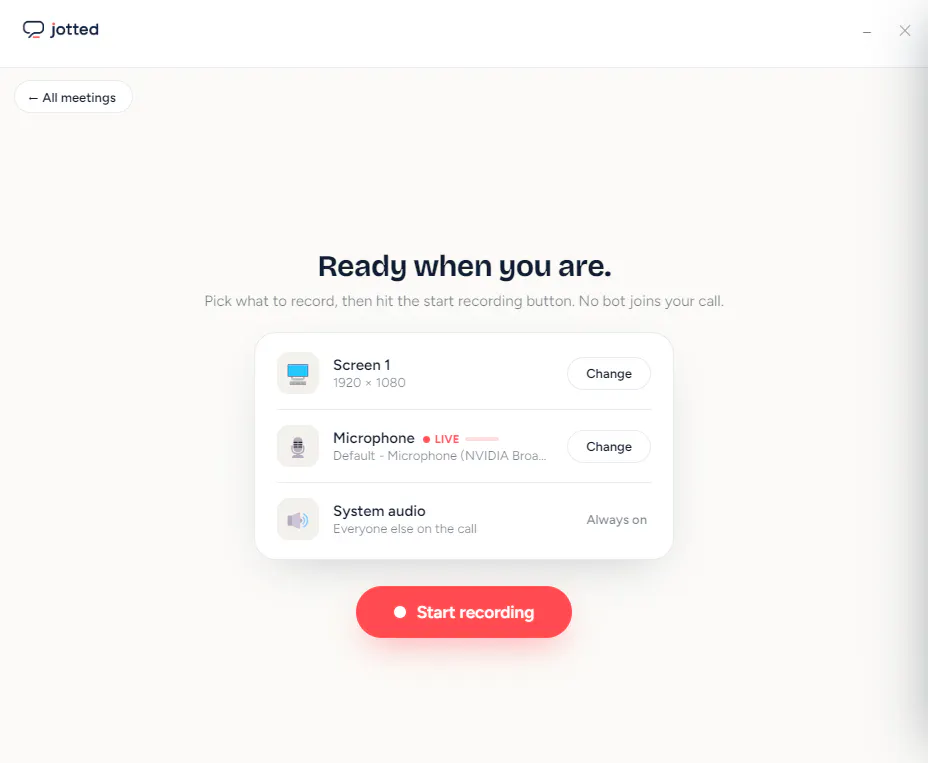
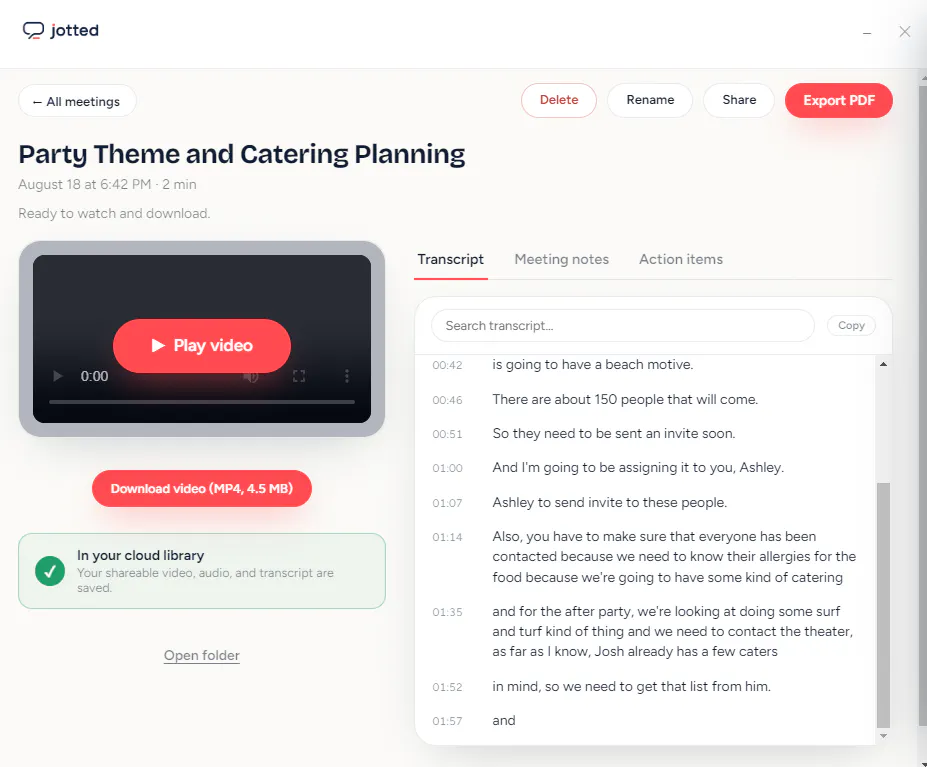
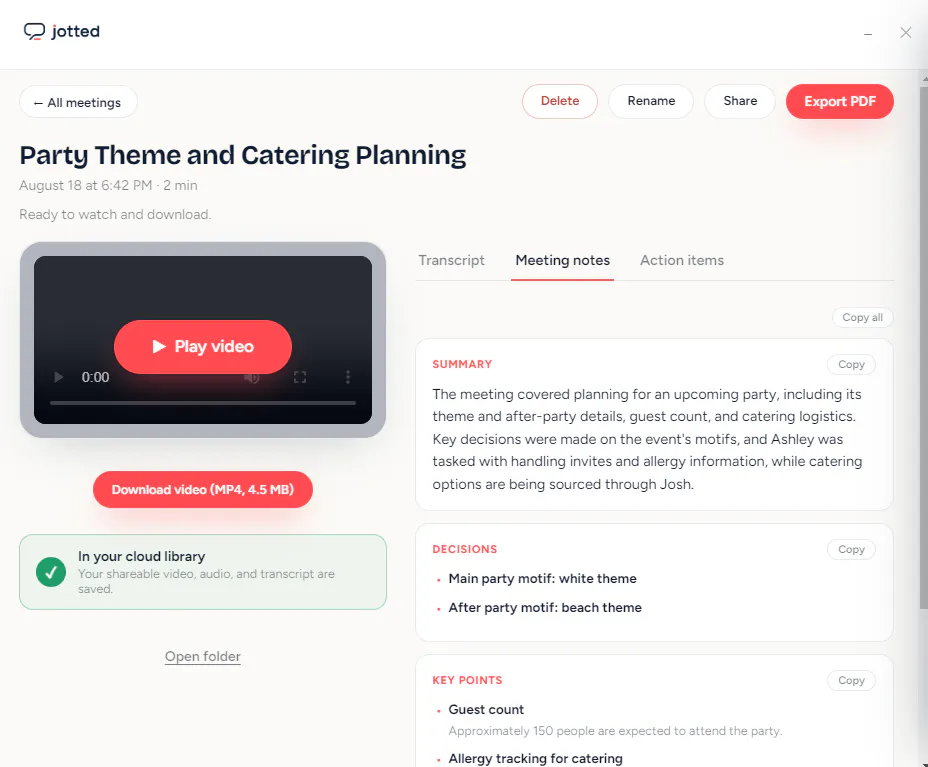
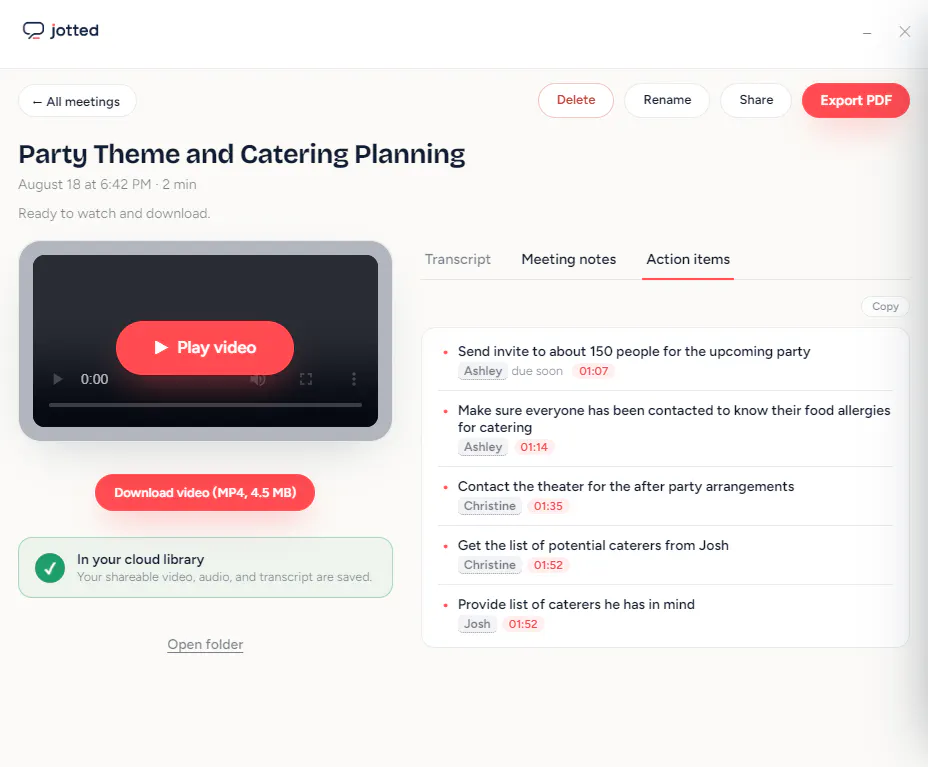
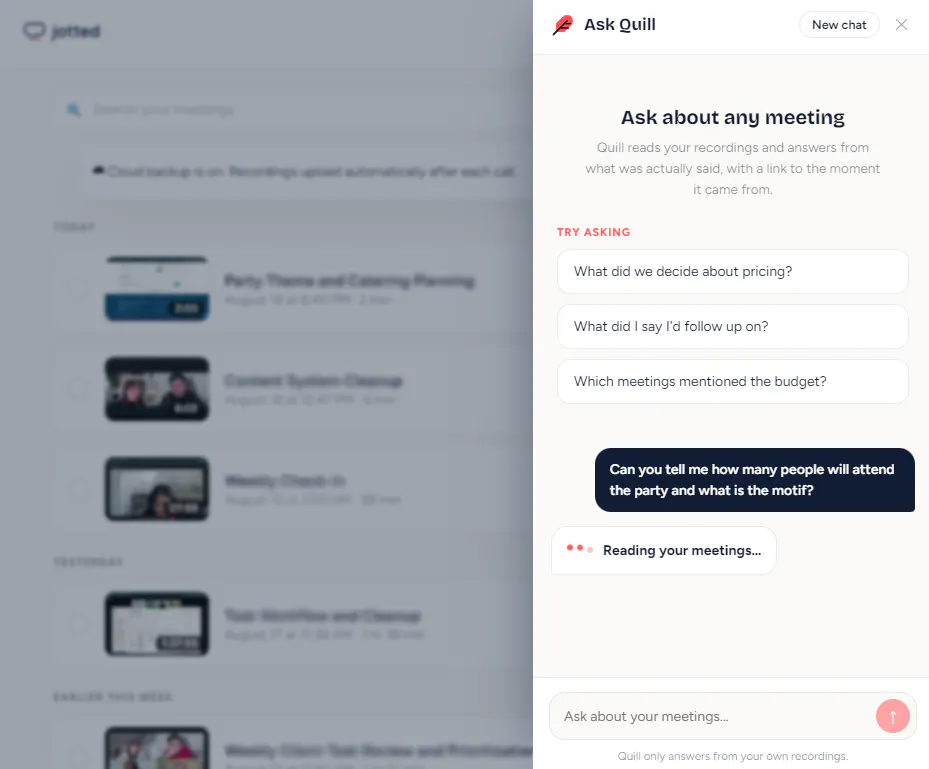
+1 more screenshots
Pros
- ✓No need for accounts or login procedures
- ✓Records full meeting videos without a bot in the call
- ✓Provides transcripts, summaries, and action items automatically
- ✓Keeps complete video recordings for future reference
- ✓Simple, quick setup for Windows users
Cons
- ✗Limited to Windows only (no Mac/Linux support yet)
- ✗Features may be basic compared to full conferencing solutions
- ✗No mention of cloud storage or sharing options
Use Cases
Pricing
Pricing not verified
Quick Info
Topics
Makers

Christine Zafra
Similar Tools in AI Image & Design




Embed Badge
Add this badge to your website to show that Jotted is featured on Visalytica.
<a href="https://www.visalytica.com/tool/jotted" target="_blank" rel="noopener noreferrer" style="display:inline-flex;align-items:center;gap:6px;padding:6px 14px;background:#7c3aed;color:#fff;border-radius:8px;font-family:-apple-system,system-ui,sans-serif;font-size:13px;font-weight:600;text-decoration:none;transition:background .2s" onmouseover="this.style.background='#6d28d9'" onmouseout="this.style.background='#7c3aed'"><svg width="14" height="14" viewBox="0 0 24 24" fill="none" stroke="currentColor" stroke-width="2.5" stroke-linecap="round" stroke-linejoin="round"><path d="M12 20V10"/><path d="M18 20V4"/><path d="M6 20v-4"/></svg>Featured on Visalytica</a>