
iPlaylistSync
iPlaylistSync syncs your iTunes playlists to your Android
About iPlaylistSync
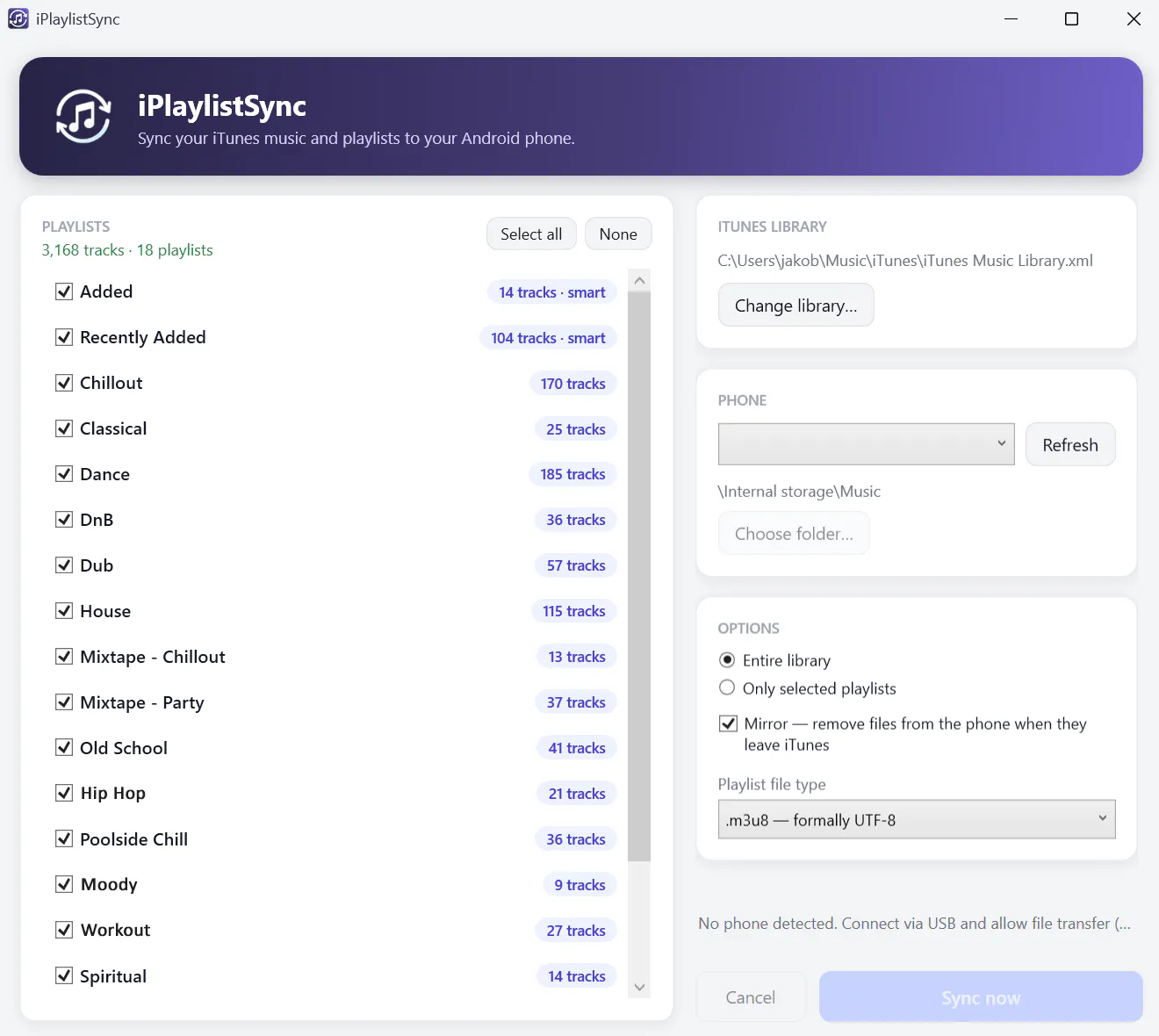
iPlaylistSync is a straightforward Windows utility designed for music enthusiasts who want to seamlessly transfer their iTunes playlists to Android devices. By connecting via USB, users can transfer their music library, including smart playlists, directly from their PC to their Android phones, making it ideal for those who prefer local storage and offline listening. The tool formats playlists into m3u or m3u8 files, ensuring compatibility with most Android music players. Its simplicity and zero cost make it particularly attractive for casual users and budget-conscious individuals who want to bridge the gap between Apple and Android ecosystems without complex setup or subscriptions. Overall, iPlaylistSync offers a focused, no-fuss solution for preserving and enjoying music collections across platforms.
Screenshots
Pros
- ✓Free to use, no cost involved
- ✓Simple, user-friendly interface
- ✓Supports playlist formats like m3u/m3u8 for wide compatibility
- ✓Efficient USB transfer method
- ✓Perfect for transferring smart playlists from iTunes
Cons
- ✗One-way sync only (PC to phone), no bidirectional support
- ✗Limited to Windows OS, no Mac or Linux version
- ✗Lacks advanced features like automatic sync or cloud integration
Use Cases
Pricing
iPlaylistSync is completely free, making it accessible for all users without any hidden costs or premium tiers.
Quick Info
Topics
Makers

Jakob Aungiers
Alternatives
Similar Tools in AI Image & Design




Embed Badge
Add this badge to your website to show that iPlaylistSync is featured on Visalytica.
<a href="https://www.visalytica.com/tool/iplaylistsync" target="_blank" rel="noopener noreferrer" style="display:inline-flex;align-items:center;gap:6px;padding:6px 14px;background:#7c3aed;color:#fff;border-radius:8px;font-family:-apple-system,system-ui,sans-serif;font-size:13px;font-weight:600;text-decoration:none;transition:background .2s" onmouseover="this.style.background='#6d28d9'" onmouseout="this.style.background='#7c3aed'"><svg width="14" height="14" viewBox="0 0 24 24" fill="none" stroke="currentColor" stroke-width="2.5" stroke-linecap="round" stroke-linejoin="round"><path d="M12 20V10"/><path d="M18 20V4"/><path d="M6 20v-4"/></svg>Featured on Visalytica</a>