
Hunch
AI formulas that score, tag and classify any text column
About Hunch
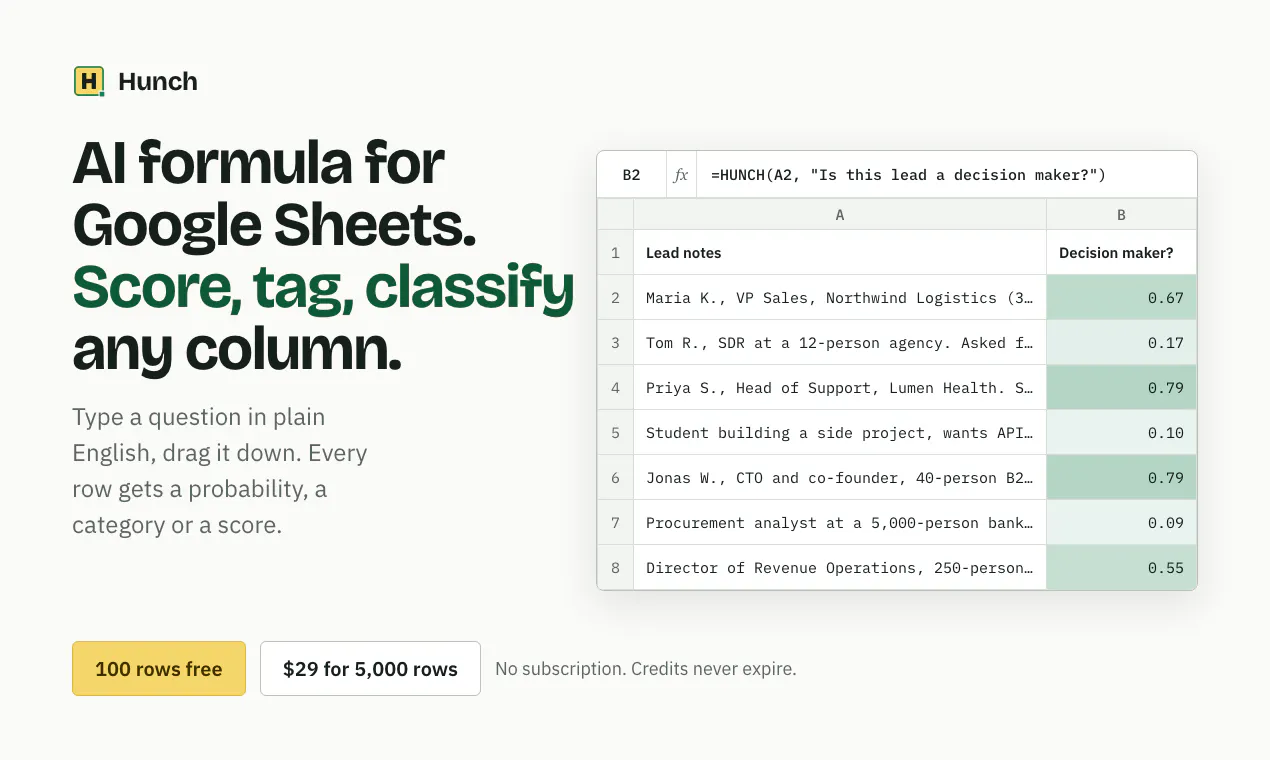
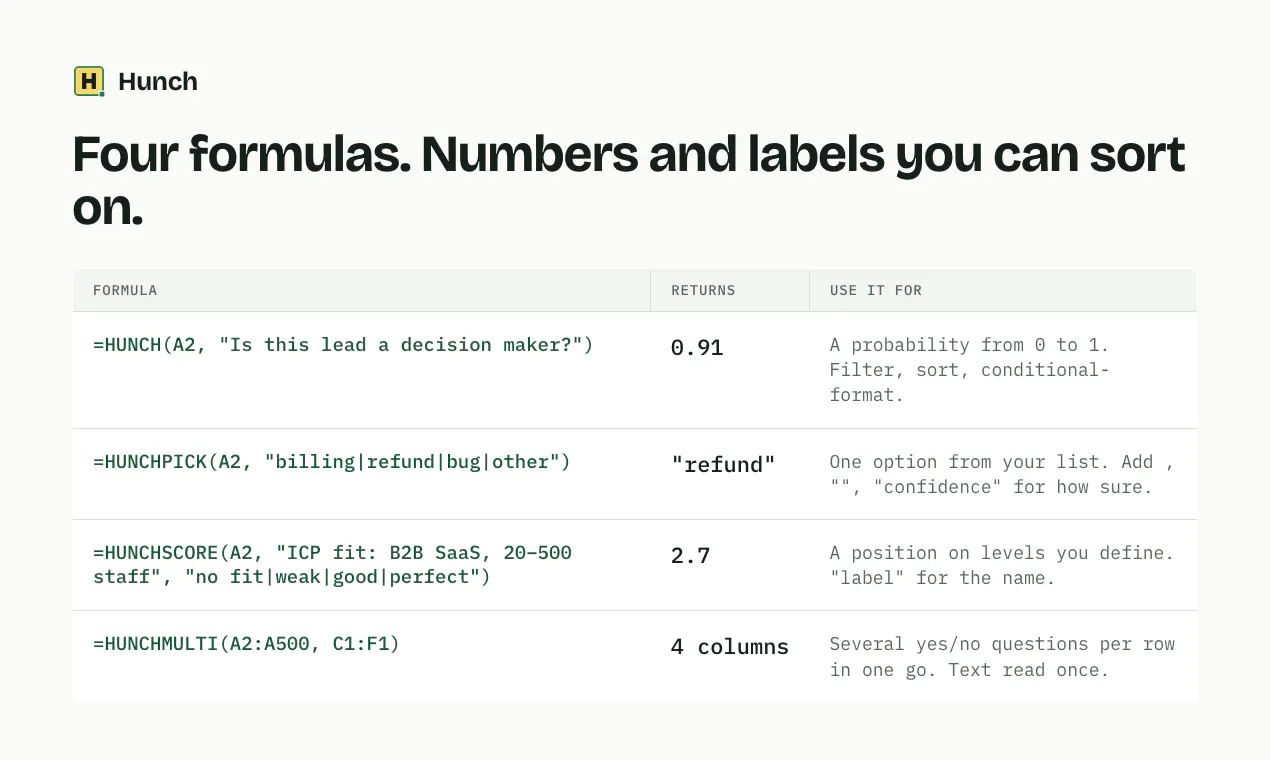
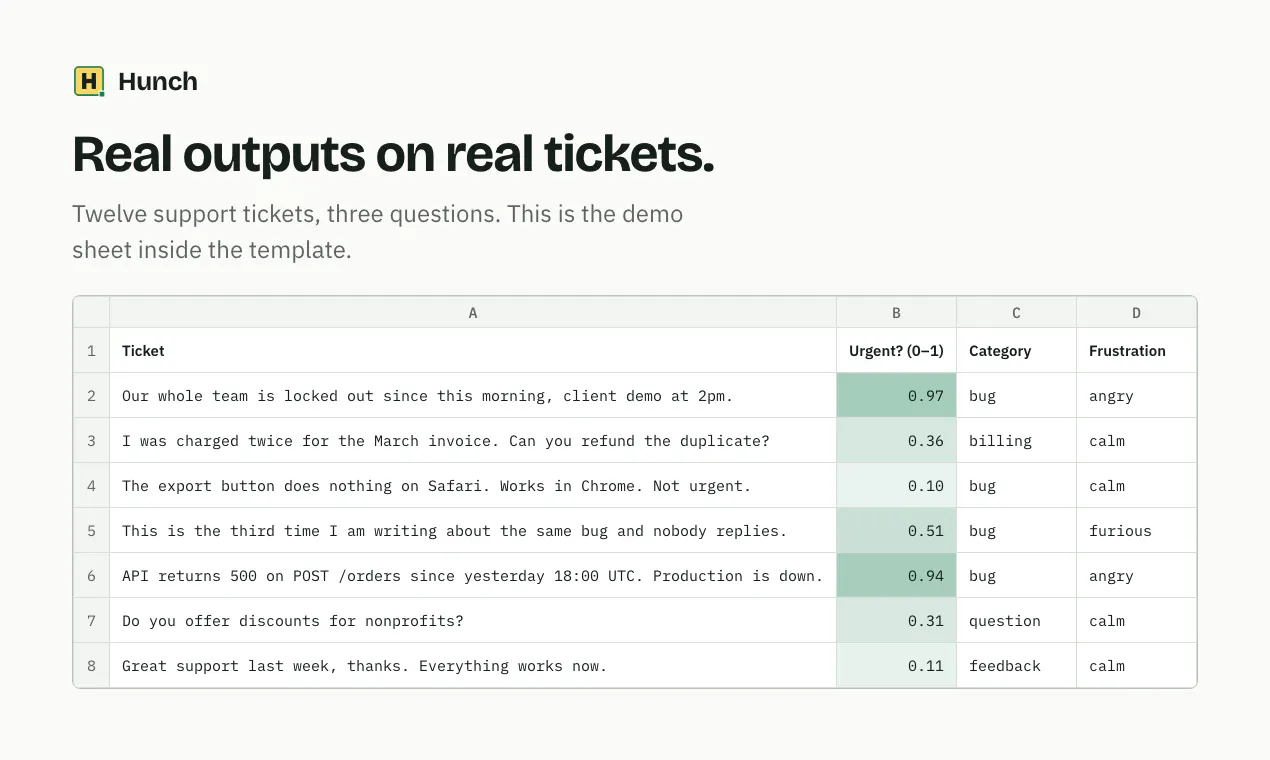
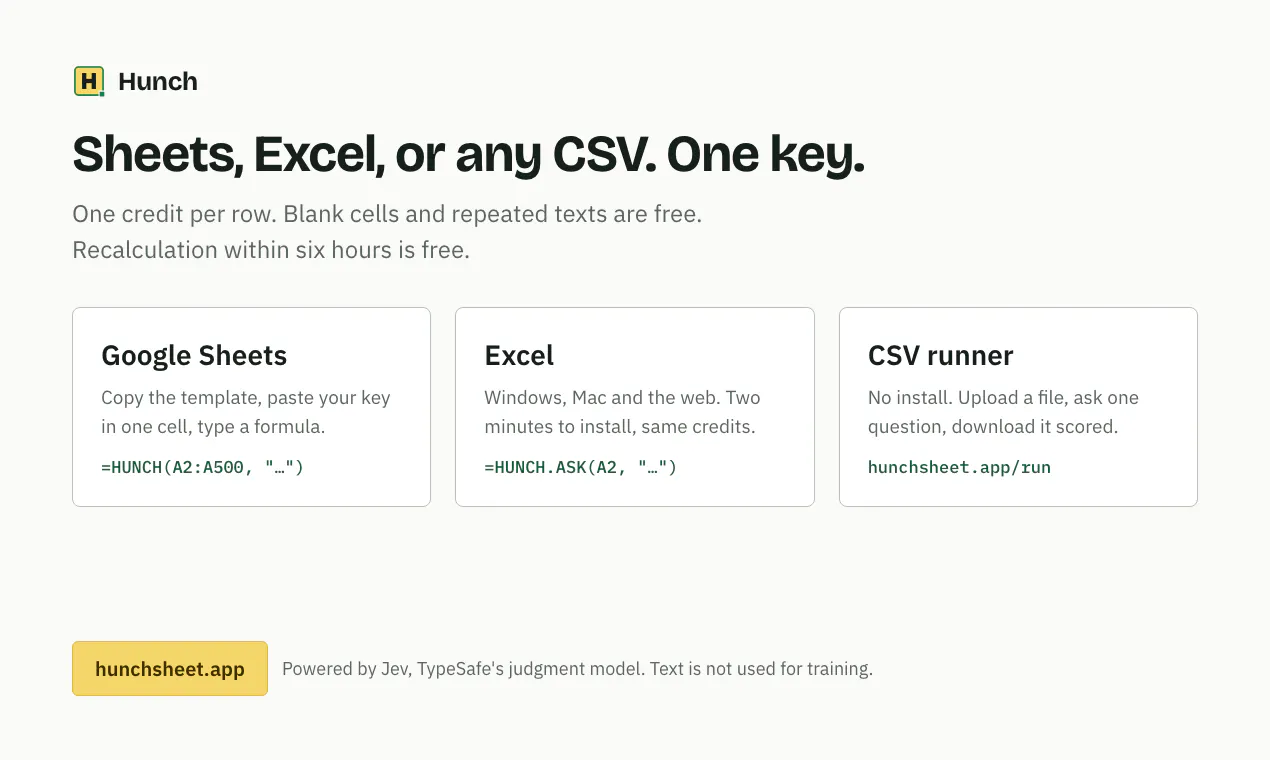
Hunch is an innovative AI-powered tool designed to enhance spreadsheet analysis by assigning probabilistic scores, tags, and classifications to text data within Google Sheets and Excel. It enables users to apply complex judgment models directly to their data, such as determining if a lead is a decision maker or categorizing customer feedback. The tool simplifies the process of data annotation, scoring, and filtering by integrating seamlessly into familiar spreadsheet workflows with just a single key press. Its suite of functions—including scoring, picking options, and multi-question classifications—empowers teams to make data-driven decisions efficiently without needing extensive AI expertise. Hunch’s ability to handle large data sets with a straightforward interface makes it particularly appealing for sales, marketing, research, and data analysis professionals seeking to automate qualitative judgments.
Screenshots
Pros
- ✓Easy integration with Google Sheets and Excel, requiring only one key to activate.
- ✓Versatile functions for scoring, tagging, and multi-question classification.
- ✓No subscription model; credits never expire, making it cost-effective.
- ✓Supports large datasets with up to 5,000 rows for a low upfront cost.
- ✓Powered by Jev, TypeSafe’s sophisticated judgment model ensuring reliable predictions.
Cons
- ✗Limited free tier of 100 rows, which may be restrictive for larger projects.
- ✗Pricing details after the free tier are not specified, which could impact budgeting.
- ✗Requires familiarity with spreadsheet formulas to maximize its features.
Use Cases
Pricing
Pricing not verified
Quick Info
Topics
Makers

Edoardo Panichi
Similar Tools in AI Assistants




Embed Badge
Add this badge to your website to show that Hunch is featured on Visalytica.
<a href="https://www.visalytica.com/tool/hunch" target="_blank" rel="noopener noreferrer" style="display:inline-flex;align-items:center;gap:6px;padding:6px 14px;background:#7c3aed;color:#fff;border-radius:8px;font-family:-apple-system,system-ui,sans-serif;font-size:13px;font-weight:600;text-decoration:none;transition:background .2s" onmouseover="this.style.background='#6d28d9'" onmouseout="this.style.background='#7c3aed'"><svg width="14" height="14" viewBox="0 0 24 24" fill="none" stroke="currentColor" stroke-width="2.5" stroke-linecap="round" stroke-linejoin="round"><path d="M12 20V10"/><path d="M18 20V4"/><path d="M6 20v-4"/></svg>Featured on Visalytica</a>