
Health Dashboard, see Watch data on Mac.
You have the Apple Watch now read its data on Mac
About Health Dashboard, see Watch data on Mac.
Health Dashboard offers a private, local-first desktop application designed for Apple Watch users who want to gain deeper insights into their health data. By importing Apple Health exports, it transforms raw data into comprehensive, doctor-ready dashboards, detailed ECG prints, and an intuitive natural-language Q&A interface. This tool is ideal for health enthusiasts, clinicians, or anyone interested in analyzing cardiac, sleep, activity, and gait data over extended periods. Its focus on privacy and local data processing ensures sensitive health information remains secure, setting it apart from cloud-based alternatives. The ability to generate clinical-quality reports and visualize long-term health trends makes it a valuable resource for both personal health tracking and professional health assessments.
Screenshots
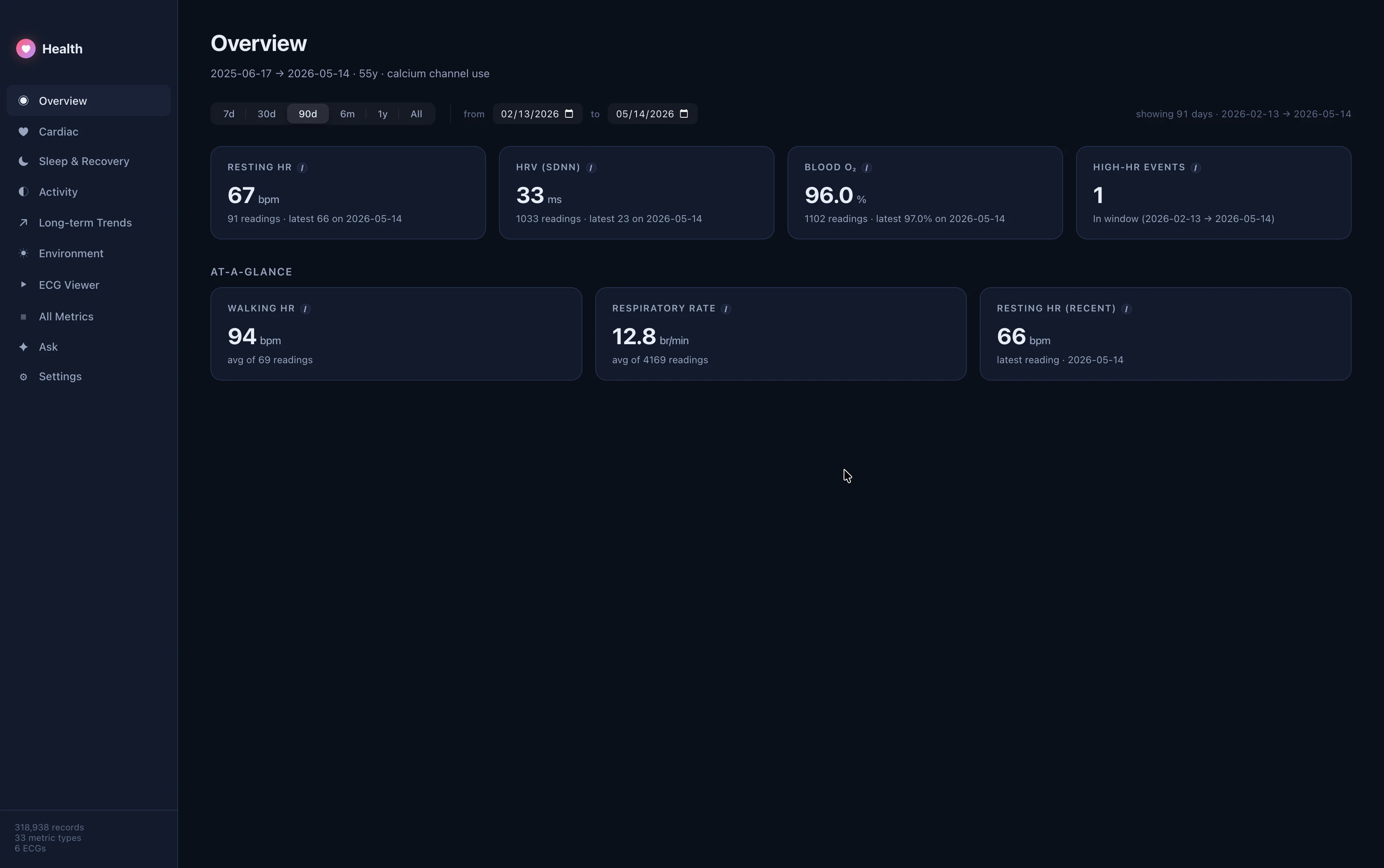
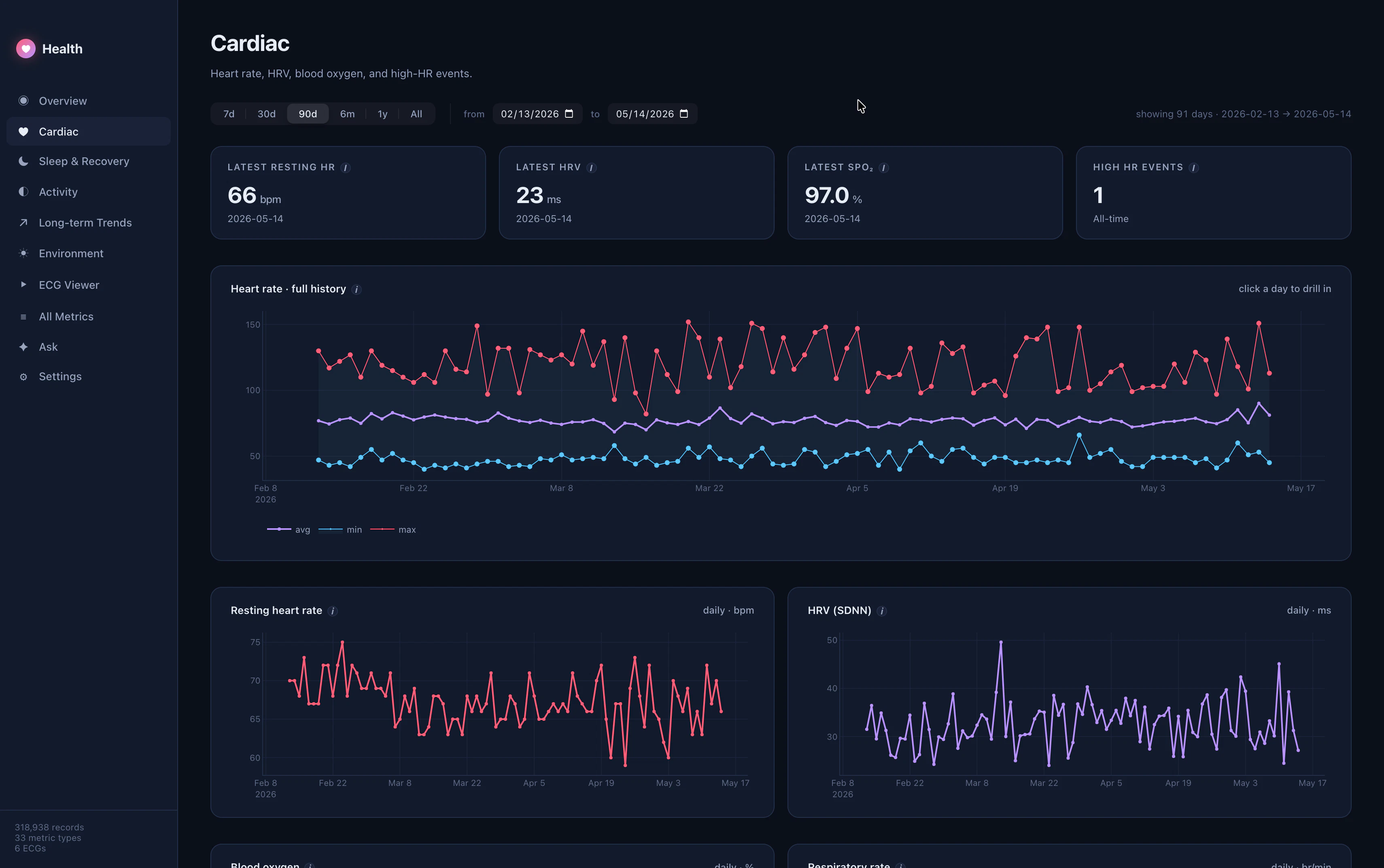
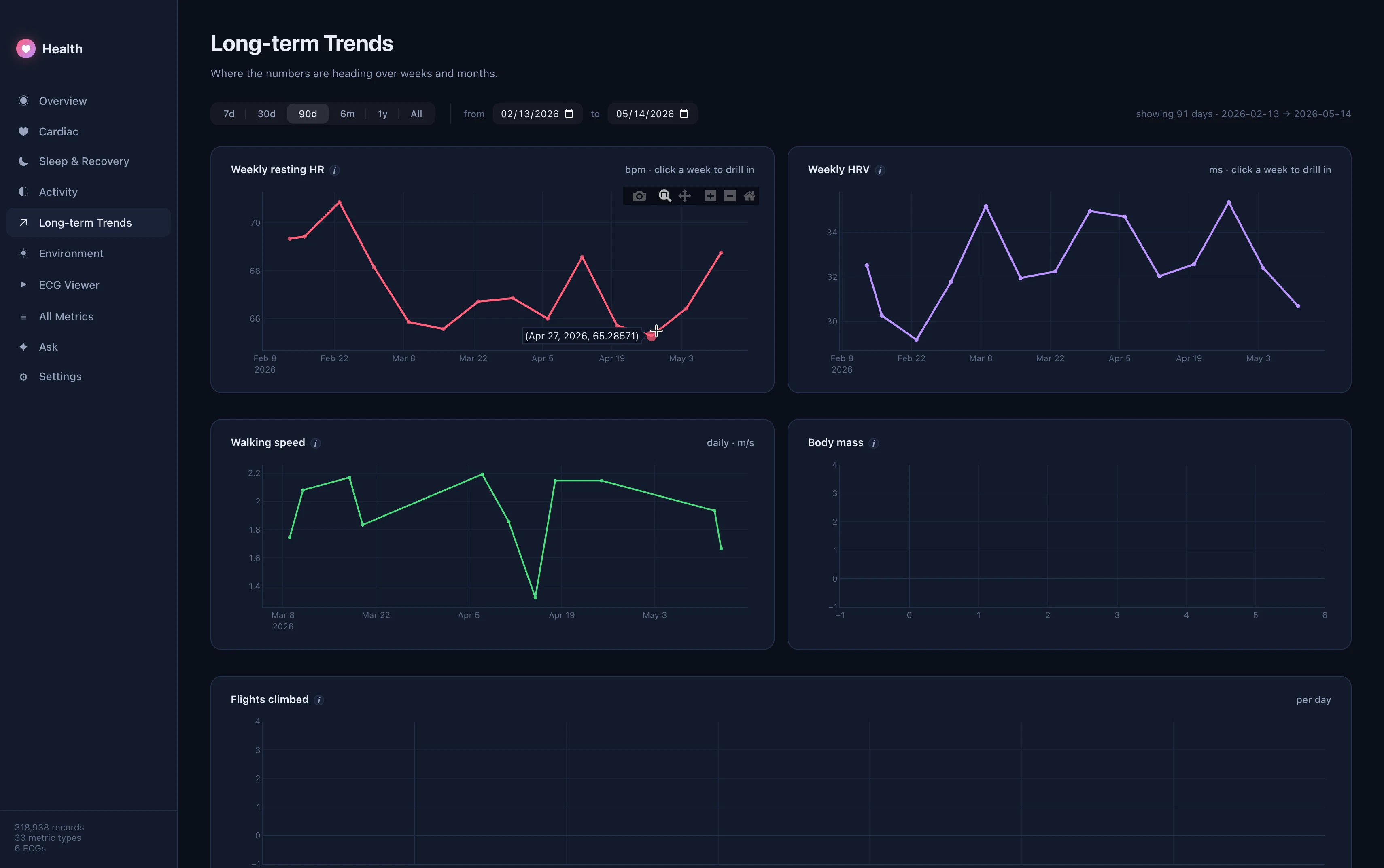
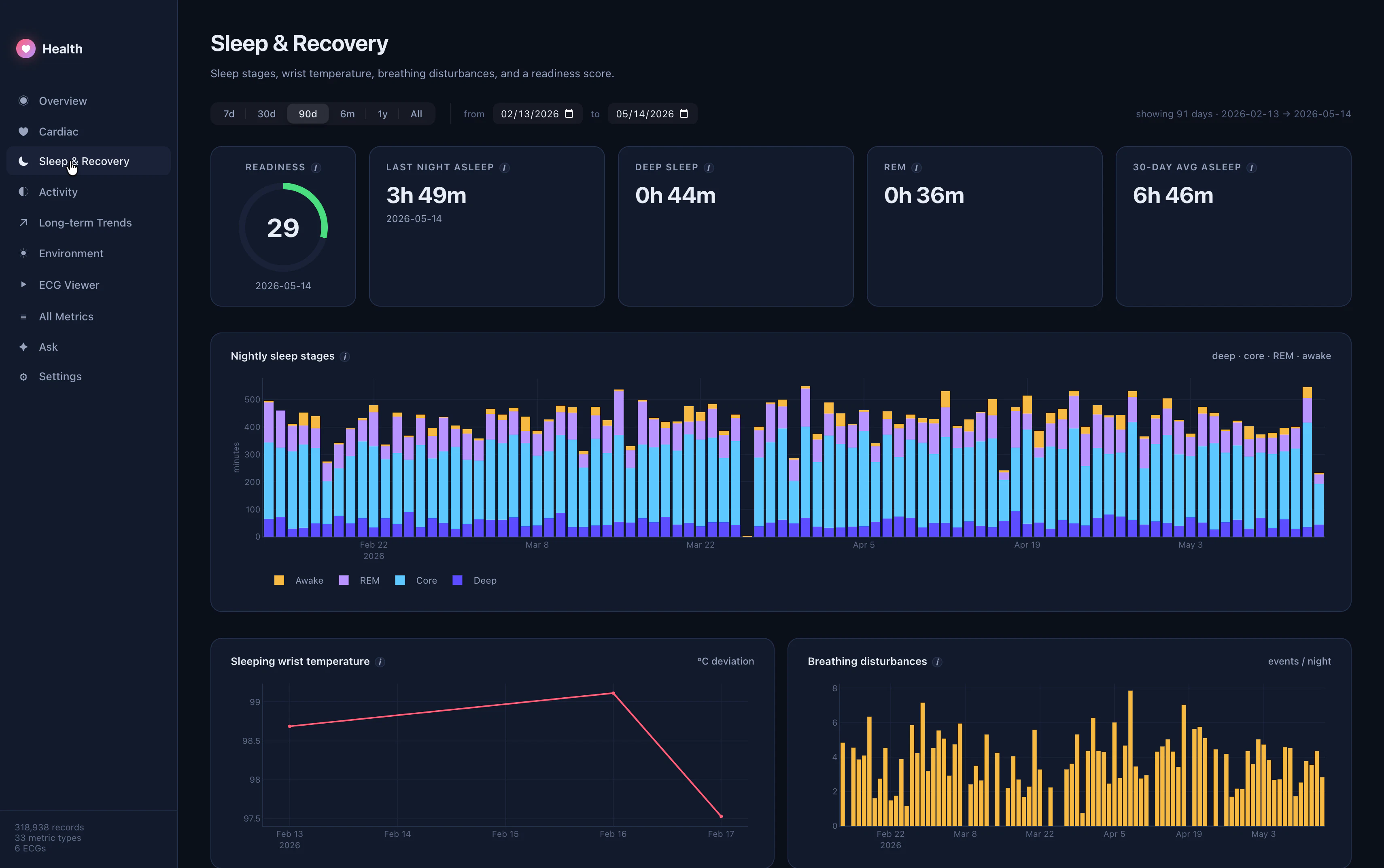
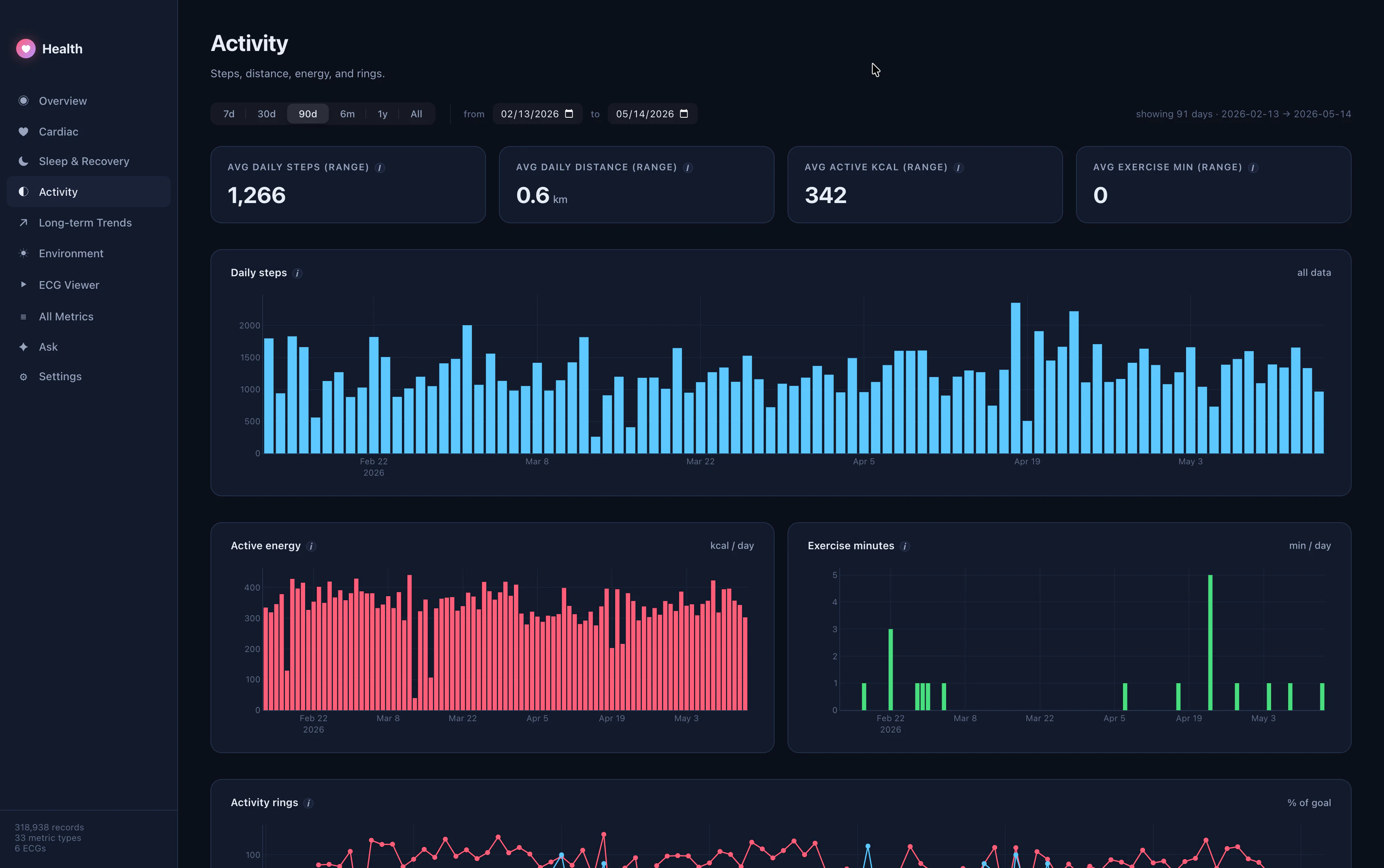
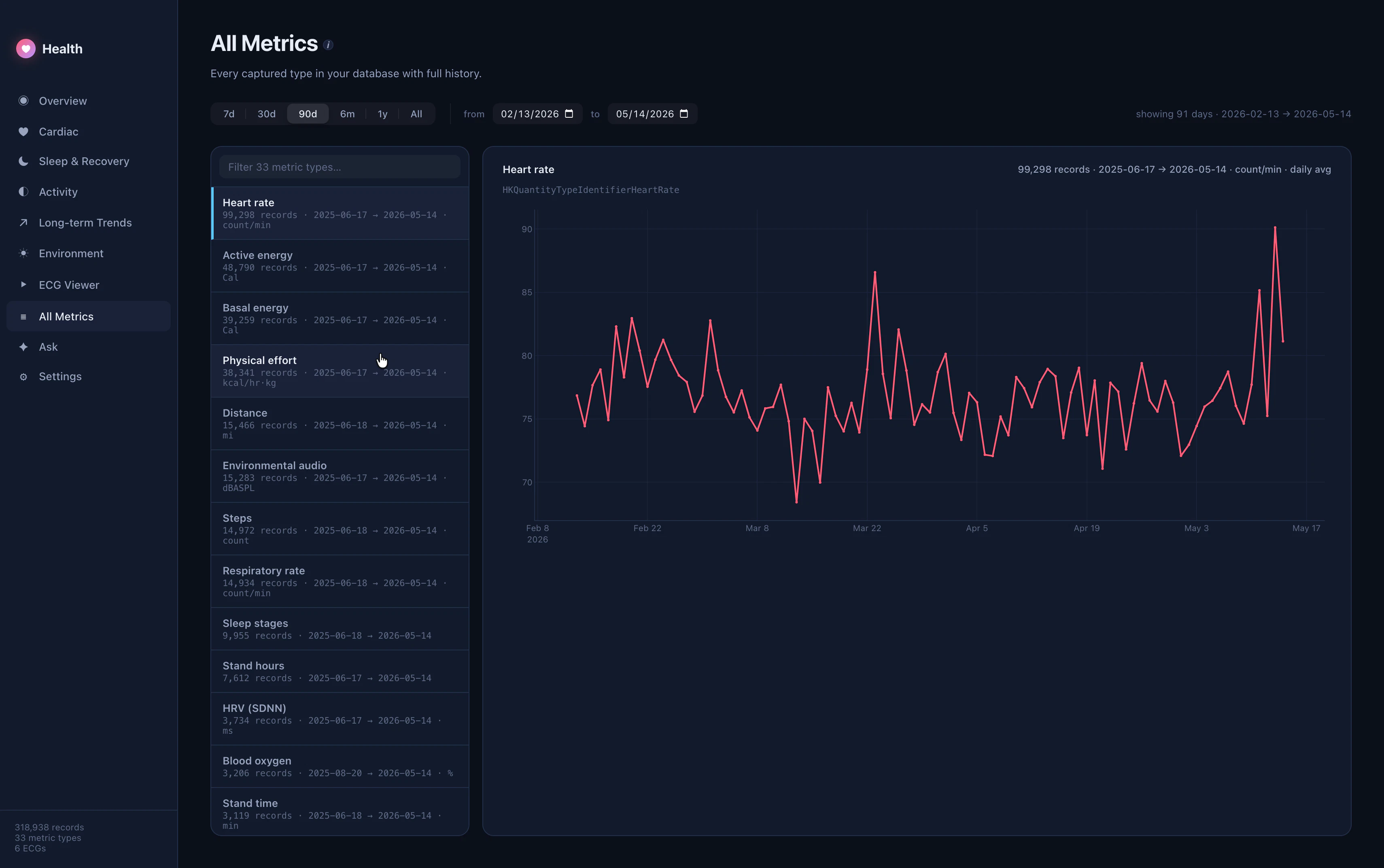
+7 more screenshots
Pros
- ✓Private, local data processing ensures maximum privacy and security
- ✓Transforms raw Apple Health data into comprehensive, visual dashboards
- ✓Supports detailed ECG prints and long-term trend analysis
- ✓Natural-language Q&A simplifies complex health data interpretation
- ✓User-friendly interface tailored for both laypersons and clinicians
Cons
- ✗Requires Apple Health export files, which may involve manual exporting
- ✗Limited to Mac users; not available on other platforms
- ✗Potential learning curve for users unfamiliar with health data analysis
Use Cases
Pricing
Likely follows a one-time purchase or freemium model with optional paid features, but specific pricing details are not publicly disclosed. It may offer a free trial or basic version with premium features available for purchase.
Quick Info
Topics
Alternatives
Similar Tools in Data & Analytics



Embed Badge
Add this badge to your website to show that Health Dashboard, see Watch data on Mac. is featured on Visalytica.
<a href="https://www.visalytica.com/tool/health-dashboard-see-watch-data-on-mac" target="_blank" rel="noopener noreferrer" style="display:inline-flex;align-items:center;gap:6px;padding:6px 14px;background:#7c3aed;color:#fff;border-radius:8px;font-family:-apple-system,system-ui,sans-serif;font-size:13px;font-weight:600;text-decoration:none;transition:background .2s" onmouseover="this.style.background='#6d28d9'" onmouseout="this.style.background='#7c3aed'"><svg width="14" height="14" viewBox="0 0 24 24" fill="none" stroke="currentColor" stroke-width="2.5" stroke-linecap="round" stroke-linejoin="round"><path d="M12 20V10"/><path d="M18 20V4"/><path d="M6 20v-4"/></svg>Featured on Visalytica</a>