
Haptiker
Volume, brightness and keyboard light on your trackpad edges
About Haptiker
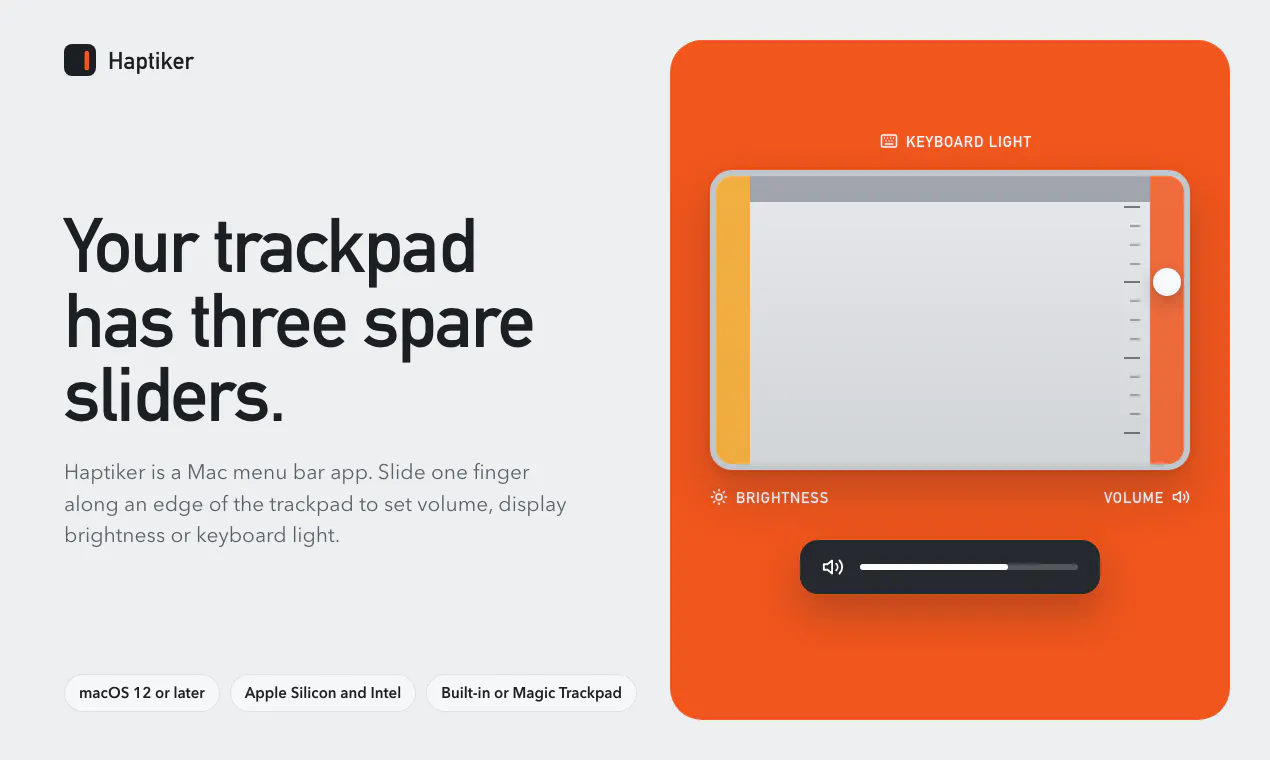
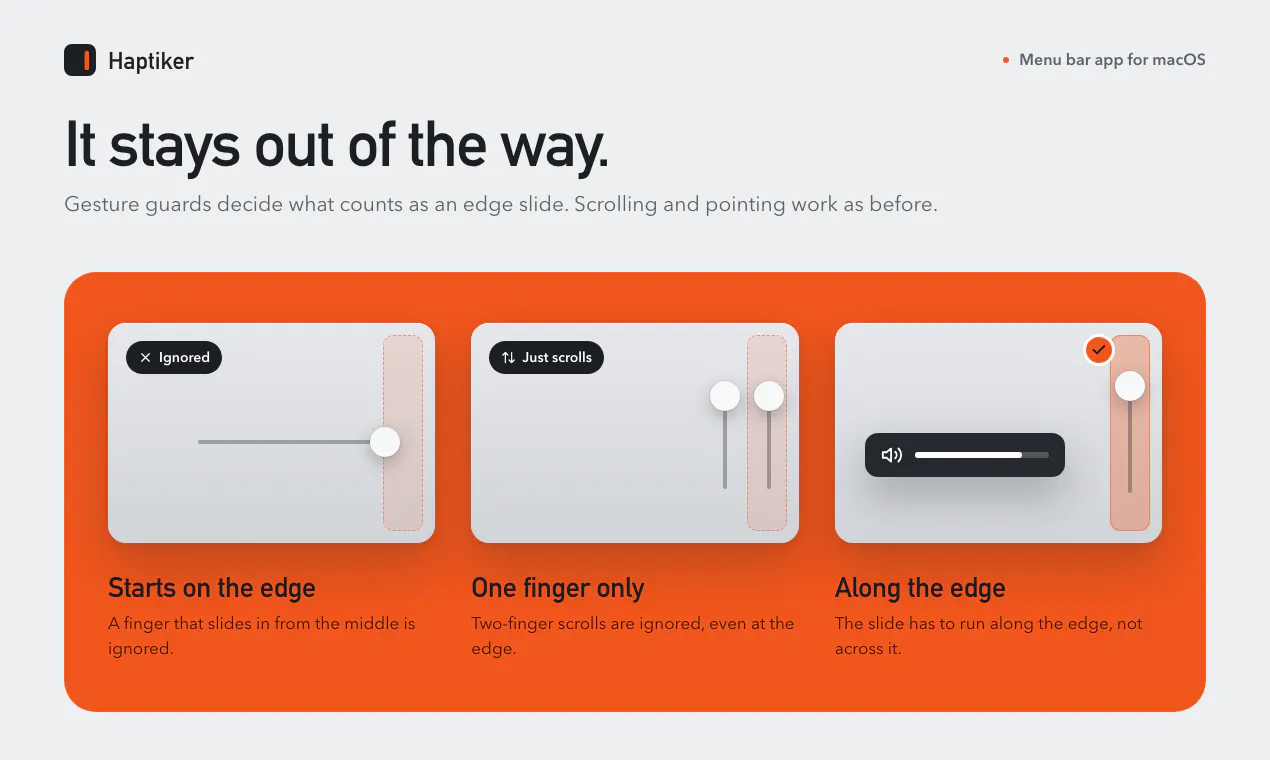
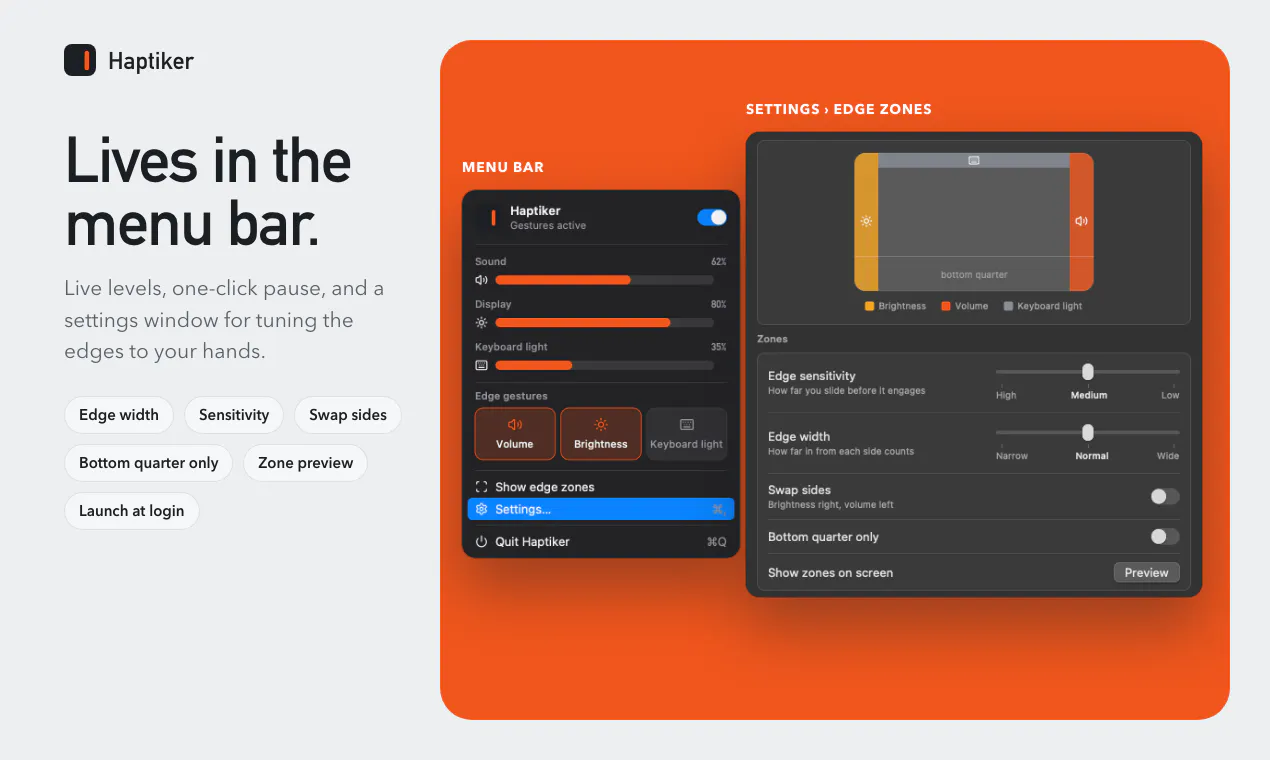
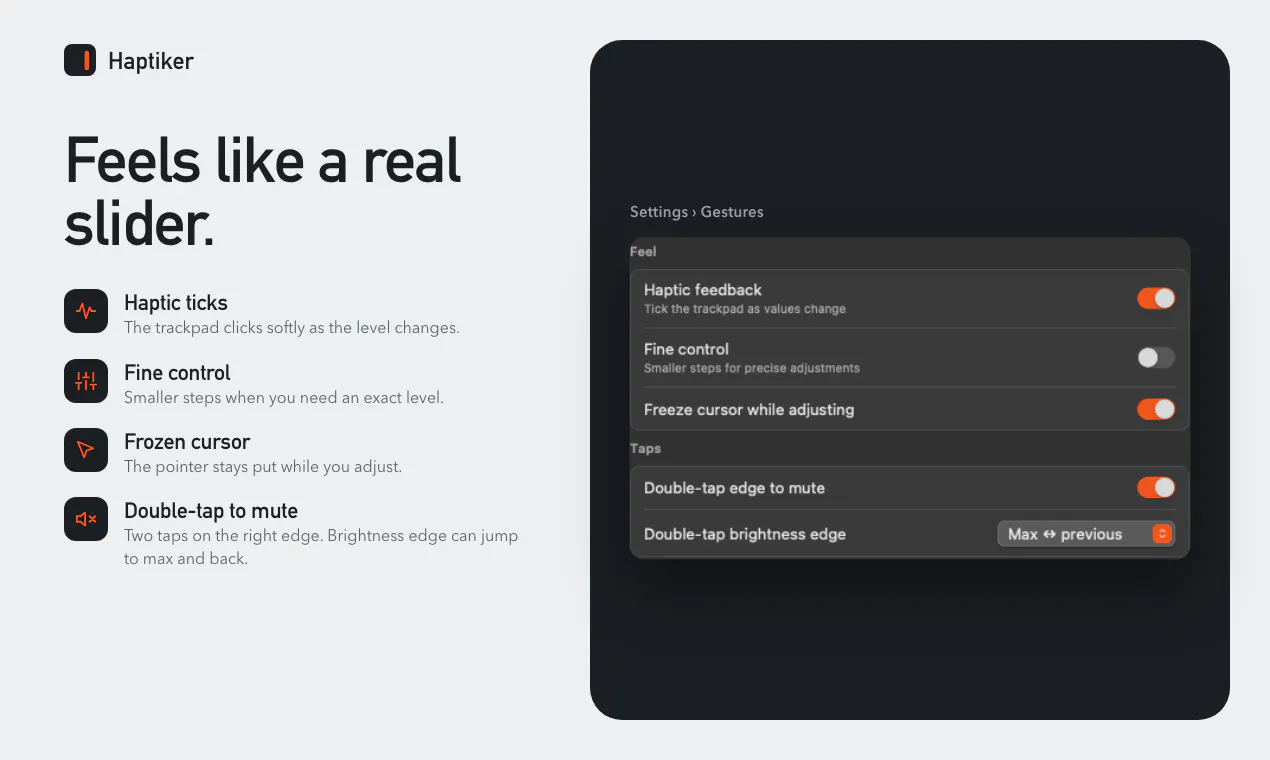
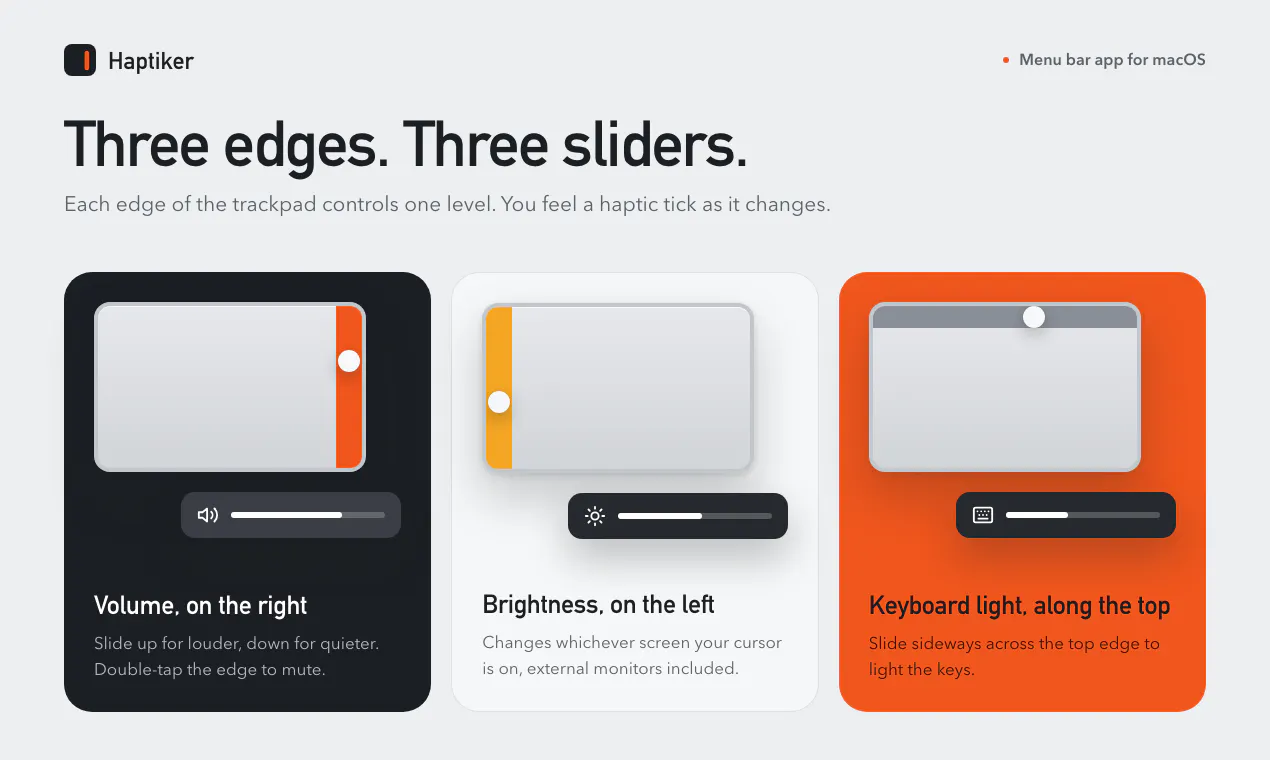
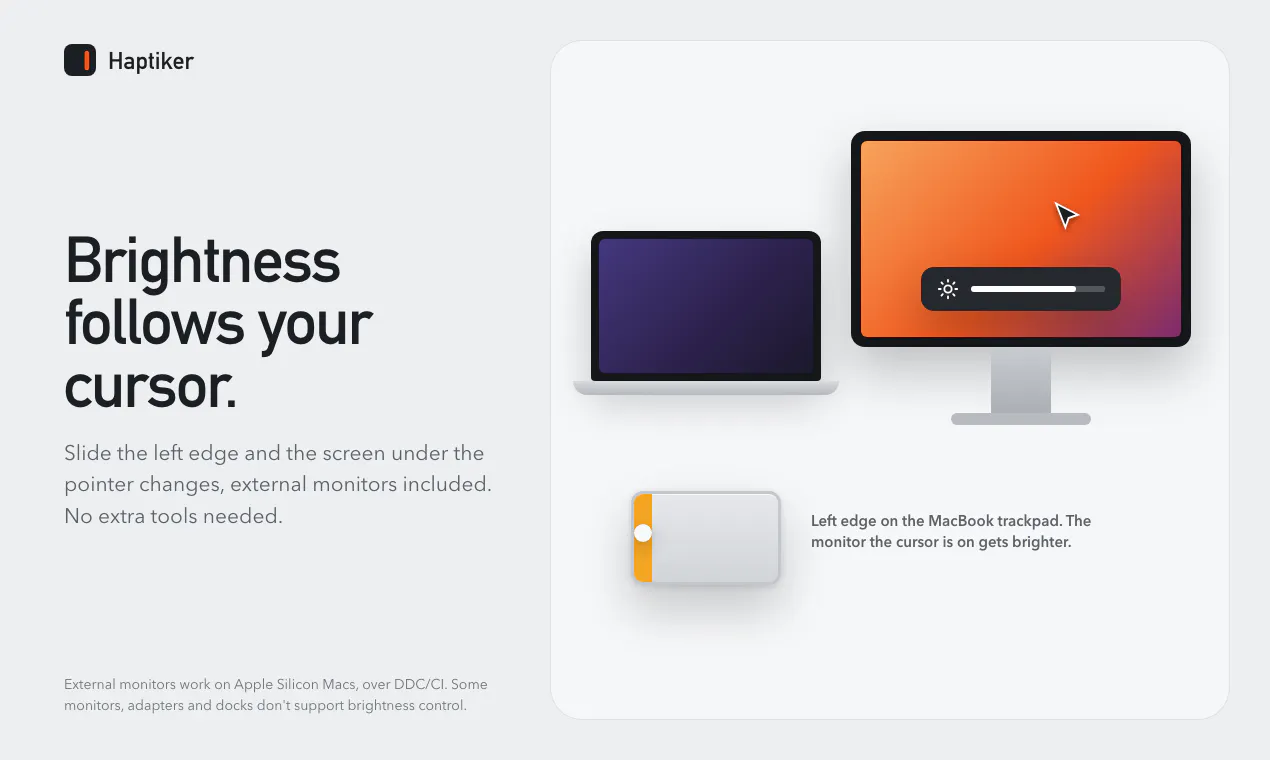
Haptiker is an innovative macOS utility that transforms the edges of your Mac trackpad into functional sliders for quick access to essential controls. By turning the right edge into a volume control, the left for display brightness (including external monitors on Apple Silicon Macs), and the top for keyboard backlight adjustment, it offers an intuitive and tactile way to manage common settings without cluttering your screen. Its haptic feedback provides a satisfying tactile response as you adjust, while preserving the natural scrolling experience. Designed for Mac users seeking enhanced productivity and streamlined control, Haptiker integrates seamlessly into the Mac environment, making essential functions more accessible and efficient. Its 7-day free trial allows users to experience the benefits before committing to a single payment, emphasizing its straightforward approach to improving Mac usability.
Screenshots
+1 more screenshots
Pros
- ✓Innovative edge-based sliders for quick control of volume, brightness, and keyboard lights
- ✓Haptic feedback enhances user interaction with tactile responses
- ✓Supports external monitors on Apple Silicon Macs for brightness adjustment
- ✓Seamless integration with existing macOS gestures like scrolling
- ✓7-day free trial to evaluate before purchase
Cons
- ✗Limited to specific controls, may not replace all customization needs
- ✗Requires Mac with trackpad support and compatible hardware (Apple Silicon for some features)
- ✗Pricing details are not explicitly provided
Use Cases
Pricing
Pricing not verified
Quick Info
Topics
Makers

Perlat Kociaj
Alternatives
Similar Tools in Developer Tools




Embed Badge
Add this badge to your website to show that Haptiker is featured on Visalytica.
<a href="https://www.visalytica.com/tool/haptiker" target="_blank" rel="noopener noreferrer" style="display:inline-flex;align-items:center;gap:6px;padding:6px 14px;background:#7c3aed;color:#fff;border-radius:8px;font-family:-apple-system,system-ui,sans-serif;font-size:13px;font-weight:600;text-decoration:none;transition:background .2s" onmouseover="this.style.background='#6d28d9'" onmouseout="this.style.background='#7c3aed'"><svg width="14" height="14" viewBox="0 0 24 24" fill="none" stroke="currentColor" stroke-width="2.5" stroke-linecap="round" stroke-linejoin="round"><path d="M12 20V10"/><path d="M18 20V4"/><path d="M6 20v-4"/></svg>Featured on Visalytica</a>