
Halvsy for iPhone
Scan any receipt, tap who had what, and everyone's square
About Halvsy for iPhone
Halvsy for iPhone is an innovative app designed to simplify group expense management after dining out or sharing costs. By turning a photo of the bill into a detailed group balance, it automatically reads every line, including tax and tip, and verifies totals for accuracy. Users can easily assign each expense to the respective person by tapping on their name, with the app proportionally splitting tax and tip based on each individual's order. The app facilitates seamless group participation through QR code invitations, and supports multiple currencies to accommodate international groups. Settling up is convenient, as it integrates with existing payment apps, eliminating the need for manual calculations or cash exchanges. Its ad-free experience and unlimited expense tracking make it particularly appealing for frequent travelers, friends, and colleagues managing shared costs efficiently.
Screenshots
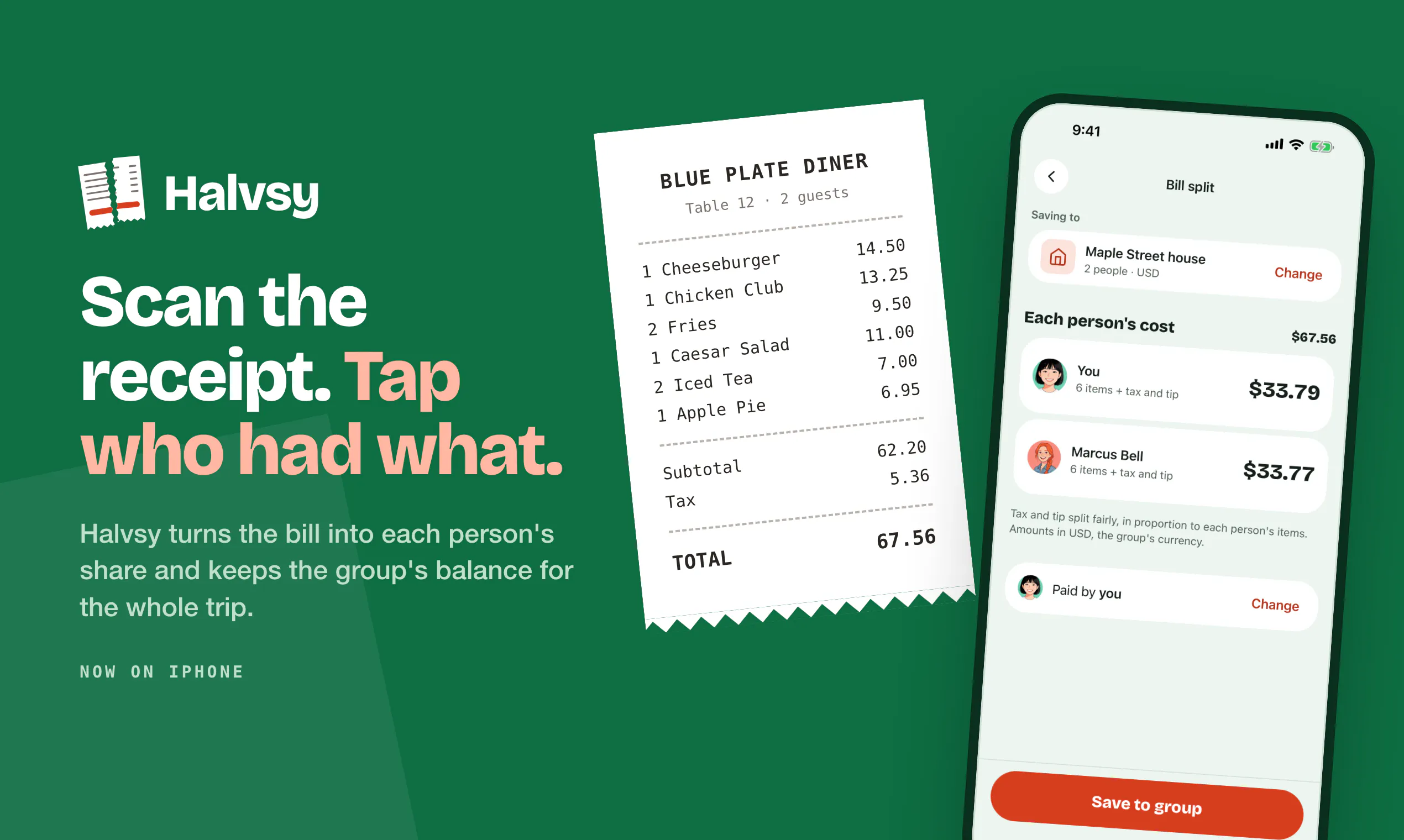
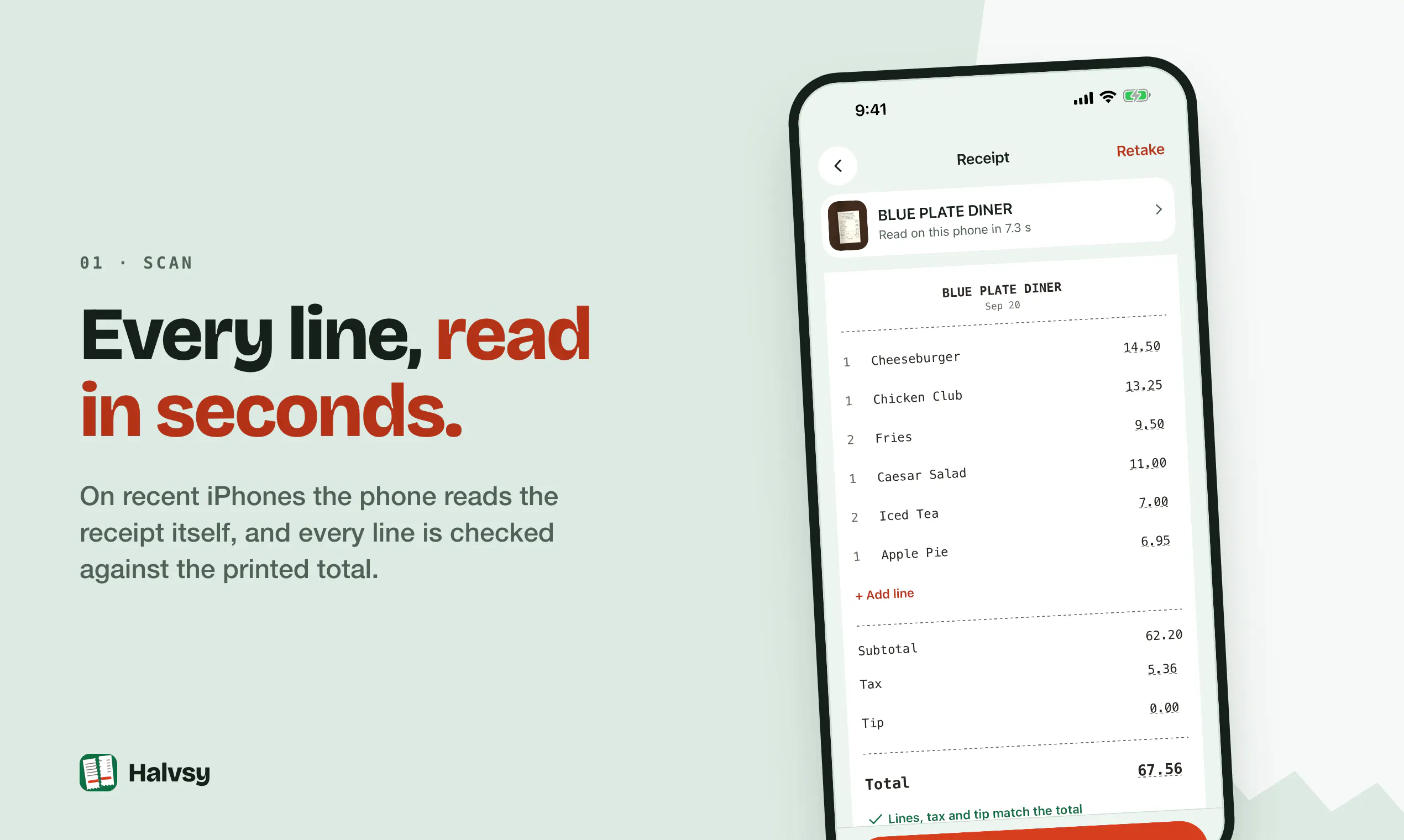
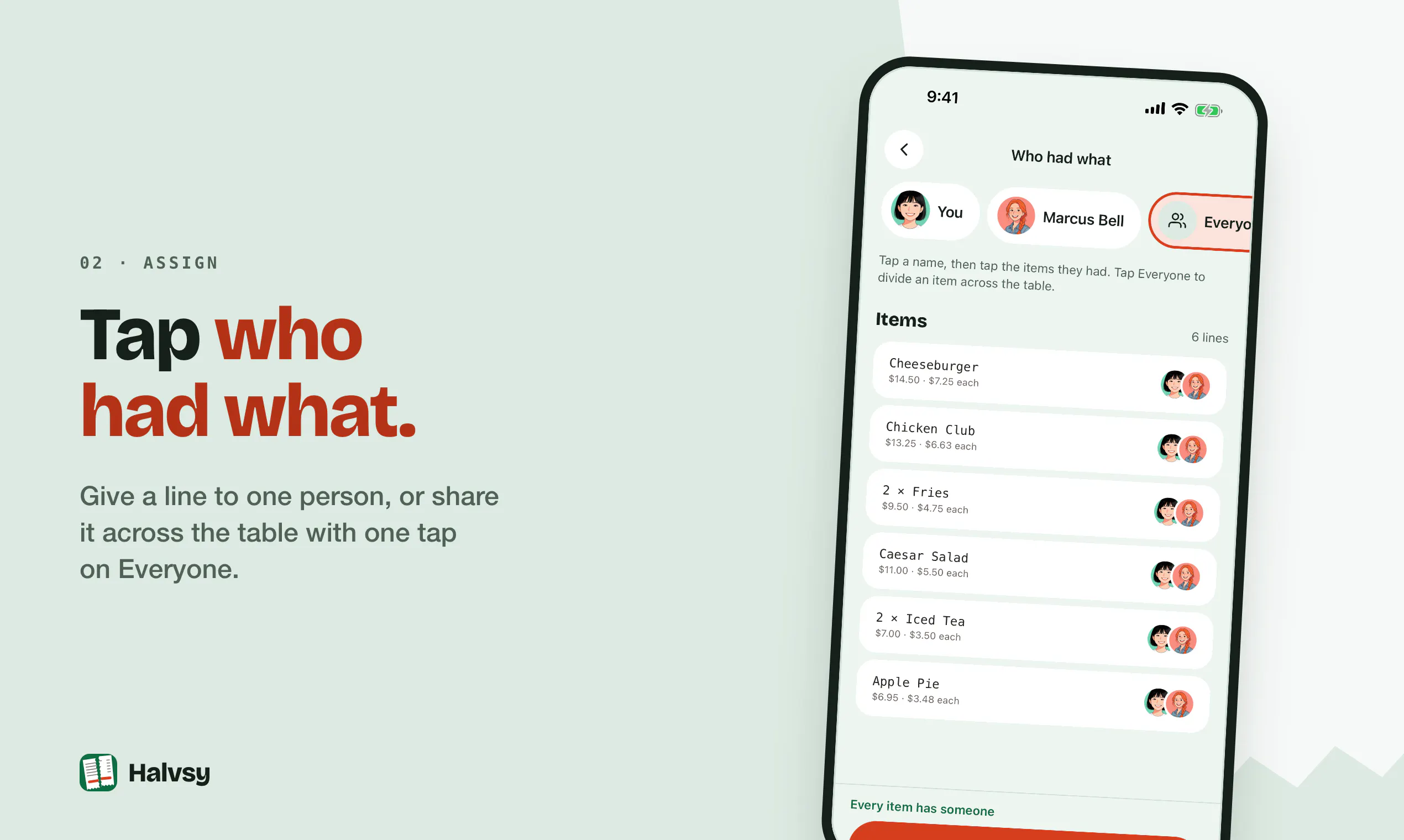
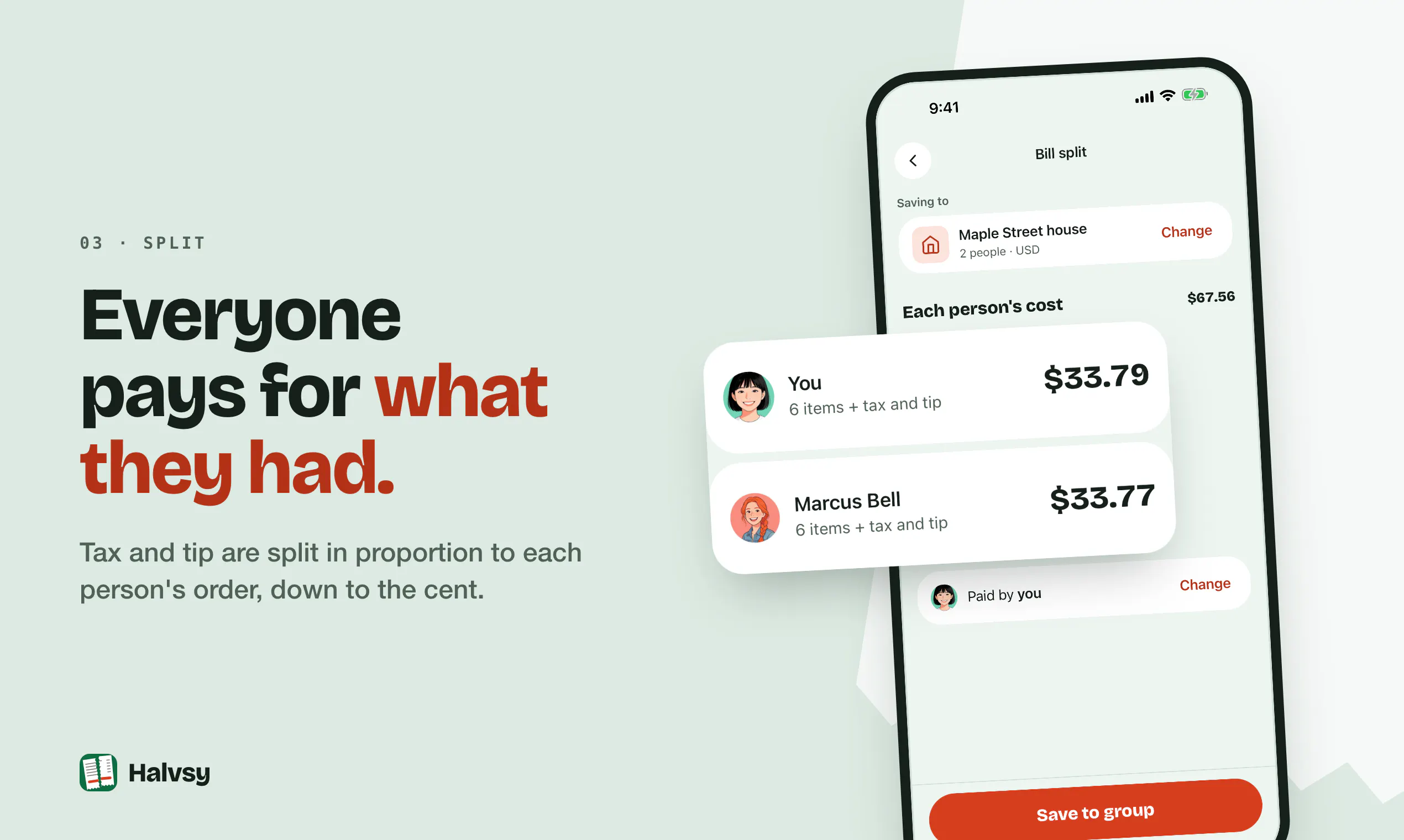
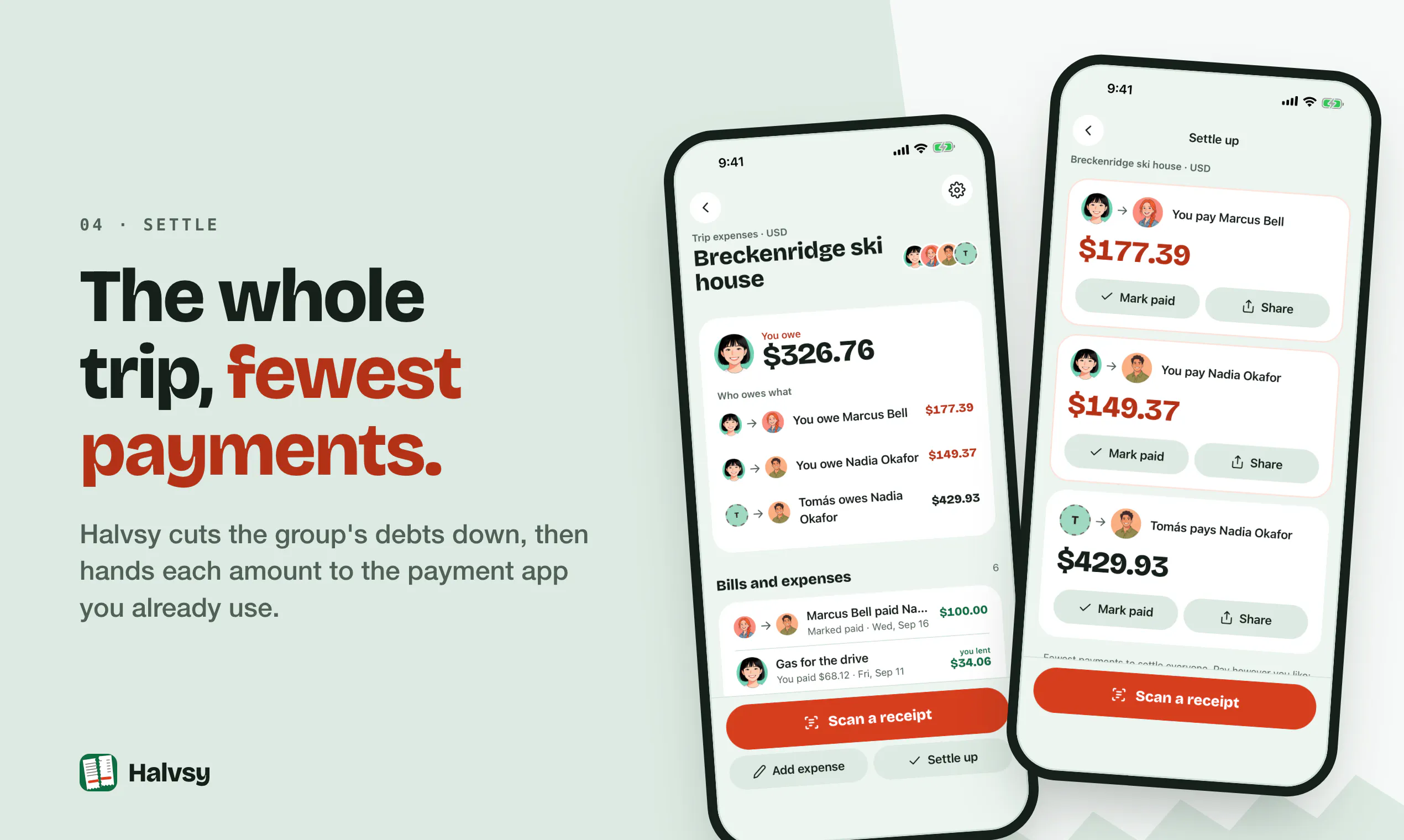
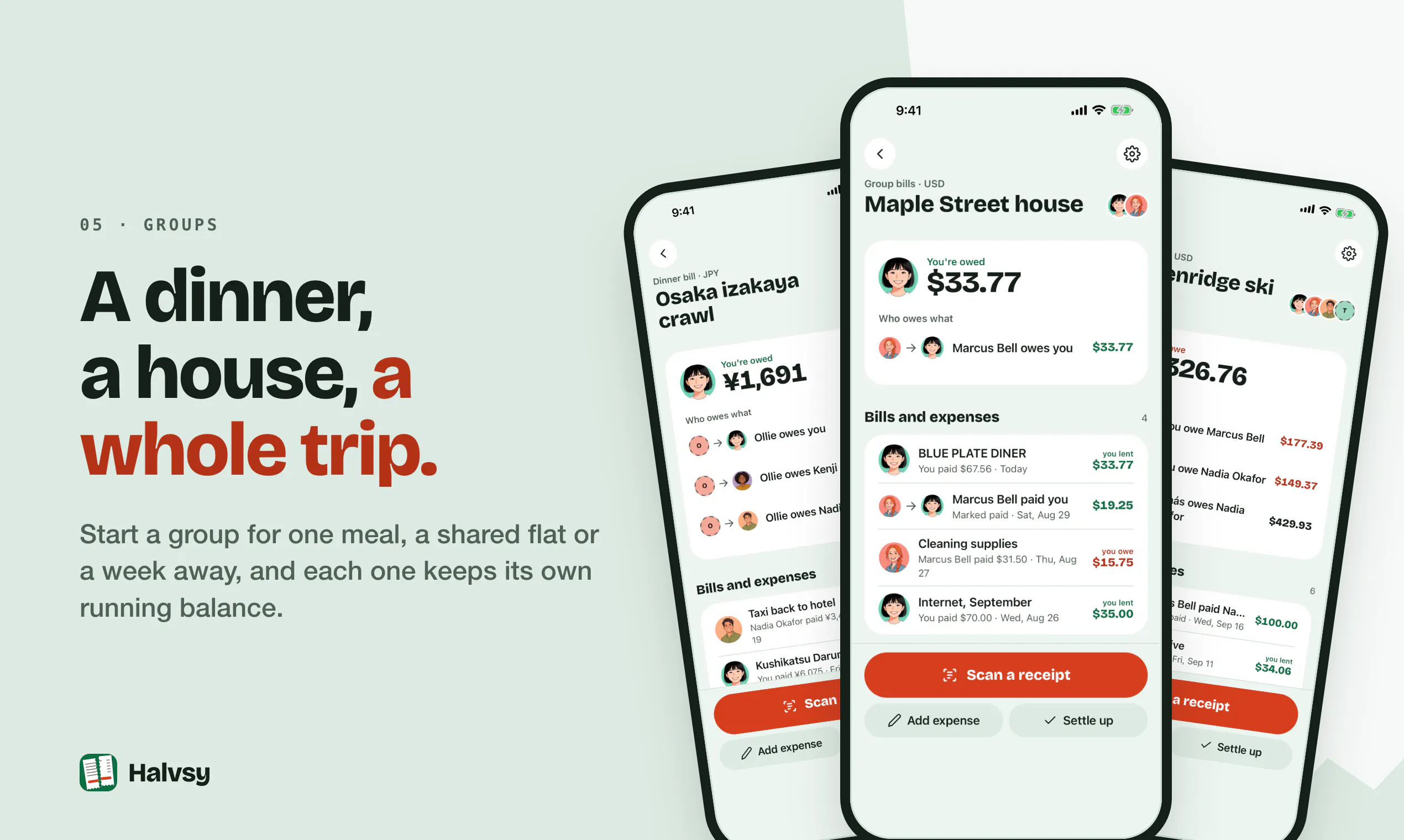
+1 more screenshots
Pros
- ✓Accurate receipt scanning with line-by-line detail
- ✓Easy split of taxes and tips proportionally
- ✓Group management via QR code invites
- ✓Supports multiple currencies
- ✓No ads or expense limits
Cons
- ✗Limited information on pricing or subscription plans
- ✗No details on available integrations or export options
- ✗Potential learning curve for new users unfamiliar with receipt scanning
Use Cases
Pricing
Pricing not verified
Quick Info
Topics
Makers

Quantdesk
Similar Tools in Finance & Payments




Embed Badge
Add this badge to your website to show that Halvsy for iPhone is featured on Visalytica.
<a href="https://www.visalytica.com/tool/halvsy-for-iphone" target="_blank" rel="noopener noreferrer" style="display:inline-flex;align-items:center;gap:6px;padding:6px 14px;background:#7c3aed;color:#fff;border-radius:8px;font-family:-apple-system,system-ui,sans-serif;font-size:13px;font-weight:600;text-decoration:none;transition:background .2s" onmouseover="this.style.background='#6d28d9'" onmouseout="this.style.background='#7c3aed'"><svg width="14" height="14" viewBox="0 0 24 24" fill="none" stroke="currentColor" stroke-width="2.5" stroke-linecap="round" stroke-linejoin="round"><path d="M12 20V10"/><path d="M18 20V4"/><path d="M6 20v-4"/></svg>Featured on Visalytica</a>