
Google Chrome Vertical Tabs
Chrome now supports vertical tabs and immersive reading mode
About Google Chrome Vertical Tabs
Google Chrome's latest update introduces vertical tabs and an improved reading mode, transforming how users interact with their browsers. Vertical tabs allow for side-by-side organization, making multitasking more intuitive and reducing clutter, especially for those managing numerous open tabs. The new immersive reading mode provides a distraction-free, full-page viewing experience, ideal for deep focus and detailed reading sessions. This enhancement is particularly beneficial for professionals, students, and power users who seek a more streamlined and efficient browsing experience. By combining these features, Chrome aims to boost productivity and user comfort, catering to those who demand both organization and focus from their browser.
Screenshots
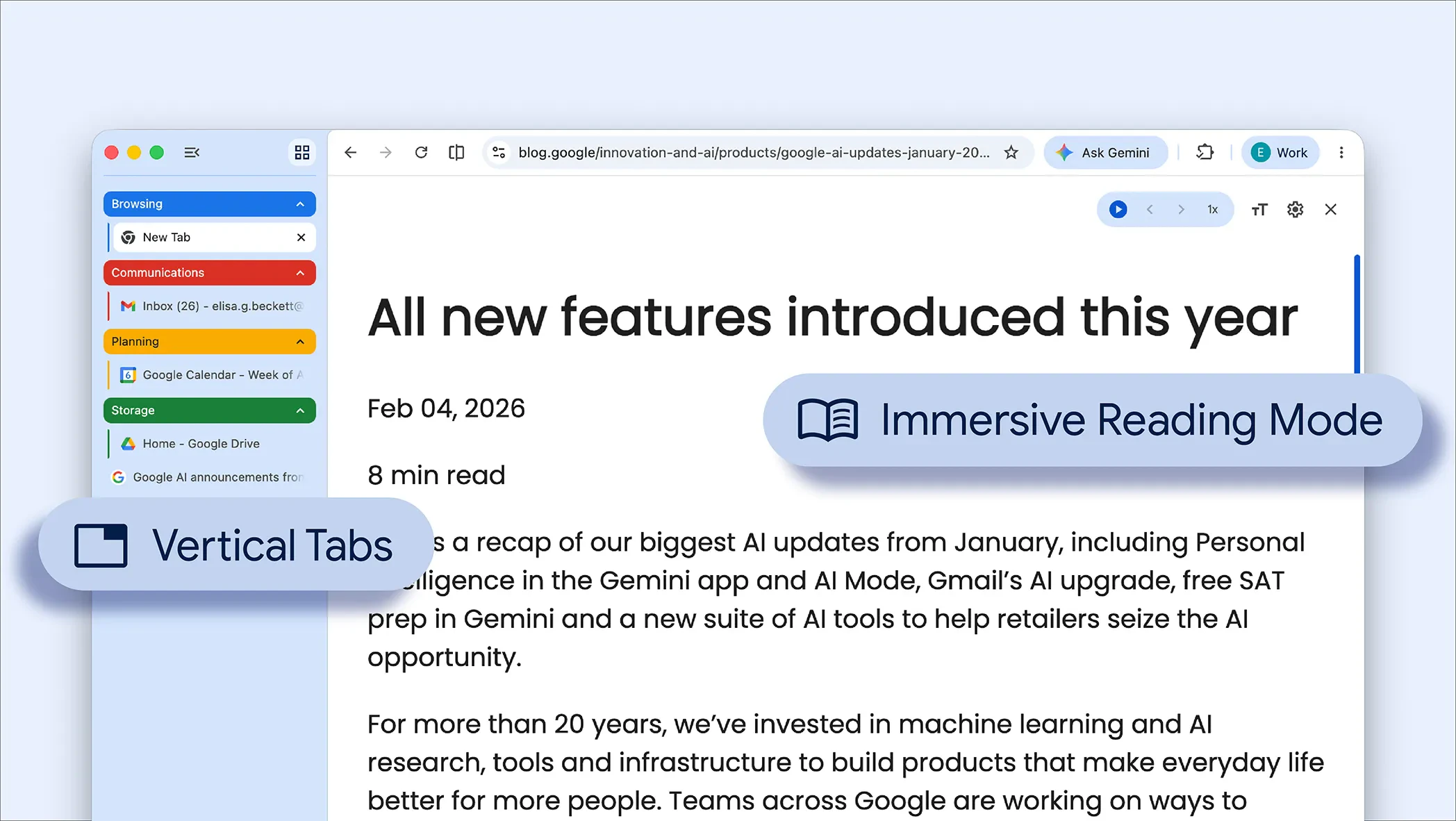



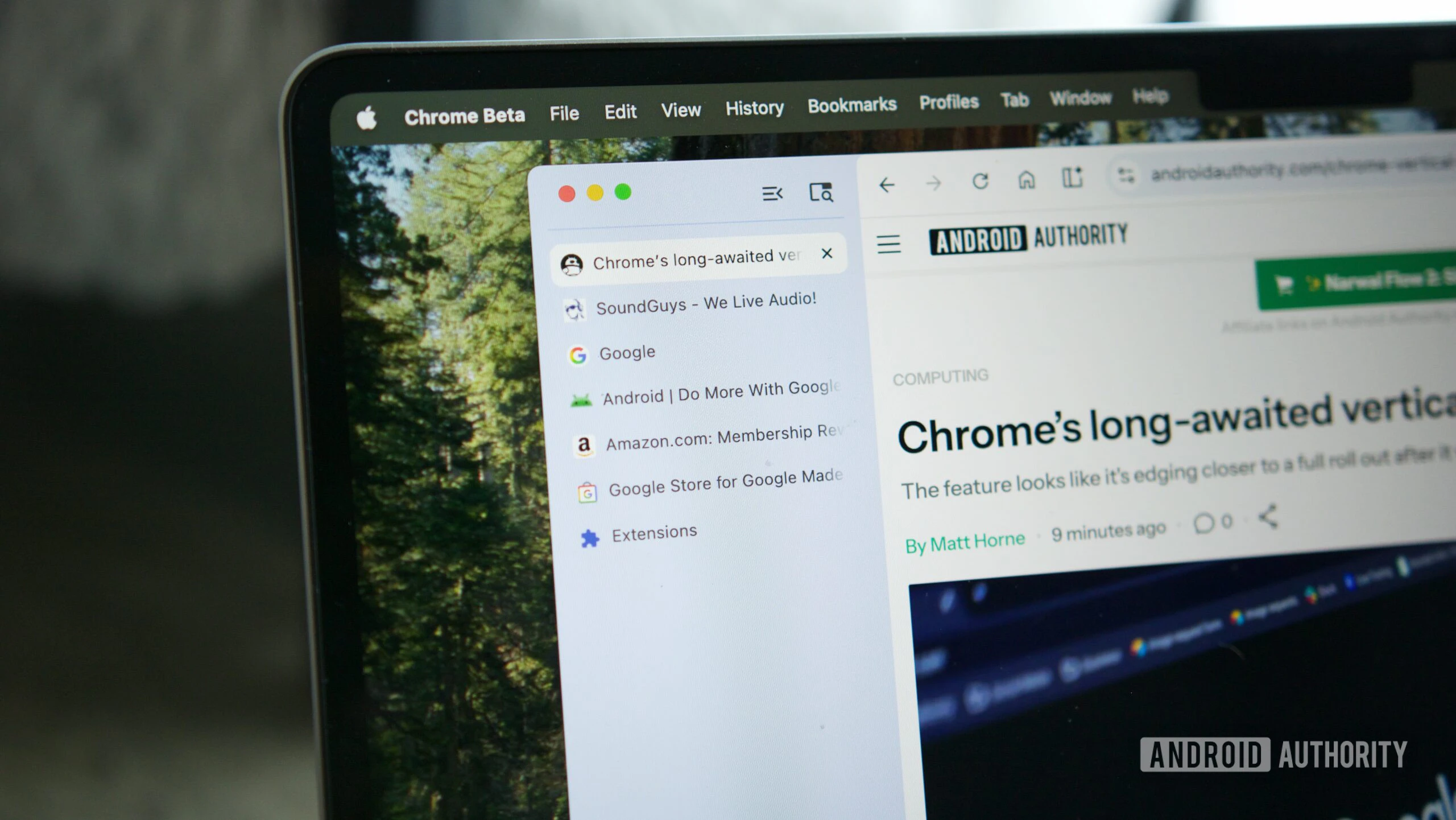
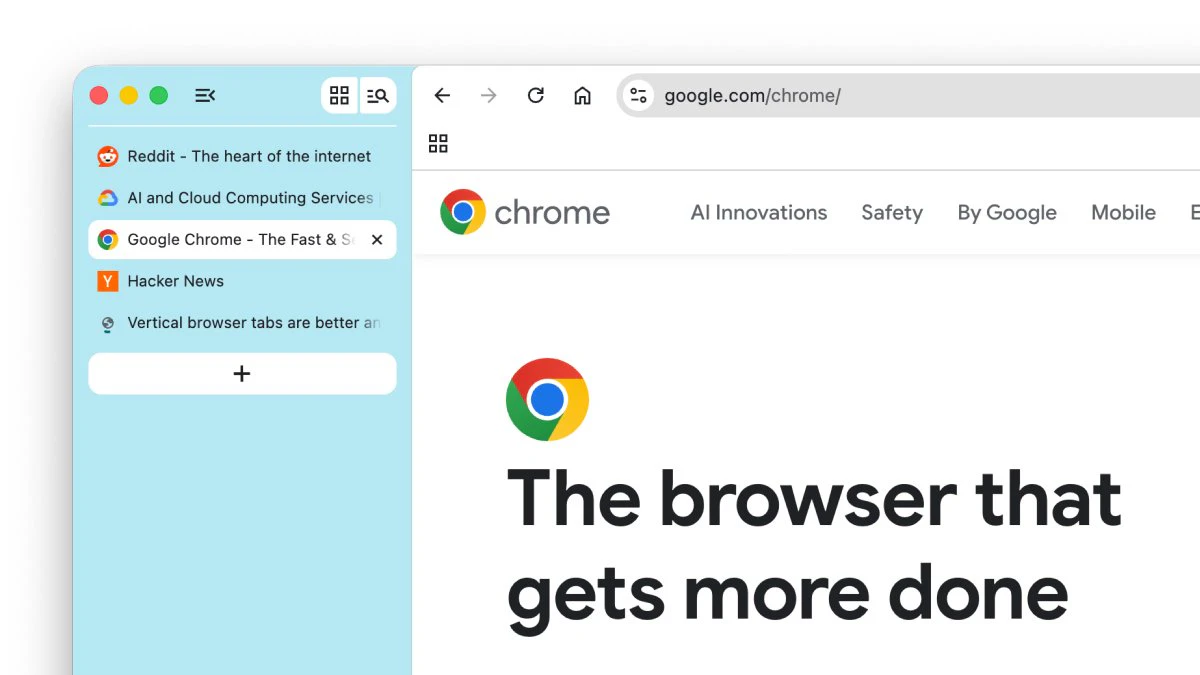
+2 more screenshots
Pros
- ✓Enhanced tab management with vertical orientation for easier navigation
- ✓Distraction-free immersive reading mode for better focus
- ✓Improves multitasking and reduces clutter in busy workflows
- ✓Seamless integration within Chrome, no need for additional extensions
- ✓User-friendly interface with intuitive controls
Cons
- ✗Features are limited to the latest Chrome versions, requiring updates
- ✗Vertical tabs might take some time to adapt to for new users
- ✗Certain customization options may be minimal compared to dedicated extensions
Use Cases
Pricing
Free feature included with the latest version of Google Chrome; no additional cost or subscription required.
Quick Info
Topics
Alternatives
Similar Tools in Customer Support




Embed Badge
Add this badge to your website to show that Google Chrome Vertical Tabs is featured on Visalytica.
<a href="https://www.visalytica.com/tool/google-chrome-vertical-tabs" target="_blank" rel="noopener noreferrer" style="display:inline-flex;align-items:center;gap:6px;padding:6px 14px;background:#7c3aed;color:#fff;border-radius:8px;font-family:-apple-system,system-ui,sans-serif;font-size:13px;font-weight:600;text-decoration:none;transition:background .2s" onmouseover="this.style.background='#6d28d9'" onmouseout="this.style.background='#7c3aed'"><svg width="14" height="14" viewBox="0 0 24 24" fill="none" stroke="currentColor" stroke-width="2.5" stroke-linecap="round" stroke-linejoin="round"><path d="M12 20V10"/><path d="M18 20V4"/><path d="M6 20v-4"/></svg>Featured on Visalytica</a>