
GitSync
Sync branches between GitHub repos, right from Chrome
About GitSync
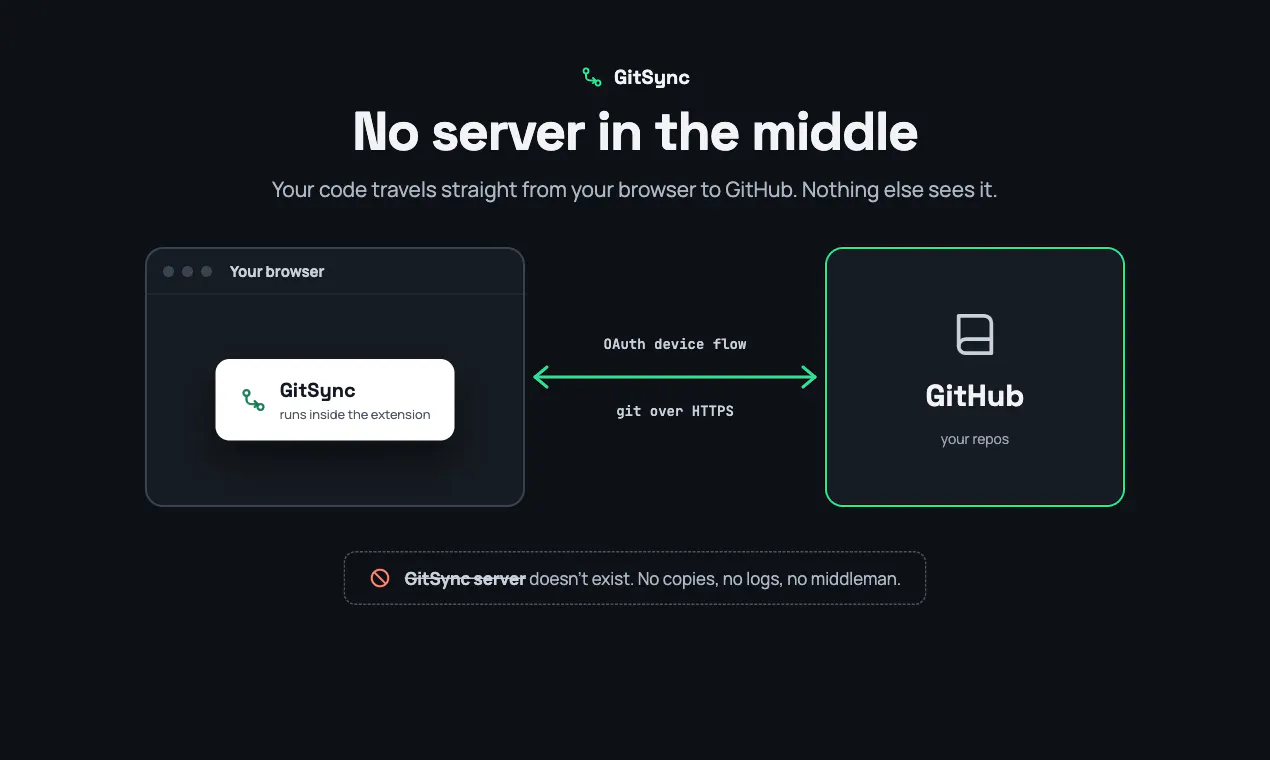
GitSync is a lightweight Chrome extension designed for developers and teams working with multiple GitHub repositories. It allows users to effortlessly synchronize branches between different repositories directly from the browser, whether copying a full commit history or just capturing the latest snapshot. This tool is particularly useful for maintaining consistency across projects, managing forks, or transferring code snippets without leaving the Chrome environment. Its browser-based operation ensures that no server ever views your code, enhancing privacy and security. By eliminating the need for command-line operations or complex Git workflows, GitSync simplifies repository management for both seasoned developers and casual users. Its seamless integration with GitHub makes it a handy addition to any developer's toolkit, especially for those who prioritize quick, secure, and visual branch synchronization.
Screenshots




Pros
- ✓Runs entirely in the browser without requiring local Git setup
- ✓Supports copying full commit history or just latest snapshots
- ✓Secure, as no code is sent to external servers
- ✓Easy to use for both technical and non-technical users
- ✓Facilitates quick branch synchronization across multiple repositories
Cons
- ✗Limited to GitHub repositories only
- ✗Functionality depends on Chrome browser, not available on other browsers
- ✗Lacks advanced Git operations or conflict resolution features
Use Cases
Pricing
Pricing not verified
Quick Info
Topics
Makers

Parth Sanepara
Similar Tools in Developer Tools




Embed Badge
Add this badge to your website to show that GitSync is featured on Visalytica.
<a href="https://www.visalytica.com/tool/gitsync" target="_blank" rel="noopener noreferrer" style="display:inline-flex;align-items:center;gap:6px;padding:6px 14px;background:#7c3aed;color:#fff;border-radius:8px;font-family:-apple-system,system-ui,sans-serif;font-size:13px;font-weight:600;text-decoration:none;transition:background .2s" onmouseover="this.style.background='#6d28d9'" onmouseout="this.style.background='#7c3aed'"><svg width="14" height="14" viewBox="0 0 24 24" fill="none" stroke="currentColor" stroke-width="2.5" stroke-linecap="round" stroke-linejoin="round"><path d="M12 20V10"/><path d="M18 20V4"/><path d="M6 20v-4"/></svg>Featured on Visalytica</a>