
GeckIt
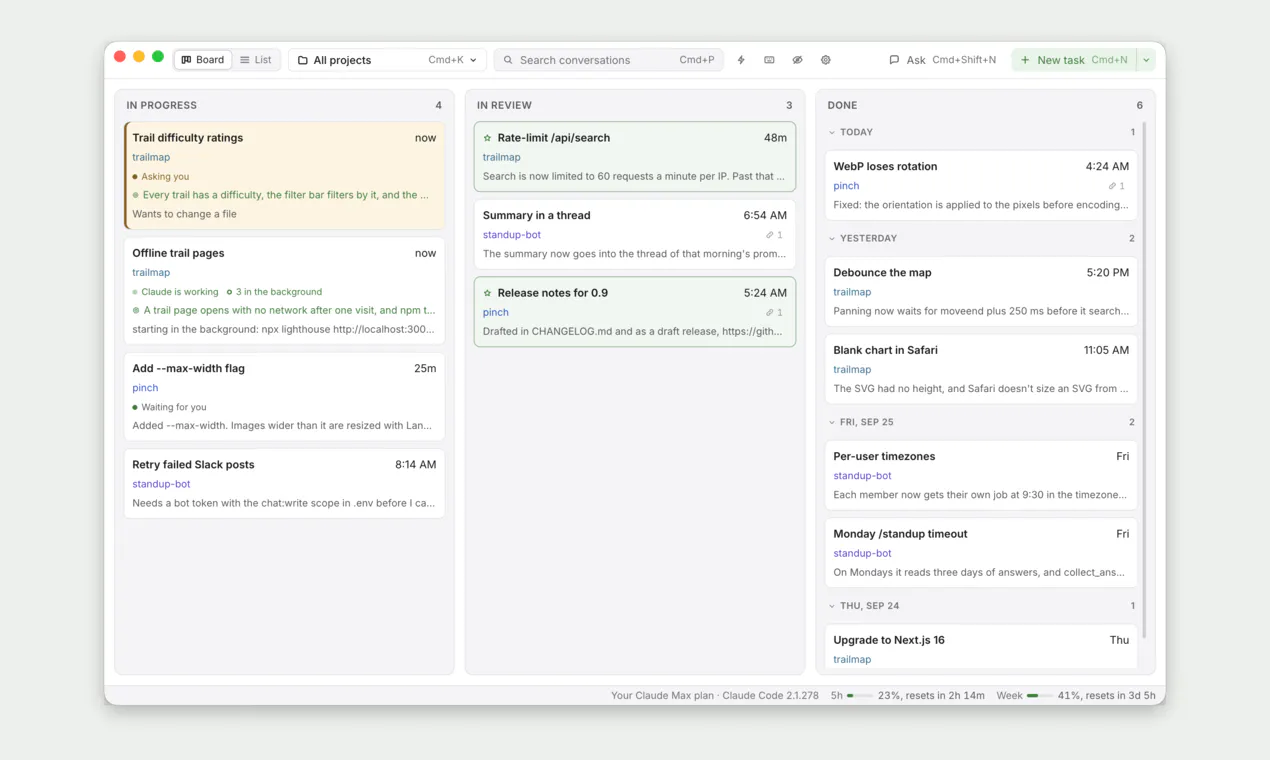
Kanban board for your Claude Code chats
About GeckIt
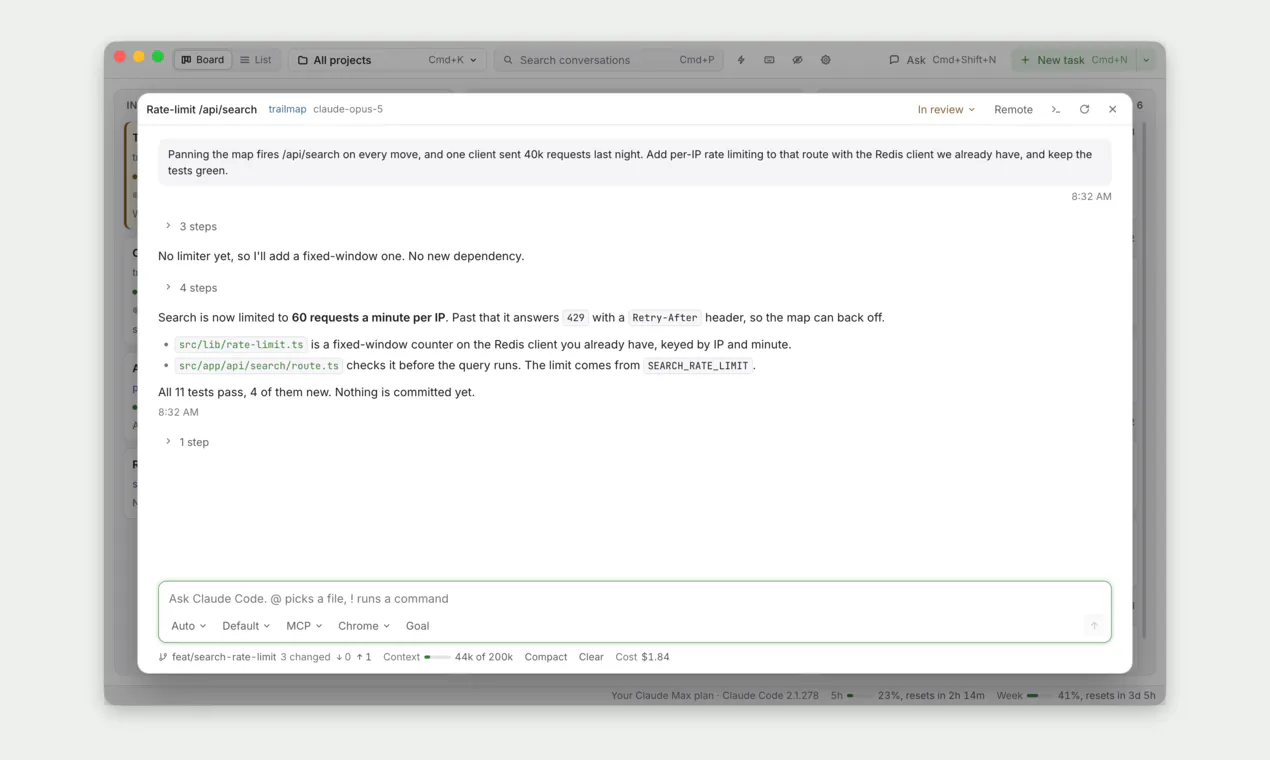
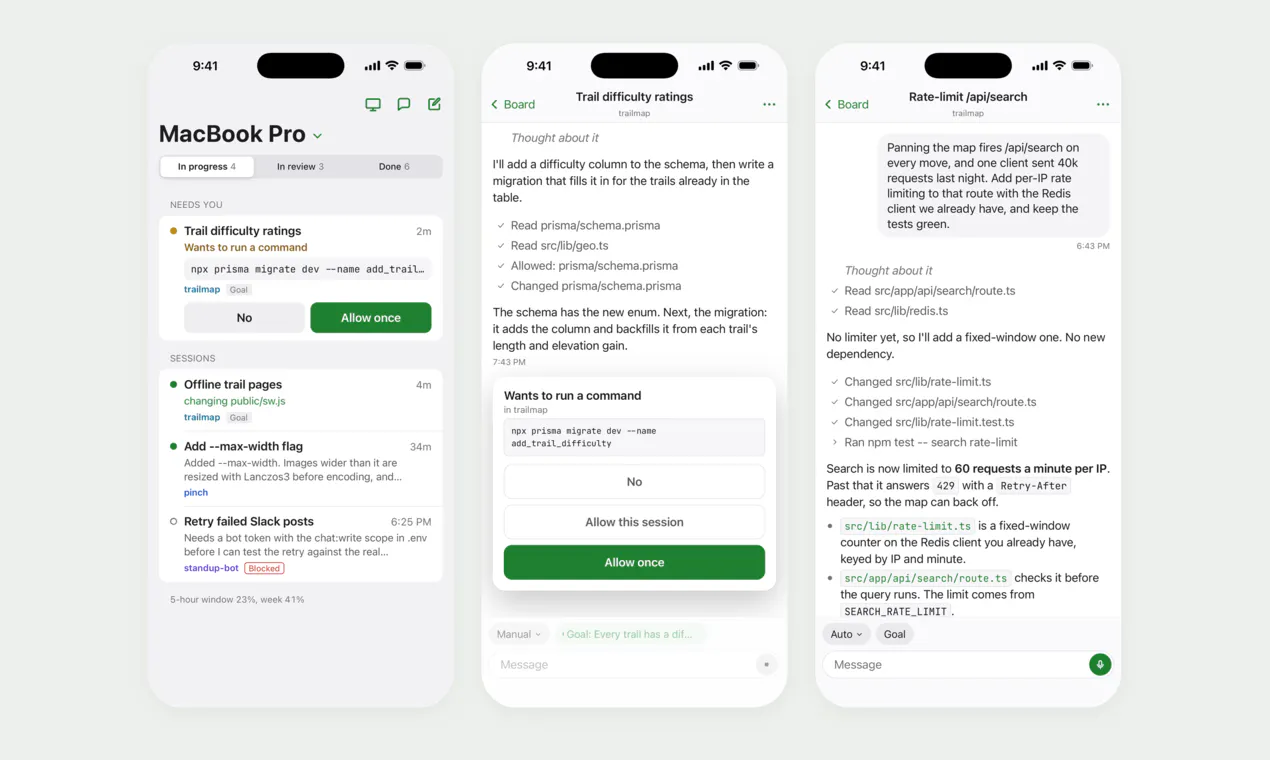
GeckIt is a unique productivity tool designed for developers working with multiple Claude Code chats simultaneously. By transforming these chats into a visual Kanban board, GeckIt helps users easily track the status of each conversation—whether they are active, awaiting input, or completed. Its seamless integration with your own Claude subscription eliminates the need for API keys, simplifying setup and use. Available across Mac, Windows, and Linux, and being open source, GeckIt appeals to both individual developers and teams seeking a straightforward way to manage their AI-assisted coding workflows. Its visual approach enhances organization, reduces context-switching, and boosts productivity for those juggling numerous AI chats. The open-source nature also invites customization and community contributions, making it a flexible choice for tech-savvy users who value transparency and control.
Screenshots
Pros
- ✓Visual Kanban interface simplifies chat management
- ✓Runs locally with your own Claude subscription, ensuring data privacy
- ✓Open source and cross-platform (Mac, Windows, Linux)
- ✓Eliminates the need for API keys, reducing setup hassle
- ✓Ideal for developers managing multiple AI chats
Cons
- ✗Limited to users with Claude Code subscriptions
- ✗No built-in integrations with other project management tools
- ✗Features may be basic compared to comprehensive task management solutions
Use Cases
Pricing
Pricing not verified
Quick Info
Topics
Makers

Aleksandr Netrebskii
Similar Tools in Developer Tools




Embed Badge
Add this badge to your website to show that GeckIt is featured on Visalytica.
<a href="https://www.visalytica.com/tool/geckit" target="_blank" rel="noopener noreferrer" style="display:inline-flex;align-items:center;gap:6px;padding:6px 14px;background:#7c3aed;color:#fff;border-radius:8px;font-family:-apple-system,system-ui,sans-serif;font-size:13px;font-weight:600;text-decoration:none;transition:background .2s" onmouseover="this.style.background='#6d28d9'" onmouseout="this.style.background='#7c3aed'"><svg width="14" height="14" viewBox="0 0 24 24" fill="none" stroke="currentColor" stroke-width="2.5" stroke-linecap="round" stroke-linejoin="round"><path d="M12 20V10"/><path d="M18 20V4"/><path d="M6 20v-4"/></svg>Featured on Visalytica</a>