FindDiskKiller
See which apps are hammering your Mac's disk
About FindDiskKiller
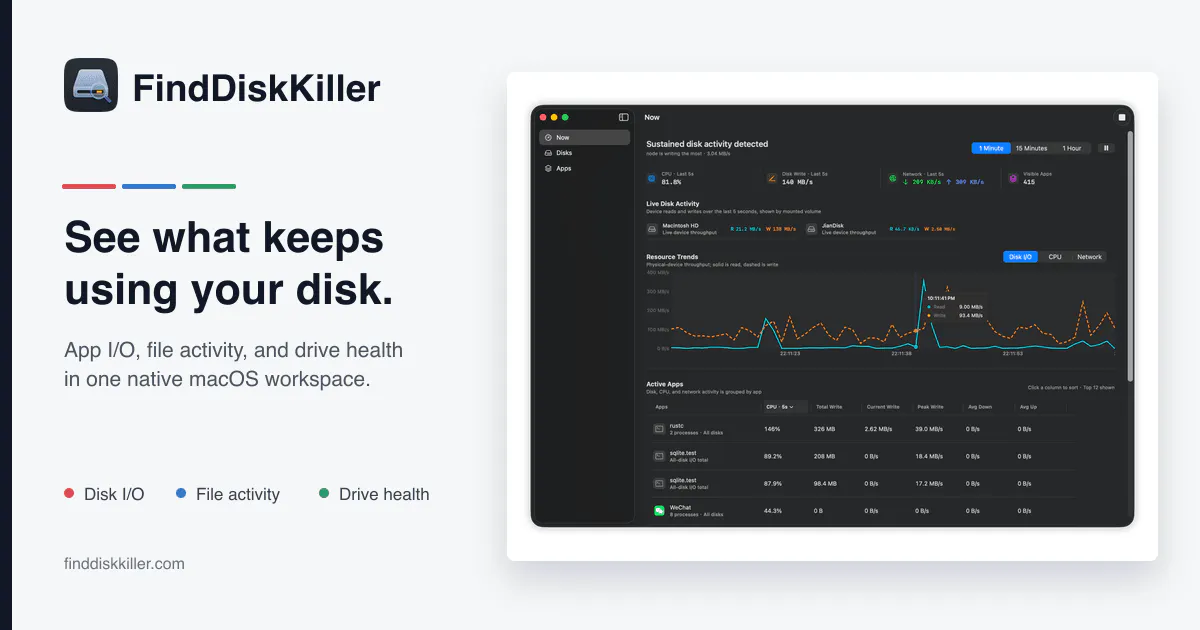
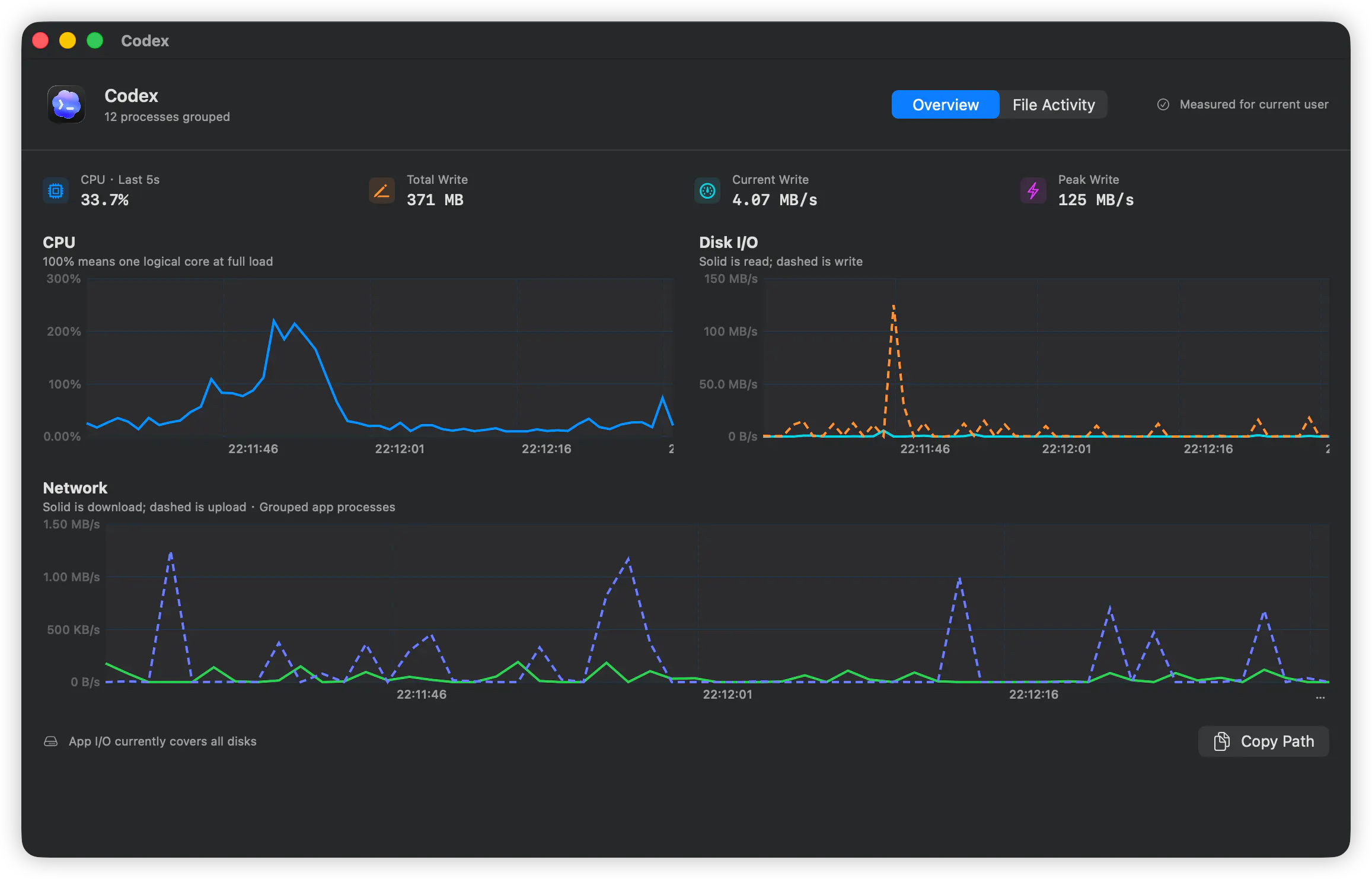
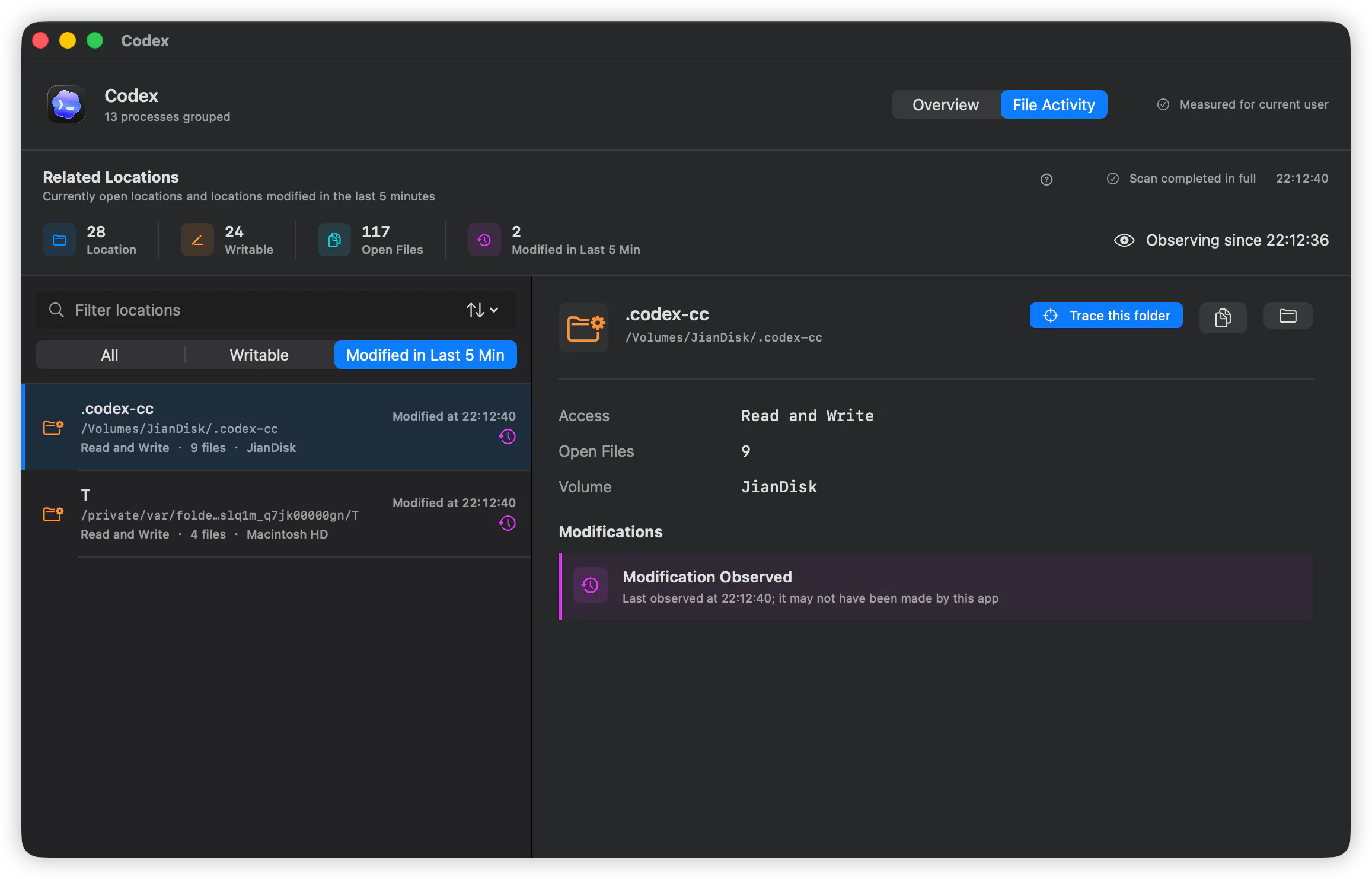
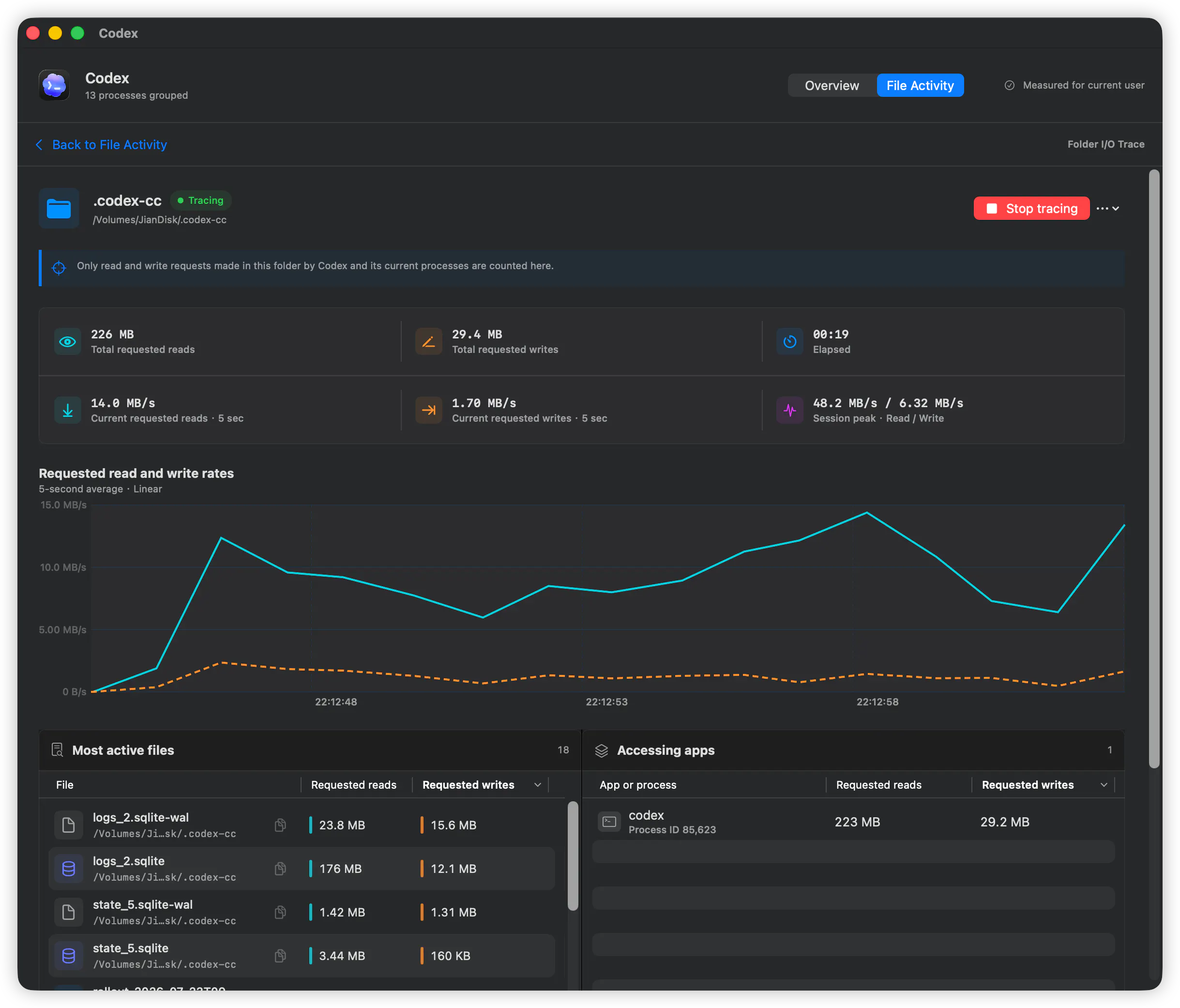
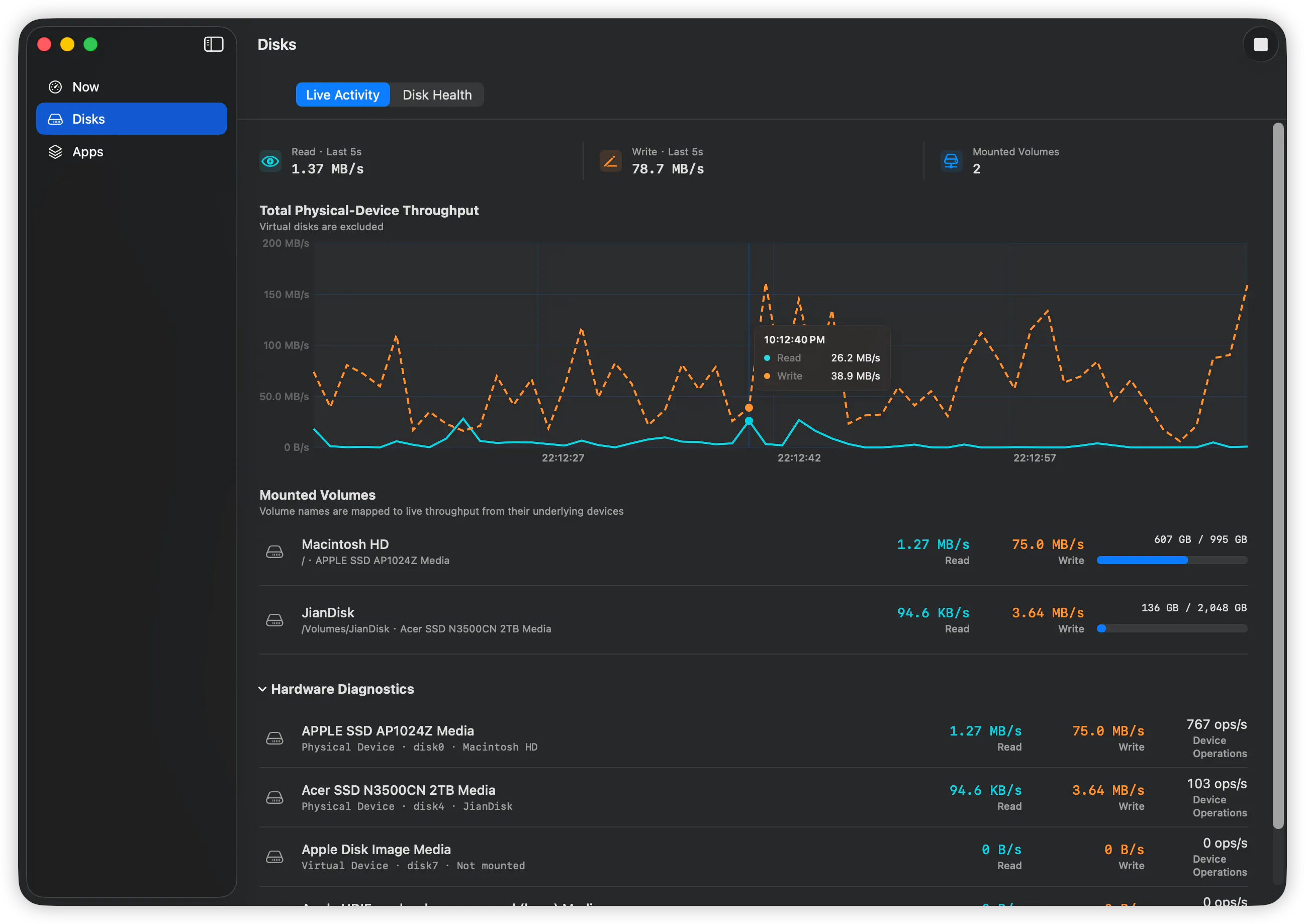
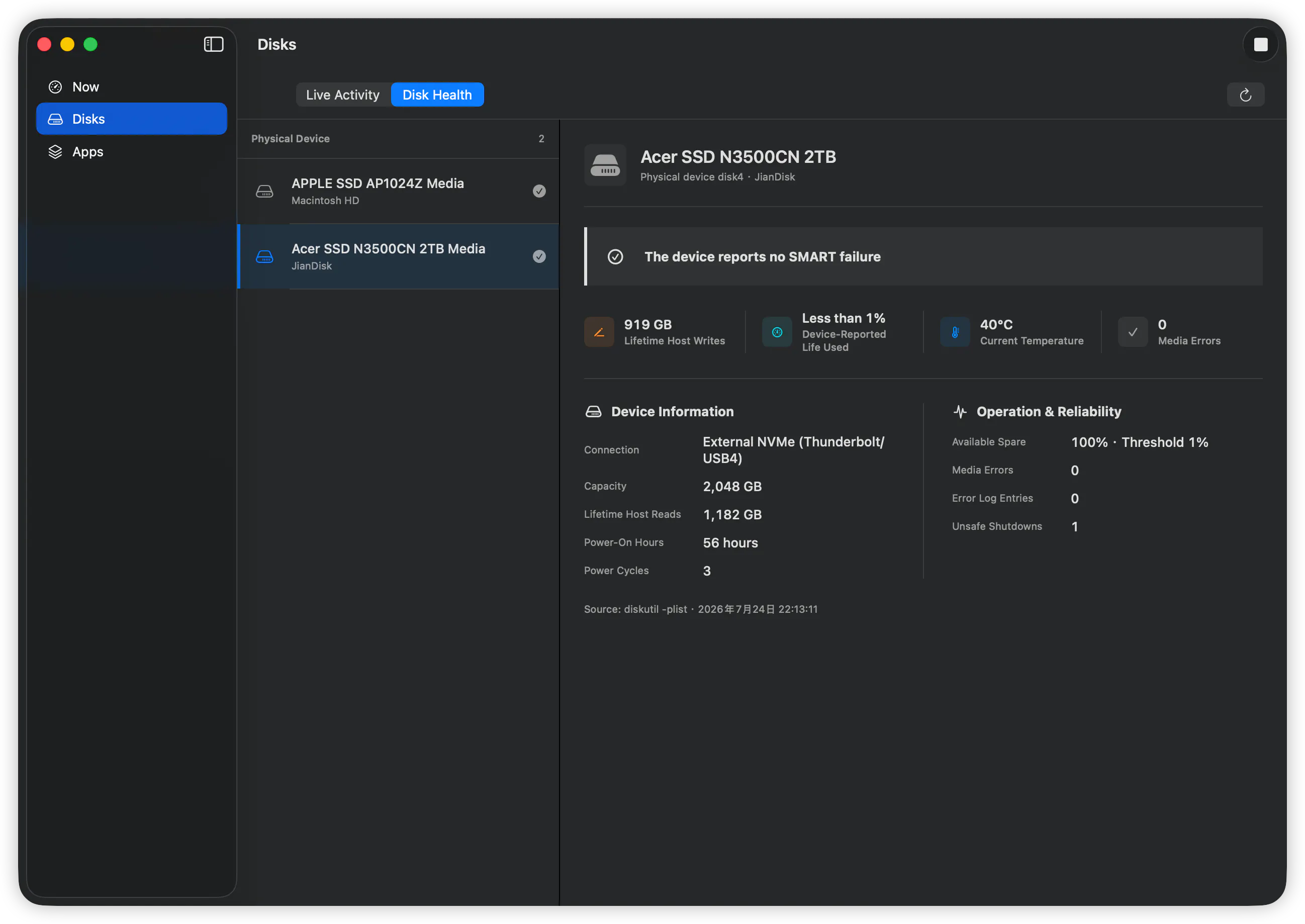
FindDiskKiller is a powerful native macOS utility designed to help users identify which applications and AI coding agents are heavily utilizing their disk resources. By providing detailed insights into per-process disk I/O, CPU, and network activity, it enables users—especially developers and power users—to pinpoint the culprits behind sluggish system performance or excessive disk usage. Its real-time file access inspection, folder tracing, and drive health monitoring features make it a comprehensive tool for maintaining Mac health and optimizing workflows. Being open source and free, FindDiskKiller offers transparency and accessibility, making it an attractive option for those who prefer customizable solutions and want to avoid proprietary software constraints. Its focus on AI coding agents is particularly relevant for developers working with AI tools, providing granular visibility into resource consumption. Overall, it stands out as a versatile, developer-friendly utility that enhances system diagnostics and performance management on Mac computers.
Screenshots
Pros
- ✓Open source and free, ensuring accessibility and transparency
- ✓Real-time monitoring of disk I/O, CPU, and network activity
- ✓Detailed insights into live file access and folder tracing
- ✓Includes drive health diagnostics (SMART/NVMe)
- ✓Designed specifically for macOS, optimized for Mac users
Cons
- ✗Lacks a user-friendly graphical interface for beginners
- ✗Limited to macOS, not available for Windows or Linux
- ✗Features may require technical knowledge to fully utilize
Use Cases
Pricing
Free and open source, offering full access without cost; potentially supported by community contributions or donations.
Quick Info
Topics
Makers

jianyin tang
Alternatives
Similar Tools in Developer Tools




Embed Badge
Add this badge to your website to show that FindDiskKiller is featured on Visalytica.
<a href="https://www.visalytica.com/tool/finddiskkiller" target="_blank" rel="noopener noreferrer" style="display:inline-flex;align-items:center;gap:6px;padding:6px 14px;background:#7c3aed;color:#fff;border-radius:8px;font-family:-apple-system,system-ui,sans-serif;font-size:13px;font-weight:600;text-decoration:none;transition:background .2s" onmouseover="this.style.background='#6d28d9'" onmouseout="this.style.background='#7c3aed'"><svg width="14" height="14" viewBox="0 0 24 24" fill="none" stroke="currentColor" stroke-width="2.5" stroke-linecap="round" stroke-linejoin="round"><path d="M12 20V10"/><path d="M18 20V4"/><path d="M6 20v-4"/></svg>Featured on Visalytica</a>