
Ferqon
Your hardware lab. From anywhere.
About Ferqon
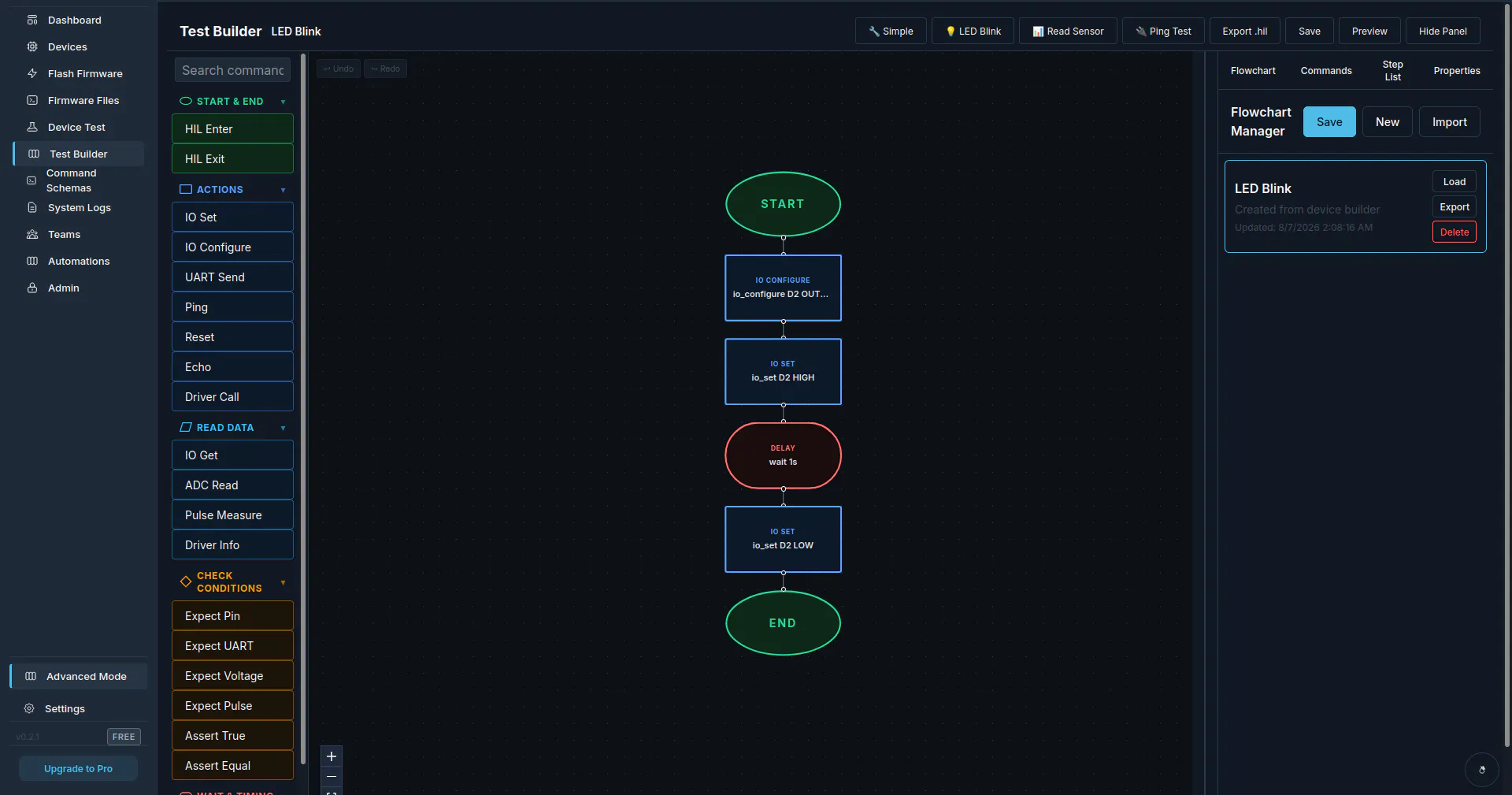
Ferqon is a versatile, self-hosted hardware lab platform designed for developers working with embedded systems and dev boards. It enables users to flash firmware, test, debug, and run continuous integration (CI) processes directly against real hardware, streamlining the entire development pipeline. Its unique feature set includes AI-powered failure investigation, which helps identify and resolve hardware issues more efficiently. By hosting this environment locally, developers gain greater control, security, and flexibility, making it ideal for teams that require a dedicated hardware testing lab without the need for physical space or complex infrastructure. Suitable for both individual developers and teams, Ferqon empowers users to accelerate hardware development cycles and improve testing accuracy, all from anywhere with an internet connection.
Screenshots
Pros
- ✓Self-hosted, providing full control over hardware environment
- ✓Supports flashing, testing, debugging, and CI automation on real hardware
- ✓AI assistant for automated failure analysis, saving time and effort
- ✓Flexible deployment for remote teams and individual developers
- ✓Free for one user and one active server, making it accessible
Cons
- ✗Requires technical expertise to set up and maintain
- ✗Limited free tier may not suffice for larger teams or extensive projects
- ✗Potential hardware compatibility limitations depending on setup
Use Cases
Pricing
Ferqon offers a free tier for one user and one active server, with potential paid plans for additional users and servers. The pricing model appears to be freemium, with scalability options for larger teams needing more resources.
Quick Info
Topics
Makers

Alejandro Ramirez
Alternatives
Similar Tools in AI Assistants




Embed Badge
Add this badge to your website to show that Ferqon is featured on Visalytica.
<a href="https://www.visalytica.com/tool/ferqon" target="_blank" rel="noopener noreferrer" style="display:inline-flex;align-items:center;gap:6px;padding:6px 14px;background:#7c3aed;color:#fff;border-radius:8px;font-family:-apple-system,system-ui,sans-serif;font-size:13px;font-weight:600;text-decoration:none;transition:background .2s" onmouseover="this.style.background='#6d28d9'" onmouseout="this.style.background='#7c3aed'"><svg width="14" height="14" viewBox="0 0 24 24" fill="none" stroke="currentColor" stroke-width="2.5" stroke-linecap="round" stroke-linejoin="round"><path d="M12 20V10"/><path d="M18 20V4"/><path d="M6 20v-4"/></svg>Featured on Visalytica</a>