
Fei Design Mode
The OS for Building in Production
About Fei Design Mode
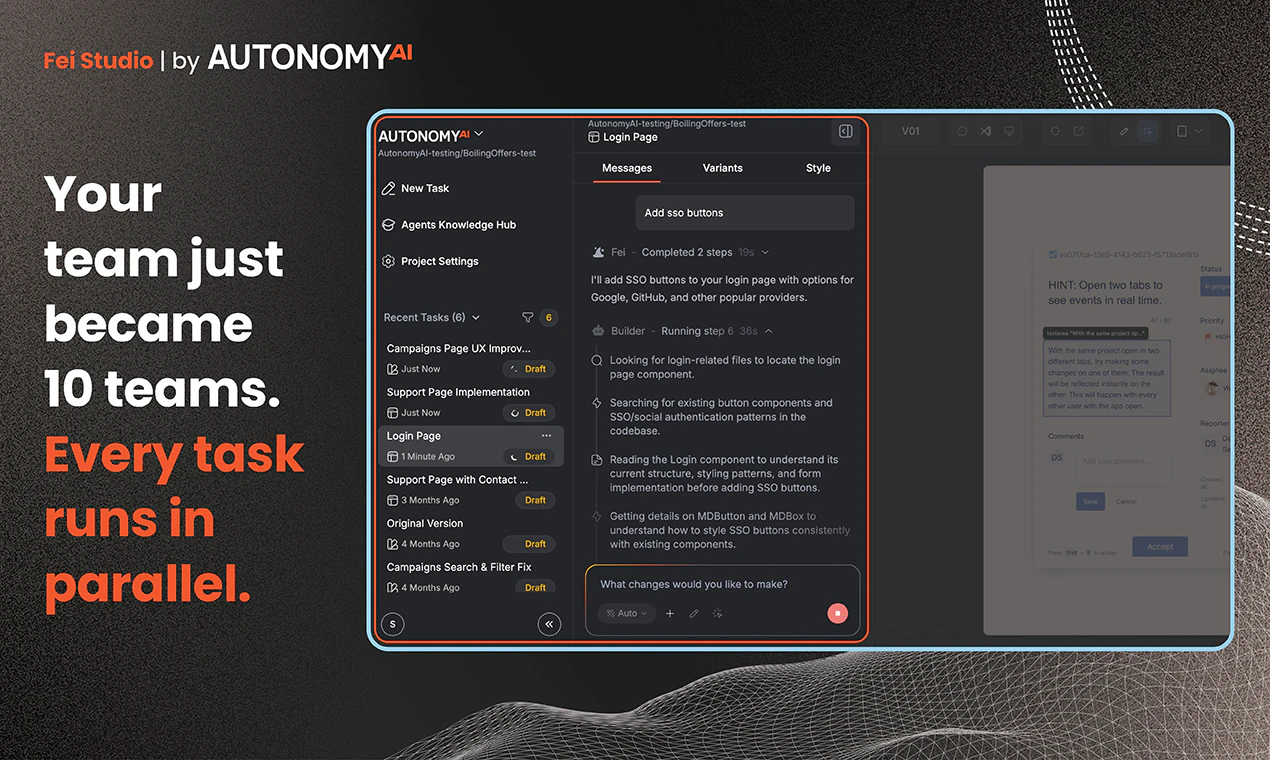
Fei Design Mode transforms how designers and developers collaborate by offering a seamless, in-production editing environment. It enables designers to directly modify live UI elements—simply point, tweak styles visually, and push changes straight to the codebase without traditional handoffs or translation layers. This approach ensures that what designers see is exactly what ships, reducing errors and accelerating the development process. Compatible with popular design tools like Figma and Claude Design, Fei Design Mode empowers designers with real superpowers, streamlining workflows and fostering more iterative, high-fidelity design adjustments in real-time. Its innovative 'OS for building in production' concept makes it particularly appealing for teams eager to bridge the gap between design and development effortlessly.
Screenshots

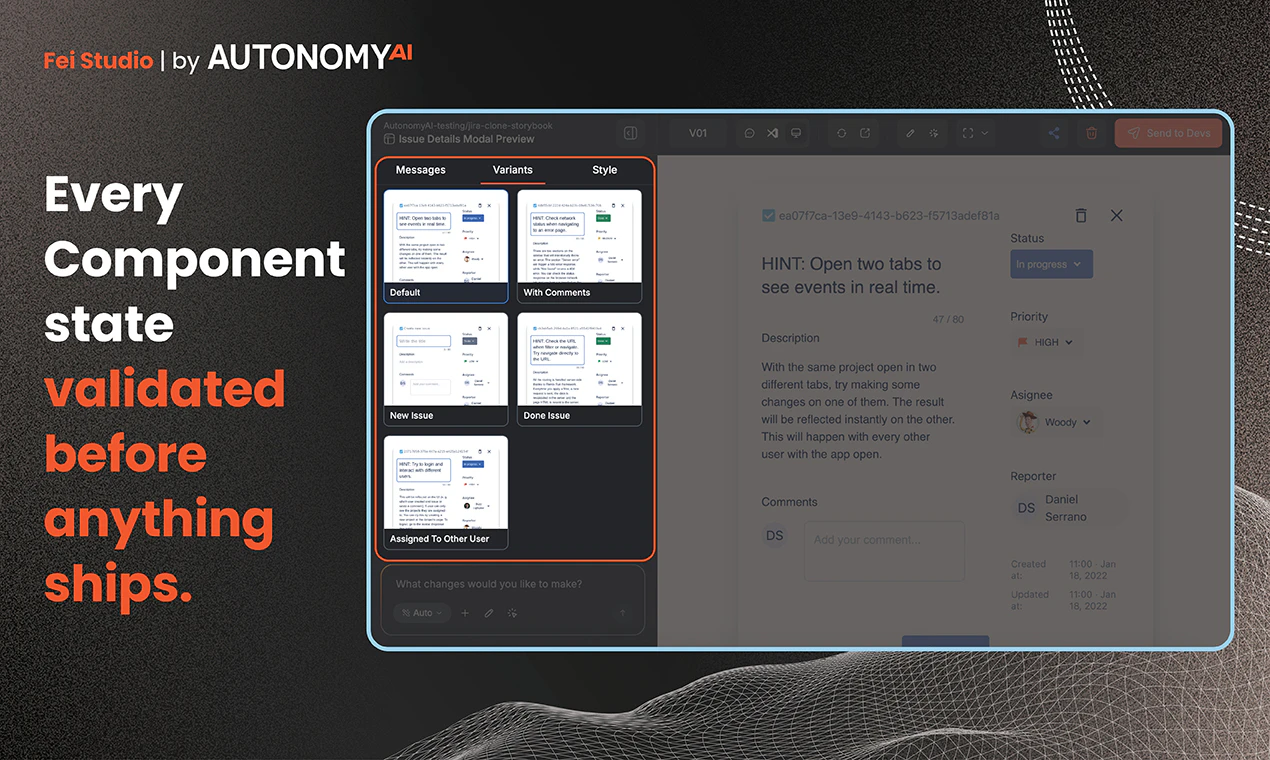
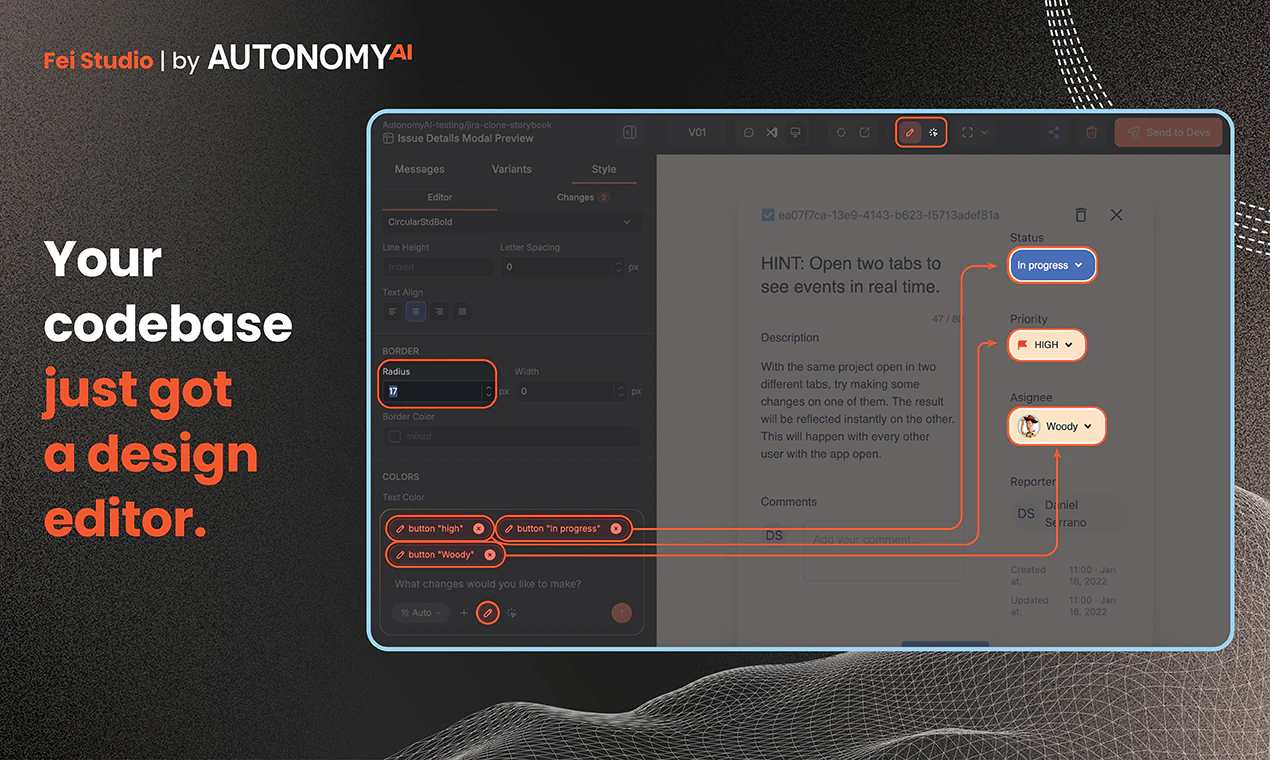
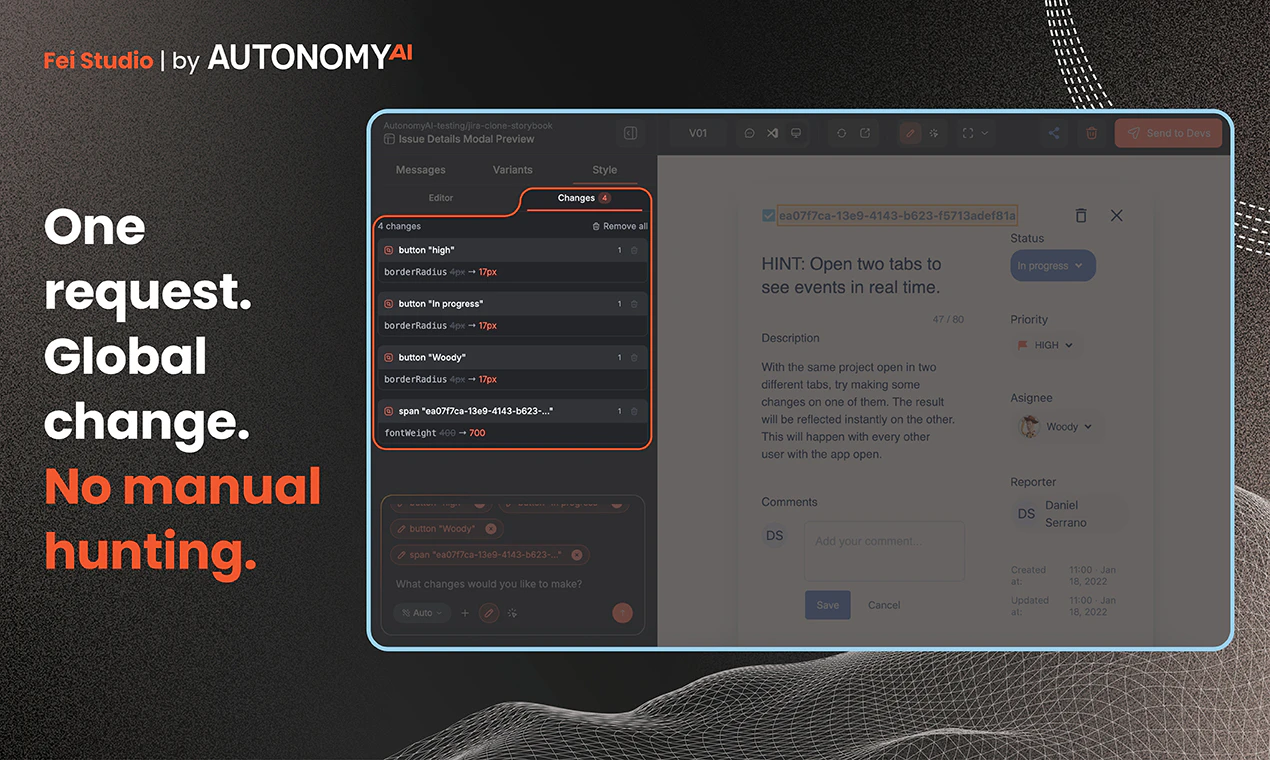
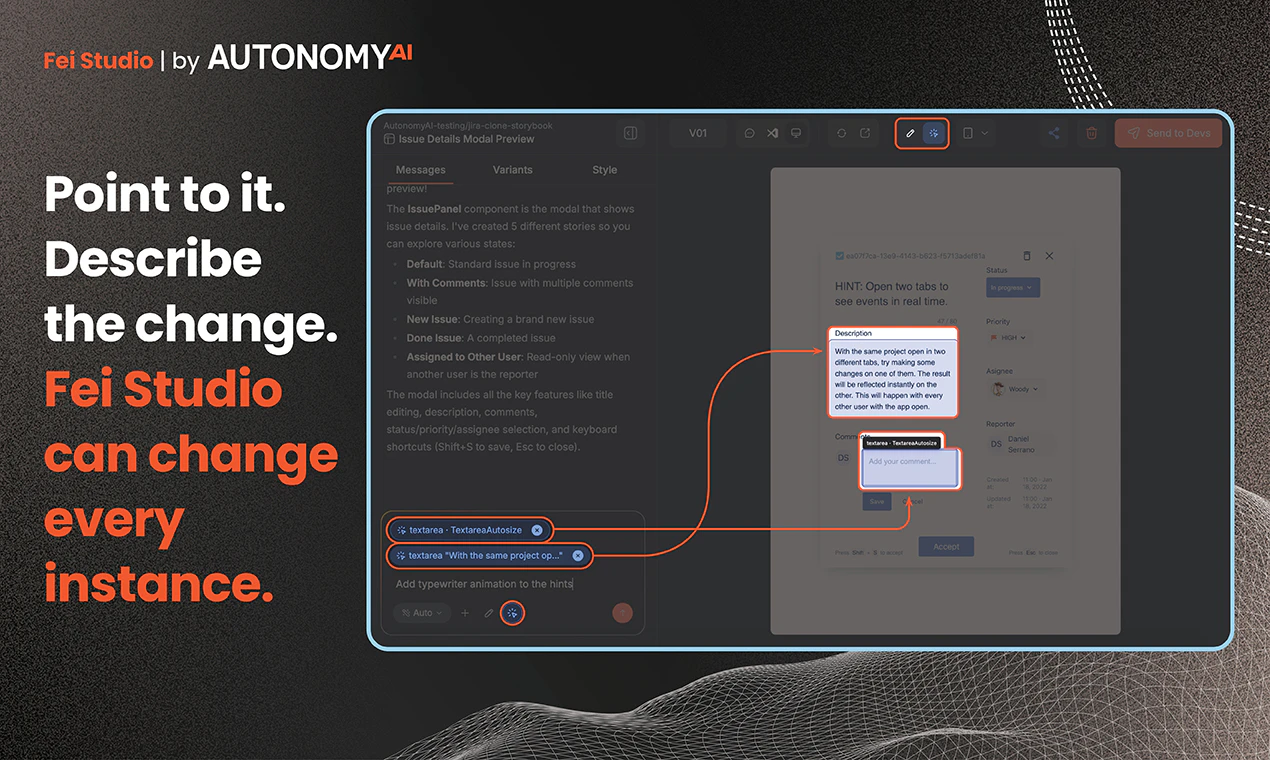
+1 more screenshots
Pros
- ✓Direct editing of live UI elements without handoff or translation layers
- ✓Visual style tweaking with immediate push to codebase
- ✓Integration with popular design tools like Figma and Claude Design
- ✓Reduces development cycles and minimizes errors
- ✓Empowers designers with more control and ownership
Cons
- ✗Limited information on pricing and scalability options
- ✗Potential learning curve for teams unfamiliar with live editing workflows
- ✗Depends on integration stability with existing codebases and tools
Use Cases
Pricing
Likely operates on a freemium model with free basic features and paid plans that scale according to team size, features, or usage, though specific details are not publicly confirmed.
Quick Info
Topics
Alternatives
Similar Tools in AI Image & Design




Embed Badge
Add this badge to your website to show that Fei Design Mode is featured on Visalytica.
<a href="https://www.visalytica.com/tool/fei-design-mode" target="_blank" rel="noopener noreferrer" style="display:inline-flex;align-items:center;gap:6px;padding:6px 14px;background:#7c3aed;color:#fff;border-radius:8px;font-family:-apple-system,system-ui,sans-serif;font-size:13px;font-weight:600;text-decoration:none;transition:background .2s" onmouseover="this.style.background='#6d28d9'" onmouseout="this.style.background='#7c3aed'"><svg width="14" height="14" viewBox="0 0 24 24" fill="none" stroke="currentColor" stroke-width="2.5" stroke-linecap="round" stroke-linejoin="round"><path d="M12 20V10"/><path d="M18 20V4"/><path d="M6 20v-4"/></svg>Featured on Visalytica</a>