
ElevateAI Job Lens
Turn a job posting into a tailored resume and cover letter
About ElevateAI Job Lens
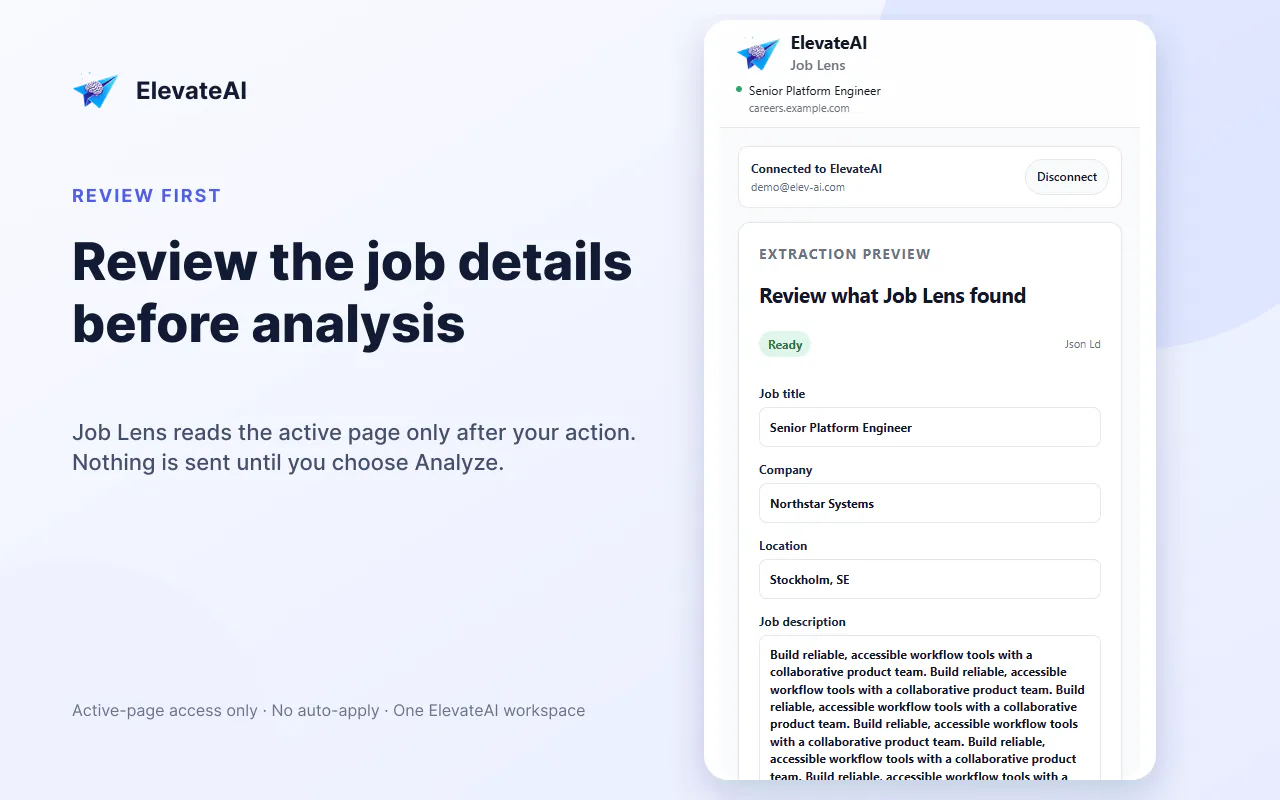
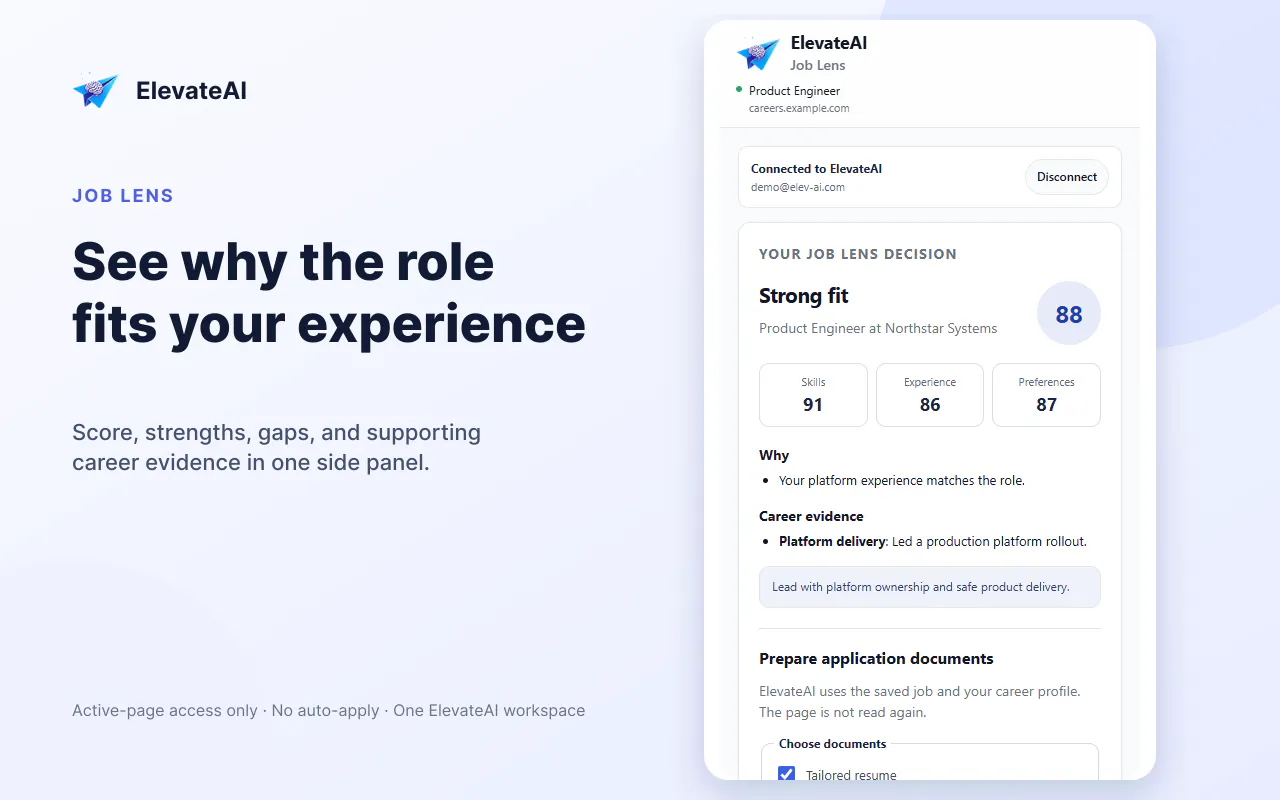
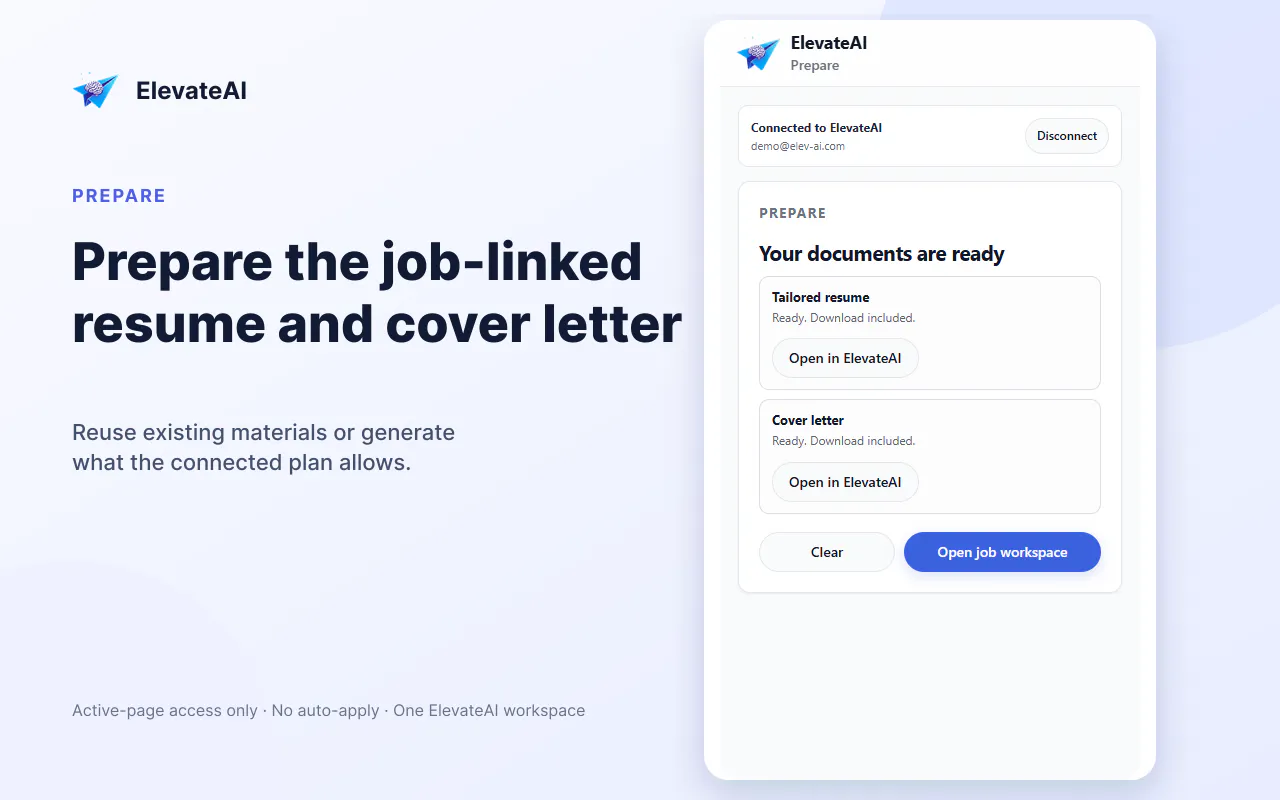
ElevateAI Job Lens is a handy Chrome and Edge extension designed for job seekers and professionals looking to streamline their application process. By simply navigating to a job posting, users can quickly see what information has been extracted from the listing, view an evidence-backed fit score against their saved career profile, and generate tailored resumes and cover letters—all within the same workspace. Its ability to read pages only after user activation ensures privacy and control. Compatible with standard job pages, including LinkedIn searches and collections, Job Lens offers a focused approach to customizing application materials without automating form fills or submissions. This makes it ideal for professionals wanting to enhance their application quality while maintaining manual oversight. Its seamless integration into the browsing workflow makes it a unique tool for those aiming to improve their job application strategy efficiently.
Screenshots
Pros
- ✓Simplifies the process of creating tailored resumes and cover letters directly from job postings
- ✓Provides an evidence-backed fit score to assess job fit before applying
- ✓Works on popular job sites, including LinkedIn, with privacy controls
- ✓No automation of form filling or application submissions, ensuring user control
- ✓Easy to use within the browser without switching tools
Cons
- ✗Limited to reading and generating content; does not automate application submissions
- ✗Requires manual interaction to activate and review extracted data
- ✗Availability and features might vary based on job page formats
Use Cases
Pricing
Pricing not verified
Quick Info
Topics
Makers

Mohamed
@1medotubeAlternatives
Similar Tools in AI Assistants




Embed Badge
Add this badge to your website to show that ElevateAI Job Lens is featured on Visalytica.
<a href="https://www.visalytica.com/tool/elevateai-job-lens" target="_blank" rel="noopener noreferrer" style="display:inline-flex;align-items:center;gap:6px;padding:6px 14px;background:#7c3aed;color:#fff;border-radius:8px;font-family:-apple-system,system-ui,sans-serif;font-size:13px;font-weight:600;text-decoration:none;transition:background .2s" onmouseover="this.style.background='#6d28d9'" onmouseout="this.style.background='#7c3aed'"><svg width="14" height="14" viewBox="0 0 24 24" fill="none" stroke="currentColor" stroke-width="2.5" stroke-linecap="round" stroke-linejoin="round"><path d="M12 20V10"/><path d="M18 20V4"/><path d="M6 20v-4"/></svg>Featured on Visalytica</a>