
El Niño
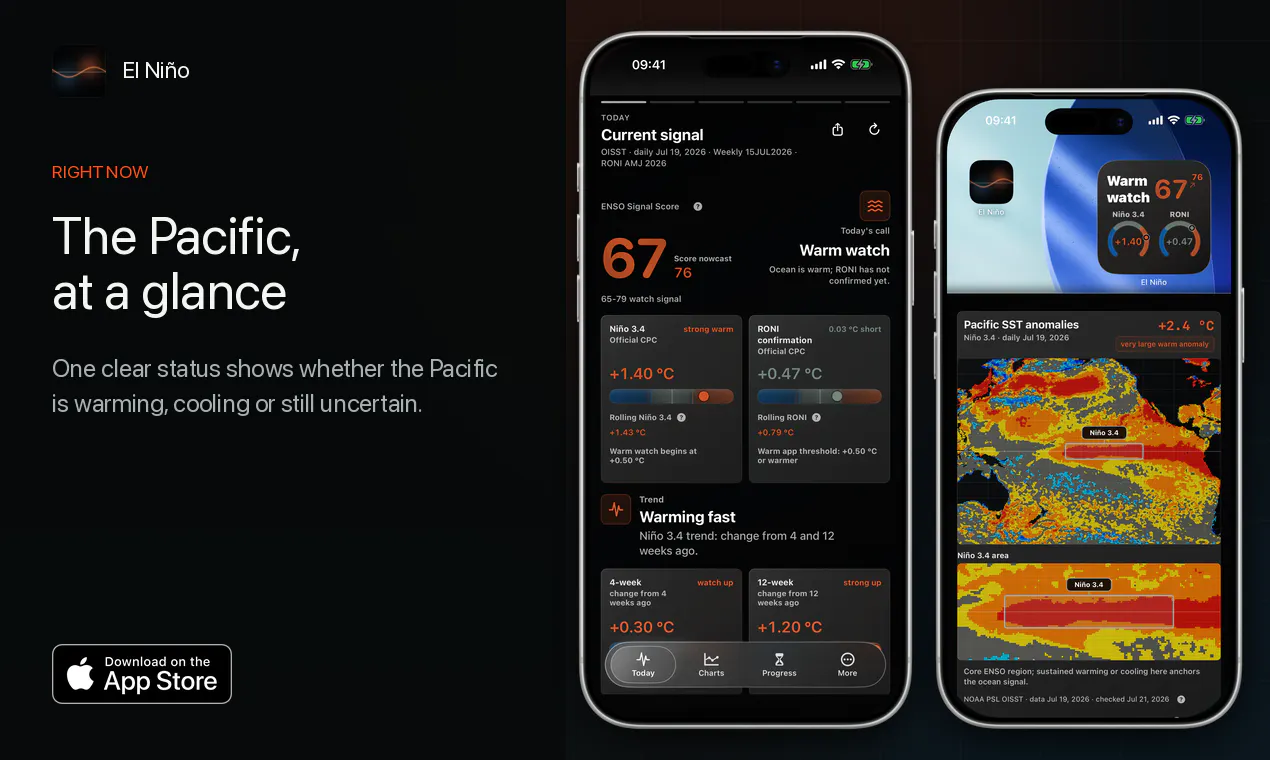
See live signals from the Pacific warming climate
About El Niño
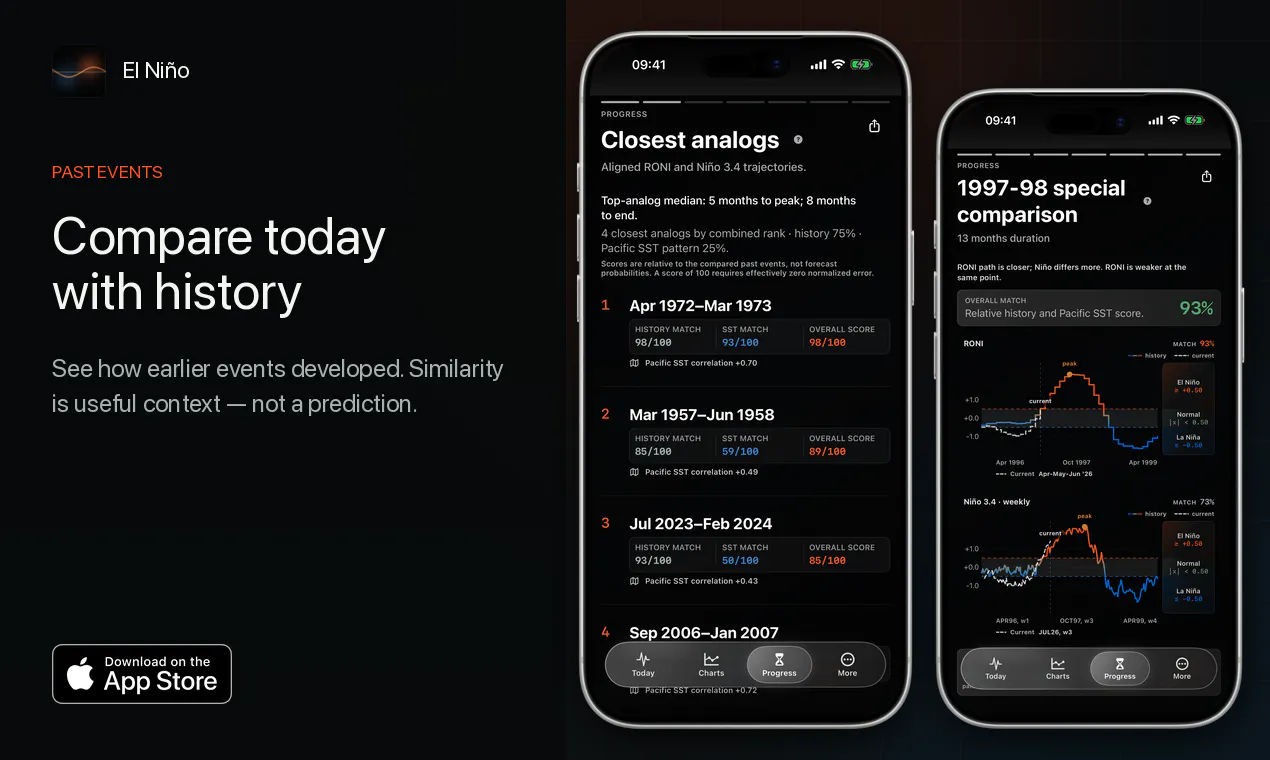
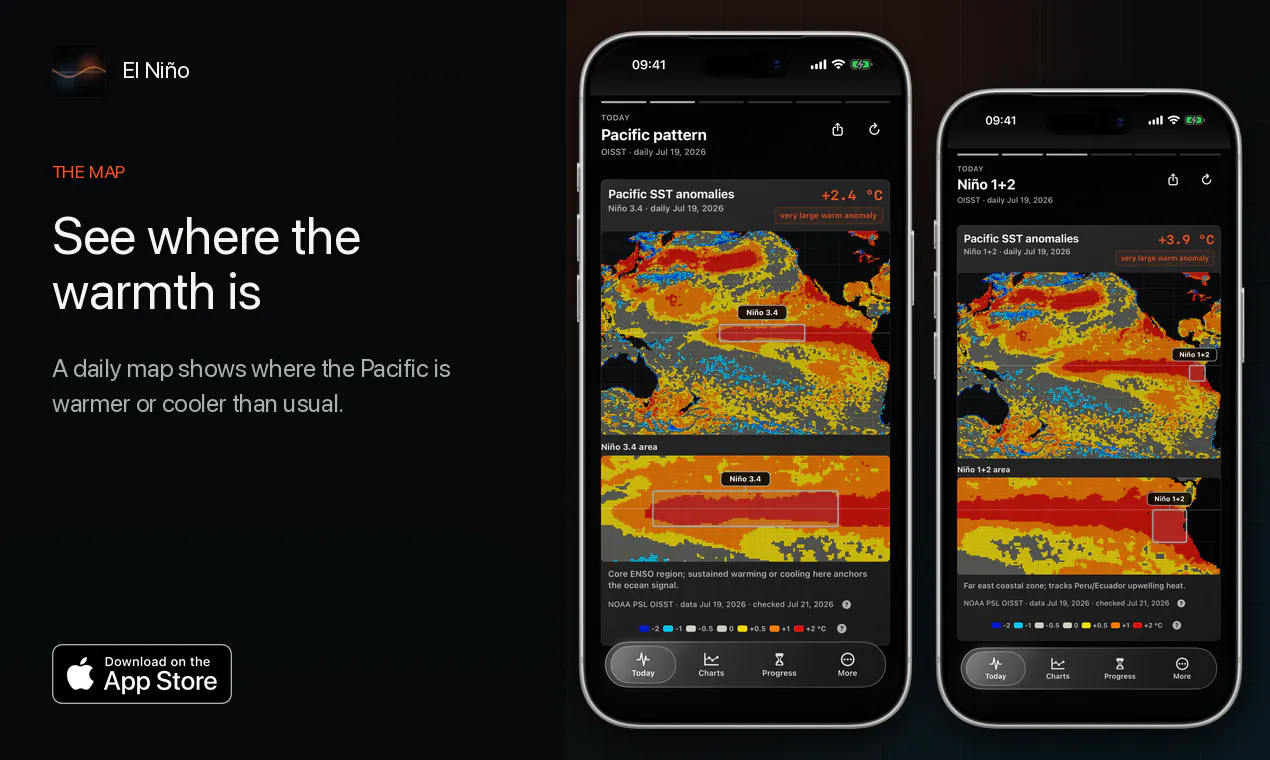
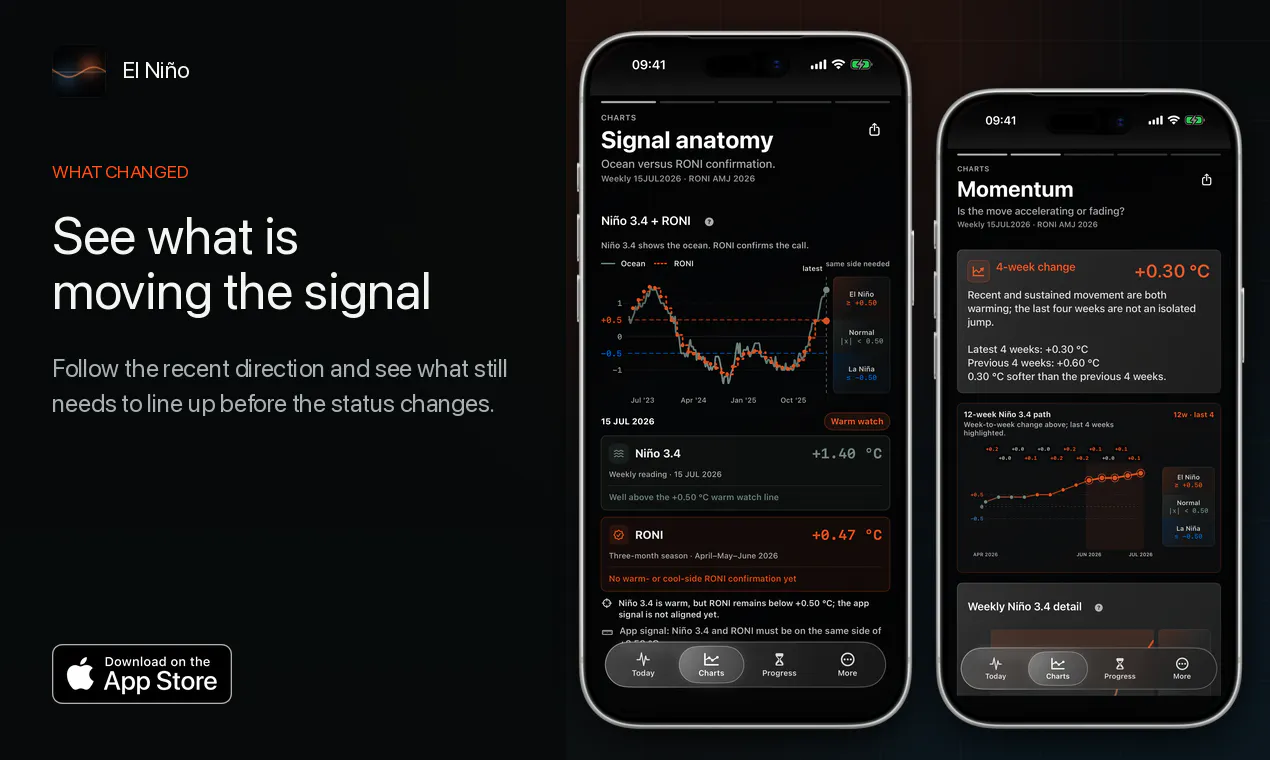
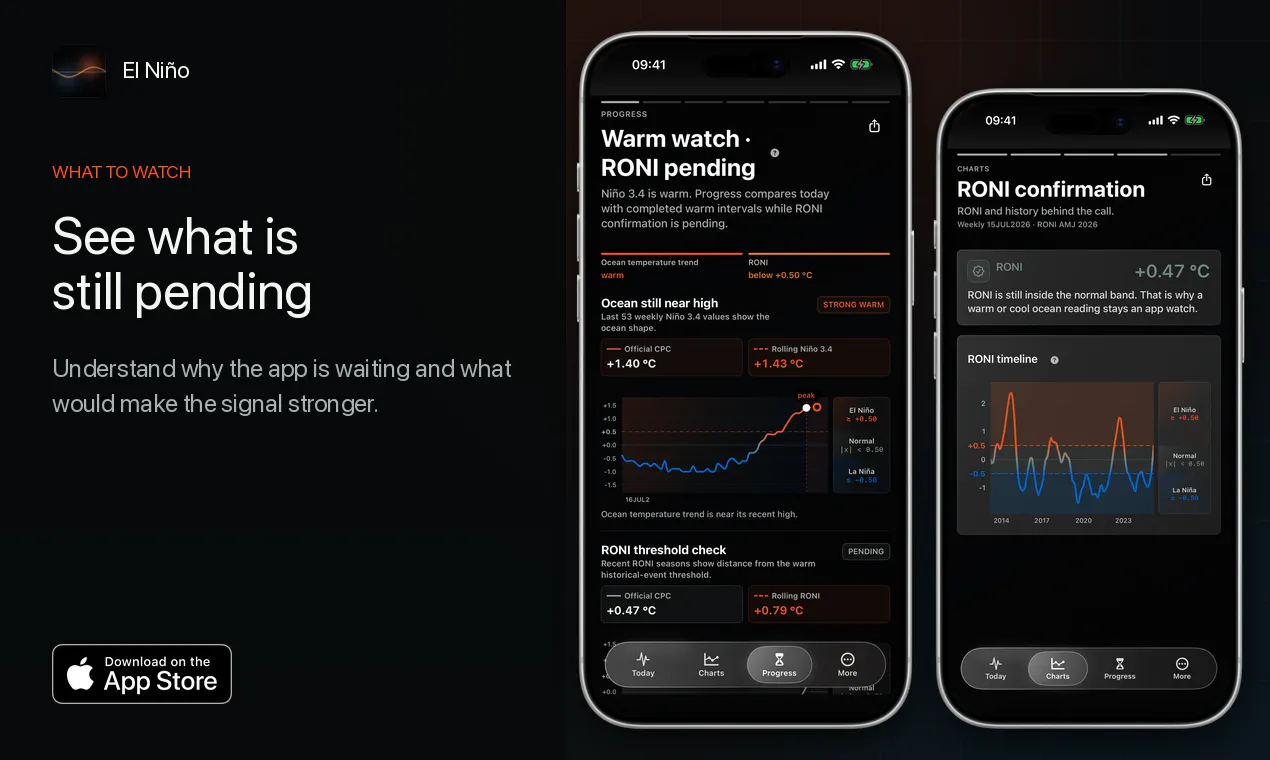
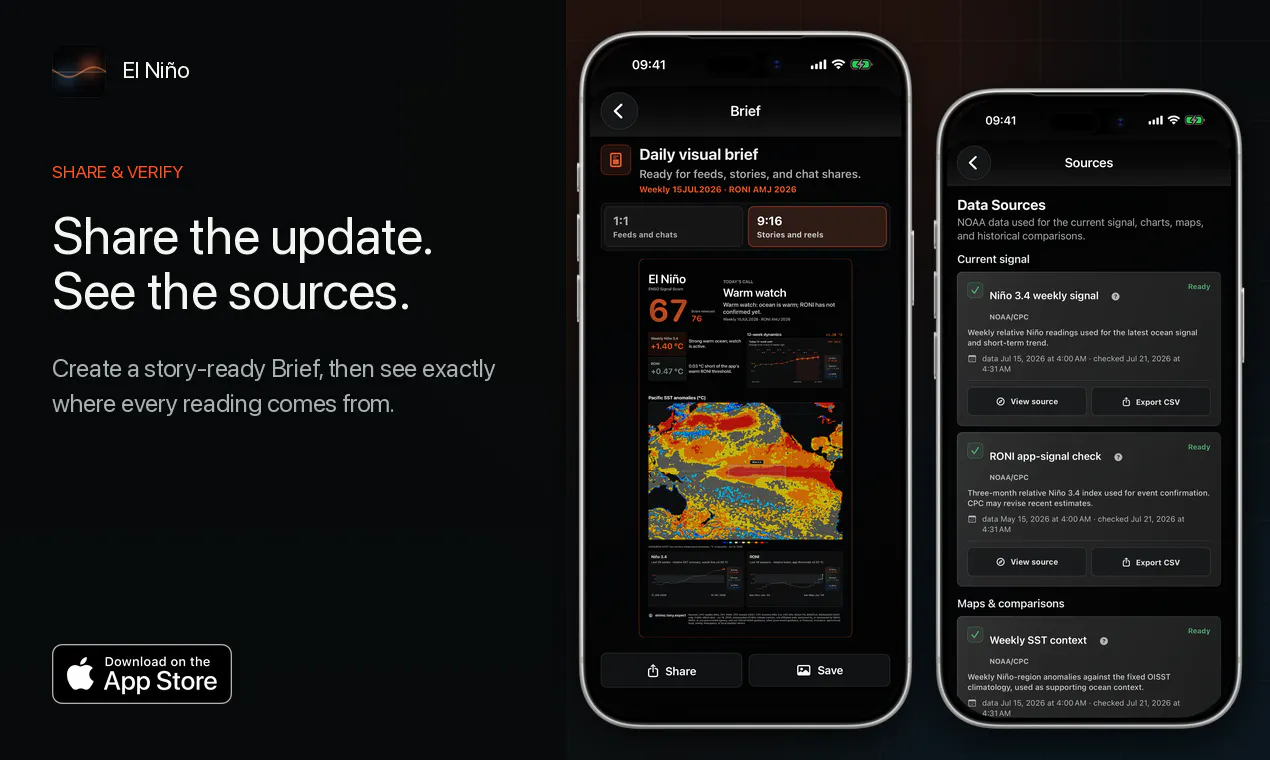
El Niño is a dedicated iPhone app designed for weather enthusiasts, climate researchers, and anyone interested in understanding the Pacific warming pattern. By leveraging live NOAA data, it provides users with a clear, simplified view of whether El Niño signals are building, fading, or remain uncertain. The app offers visual insights into the warm water distribution and historical trends, making complex climate data accessible and engaging. Its unique approach combines real-time updates with historical context, helping users grasp the significance of current oceanic patterns without relying on forecasts or official guidance. The inclusion of a Home Screen widget ensures that the latest updates are always at hand, making it a practical tool for quick checks or deeper analysis. Its one-time payment model makes it an accessible choice for users who prefer to avoid ongoing subscriptions, emphasizing independence and simplicity in climate data visualization.
Screenshots
Pros
- ✓Real-time NOAA data integration provides accurate, up-to-date information
- ✓User-friendly interface simplifies complex climate signals
- ✓Visualizations help users understand ocean warming patterns easily
- ✓Home Screen widget for quick, convenient updates
- ✓One-time upfront payment with no subscriptions or accounts
Cons
- ✗Limited to El Niño monitoring; not a comprehensive climate tool
- ✗Lacks detailed forecasts or predictive analytics
- ✗Dependent on NOAA data, which may have delays or limitations
Use Cases
Pricing
Likely a one-time purchase fee, offering lifetime access without subscriptions, making it an affordable and straightforward option for users interested in climate data visualization.
Quick Info
Topics
Makers

Tony Expert
Alternatives
Similar Tools in Developer Tools




Embed Badge
Add this badge to your website to show that El Niño is featured on Visalytica.
<a href="https://www.visalytica.com/tool/el-ni-o" target="_blank" rel="noopener noreferrer" style="display:inline-flex;align-items:center;gap:6px;padding:6px 14px;background:#7c3aed;color:#fff;border-radius:8px;font-family:-apple-system,system-ui,sans-serif;font-size:13px;font-weight:600;text-decoration:none;transition:background .2s" onmouseover="this.style.background='#6d28d9'" onmouseout="this.style.background='#7c3aed'"><svg width="14" height="14" viewBox="0 0 24 24" fill="none" stroke="currentColor" stroke-width="2.5" stroke-linecap="round" stroke-linejoin="round"><path d="M12 20V10"/><path d="M18 20V4"/><path d="M6 20v-4"/></svg>Featured on Visalytica</a>