
DockLog
Docker logs without the logging stack
About DockLog
DockLog is a self-hosted Docker observability platform designed for developers, DevOps teams, and homelab enthusiasts seeking an efficient way to monitor and manage Docker containers without the complexity of traditional logging stacks. It provides real-time container monitoring, instant log streaming, and comprehensive workload management through a user-friendly web dashboard, desktop app, or Android app. Its lightweight deployment, achieved via a single Docker container, makes setup quick and hassle-free. DockLog stands out with features like container lifecycle management, role-based access control (RBAC), audit logs, and multi-server support, making it suitable for both small-scale projects and larger, multi-node environments. Its open-source approach ensures flexibility and customization, appealing to those who prefer self-hosted solutions and want to avoid vendor lock-in. Overall, DockLog offers an accessible yet powerful platform for maintaining visibility into Docker environments, streamlining operations, and enhancing observability.
Screenshots
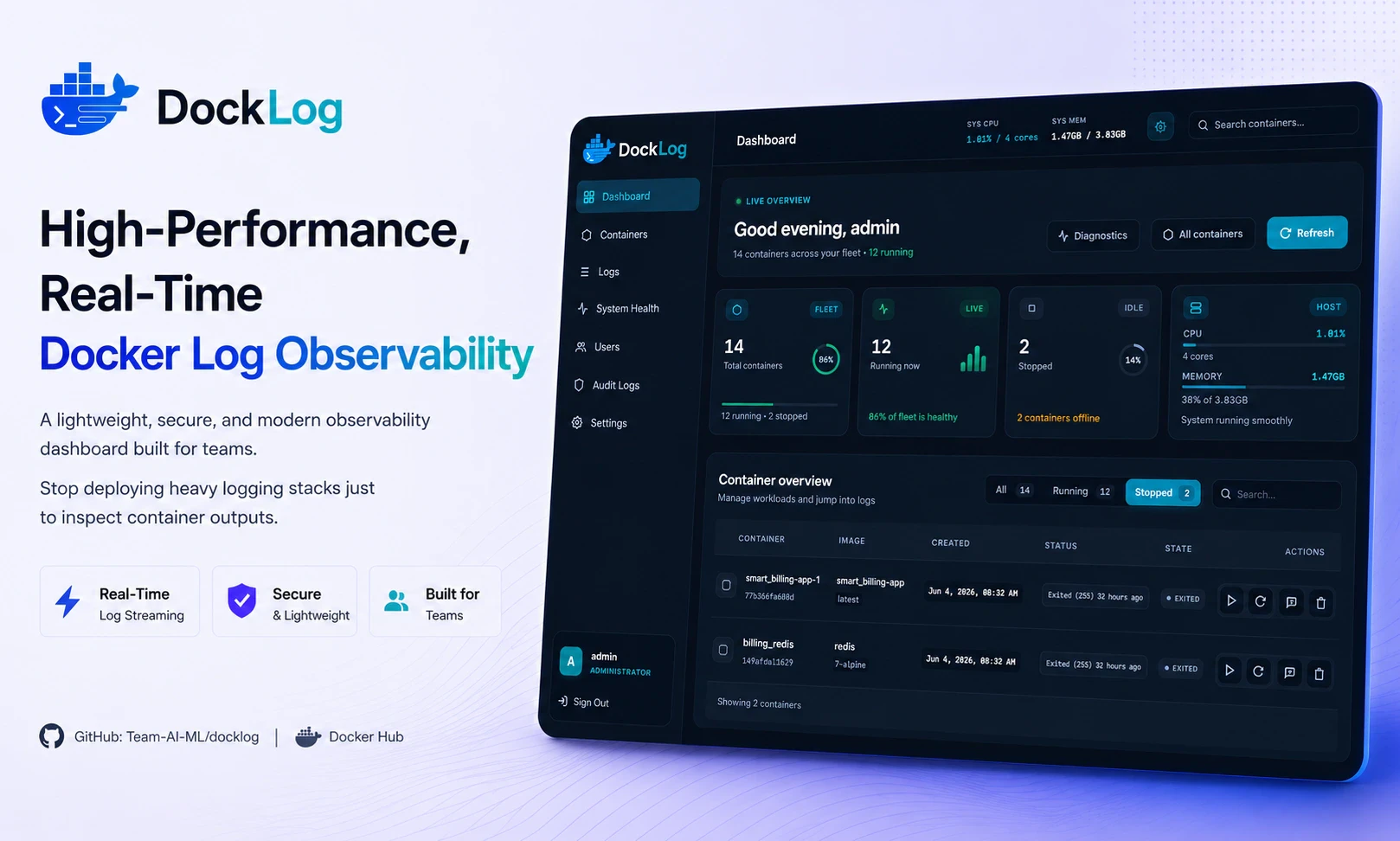
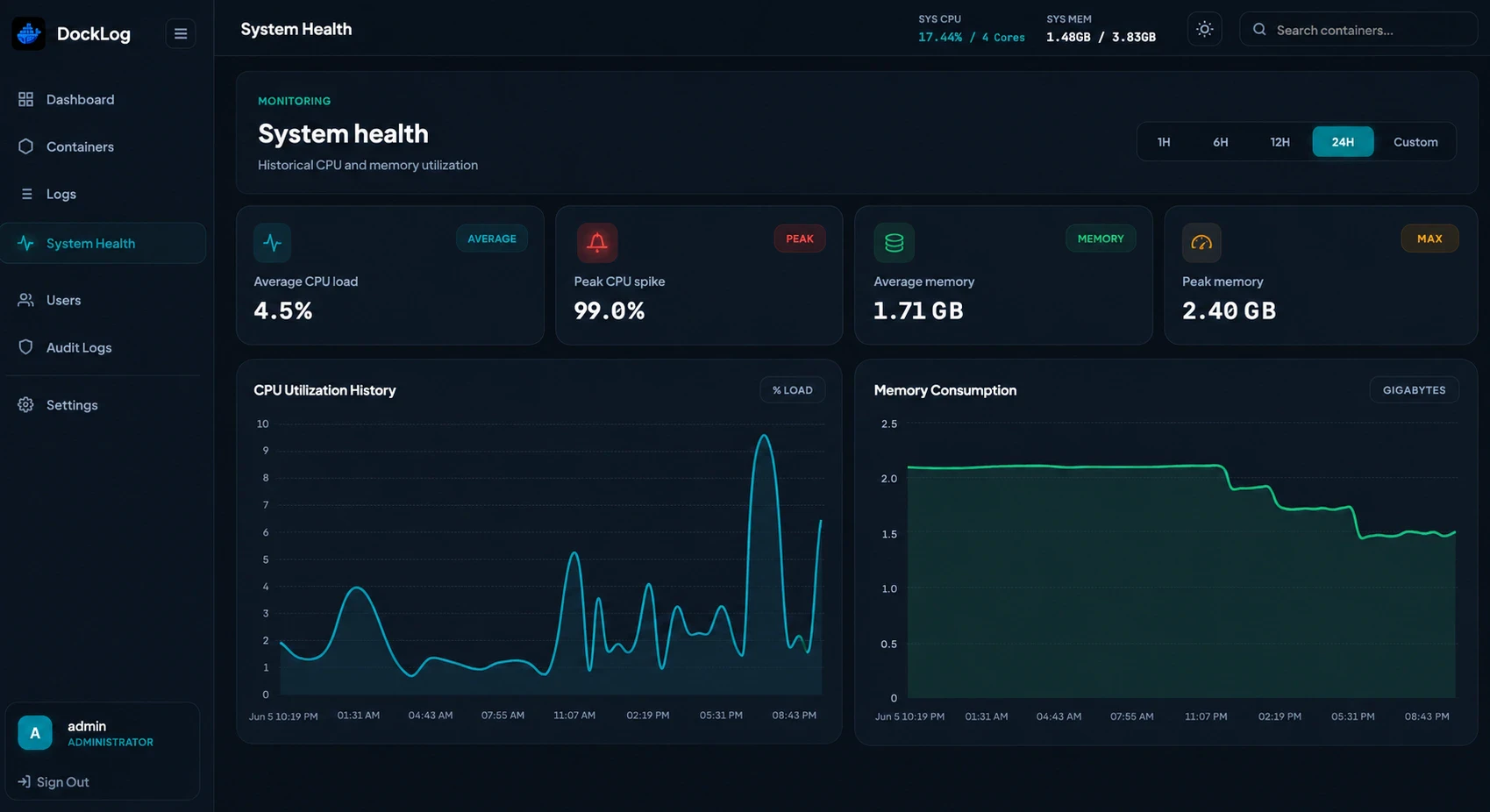
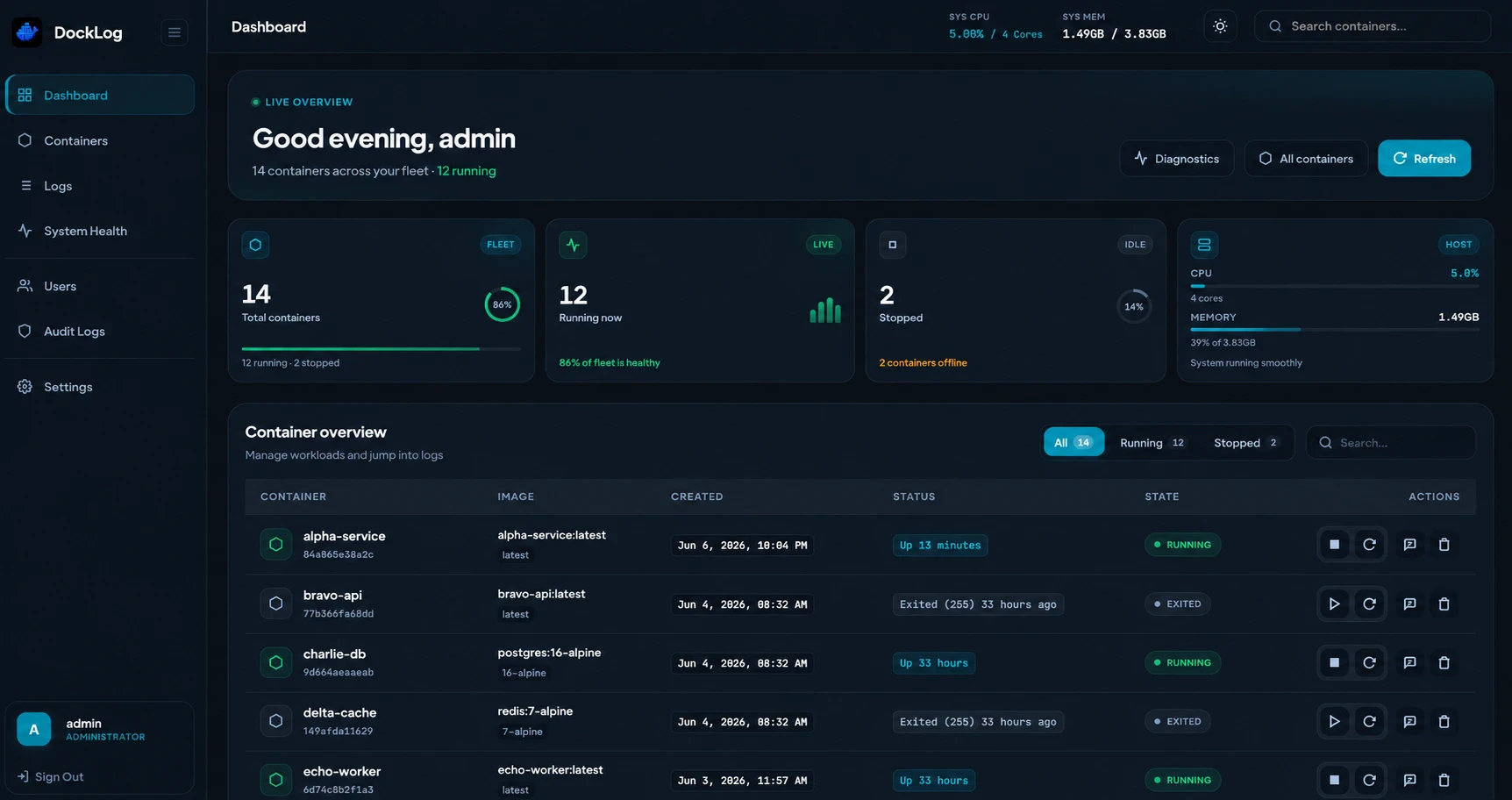
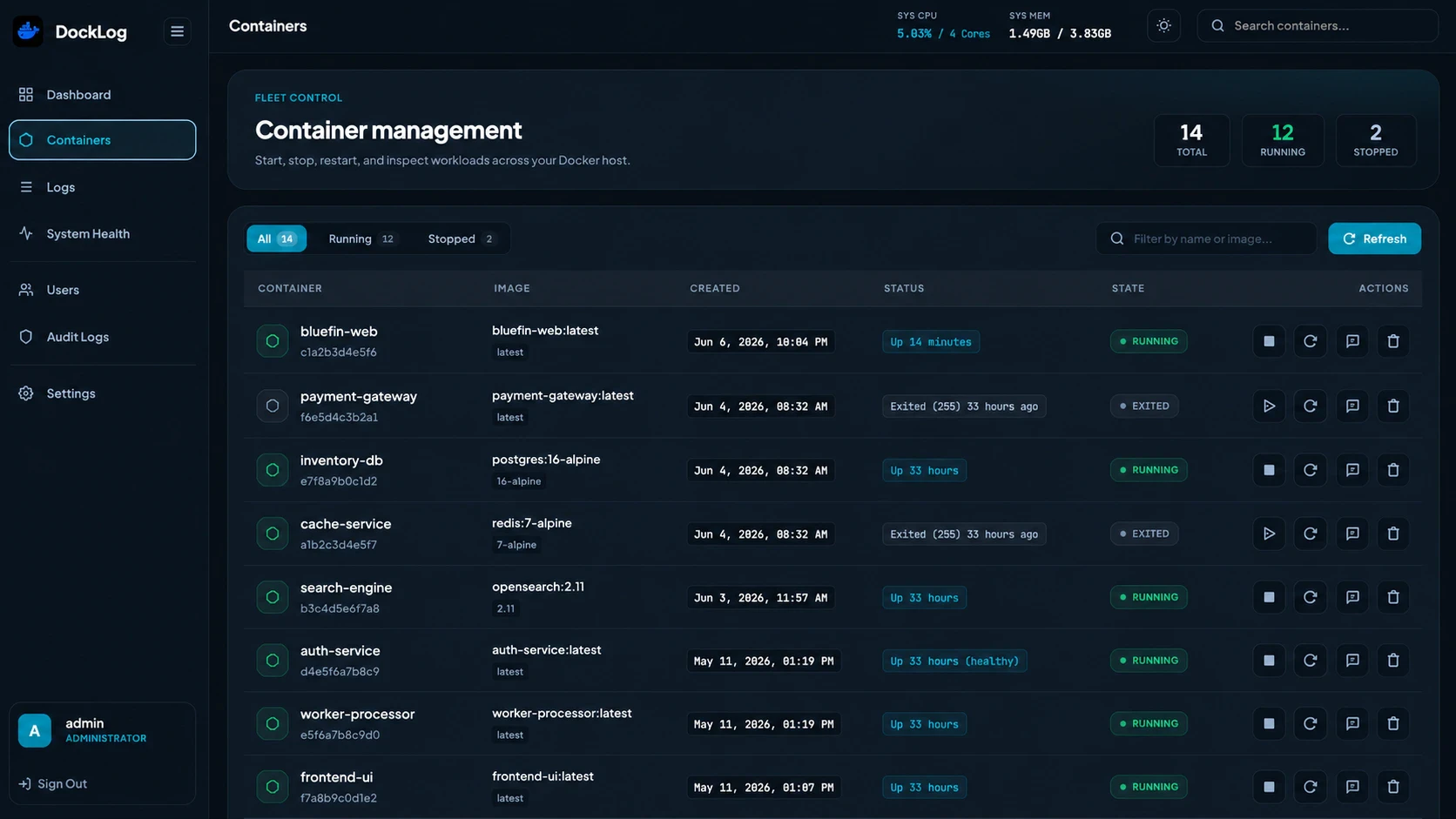
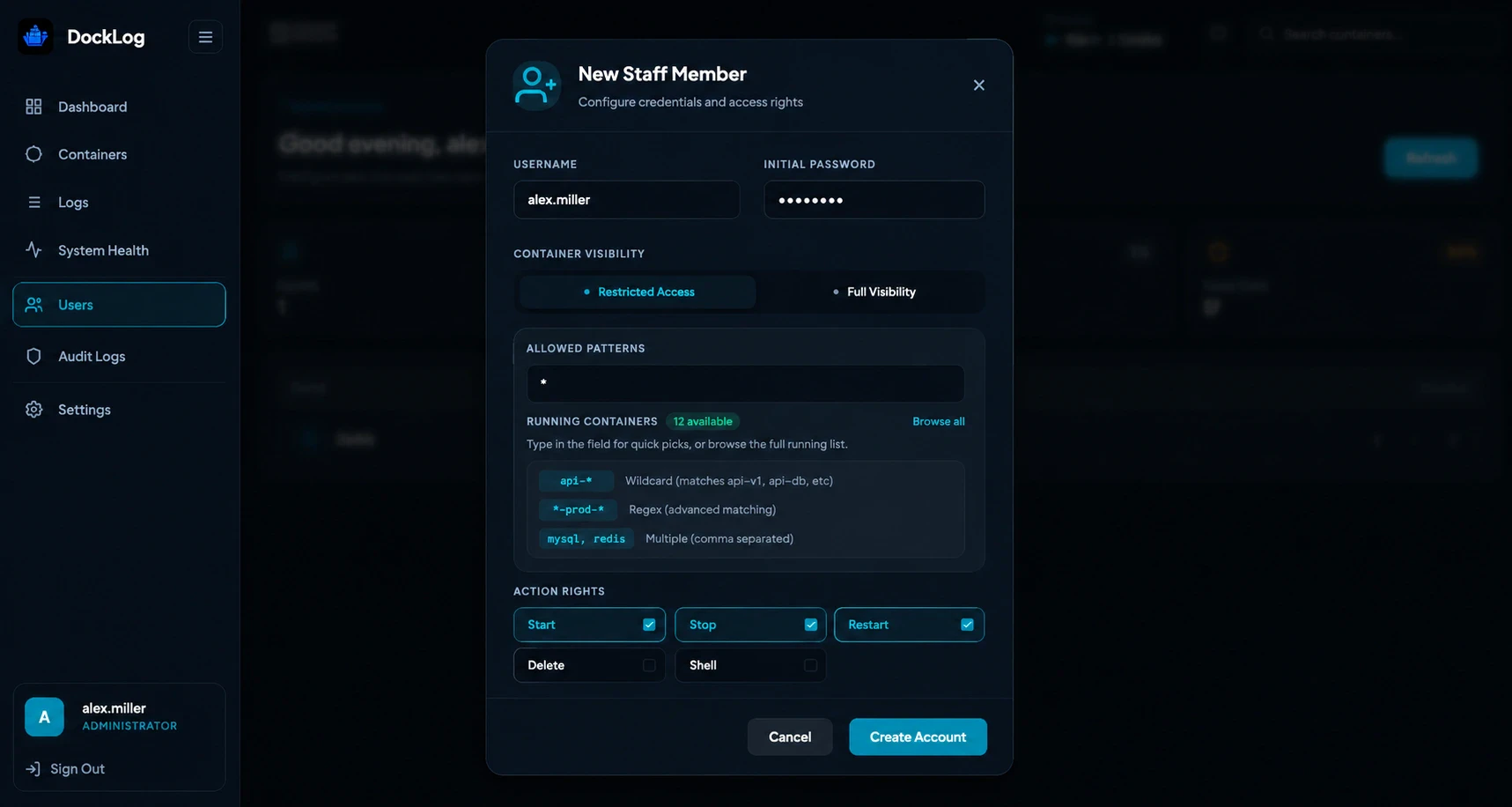
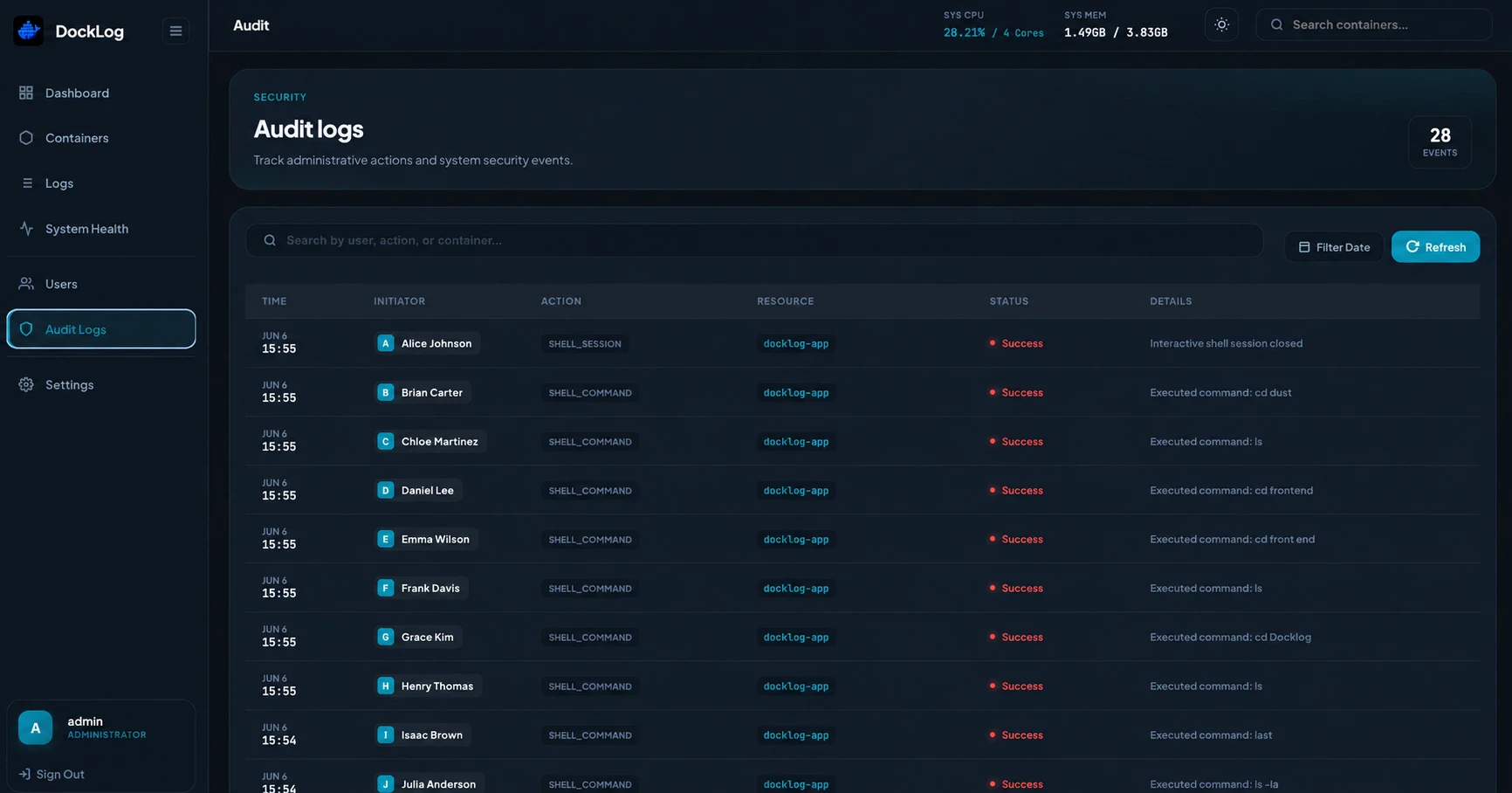
+1 more screenshots
Pros
- ✓Lightweight deployment with a single Docker container
- ✓Real-time container and host resource monitoring
- ✓Multi-server support for scalable environments
- ✓Role-based access control and audit logging for security
- ✓Cross-platform access via web, desktop, and Android apps
Cons
- ✗Limited advanced analytics compared to full logging stacks
- ✗Potential learning curve for those unfamiliar with self-hosted tools
- ✗No built-in alerting or notification system
Use Cases
Pricing
Likely open source and free to use, with potential paid support or enterprise features if offered, but specific pricing details are not publicly available.
Quick Info
Topics
Makers

Saurav Saini (Golu)
Alternatives
Similar Tools in Developer Tools




Embed Badge
Add this badge to your website to show that DockLog is featured on Visalytica.
<a href="https://www.visalytica.com/tool/docklog" target="_blank" rel="noopener noreferrer" style="display:inline-flex;align-items:center;gap:6px;padding:6px 14px;background:#7c3aed;color:#fff;border-radius:8px;font-family:-apple-system,system-ui,sans-serif;font-size:13px;font-weight:600;text-decoration:none;transition:background .2s" onmouseover="this.style.background='#6d28d9'" onmouseout="this.style.background='#7c3aed'"><svg width="14" height="14" viewBox="0 0 24 24" fill="none" stroke="currentColor" stroke-width="2.5" stroke-linecap="round" stroke-linejoin="round"><path d="M12 20V10"/><path d="M18 20V4"/><path d="M6 20v-4"/></svg>Featured on Visalytica</a>