
DockLens
See every window of an app by hovering its Dock icon
About DockLens
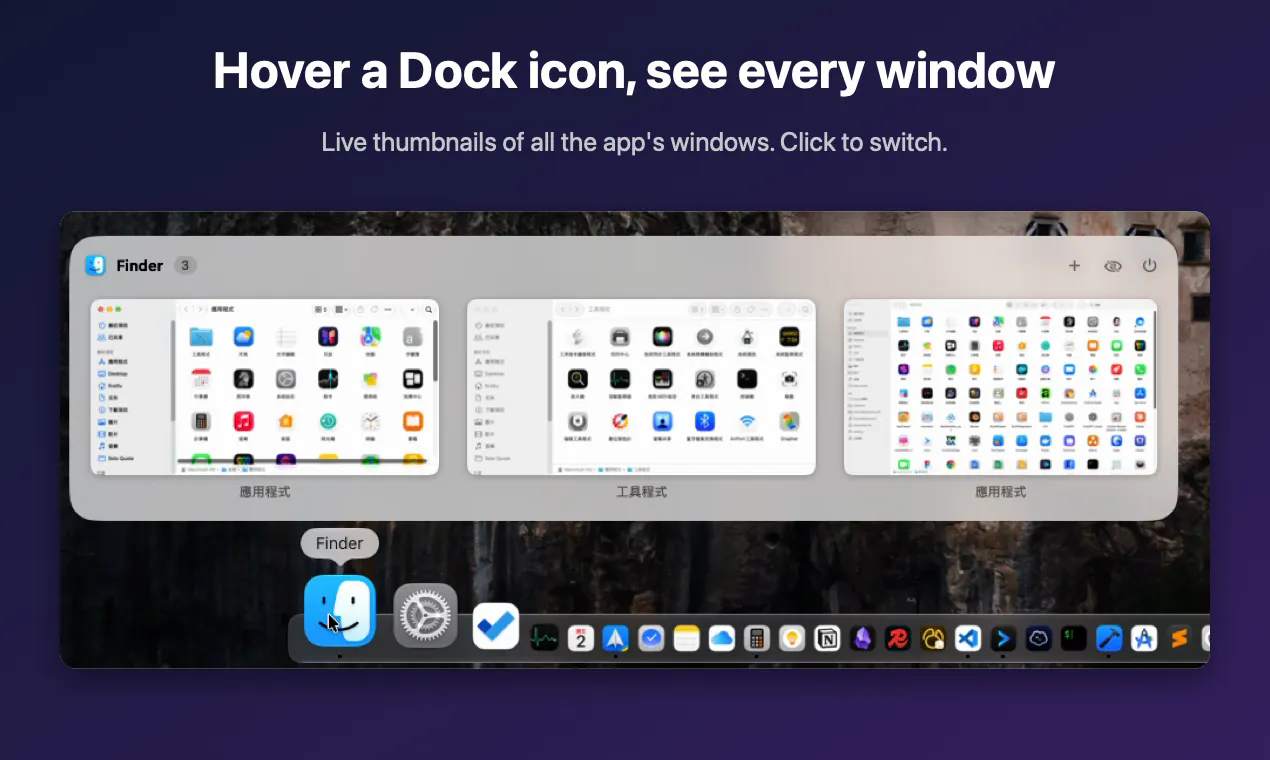
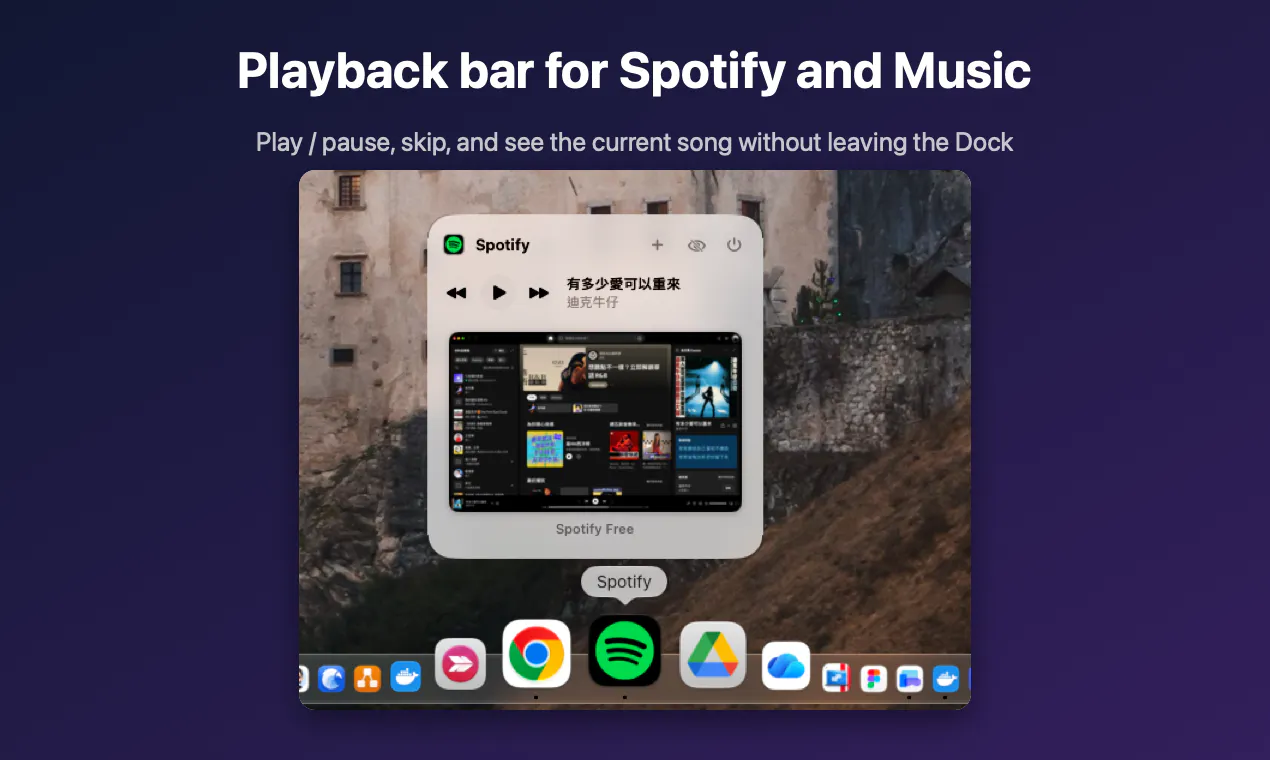
DockLens is an innovative macOS utility designed for power users and productivity enthusiasts who want enhanced window management right from the Dock. By hovering over an app's Dock icon, users can see live thumbnails of all open windows, making it easy to identify and switch between tasks quickly. The tool supports direct actions such as closing, minimizing, or toggling full-screen mode directly from these previews, streamlining workflow and reducing clutter. Notably, DockLens preserves closed windows (like Notion or Slack) in the list for easy reopening, and offers a handy playback bar for Spotify and Music apps. As an open-source project under GPLv3, it emphasizes privacy with no network access and minimal CPU usage when idle. Designed specifically for macOS 26 and above, DockLens caters to users seeking a sleek, visual, and efficient window management solution integrated seamlessly into their desktop environment.
Screenshots

Pros
- ✓Real-time live window thumbnails for quick visual identification
- ✓Supports direct window management actions from the hover preview
- ✓Preserves closed windows for easy reopening
- ✓Open source with a focus on privacy and low resource usage
- ✓No network access and zero CPU impact when idle
Cons
- ✗Limited to macOS 26+ users, excluding earlier versions
- ✗Features may be less useful for users with simple workflows or fewer open windows
- ✗Currently lacks advanced filtering or search capabilities
Use Cases
Pricing
Pricing not verified
Quick Info
Topics
Alternatives
Similar Tools in Developer Tools




Embed Badge
Add this badge to your website to show that DockLens is featured on Visalytica.
<a href="https://www.visalytica.com/tool/docklens" target="_blank" rel="noopener noreferrer" style="display:inline-flex;align-items:center;gap:6px;padding:6px 14px;background:#7c3aed;color:#fff;border-radius:8px;font-family:-apple-system,system-ui,sans-serif;font-size:13px;font-weight:600;text-decoration:none;transition:background .2s" onmouseover="this.style.background='#6d28d9'" onmouseout="this.style.background='#7c3aed'"><svg width="14" height="14" viewBox="0 0 24 24" fill="none" stroke="currentColor" stroke-width="2.5" stroke-linecap="round" stroke-linejoin="round"><path d="M12 20V10"/><path d="M18 20V4"/><path d="M6 20v-4"/></svg>Featured on Visalytica</a>