
DesktopVisionMCP. Show, don't tell.
Stop describing your screen or pasting screenshots to AI.
About DesktopVisionMCP. Show, don't tell.
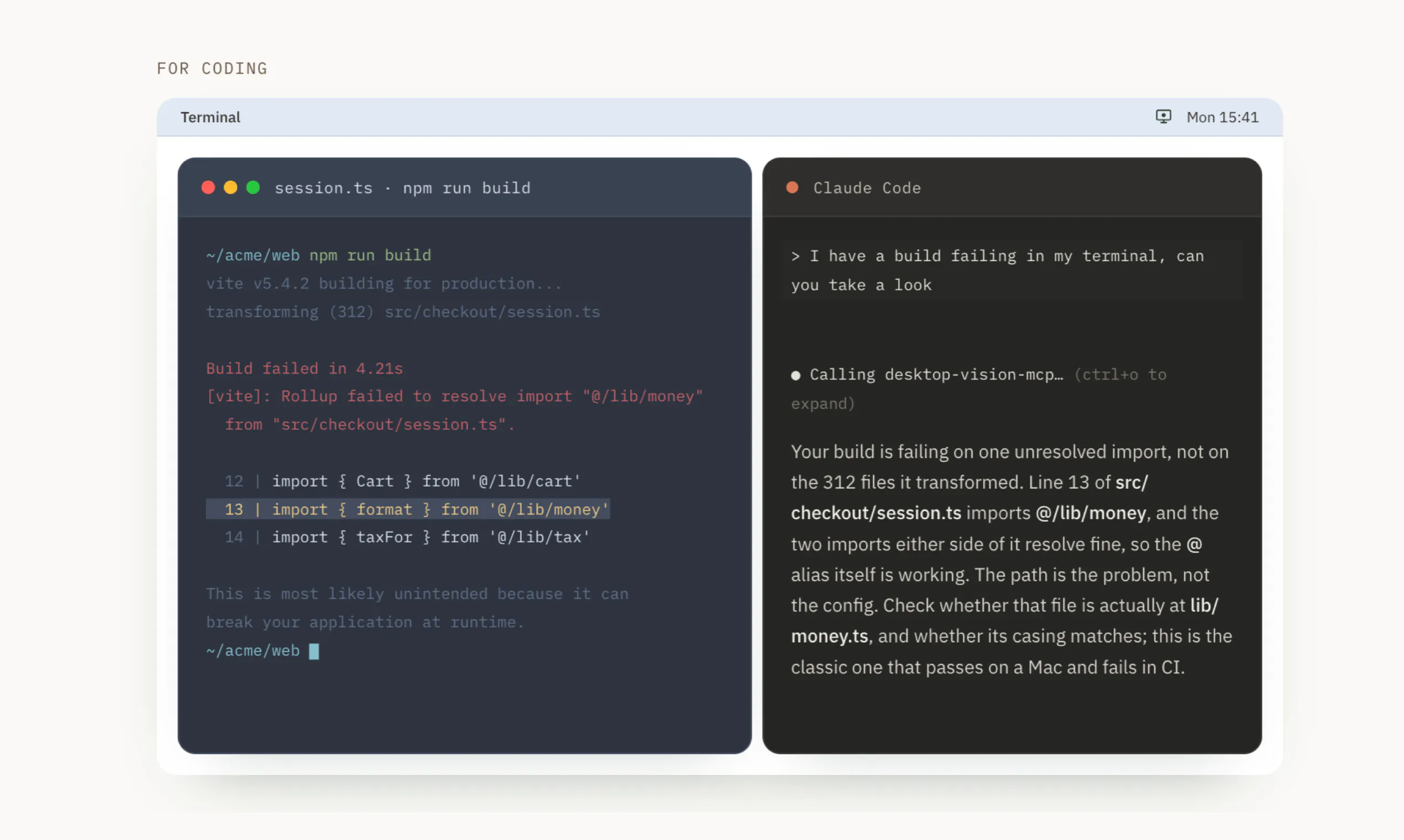
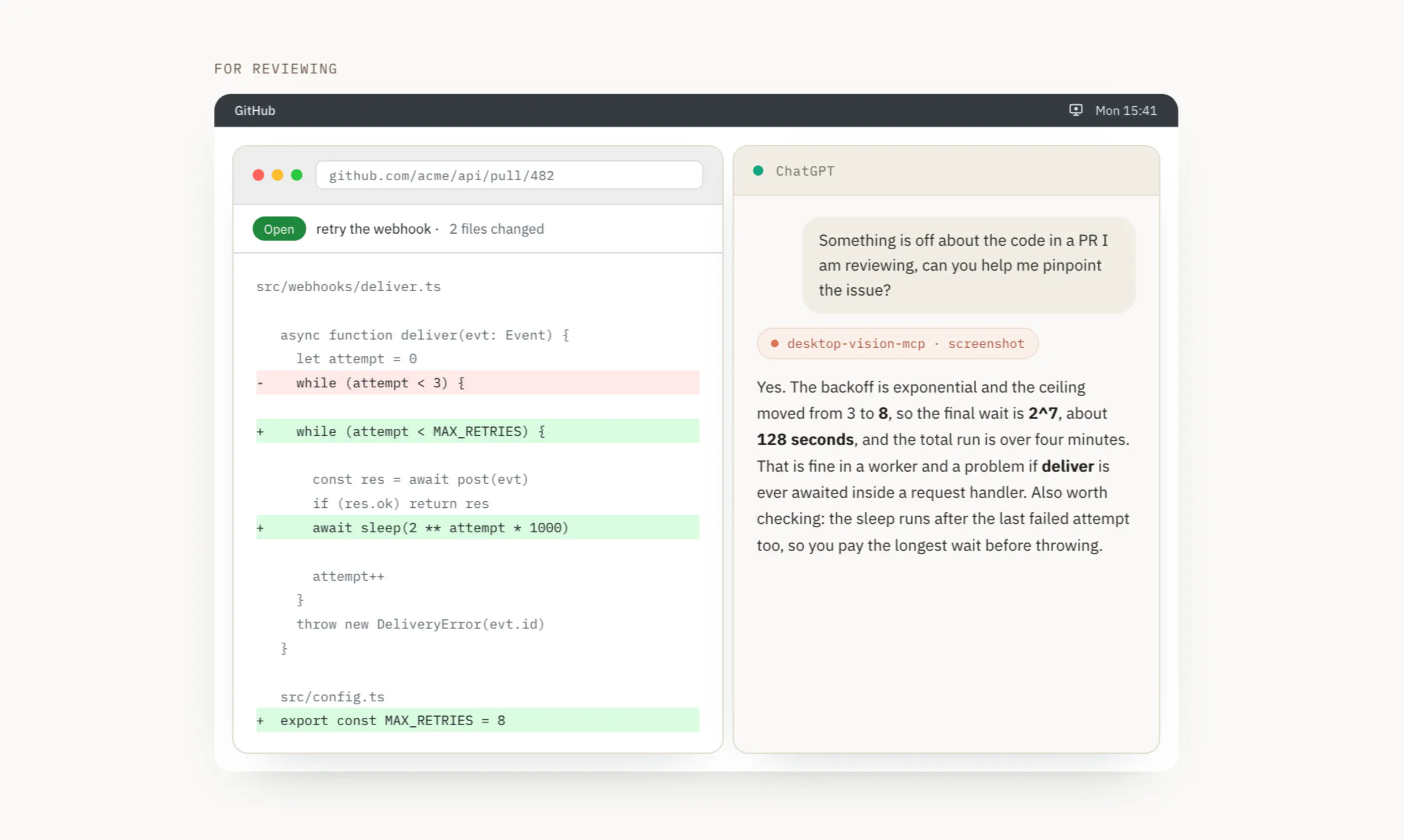
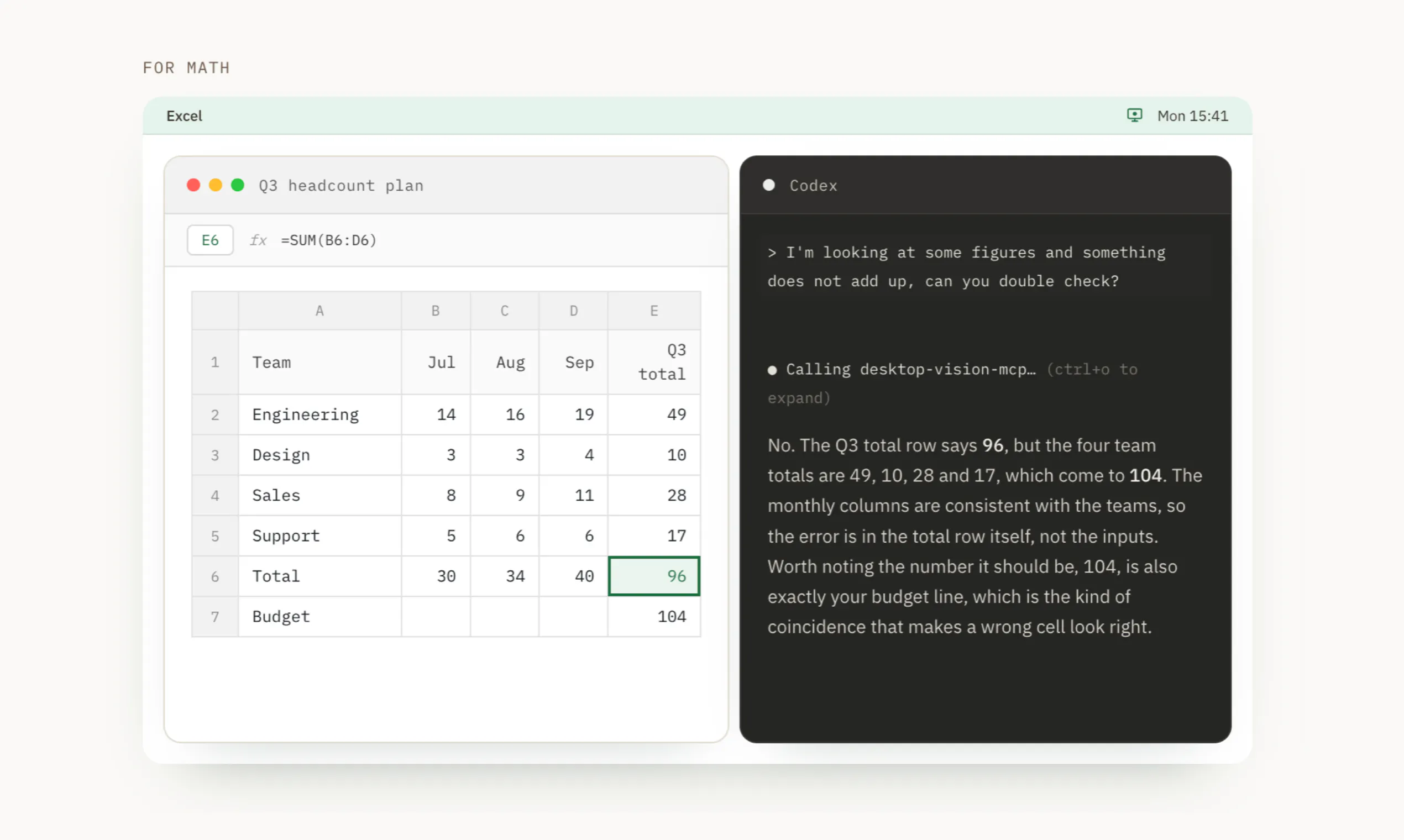
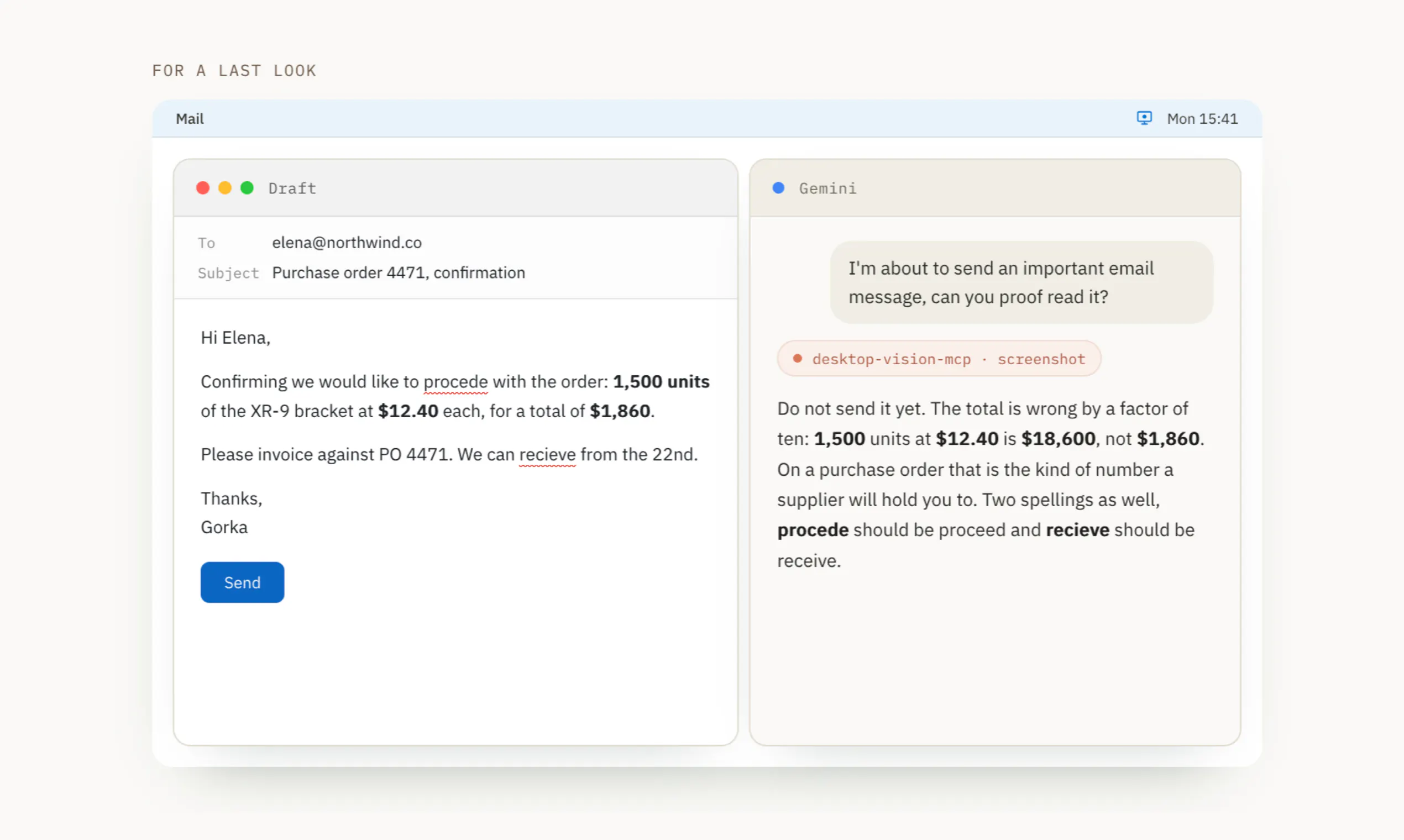
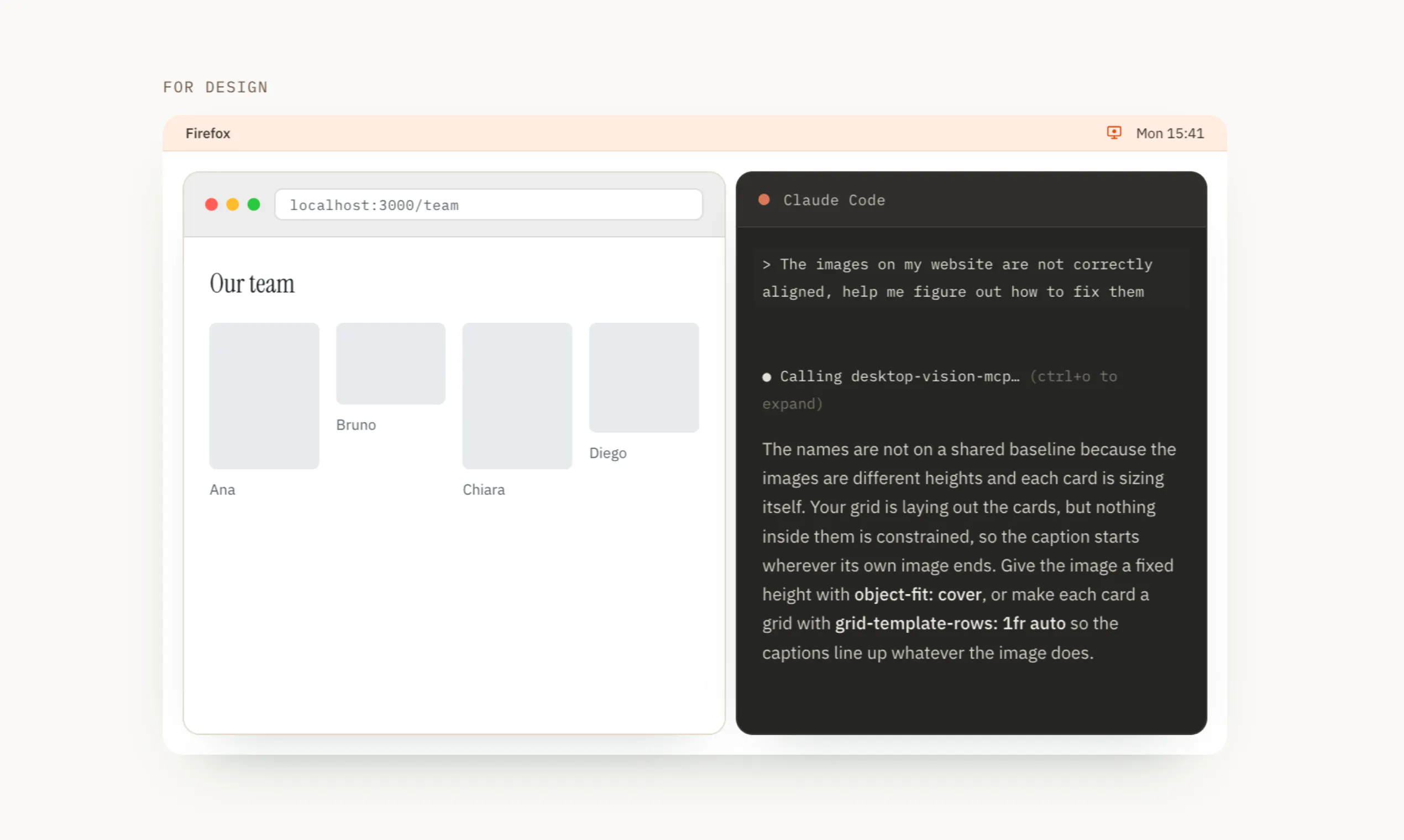
DesktopVisionMCP is a innovative macOS menu bar application designed for professionals who frequently share visual context with AI assistants. Unlike traditional methods that involve describing screens or pasting static screenshots, DesktopVisionMCP allows users to directly describe their screen content through a simple, secure interface. Users can capture, crop, and send specific screen snippets on demand, ensuring the AI receives precise visual information without unnecessary clutter. Its server component seamlessly integrates with popular AI models like Claude, ChatGPT, Codex, and Gemini, making it highly versatile for developers, designers, and technical teams. The tool prioritizes privacy and control, capturing only when prompted and never recording or transmitting background activities. Its always-visible menu bar status makes it quick to access, providing an efficient workflow for those who rely heavily on visual communication with AI assistants.
Screenshots

Pros
- ✓Provides precise visual sharing without describing or pasting screenshots
- ✓Secure and privacy-focused, only captures when explicitly requested
- ✓Easy integration with multiple AI models and platforms
- ✓Intuitive menu bar interface for quick access
- ✓Saves time and improves accuracy in AI interactions
Cons
- ✗Limited to macOS platforms, excluding Windows and Linux users
- ✗Requires setup of server component, which may be technical for some users
- ✗Currently lacks advanced editing or annotation features
Use Cases
Pricing
Likely operates on a freemium model with a free basic version and premium plans starting around $X/month, offering additional features or support. Exact pricing details are not specified but are typical for SaaS tools of this nature.
Quick Info
Topics
Makers

Gorka Ludlow
Alternatives
Similar Tools in AI Assistants




Embed Badge
Add this badge to your website to show that DesktopVisionMCP. Show, don't tell. is featured on Visalytica.
<a href="https://www.visalytica.com/tool/desktopvisionmcp-show-don-t-tell" target="_blank" rel="noopener noreferrer" style="display:inline-flex;align-items:center;gap:6px;padding:6px 14px;background:#7c3aed;color:#fff;border-radius:8px;font-family:-apple-system,system-ui,sans-serif;font-size:13px;font-weight:600;text-decoration:none;transition:background .2s" onmouseover="this.style.background='#6d28d9'" onmouseout="this.style.background='#7c3aed'"><svg width="14" height="14" viewBox="0 0 24 24" fill="none" stroke="currentColor" stroke-width="2.5" stroke-linecap="round" stroke-linejoin="round"><path d="M12 20V10"/><path d="M18 20V4"/><path d="M6 20v-4"/></svg>Featured on Visalytica</a>