DeskMat 1.3
Now hide individual files + folders for more private desktop
About DeskMat 1.3
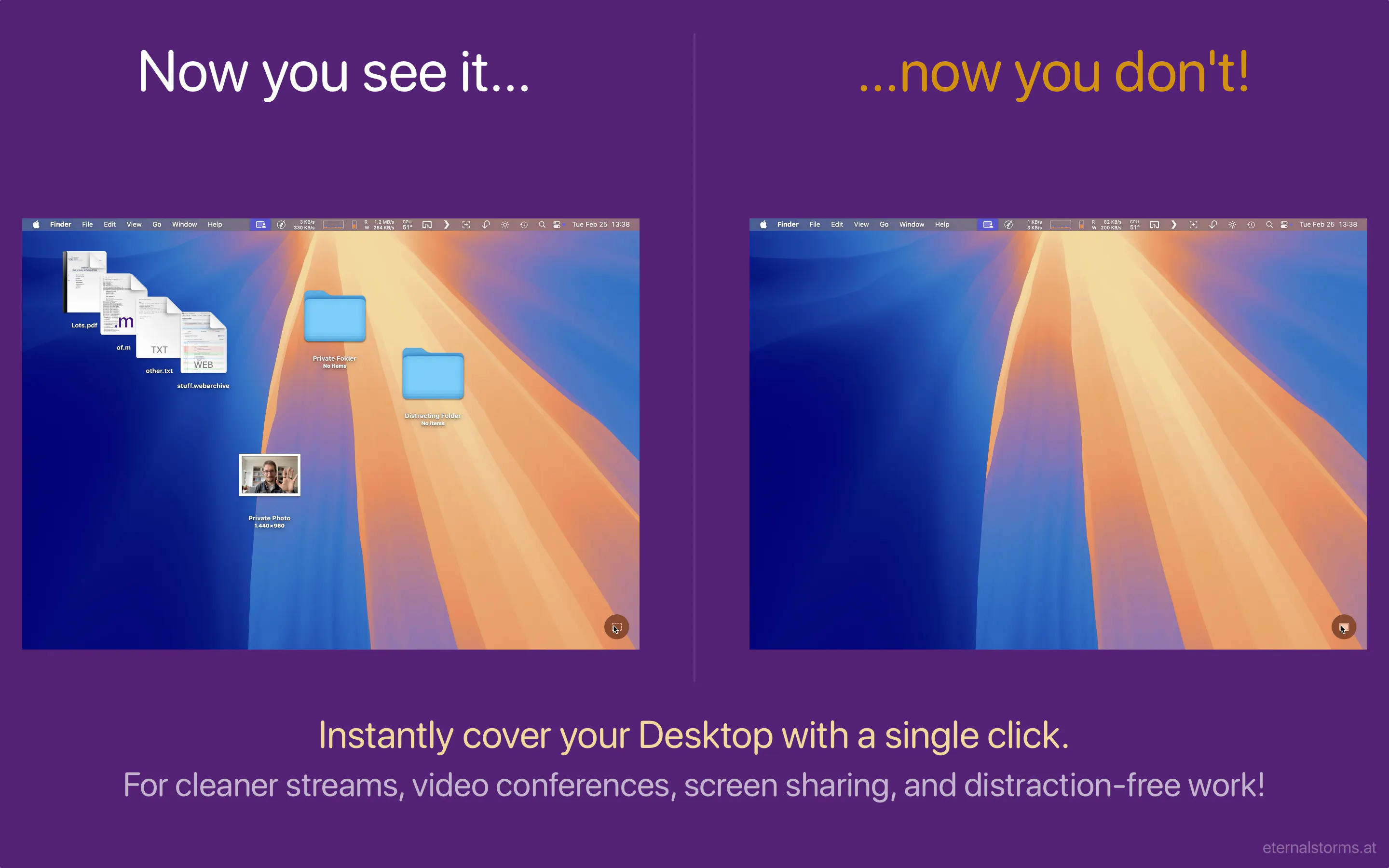
DeskMat 1.3 is a handy macOS utility designed for users seeking enhanced privacy and a clutter-free desktop environment. With a simple click, it allows users to hide individual files and folders from view, creating a virtual 'mat' that conceals desktop messes instantly. This feature is particularly valuable for professionals who frequently share screens during video calls, conduct presentations, or want to maintain a tidy workspace without permanently deleting files. Its ease of use and quick toggle functionality make it a versatile tool for maintaining privacy and reducing distractions. Ideal for remote workers, freelancers, and anyone prioritizing a clean digital workspace, DeskMat stands out by offering a seamless way to manage desktop visibility without complex setup or permanent changes.
Screenshots
Pros
- ✓Quick and easy toggling of desktop files and folders visibility
- ✓Enhances privacy during screen sharing and video conferences
- ✓Simple, user-friendly interface tailored for Mac users
- ✓No permanent file deletion — just concealment
Cons
- ✗Limited to macOS; not available for Windows or Linux
- ✗Does not offer advanced file management or organization features
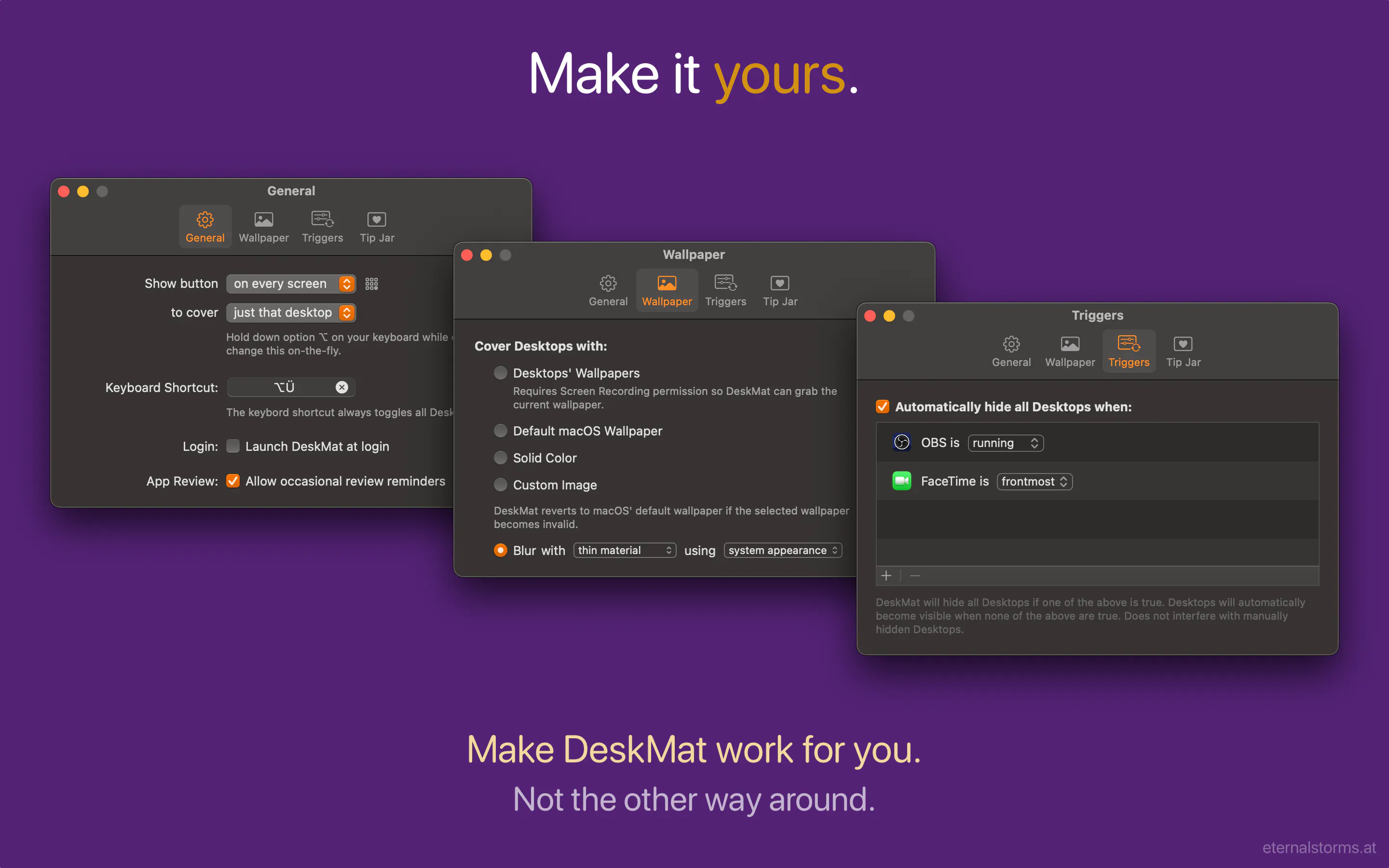
- ✗Lacks customization options for hiding behaviors
Use Cases
Pricing
Likely operates on a freemium model with basic features available for free and optional paid upgrades for additional functionalities, though exact pricing details are not specified.
Quick Info
Topics
Makers

Matthias Gansrigler
@eternalstormsAlternatives
Similar Tools in Developer Tools




Embed Badge
Add this badge to your website to show that DeskMat 1.3 is featured on Visalytica.
<a href="https://www.visalytica.com/tool/deskmat-1-3" target="_blank" rel="noopener noreferrer" style="display:inline-flex;align-items:center;gap:6px;padding:6px 14px;background:#7c3aed;color:#fff;border-radius:8px;font-family:-apple-system,system-ui,sans-serif;font-size:13px;font-weight:600;text-decoration:none;transition:background .2s" onmouseover="this.style.background='#6d28d9'" onmouseout="this.style.background='#7c3aed'"><svg width="14" height="14" viewBox="0 0 24 24" fill="none" stroke="currentColor" stroke-width="2.5" stroke-linecap="round" stroke-linejoin="round"><path d="M12 20V10"/><path d="M18 20V4"/><path d="M6 20v-4"/></svg>Featured on Visalytica</a>