DemoVeil
Prepare your Mac screen for calls, demos, and captures
About DemoVeil
DemoVeil is a sleek macOS menu bar utility designed to streamline your preparation for calls, live demos, screenshots, and recordings. Its primary function is to quickly declutter your screen by hiding desktop icons, concealing specific apps, and presenting a clean, neutral workspace tailored to different scenarios. With three customizable presets—Call, Present, and Capture—users can effortlessly switch between optimized views, ensuring a polished and professional appearance during presentations or recordings. While it excels at quick screen setup, it has some limitations, such as not automatically hiding Finder windows and occasional visibility of Dock items. Ideal for professionals, educators, content creators, and remote workers, DemoVeil offers a simple yet effective way to enhance on-screen presentation quality without complex configurations. Its focus on speed and ease of use makes it a valuable addition to any macOS user's productivity toolkit.
Screenshots
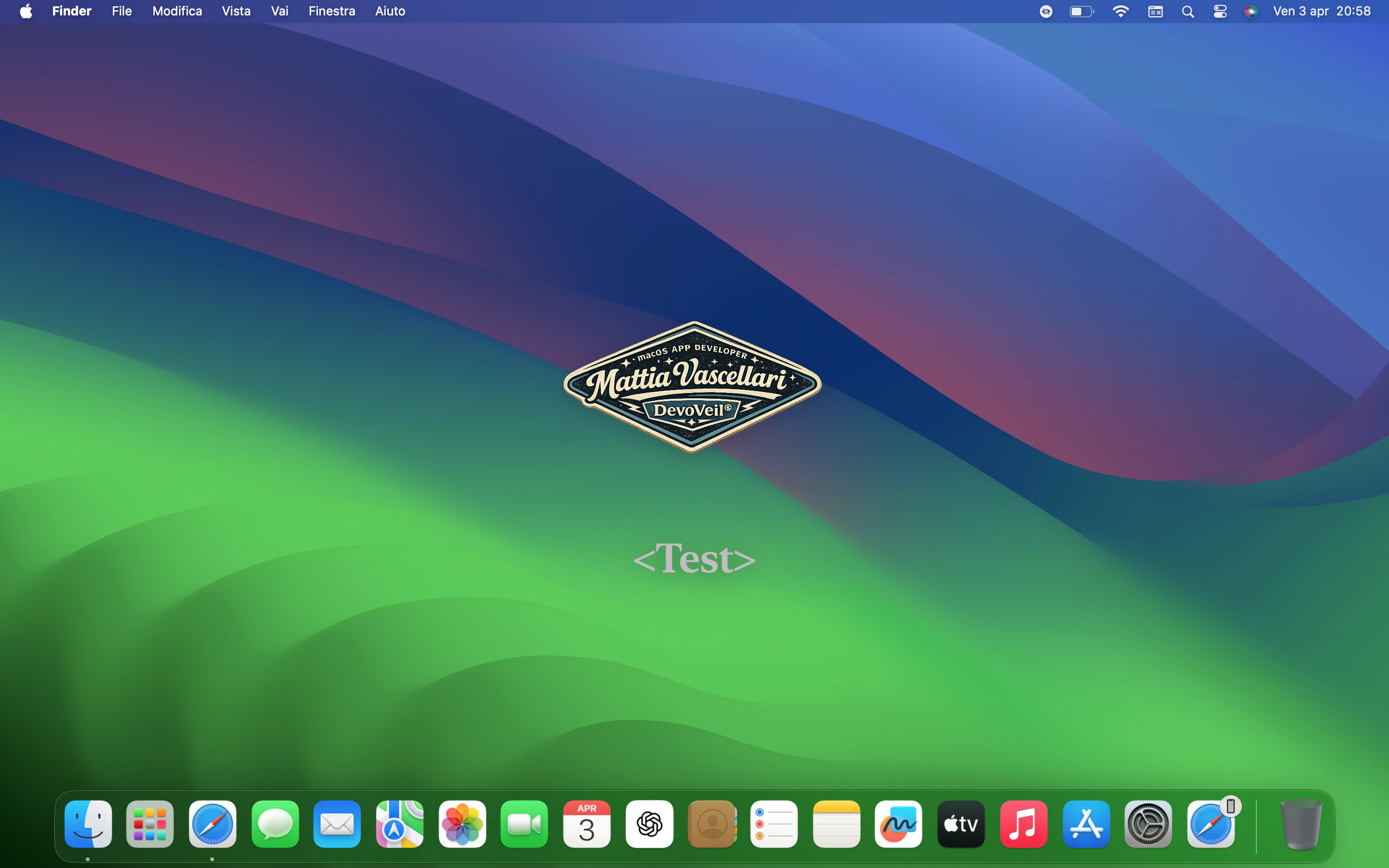
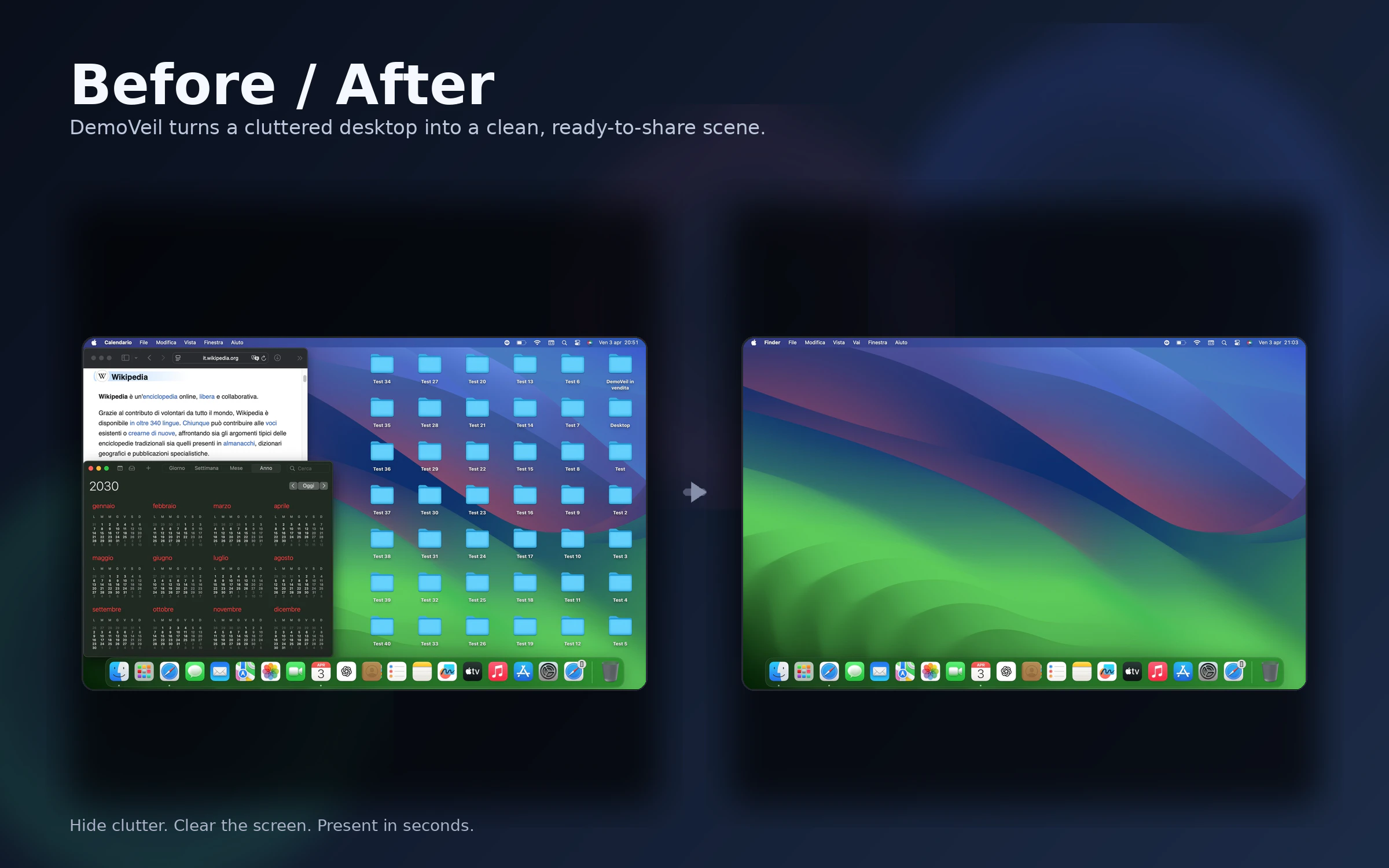
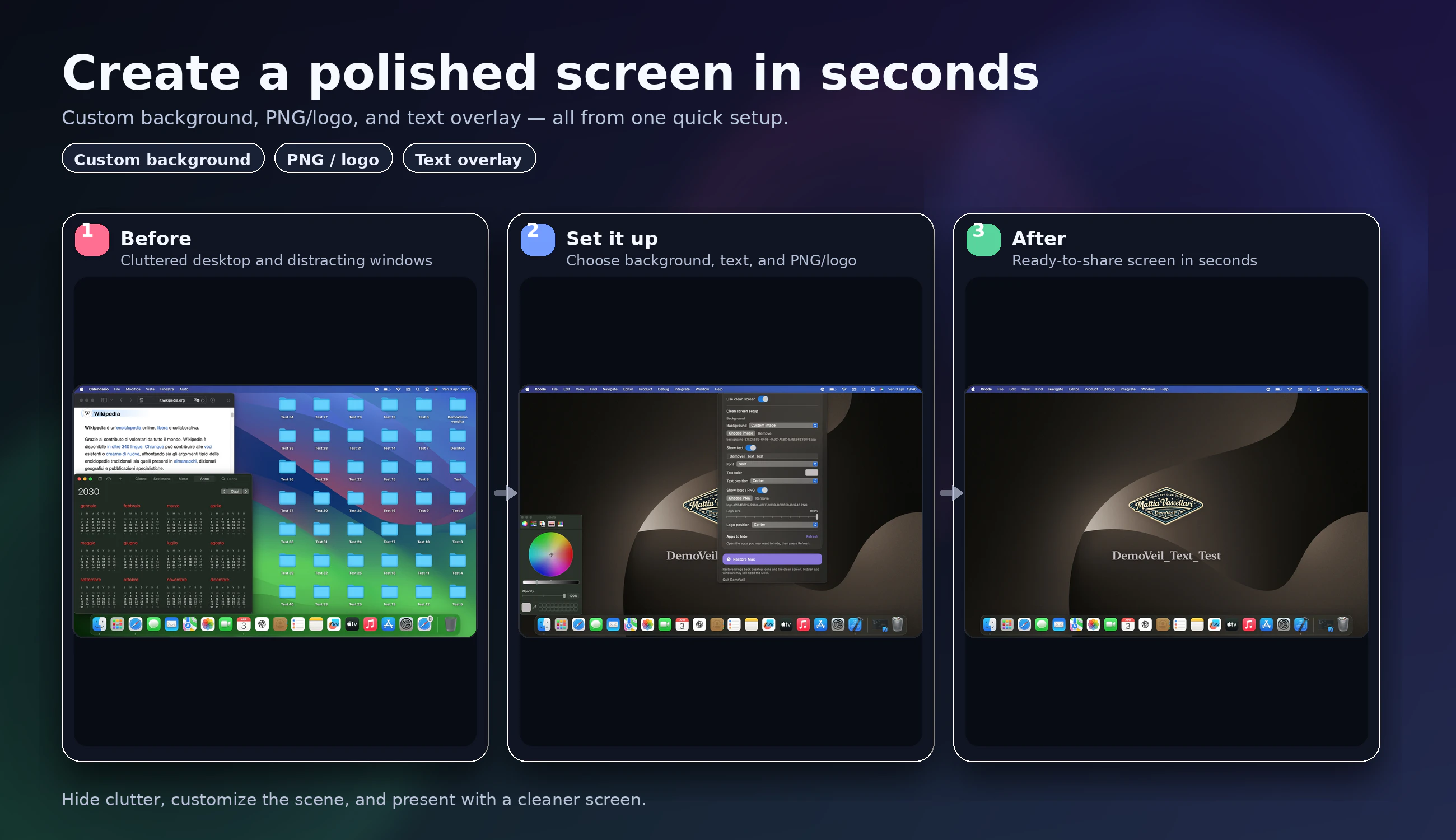
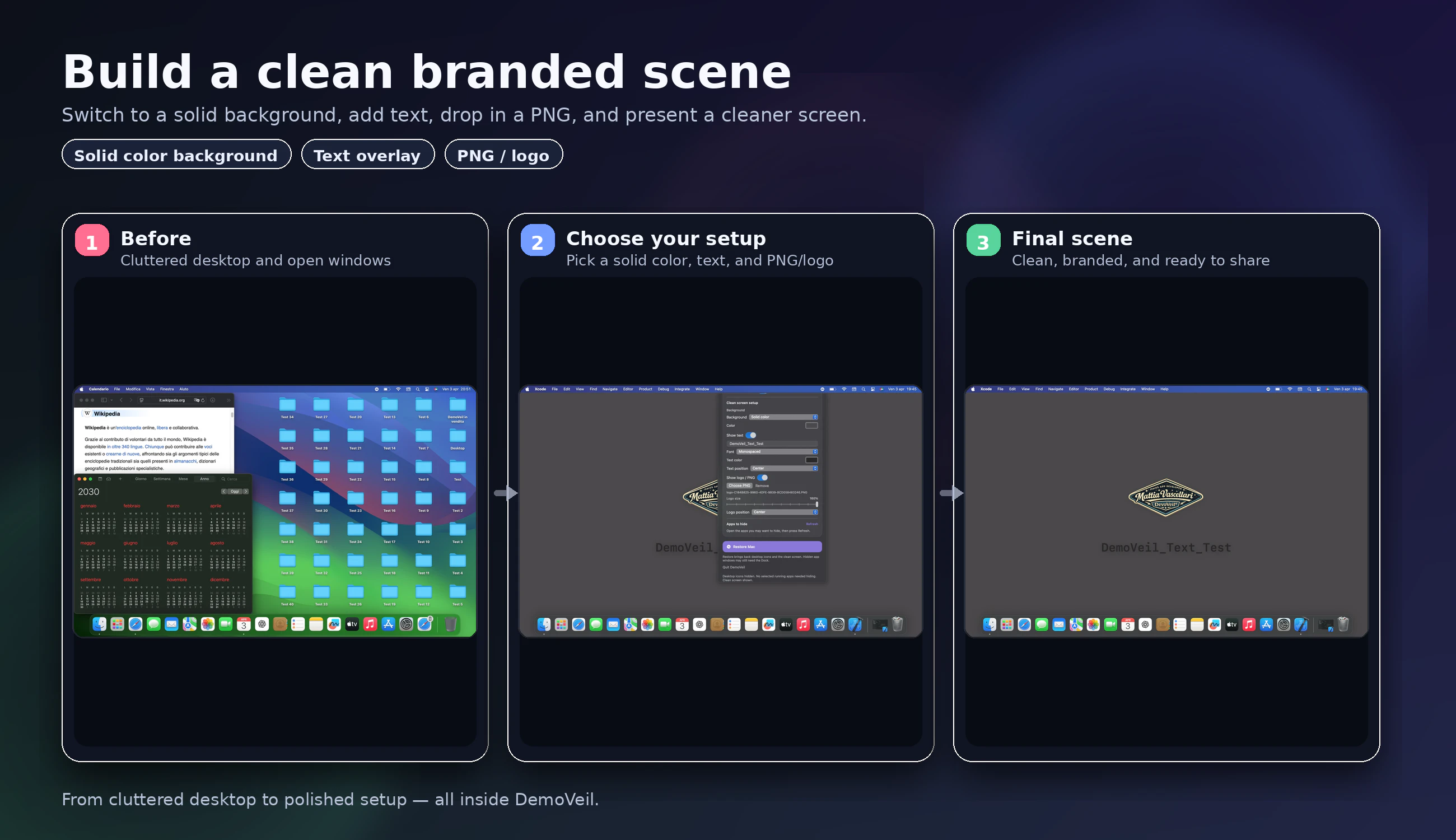
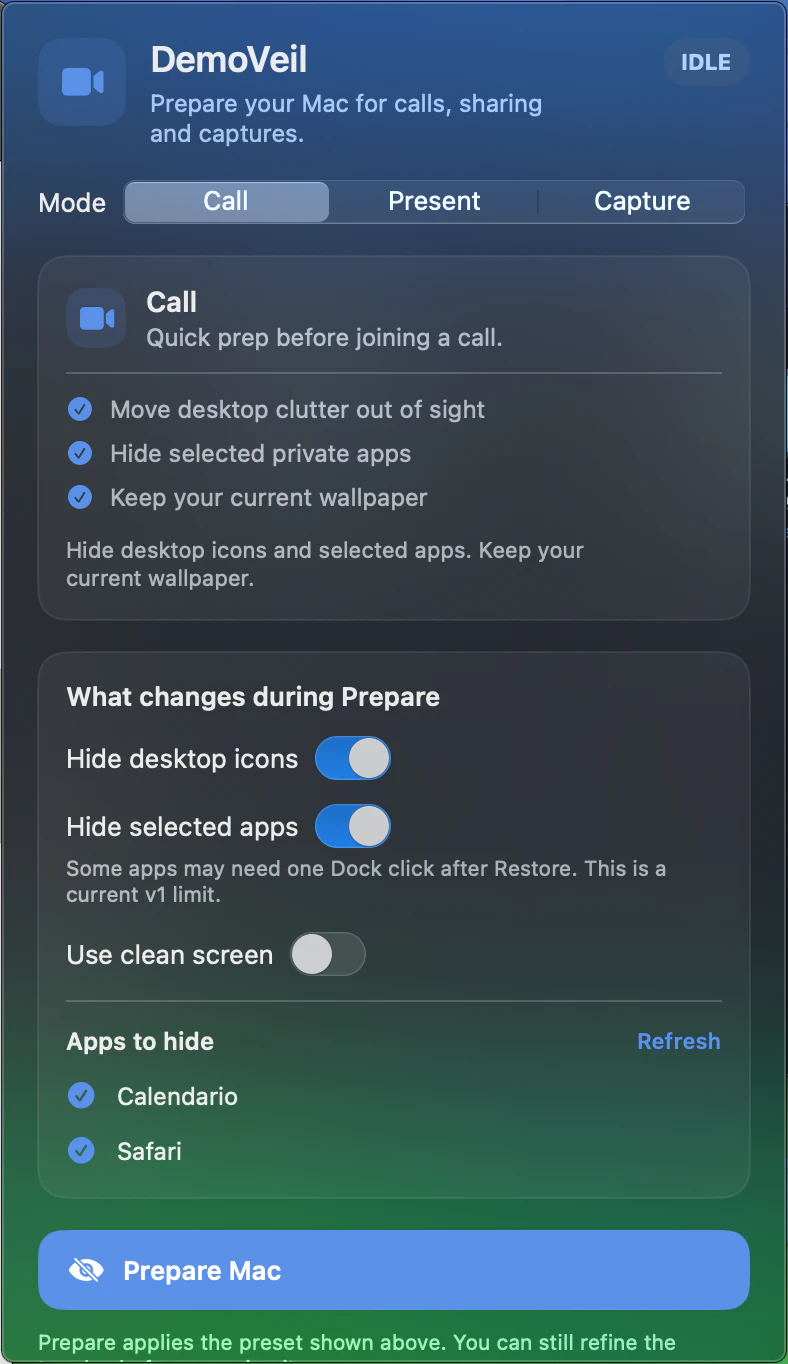
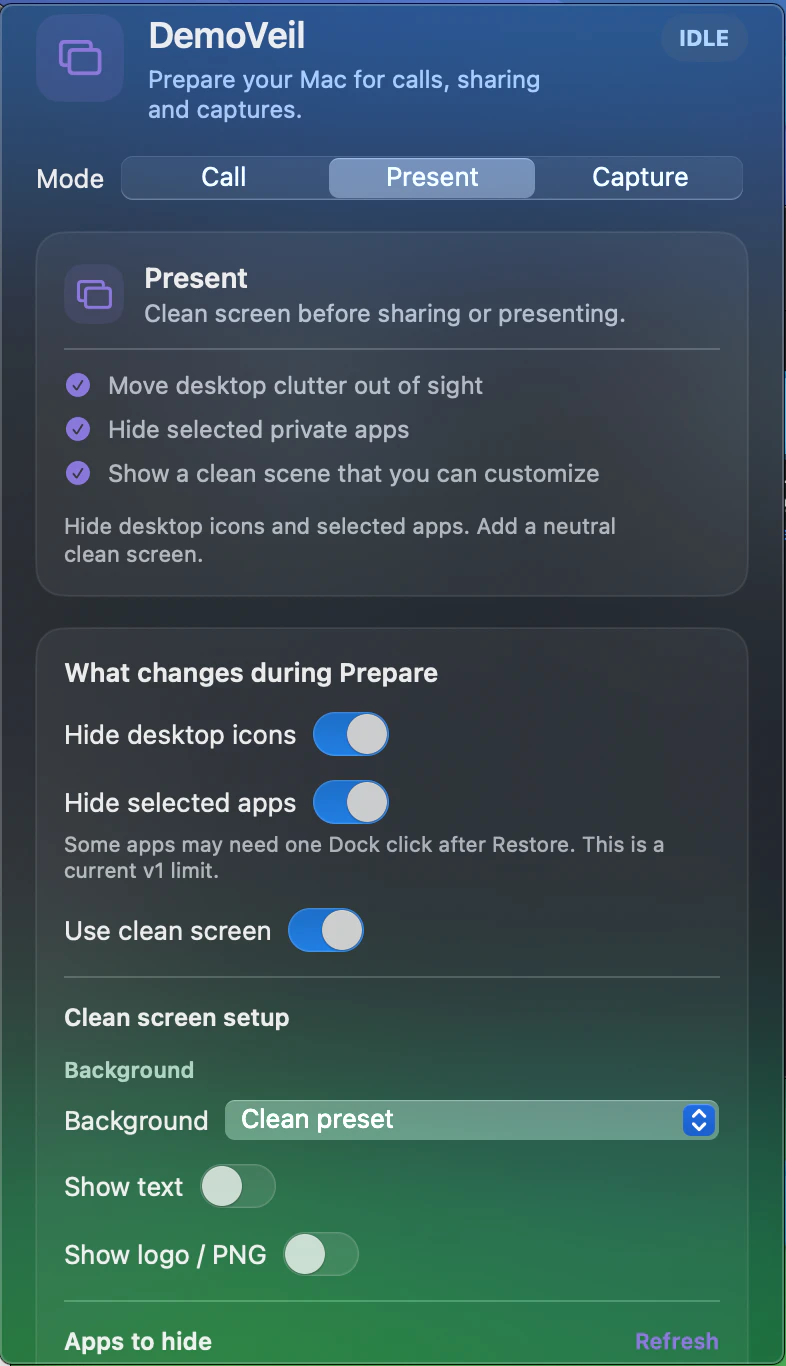
+2 more screenshots
Pros
- ✓Quickly prepares a clean and professional screen for calls and demos
- ✓Simple, user-friendly menu bar interface with customizable presets
- ✓Reduces desktop clutter, enhancing visual appeal and focus
- ✓Lightweight and easy to activate or switch between modes
- ✓Ideal for remote work, online presentations, and content creation
Cons
- ✗Does not automatically hide Finder windows, requiring manual intervention
- ✗Some Dock items may remain visible, limiting complete screen neutrality
- ✗Limited customization options beyond three presets
Use Cases
Pricing
Likely operates on a freemium model with a free tier offering basic functionality, and paid plans starting around $10-$15 per year or month for additional features and presets. Exact pricing details are not specified but are typical for small utility apps.
Quick Info
Topics
Similar Tools in AI Assistants




Embed Badge
Add this badge to your website to show that DemoVeil is featured on Visalytica.
<a href="https://www.visalytica.com/tool/demoveil" target="_blank" rel="noopener noreferrer" style="display:inline-flex;align-items:center;gap:6px;padding:6px 14px;background:#7c3aed;color:#fff;border-radius:8px;font-family:-apple-system,system-ui,sans-serif;font-size:13px;font-weight:600;text-decoration:none;transition:background .2s" onmouseover="this.style.background='#6d28d9'" onmouseout="this.style.background='#7c3aed'"><svg width="14" height="14" viewBox="0 0 24 24" fill="none" stroke="currentColor" stroke-width="2.5" stroke-linecap="round" stroke-linejoin="round"><path d="M12 20V10"/><path d="M18 20V4"/><path d="M6 20v-4"/></svg>Featured on Visalytica</a>