
DemoScreen
Turn product screenshots into a narrated demo video
About DemoScreen
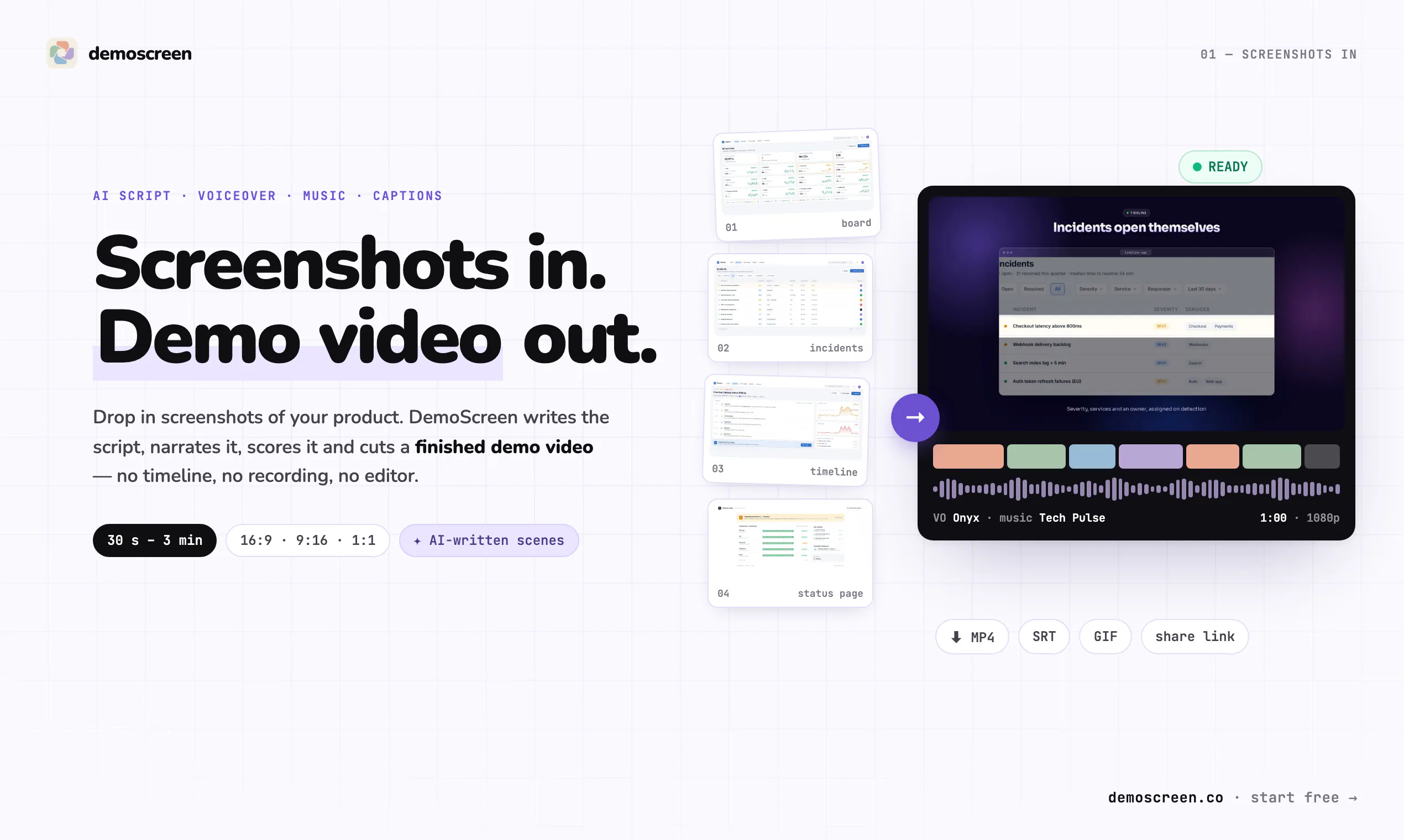
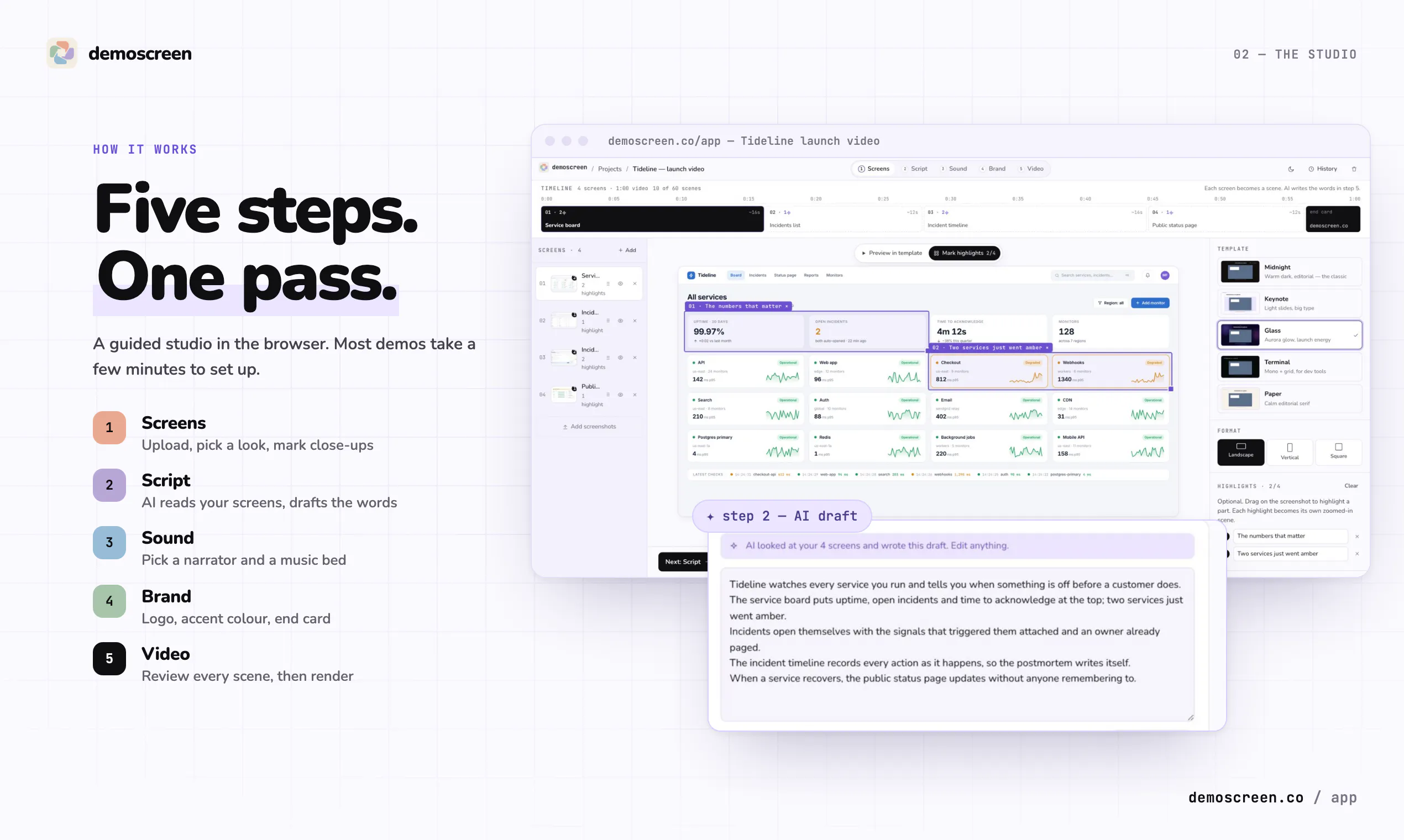
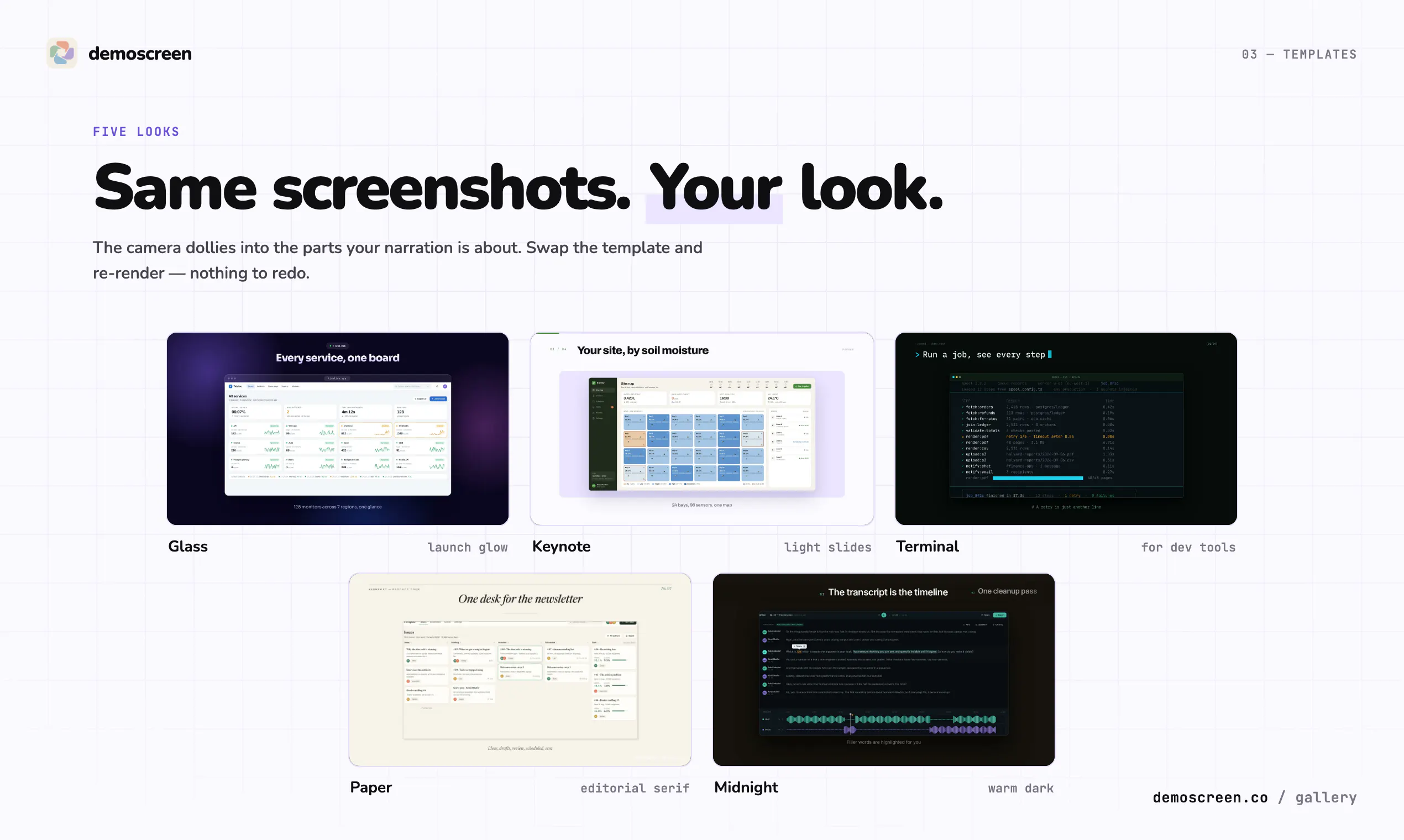
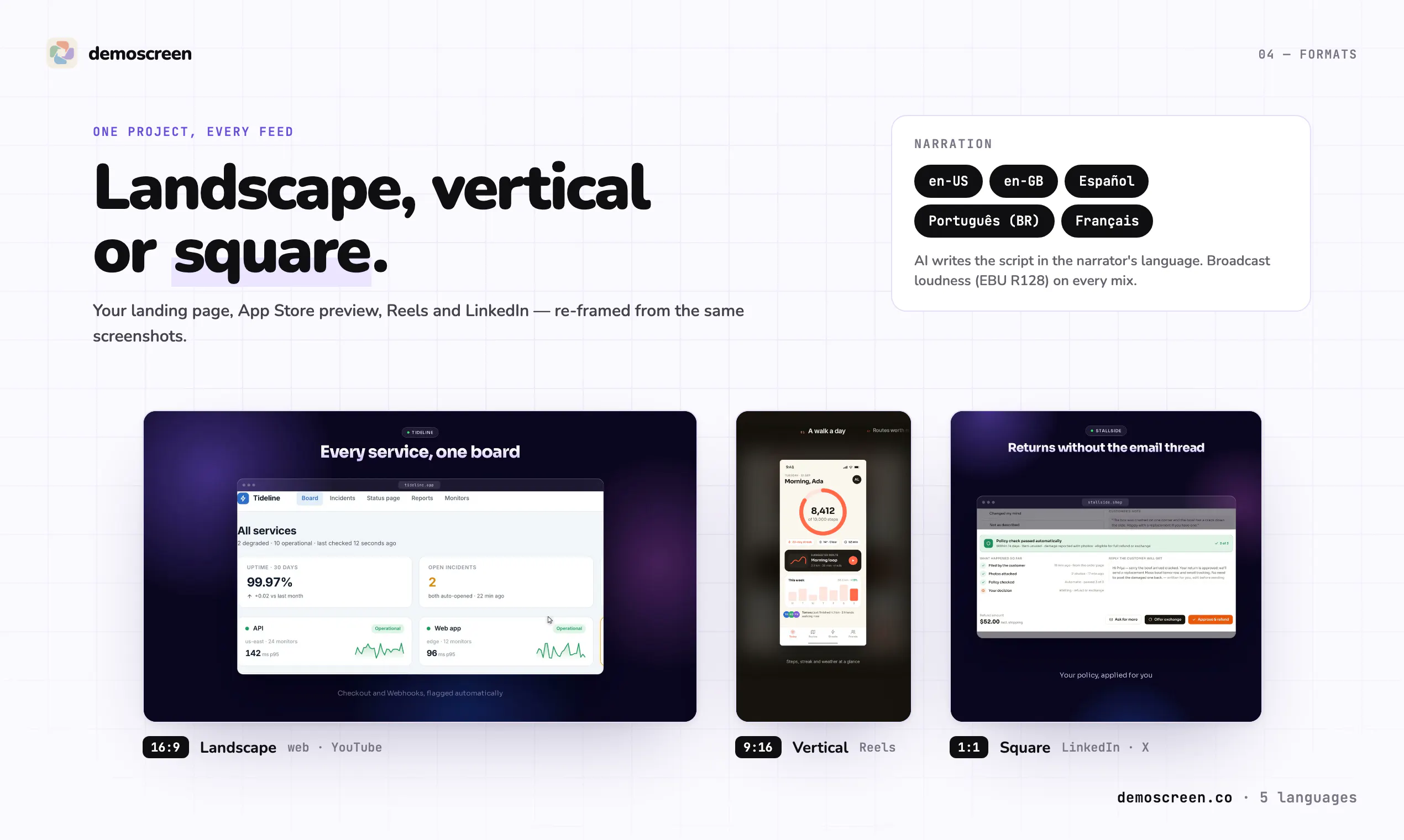
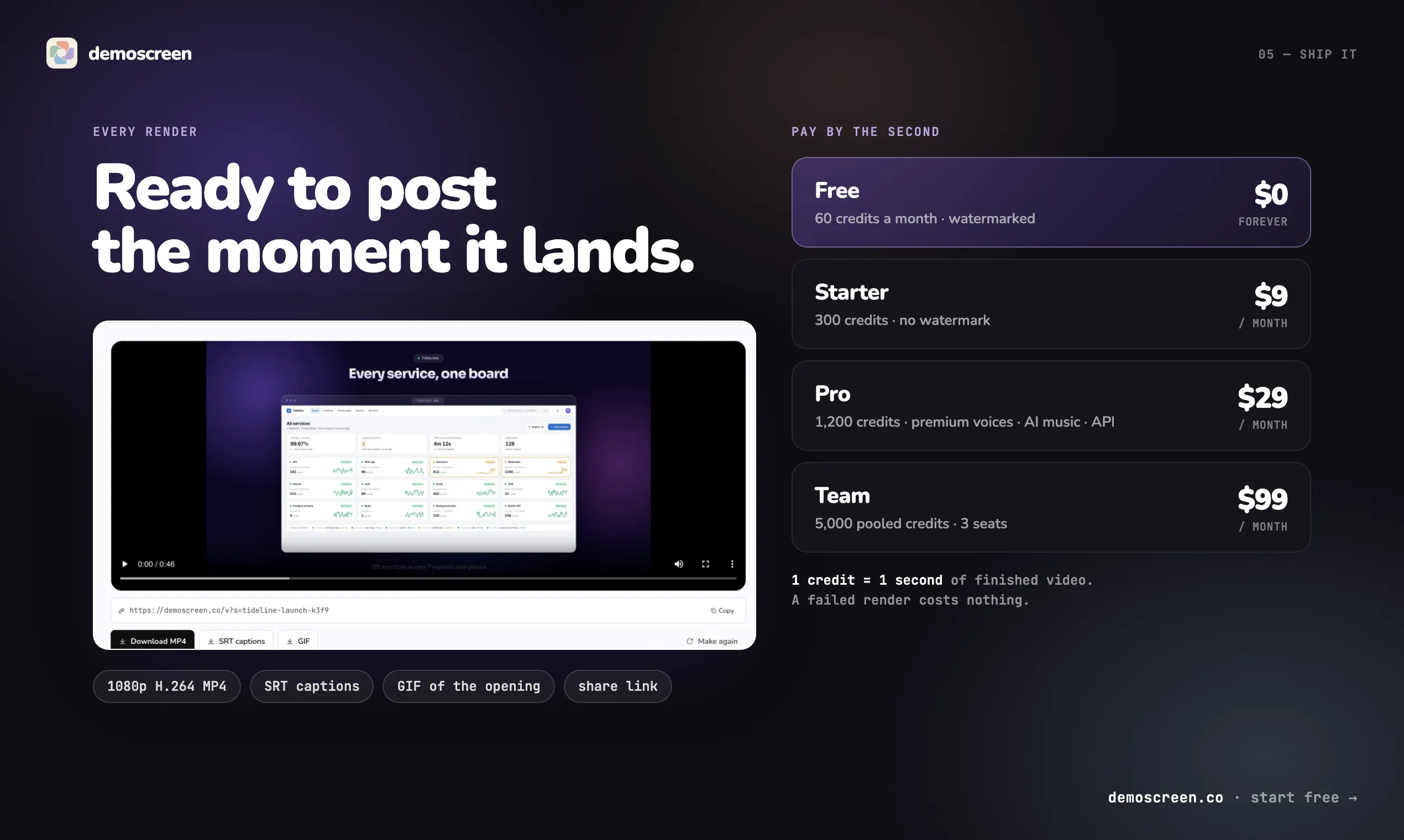
DemoScreen is an innovative AI-powered tool designed to transform static product screenshots into engaging narrated demo videos. Ideal for SaaS companies, product marketers, and content creators, it simplifies the video creation process by automatically generating scripts, adding voiceovers in multiple languages, and incorporating background music and captions. Users can select from five customizable templates and export videos in three formats: 16:9, 9:16, and 1:1, making it versatile for different platforms such as YouTube, Instagram, and LinkedIn. The tool also provides downloadable MP4 files, SRT captions, GIFs, and shareable links, streamlining the distribution process. Its multilingual narration feature broadens its appeal, making it suitable for global audiences. With a free plan available, DemoScreen offers an accessible entry point for teams looking to produce professional demo videos quickly and efficiently.
Screenshots
Pros
- ✓Automates script writing, voiceover, and editing for quick video creation
- ✓Supports multiple formats and templates for versatile output
- ✓Multilingual narration expands global reach
- ✓Includes various export options: MP4, captions, GIF
- ✓Offers a free plan for initial testing
Cons
- ✗Limited customization options for scripts and voiceovers
- ✗Dependent on the quality of uploaded screenshots
- ✗Features may be basic compared to dedicated video editing tools
Use Cases
Pricing
Pricing not verified
Quick Info
Topics
Alternatives
Similar Tools in AI Image & Design




Embed Badge
Add this badge to your website to show that DemoScreen is featured on Visalytica.
<a href="https://www.visalytica.com/tool/demoscreen" target="_blank" rel="noopener noreferrer" style="display:inline-flex;align-items:center;gap:6px;padding:6px 14px;background:#7c3aed;color:#fff;border-radius:8px;font-family:-apple-system,system-ui,sans-serif;font-size:13px;font-weight:600;text-decoration:none;transition:background .2s" onmouseover="this.style.background='#6d28d9'" onmouseout="this.style.background='#7c3aed'"><svg width="14" height="14" viewBox="0 0 24 24" fill="none" stroke="currentColor" stroke-width="2.5" stroke-linecap="round" stroke-linejoin="round"><path d="M12 20V10"/><path d="M18 20V4"/><path d="M6 20v-4"/></svg>Featured on Visalytica</a>