
Cubby Clipboard
Windows clipboard history that searches inside screenshots
About Cubby Clipboard
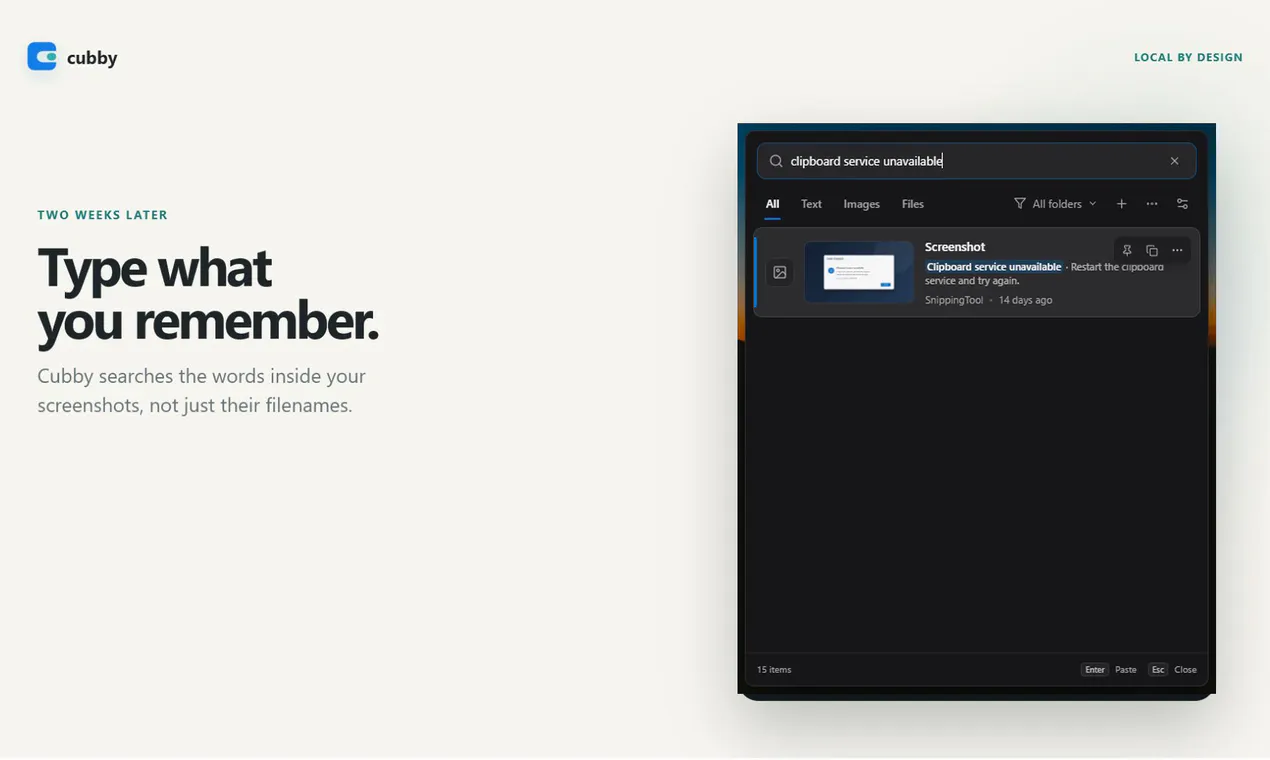

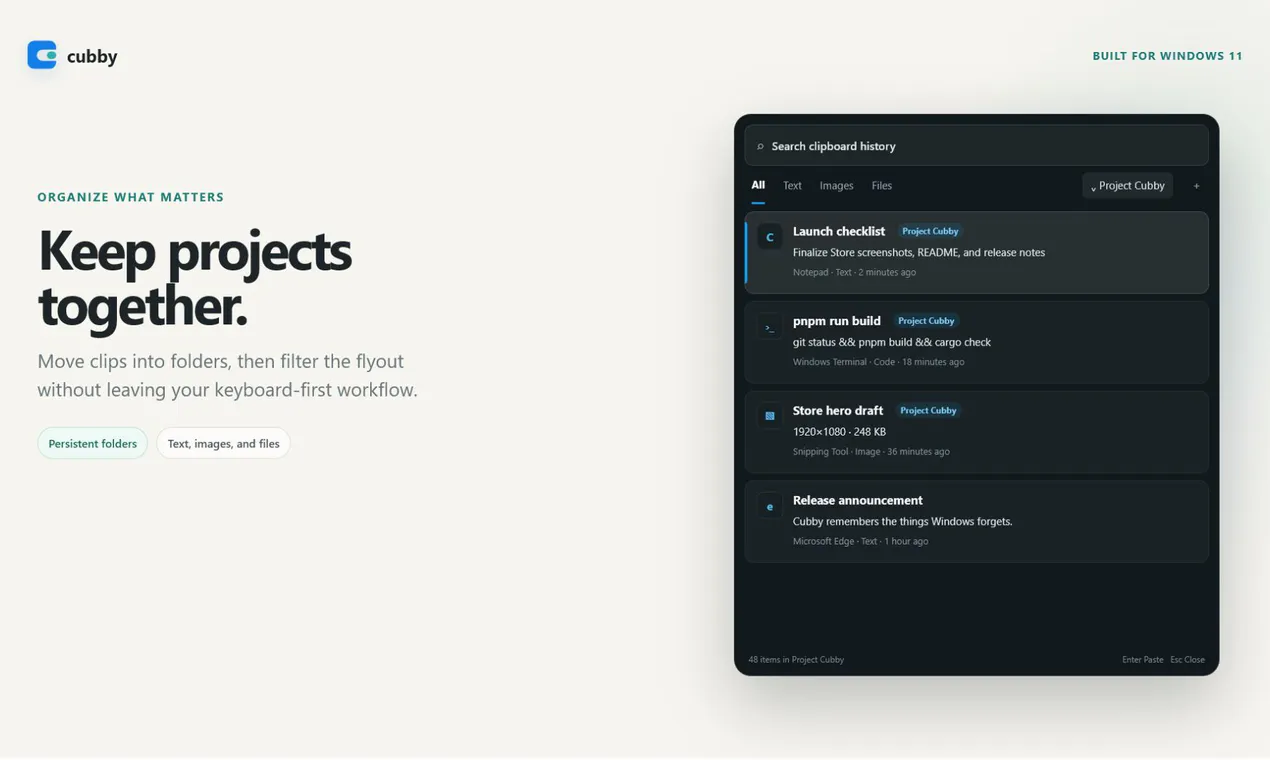
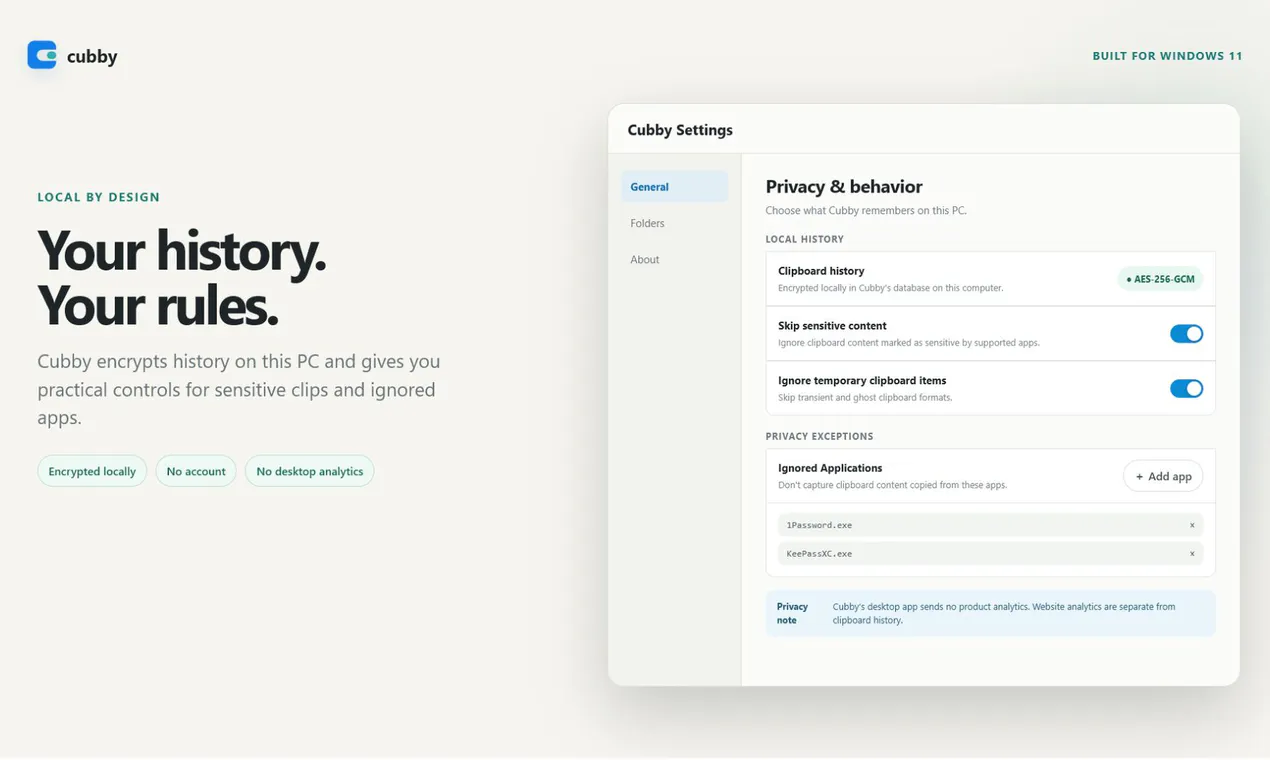
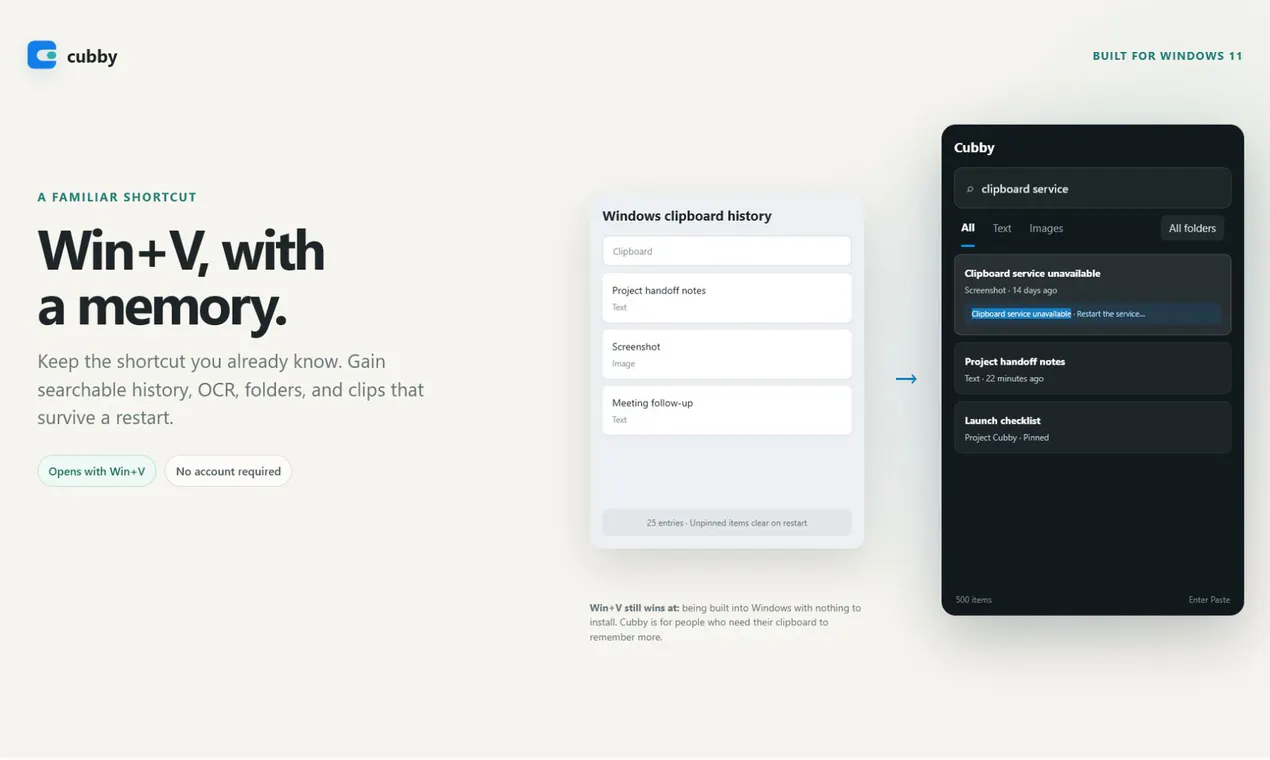
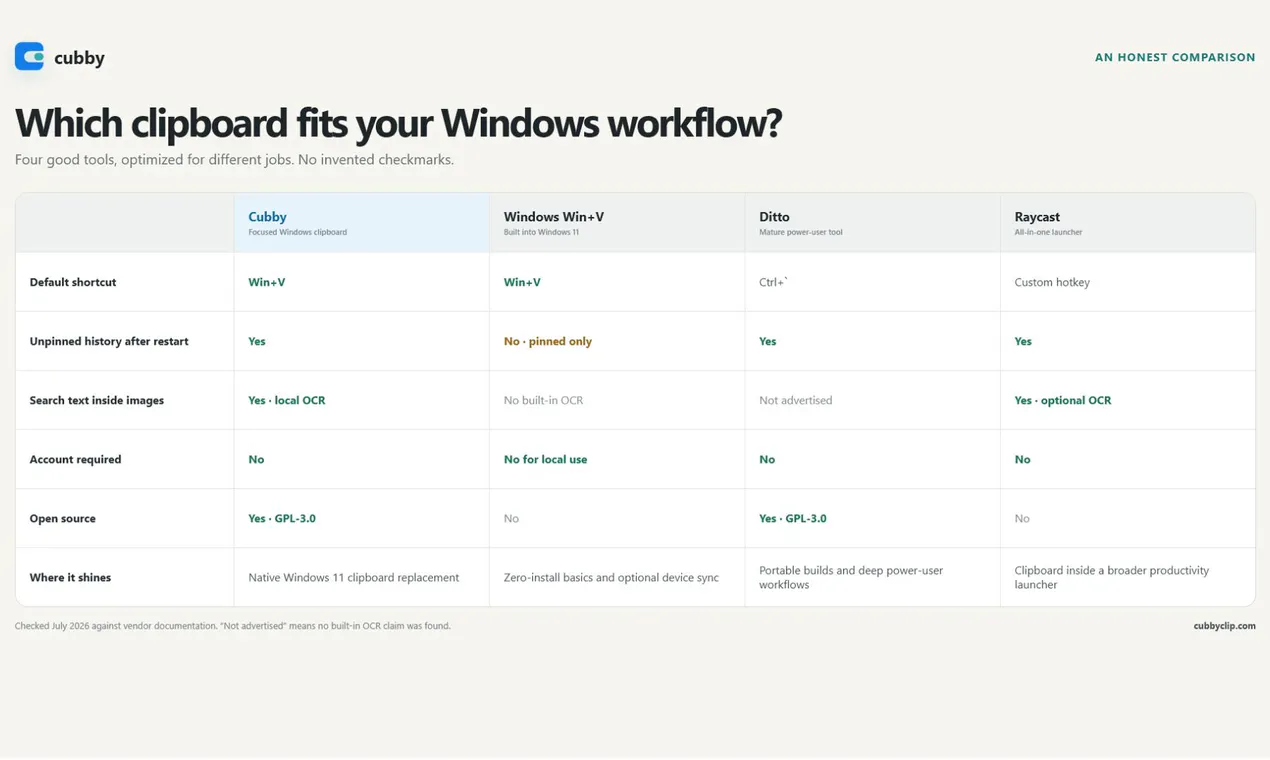
Cubby Clipboard redefines Windows clipboard management by offering a powerful, privacy-focused solution that keeps all clipboard data—text, images, files, and screenshots—accessible and searchable even after restarts. Its standout feature is offline OCR, which allows users to search inside screenshots for specific words, making it ideal for professionals who handle large volumes of visual data or need quick access to specific information stored in images. Unlike many clipboard tools, Cubby emphasizes security and privacy, storing all data locally with encryption and no reliance on cloud services or telemetry. Its intuitive interface and quick-access shortcuts make it a seamless addition to any productivity workflow, especially for those who want advanced search capabilities without sacrificing privacy.
Screenshots
Pros
- ✓Local encryption ensuring user privacy and data security
- ✓Searchable clipboard history including screenshots with OCR
- ✓Offline OCR for quick text search inside images
- ✓No account or cloud dependency, ideal for sensitive data
- ✓Easy to access via customizable shortcuts
Cons
- ✗Limited to Windows platform, no Mac or Linux support
- ✗May have a learning curve for advanced features
- ✗Lacks integration with cloud services or third-party apps
Use Cases
Pricing
Likely offers a free version with core features; premium features such as advanced search or OCR may be part of a paid plan. As of now, specific pricing details are not publicly confirmed, but a freemium model is typical for tools in this category.

Similar Tools in Developer Tools




Embed Badge
Add this badge to your website to show that Cubby Clipboard is featured on Visalytica.
<a href="https://www.visalytica.com/tool/cubby-clipboard" target="_blank" rel="noopener noreferrer" style="display:inline-flex;align-items:center;gap:6px;padding:6px 14px;background:#7c3aed;color:#fff;border-radius:8px;font-family:-apple-system,system-ui,sans-serif;font-size:13px;font-weight:600;text-decoration:none;transition:background .2s" onmouseover="this.style.background='#6d28d9'" onmouseout="this.style.background='#7c3aed'"><svg width="14" height="14" viewBox="0 0 24 24" fill="none" stroke="currentColor" stroke-width="2.5" stroke-linecap="round" stroke-linejoin="round"><path d="M12 20V10"/><path d="M18 20V4"/><path d="M6 20v-4"/></svg>Featured on Visalytica</a>