
CTRL Micro
Haptic control deck for your Mac and AI agents
About CTRL Micro
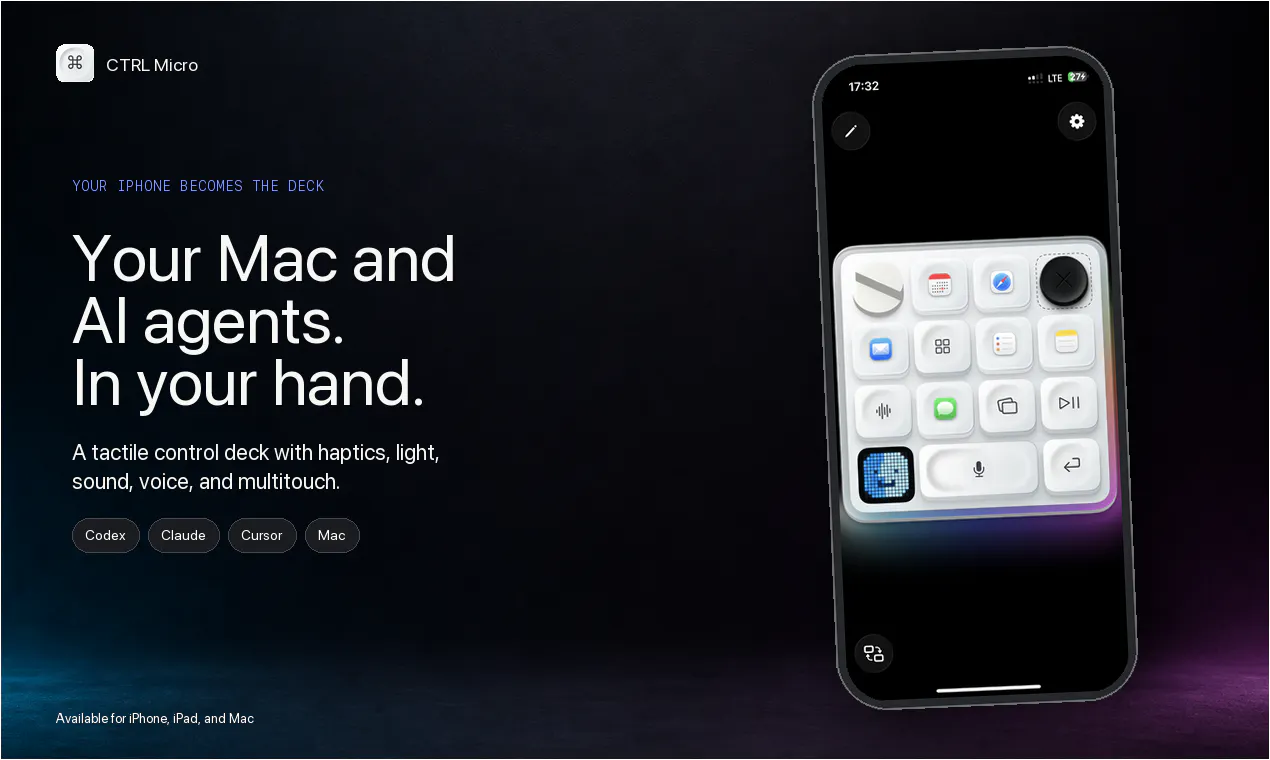
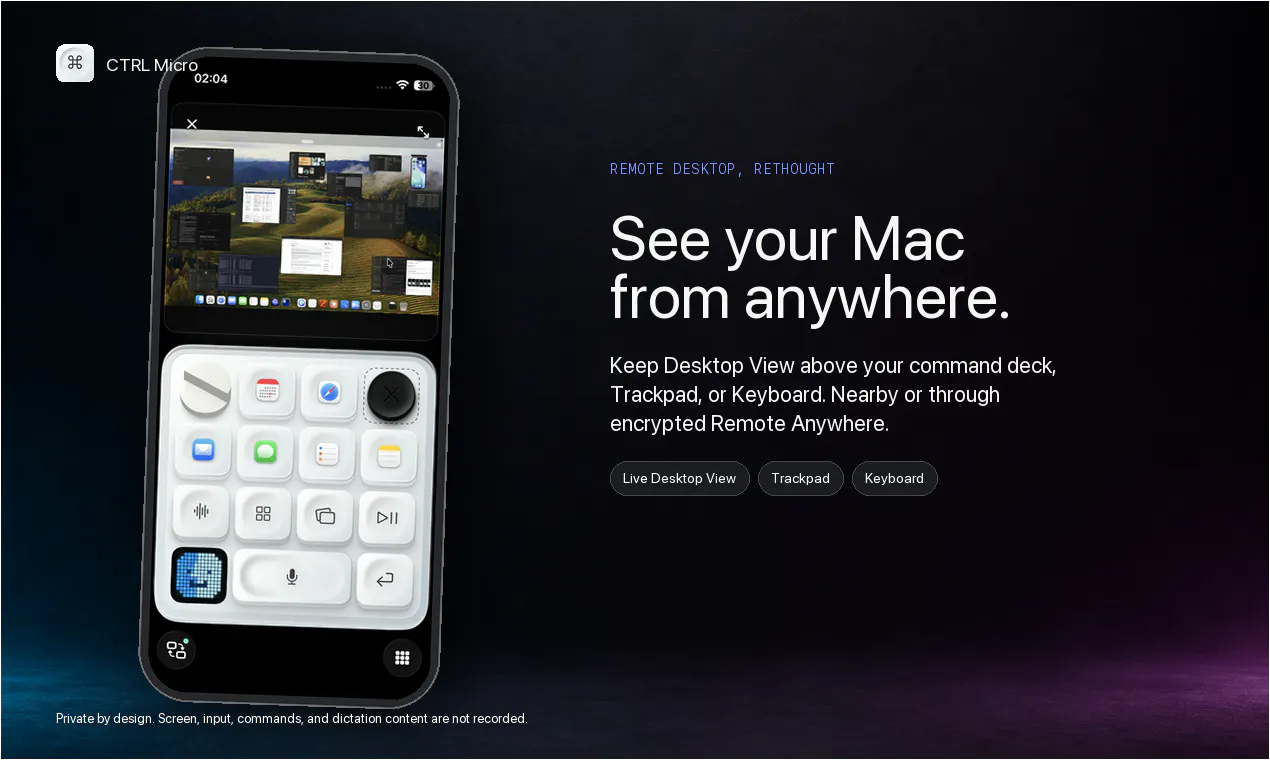
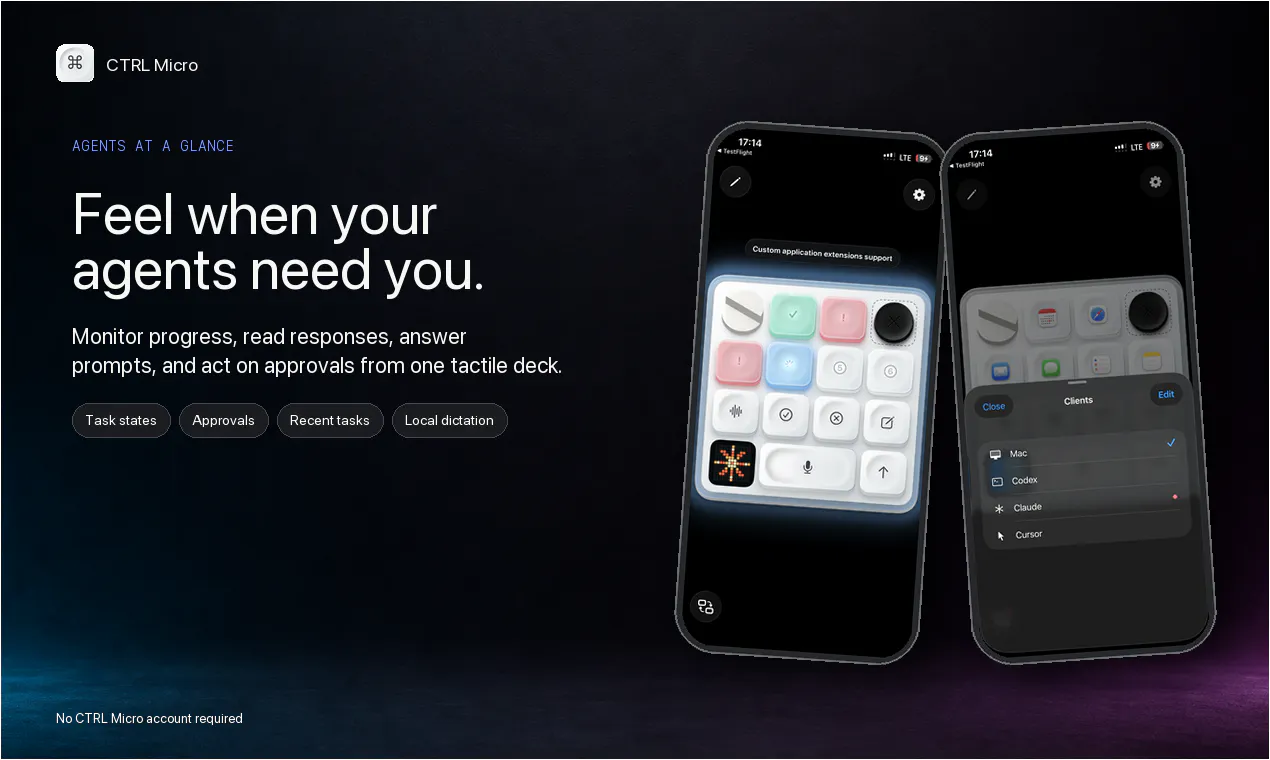
CTRL Micro transforms your iPhone or iPad into a tactile control deck for your Mac, leveraging the Apple Taptic Engine for an immersive haptic experience. Designed for Mac users, AI enthusiasts, and productivity-focused individuals, it enables seamless monitoring and control of AI agents such as Codex, Claude, and Cursor. The tool offers a live Desktop View, trackpad, keyboard, and voice dictation via Whisper, all accessible remotely or locally with end-to-end encryption. Its customizable control setup allows users to tailor the interface to any app or workflow, making it a versatile companion for managing multiple AI tools and workflows from anywhere. With its innovative use of haptic feedback and remote connectivity, CTRL Micro enhances productivity and situational awareness, especially for users who need to keep their AI agents in sight while on the move. Its unique integration of tactile controls and AI monitoring makes it stand out in the productivity and AI tool landscape.
Screenshots
Pros
- ✓Transforms iPhone/iPad into a tactile control deck for Mac
- ✓Supports monitoring multiple AI agents and live desktop view
- ✓Customizable controls tailored to specific workflows
- ✓Enables remote control with end-to-end encryption
- ✓Leverages Apple Taptic Engine for immersive feedback
Cons
- ✗Requires compatible Apple devices (iPhone/iPad)
- ✗Limited information on pricing and subscription models
- ✗Might have a learning curve for custom control setup
Use Cases
Pricing
Pricing not verified
Quick Info
Topics
Makers

Andrew Flores
Similar Tools in AI Assistants




Embed Badge
Add this badge to your website to show that CTRL Micro is featured on Visalytica.
<a href="https://www.visalytica.com/tool/ctrl-micro" target="_blank" rel="noopener noreferrer" style="display:inline-flex;align-items:center;gap:6px;padding:6px 14px;background:#7c3aed;color:#fff;border-radius:8px;font-family:-apple-system,system-ui,sans-serif;font-size:13px;font-weight:600;text-decoration:none;transition:background .2s" onmouseover="this.style.background='#6d28d9'" onmouseout="this.style.background='#7c3aed'"><svg width="14" height="14" viewBox="0 0 24 24" fill="none" stroke="currentColor" stroke-width="2.5" stroke-linecap="round" stroke-linejoin="round"><path d="M12 20V10"/><path d="M18 20V4"/><path d="M6 20v-4"/></svg>Featured on Visalytica</a>