
CreditFX
Stop counting credits. Start understanding them.
About CreditFX
CreditFX is an innovative tool designed to demystify the often confusing currencies used by AI platforms, such as credits, tokens, and minutes. By translating these virtual currencies into real-world usage and dollar rates, it empowers users to better understand what they are actually paying for. Whether you're a developer, project manager, or business owner, CreditFX helps clarify your AI expenses, making budgeting and resource planning more straightforward. Its unique Usage Planner feature allows users to start with their desired output, then see the required credits, planning details, and estimated costs, streamlining decision-making and cost management. As a free, no-signup-needed tool, it is accessible to anyone looking to gain transparency into AI platform costs and optimize their AI investments.
Screenshots
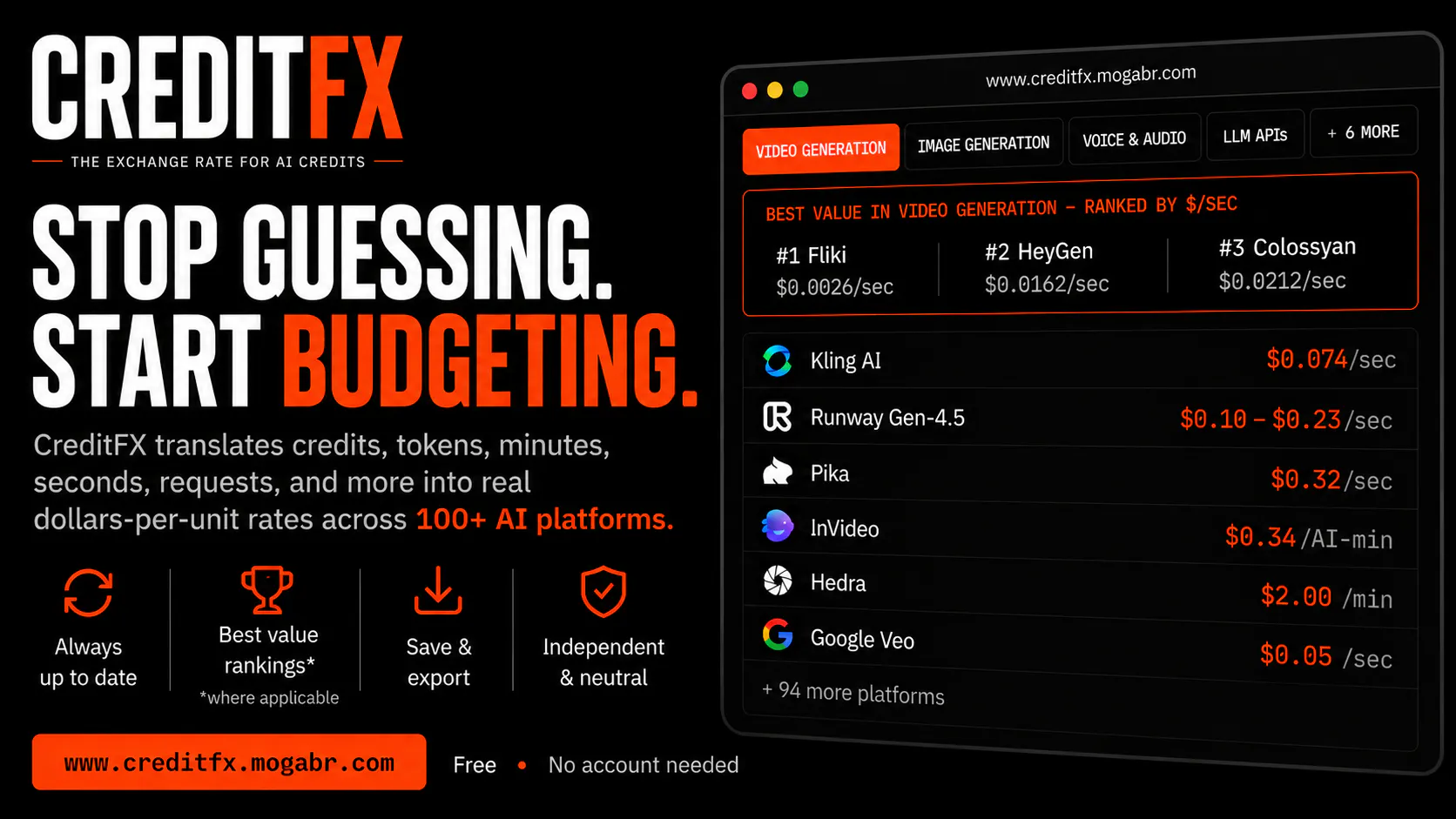
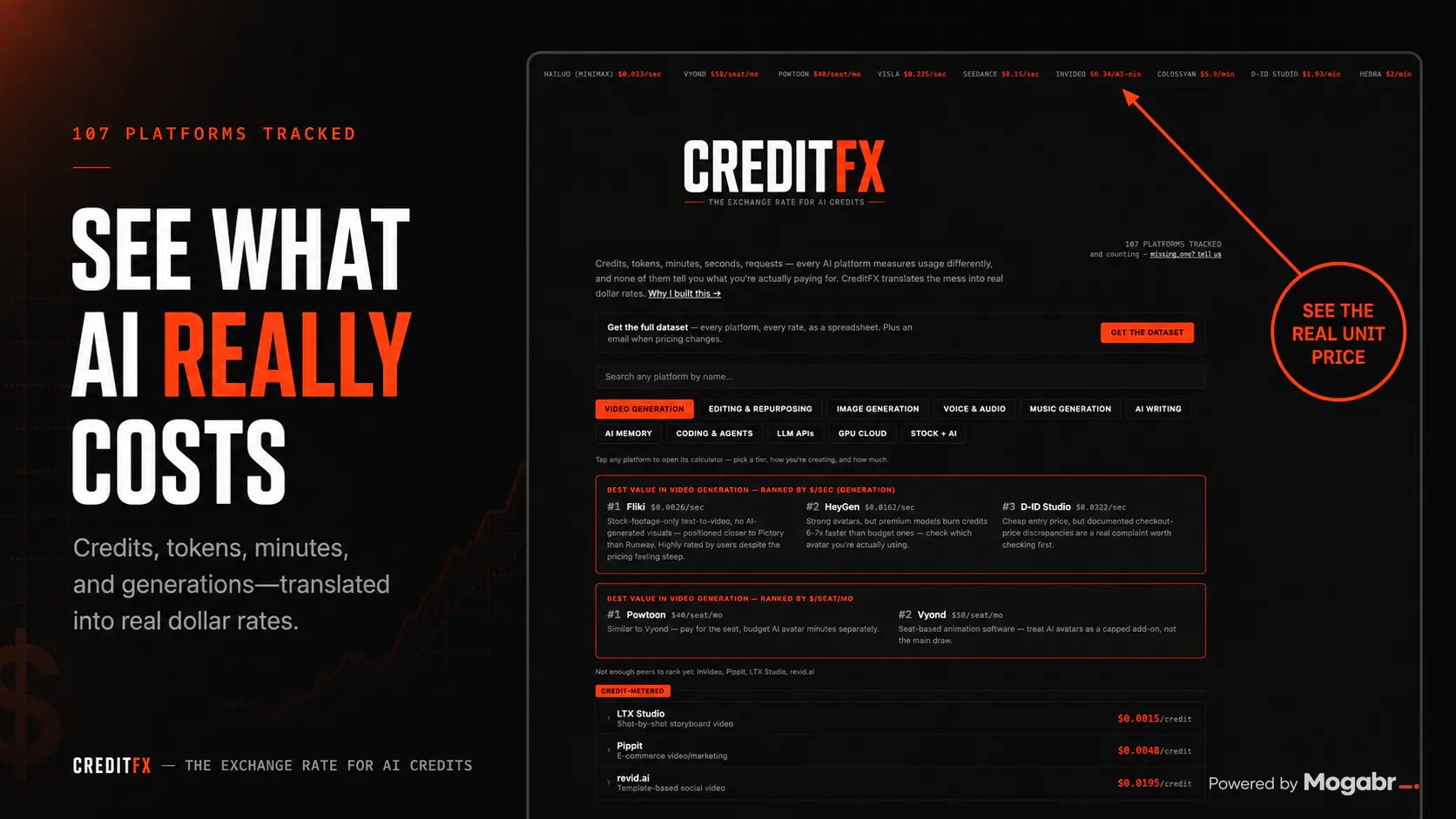

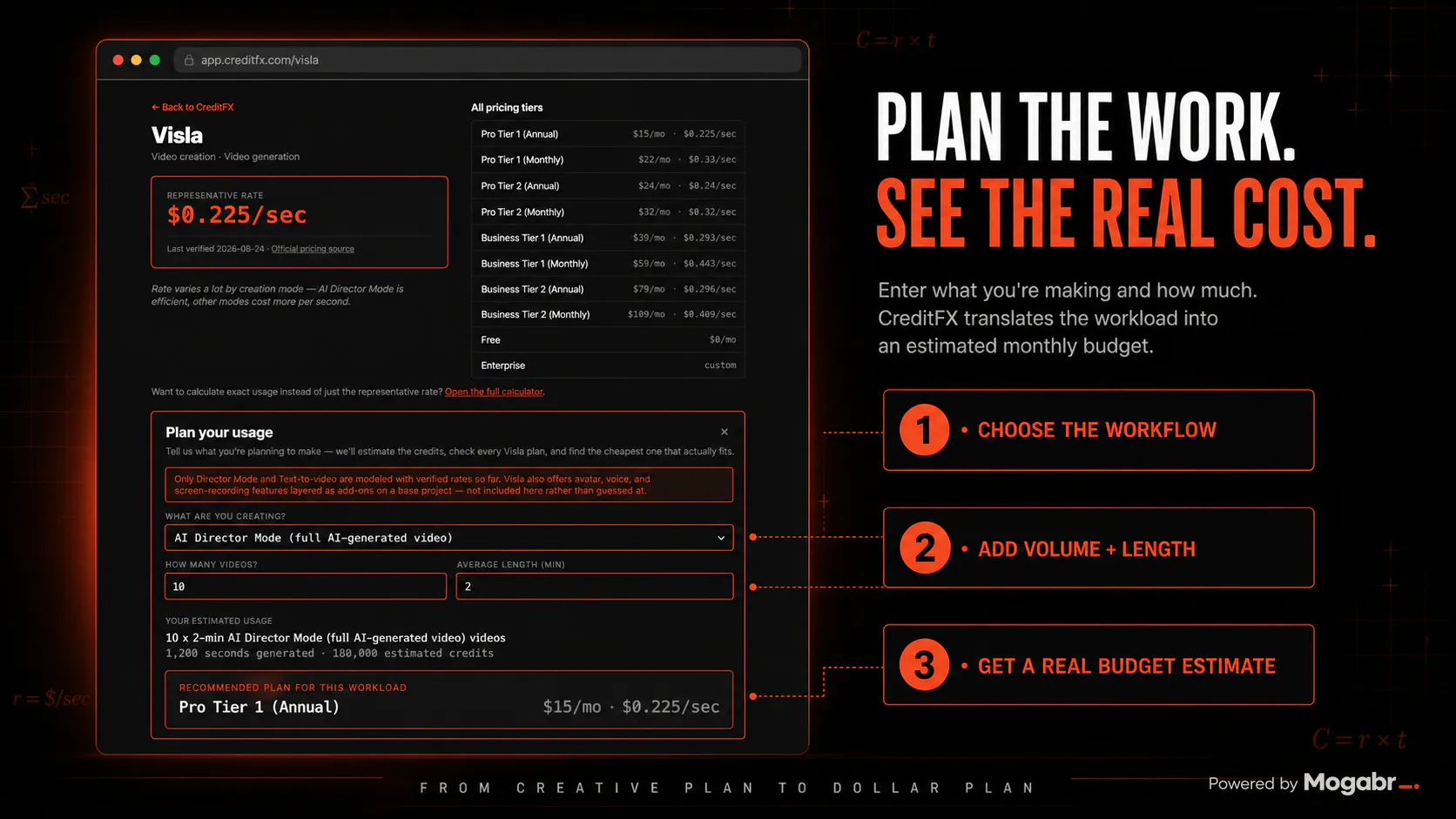
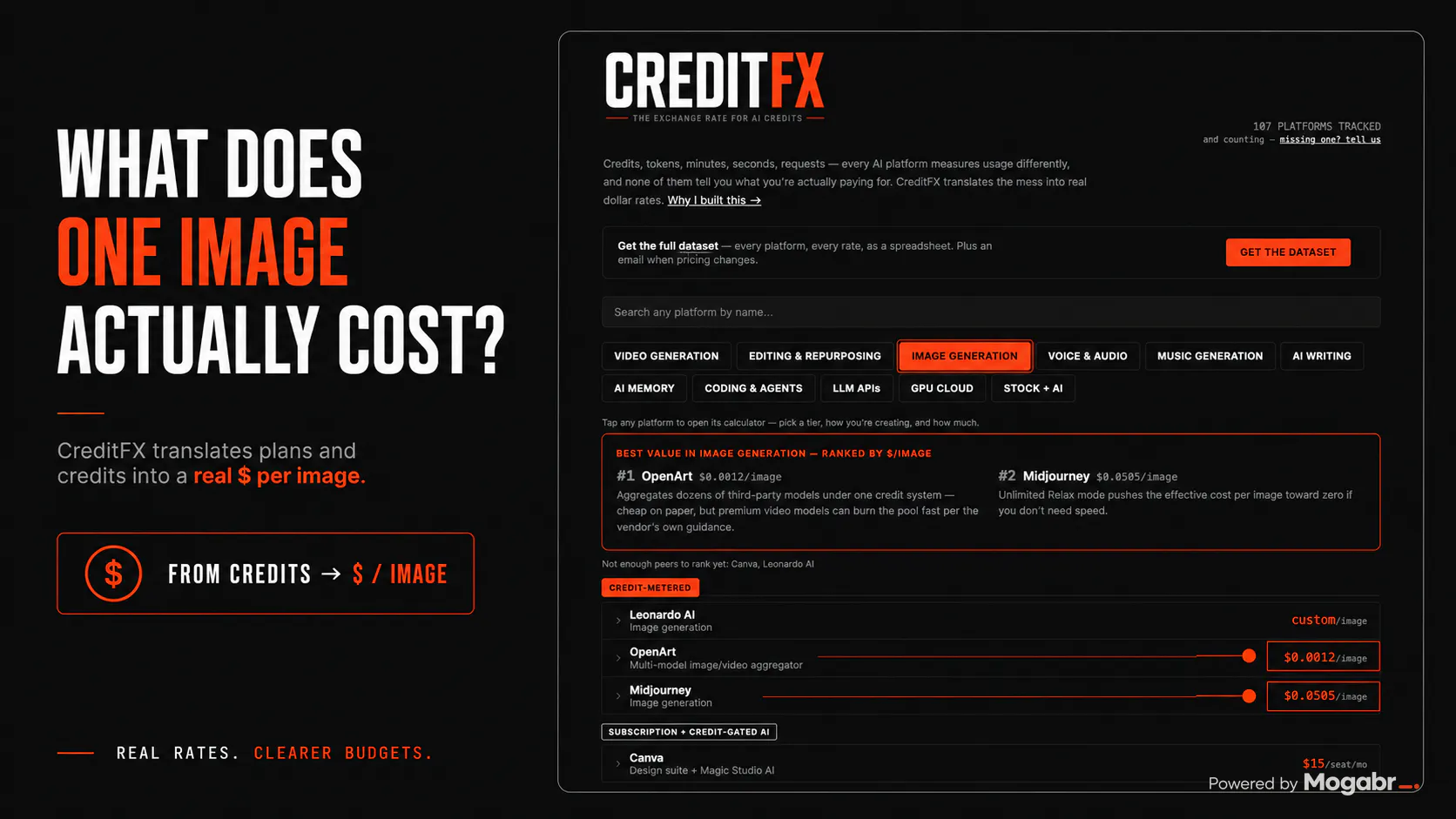
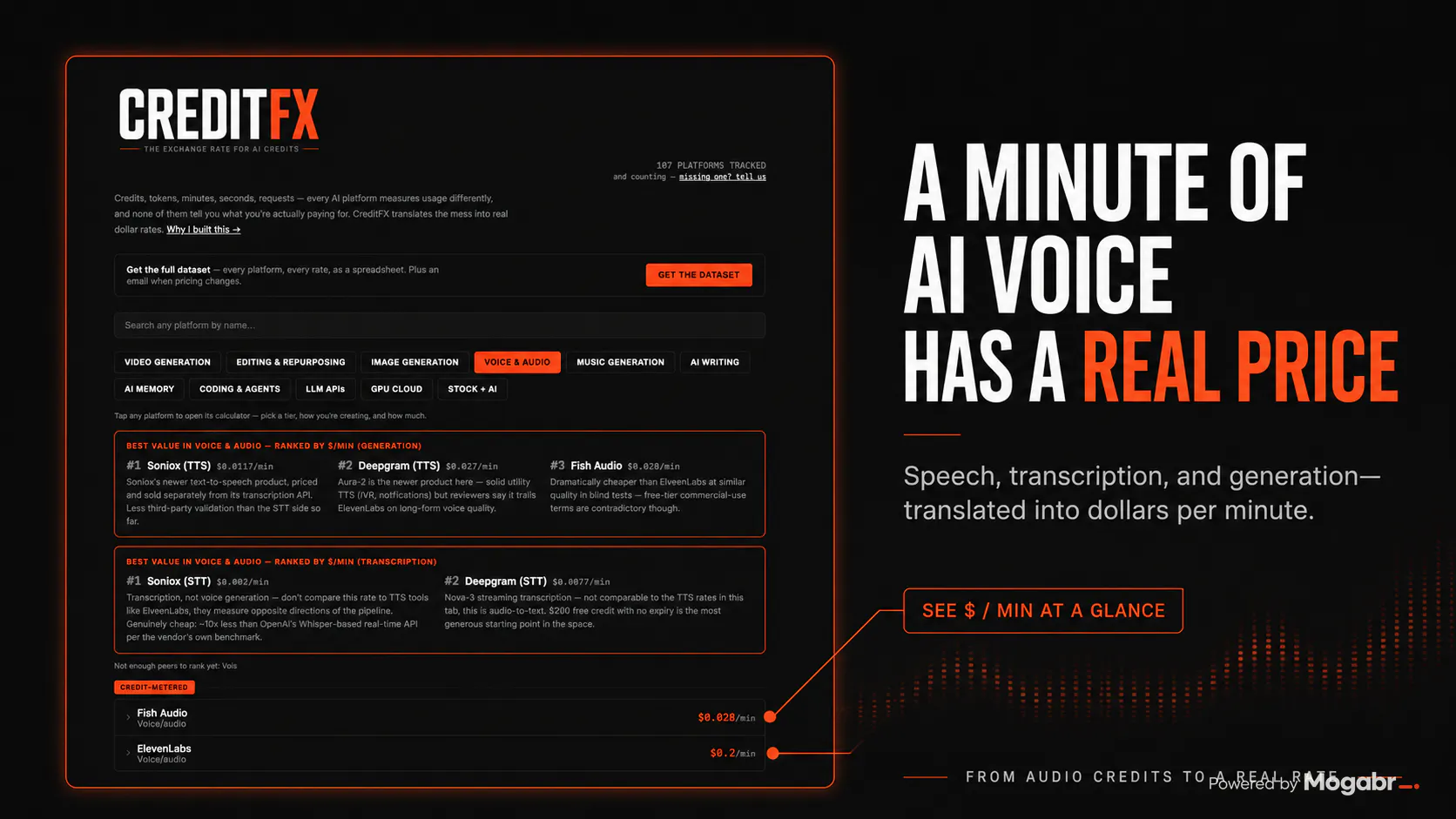
+4 more screenshots
Pros
- ✓Provides clear translation of AI credits into real-world costs
- ✓No account or payment required, completely free to use
- ✓Includes a Usage Planner for proactive cost estimation
- ✓User-friendly interface with quick access to essential data
- ✓Helps users make informed decisions about AI platform usage
Cons
- ✗Limited to platforms supported by CreditFX's calculator and planner
- ✗Does not offer integration with specific AI tools or platforms
- ✗Potentially less useful for users seeking detailed analytics or automation
Use Cases
Pricing
Pricing not verified
Quick Info
Topics
Makers

Gabe Moronta
@mogabrAlternatives
Similar Tools in AI Image & Design




Embed Badge
Add this badge to your website to show that CreditFX is featured on Visalytica.
<a href="https://www.visalytica.com/tool/creditfx" target="_blank" rel="noopener noreferrer" style="display:inline-flex;align-items:center;gap:6px;padding:6px 14px;background:#7c3aed;color:#fff;border-radius:8px;font-family:-apple-system,system-ui,sans-serif;font-size:13px;font-weight:600;text-decoration:none;transition:background .2s" onmouseover="this.style.background='#6d28d9'" onmouseout="this.style.background='#7c3aed'"><svg width="14" height="14" viewBox="0 0 24 24" fill="none" stroke="currentColor" stroke-width="2.5" stroke-linecap="round" stroke-linejoin="round"><path d="M12 20V10"/><path d="M18 20V4"/><path d="M6 20v-4"/></svg>Featured on Visalytica</a>