
Control My Mac
A shortcut deck for every Mac app, on your iPhone or iPad
About Control My Mac
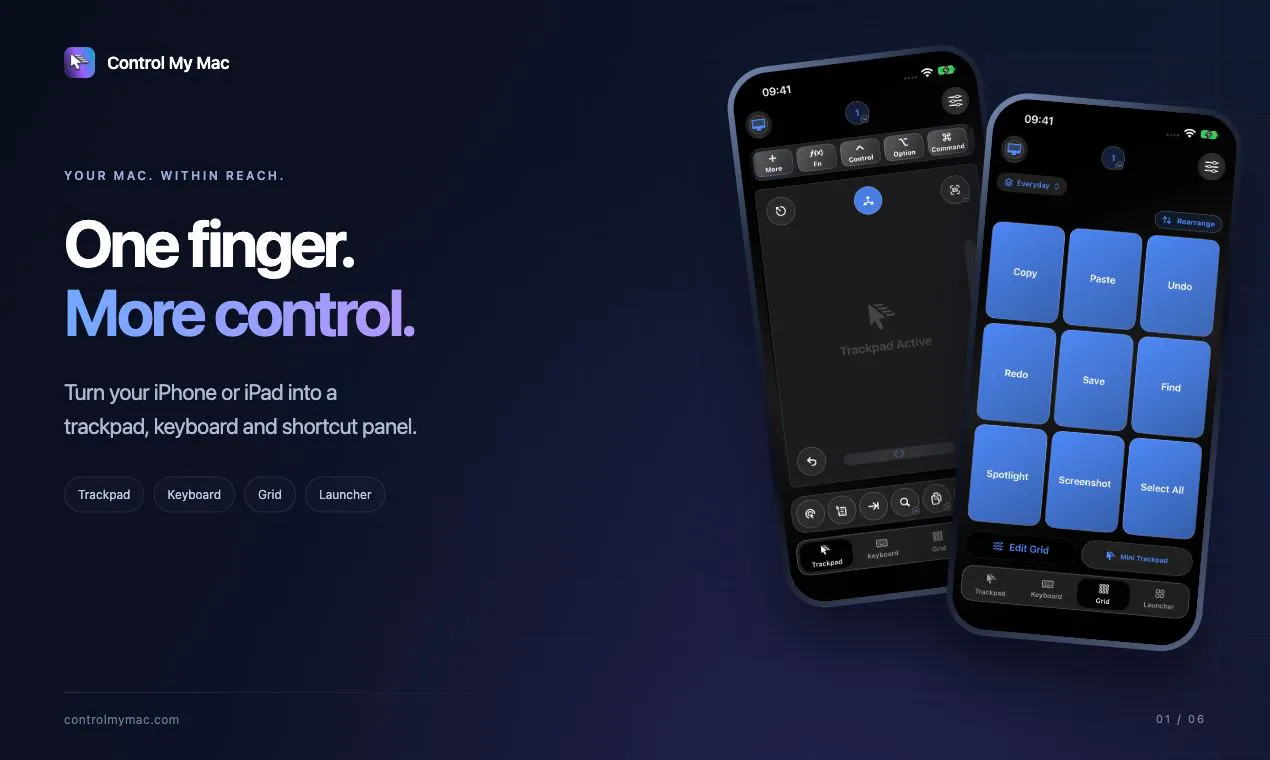
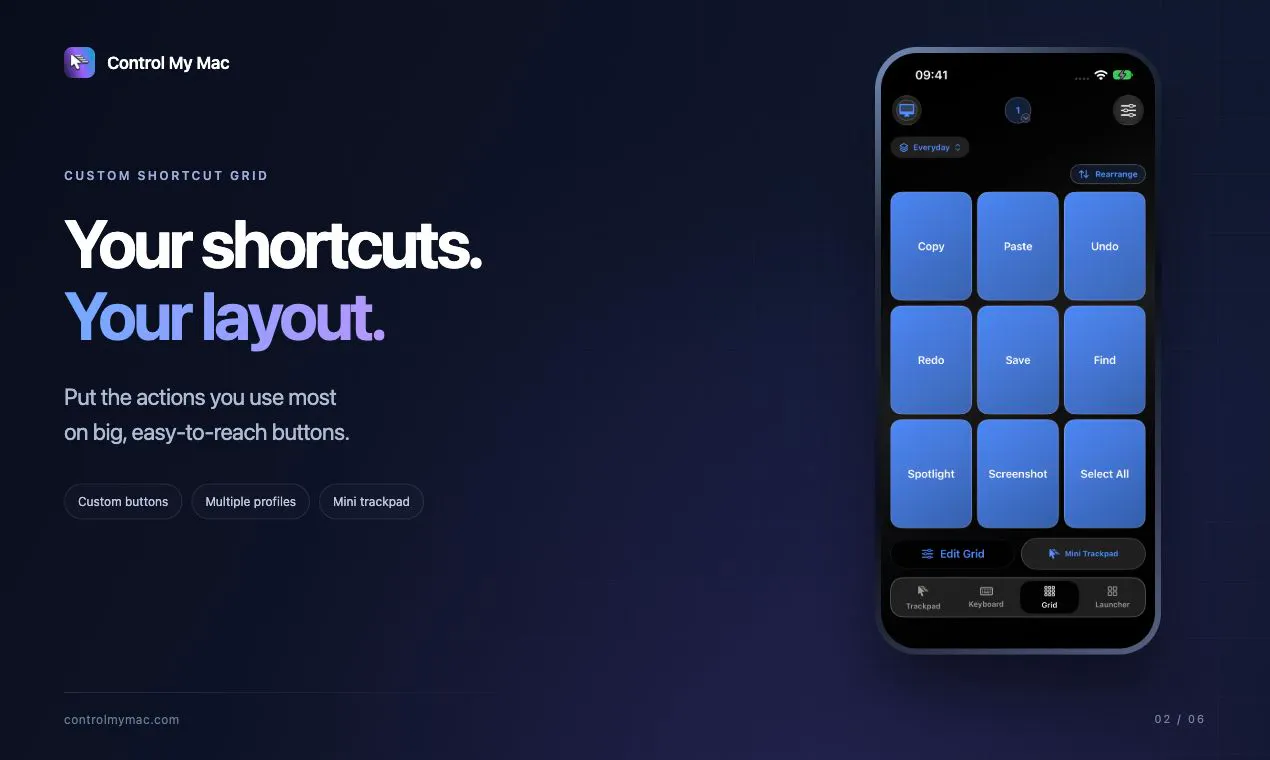
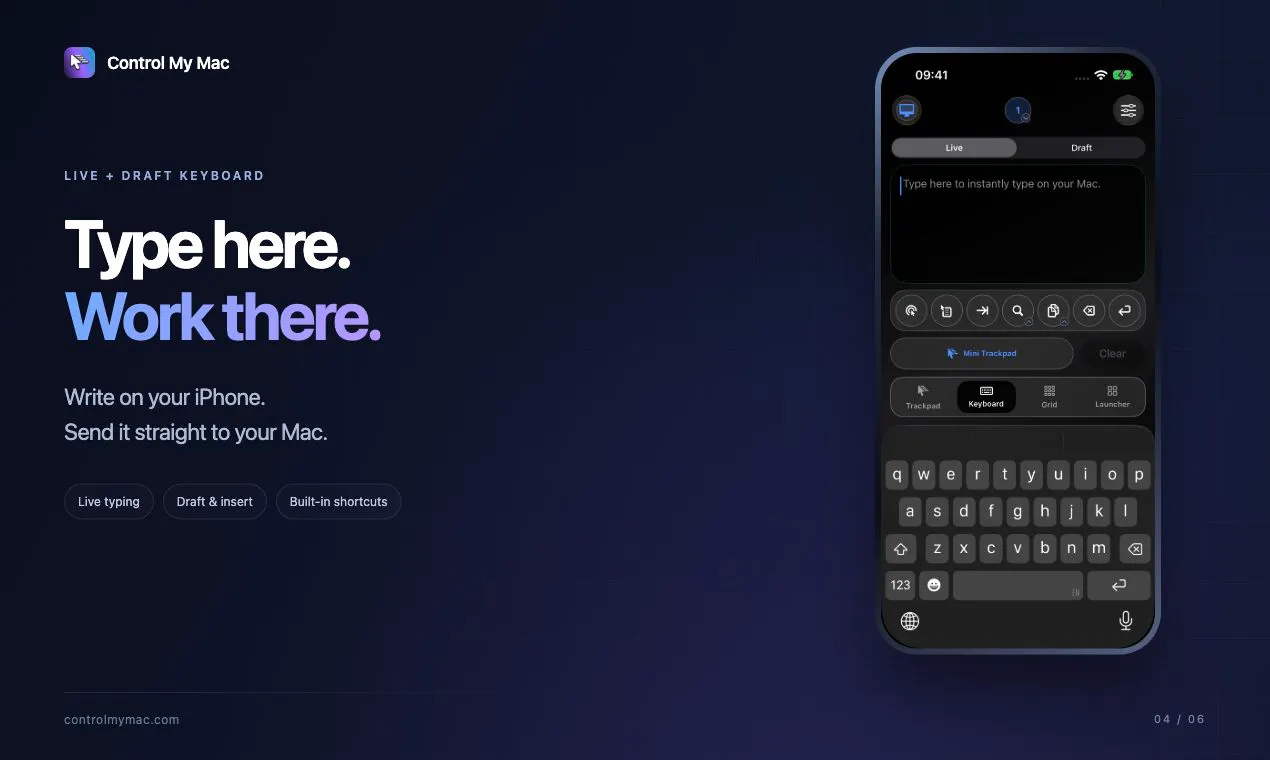
Control My Mac transforms an iPhone or iPad into a versatile remote control for Mac users, offering a seamless way to manage your Mac directly from your mobile device. It functions as a trackpad, keyboard, and shortcut deck, enabling users to operate their Mac with just one finger and access essential functions effortlessly. The app intelligently adapts the shortcut grid to match the active Mac app, streamlining workflows and reducing the need to switch between devices or interfaces. Its capability to handle long messages, launch applications, and switch windows makes it ideal for users seeking a more integrated and flexible Mac control experience. Its straightforward pairing process via QR scan ensures privacy and security without the need for accounts, servers, or ads, while the Mac app itself is free, making it accessible for all users.
Screenshots



Pros
- ✓Intuitive interface that adapts to the active Mac app
- ✓Secure, encrypted direct connection with no accounts or servers needed
- ✓Easy setup with QR code pairing
- ✓Allows control of Mac from iPhone or iPad, increasing mobility
- ✓Enables sending long messages and quick app launching
Cons
- ✗Limited information on advanced customization options
- ✗No details on multi-device or multi-user support
- ✗Potential reliance on stable Wi-Fi or Bluetooth connection
Use Cases
Pricing
Pricing not verified
Quick Info
Topics
Makers

Sebastian Škoić
Alternatives
Similar Tools in AI Assistants




Embed Badge
Add this badge to your website to show that Control My Mac is featured on Visalytica.
<a href="https://www.visalytica.com/tool/control-my-mac" target="_blank" rel="noopener noreferrer" style="display:inline-flex;align-items:center;gap:6px;padding:6px 14px;background:#7c3aed;color:#fff;border-radius:8px;font-family:-apple-system,system-ui,sans-serif;font-size:13px;font-weight:600;text-decoration:none;transition:background .2s" onmouseover="this.style.background='#6d28d9'" onmouseout="this.style.background='#7c3aed'"><svg width="14" height="14" viewBox="0 0 24 24" fill="none" stroke="currentColor" stroke-width="2.5" stroke-linecap="round" stroke-linejoin="round"><path d="M12 20V10"/><path d="M18 20V4"/><path d="M6 20v-4"/></svg>Featured on Visalytica</a>