
Computer Use in Claude Code
Let Claude use your computer from the CLI
About Computer Use in Claude Code
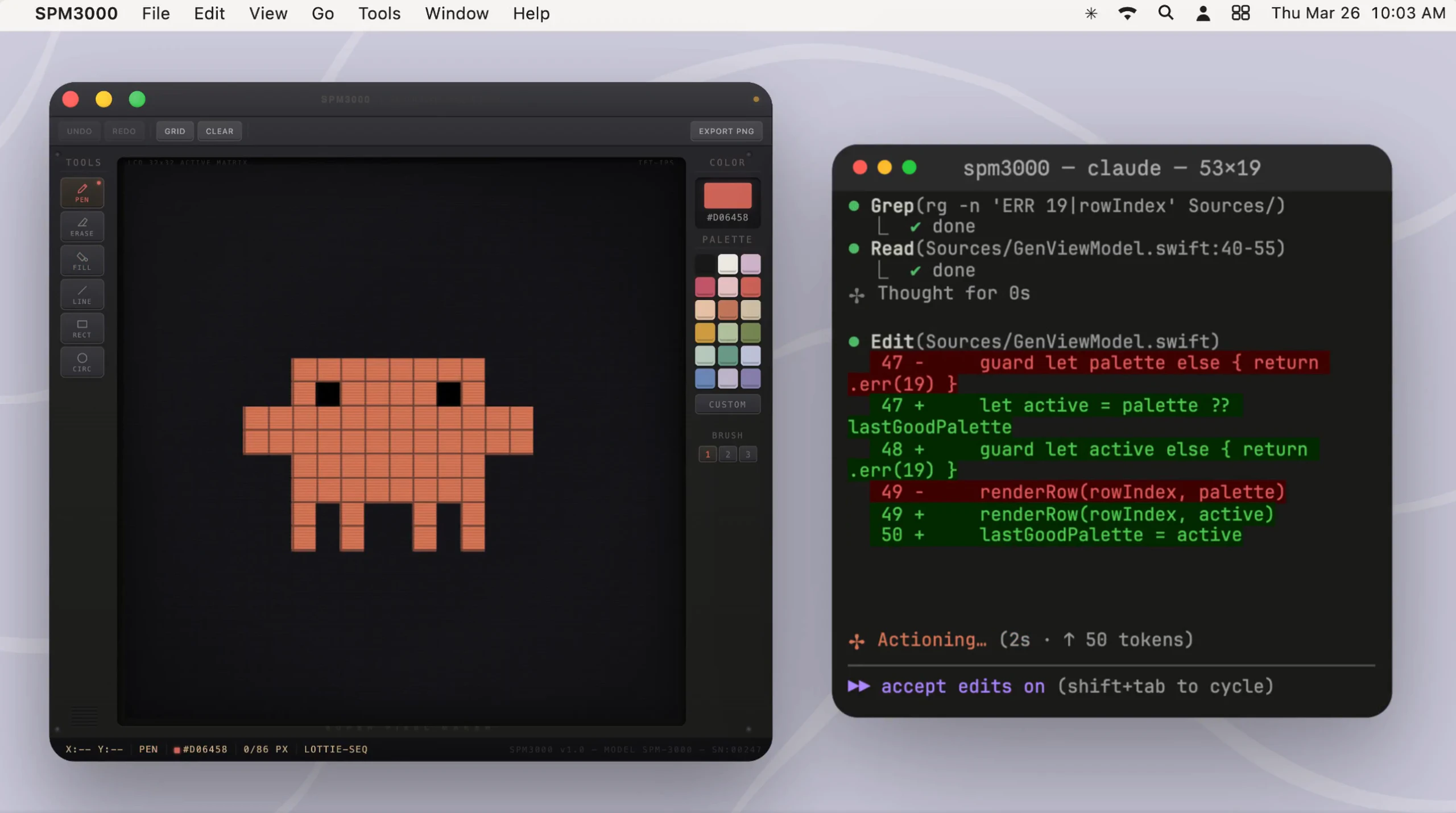
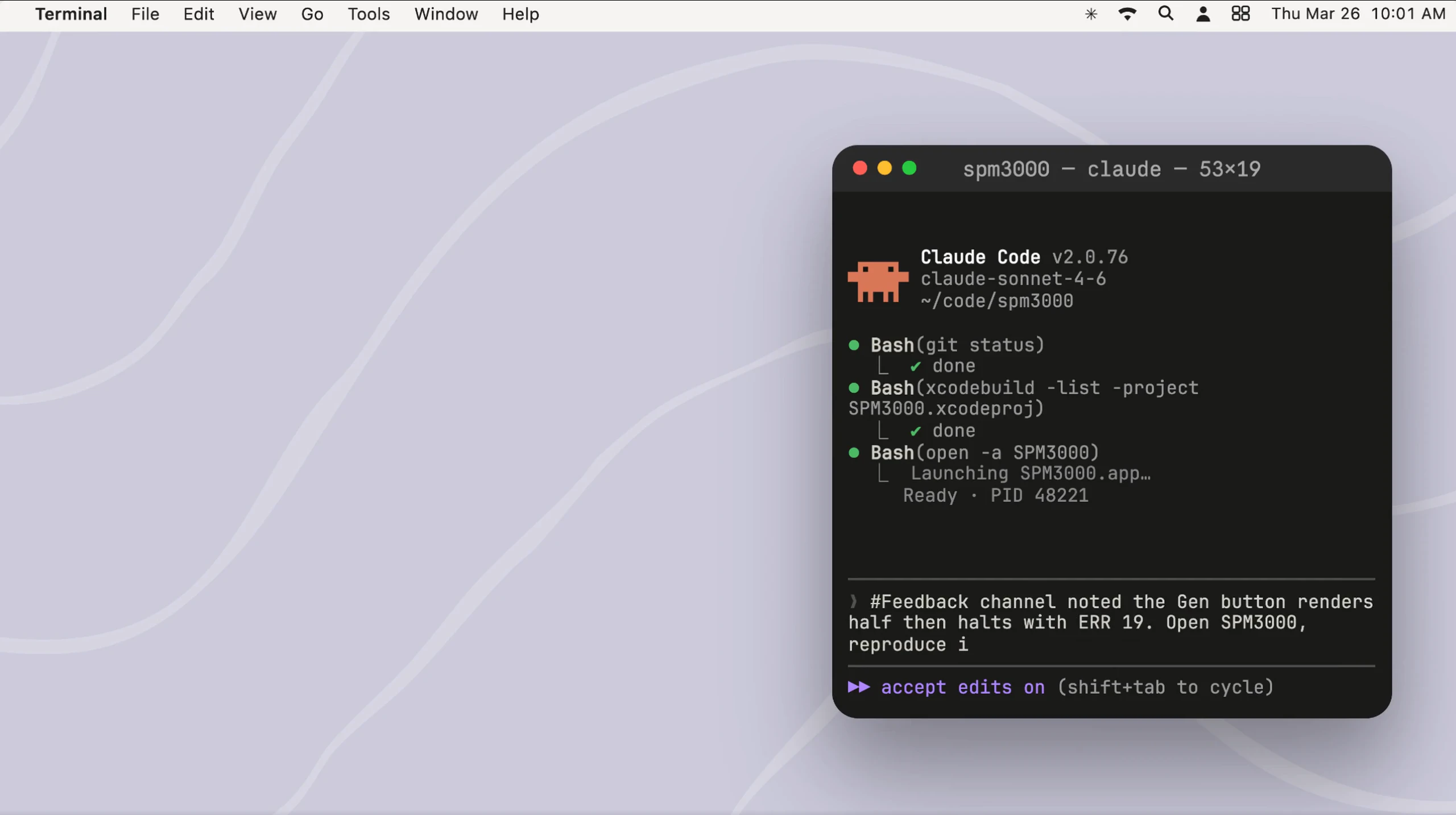
Computer Use in Claude Code is an innovative tool that extends the capabilities of the Claude Code CLI by enabling direct interaction with your macOS computer. It allows Claude to open applications, simulate clicks and keystrokes, view your screen, and perform GUI-based tasks without leaving the terminal environment. This integration is particularly valuable for developers, testers, and automation specialists who need to debug visual issues, test native apps, or automate GUI-only workflows seamlessly within a command-line interface. By bridging the gap between AI and desktop automation, it offers a unique way to leverage AI for complex, GUI-dependent tasks, making workflows faster and more efficient. Its ability to perform tasks traditionally requiring manual intervention from within a terminal makes it stand out as a powerful tool for productivity and automation enthusiasts.
Screenshots
Pros
- ✓Enables AI-driven GUI automation directly from the CLI
- ✓Supports native macOS applications and visual debugging
- ✓Facilitates automation of repetitive GUI tasks
- ✓Integrates AI capabilities for enhanced testing and debugging
- ✓Streamlines workflows by reducing manual interactions
Cons
- ✗Limited to macOS; not available for other operating systems
- ✗Requires some technical familiarity with CLI and automation concepts
- ✗Potential privacy/security considerations when allowing remote control of your desktop
Use Cases
Pricing
Likely uses a freemium model with basic features available for free and advanced functionalities or enterprise plans offered at a paid tier, starting around $10-$20/month, though exact details are not specified.
Quick Info
Topics
Alternatives
Similar Tools in Developer Tools




Embed Badge
Add this badge to your website to show that Computer Use in Claude Code is featured on Visalytica.
<a href="https://www.visalytica.com/tool/computer-use-in-claude-code" target="_blank" rel="noopener noreferrer" style="display:inline-flex;align-items:center;gap:6px;padding:6px 14px;background:#7c3aed;color:#fff;border-radius:8px;font-family:-apple-system,system-ui,sans-serif;font-size:13px;font-weight:600;text-decoration:none;transition:background .2s" onmouseover="this.style.background='#6d28d9'" onmouseout="this.style.background='#7c3aed'"><svg width="14" height="14" viewBox="0 0 24 24" fill="none" stroke="currentColor" stroke-width="2.5" stroke-linecap="round" stroke-linejoin="round"><path d="M12 20V10"/><path d="M18 20V4"/><path d="M6 20v-4"/></svg>Featured on Visalytica</a>