Codex GPU Queue
Run GPU jobs from multiple Codex tasks via one Windows queue
About Codex GPU Queue
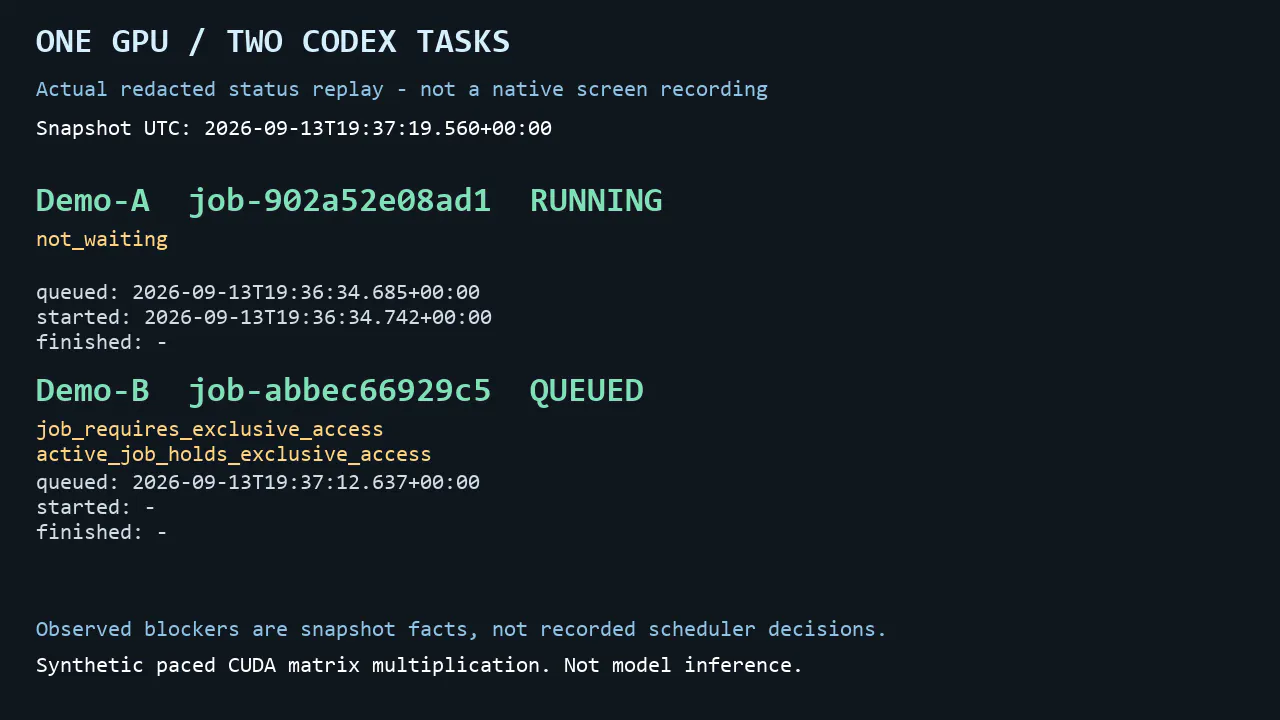
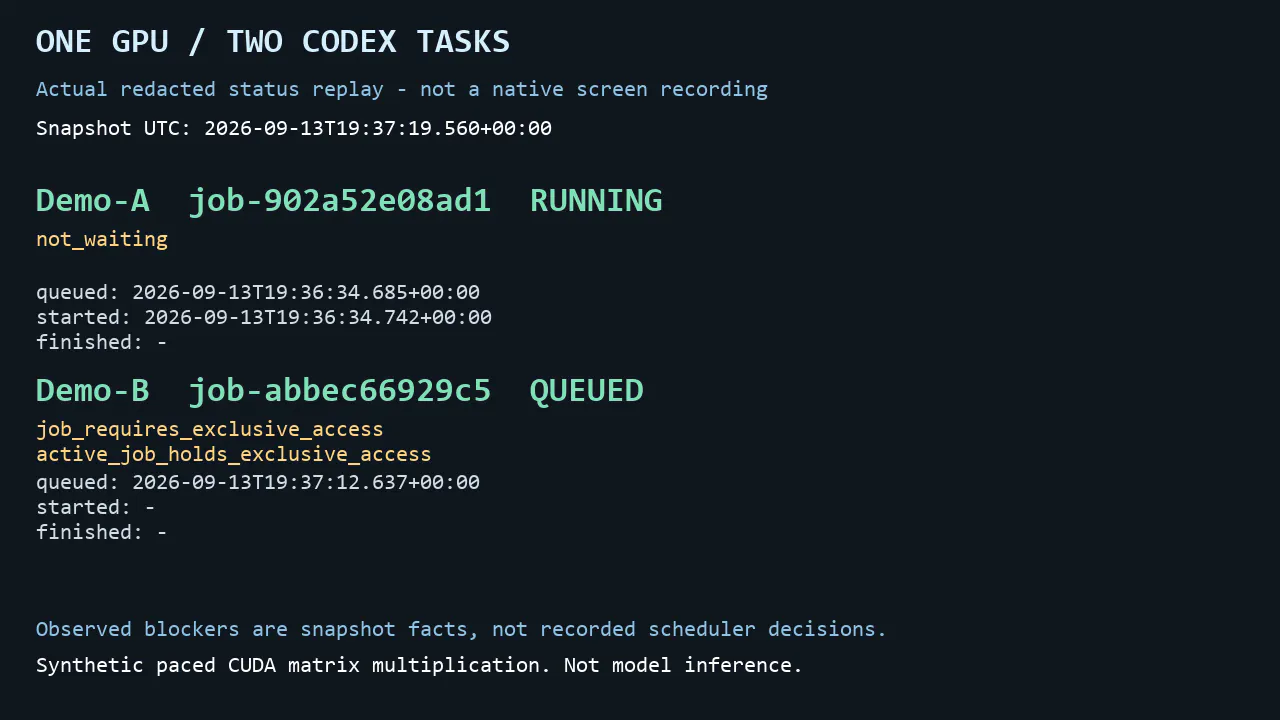
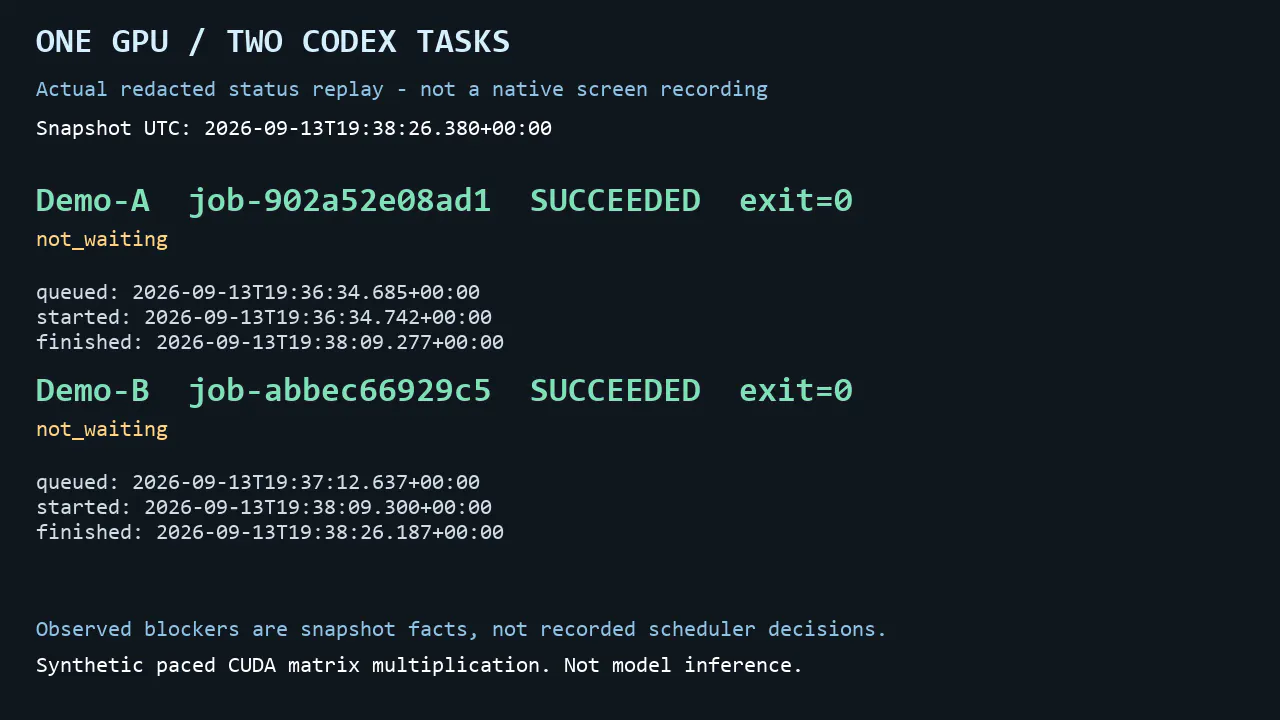
Codex GPU Queue is a specialized tool designed to streamline the management of GPU jobs originating from multiple Codex tasks. It allows users to run and coordinate GPU workloads via a single Windows-based queue, simplifying the process of handling multiple tasks that require GPU resources. The shared broker mechanism automatically starts eligible jobs, reducing manual intervention and enhancing efficiency. Its read-only CLI provides transparency by showing confirmed waiting blockers in a redacted format, helping users identify potential bottlenecks, although some uncertain reasons remain undisclosed. This tool is particularly valuable for developers, AI practitioners, and teams working with GPU-intensive tasks who need to optimize resource allocation and workflow automation. Its unique design integrates seamlessly into existing development environments, making GPU job management more intuitive and less error-prone.
Screenshots
Pros
- ✓Simplifies management of multiple GPU tasks from a single queue
- ✓Automates job start process with shared broker
- ✓Provides read-only CLI for transparency on job blockers
- ✓Ideal for AI developers and teams handling GPU workloads
Cons
- ✗Limited visibility into some unknown job blockers
- ✗Requires Windows environment, restricting cross-platform use
- ✗No detailed pricing information available
Use Cases
Pricing
Pricing not verified
Quick Info
Topics
Makers

Jack Huang
Alternatives
Similar Tools in Developer Tools




Embed Badge
Add this badge to your website to show that Codex GPU Queue is featured on Visalytica.
<a href="https://www.visalytica.com/tool/codex-gpu-queue" target="_blank" rel="noopener noreferrer" style="display:inline-flex;align-items:center;gap:6px;padding:6px 14px;background:#7c3aed;color:#fff;border-radius:8px;font-family:-apple-system,system-ui,sans-serif;font-size:13px;font-weight:600;text-decoration:none;transition:background .2s" onmouseover="this.style.background='#6d28d9'" onmouseout="this.style.background='#7c3aed'"><svg width="14" height="14" viewBox="0 0 24 24" fill="none" stroke="currentColor" stroke-width="2.5" stroke-linecap="round" stroke-linejoin="round"><path d="M12 20V10"/><path d="M18 20V4"/><path d="M6 20v-4"/></svg>Featured on Visalytica</a>