
CLI Manager
Let one AI agent open and drive your other CLI agents
About CLI Manager
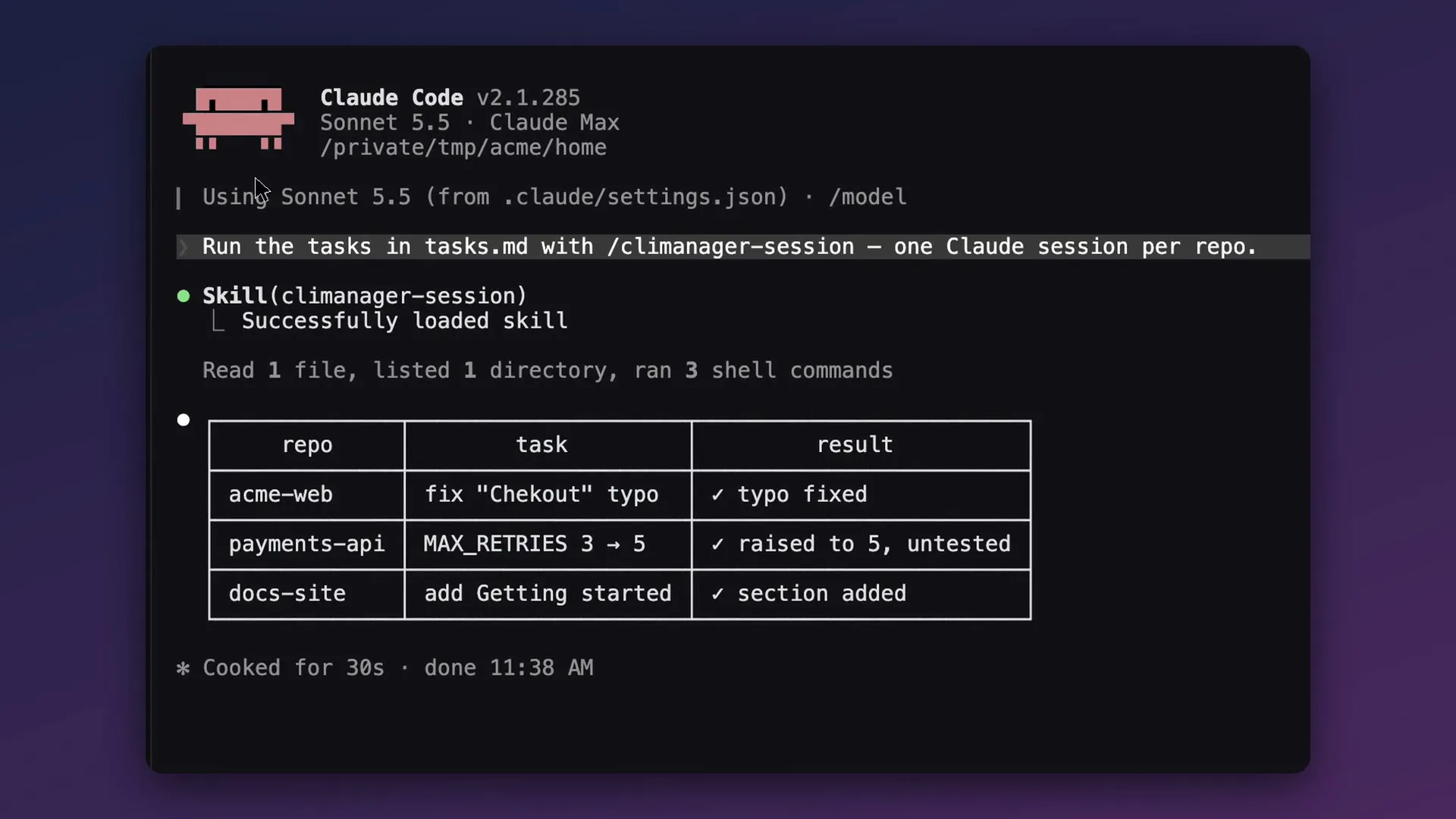
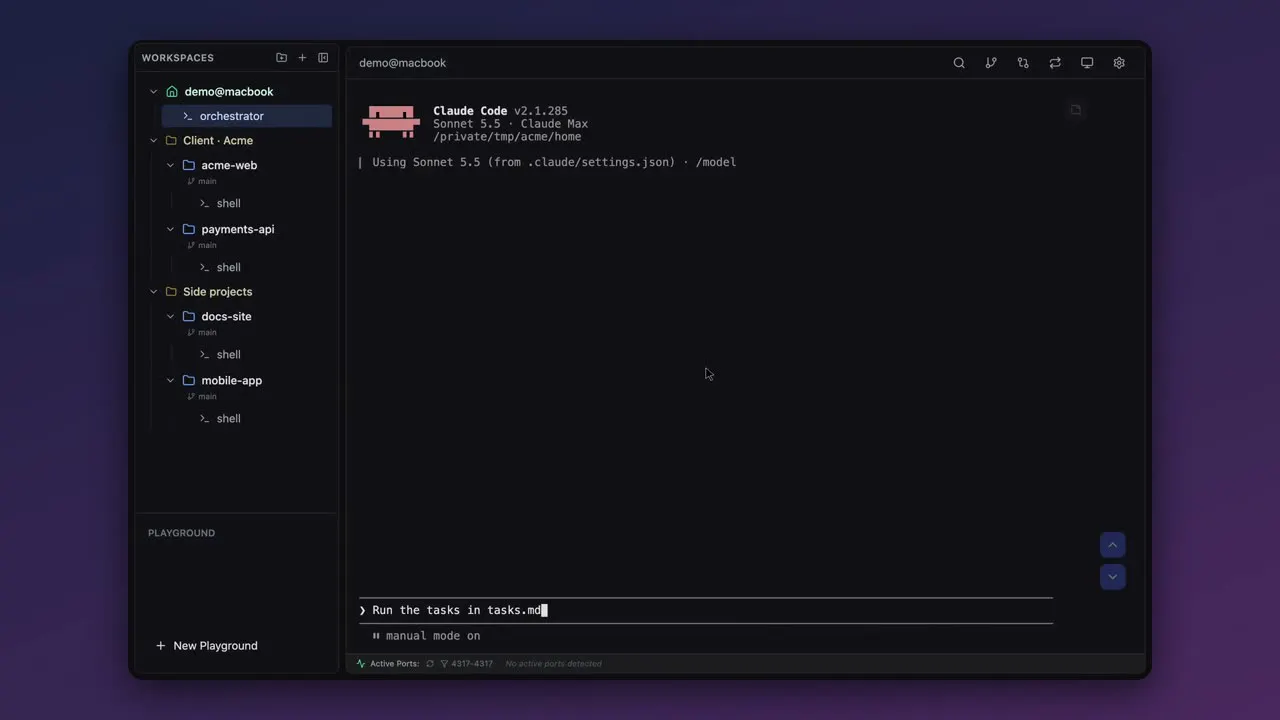
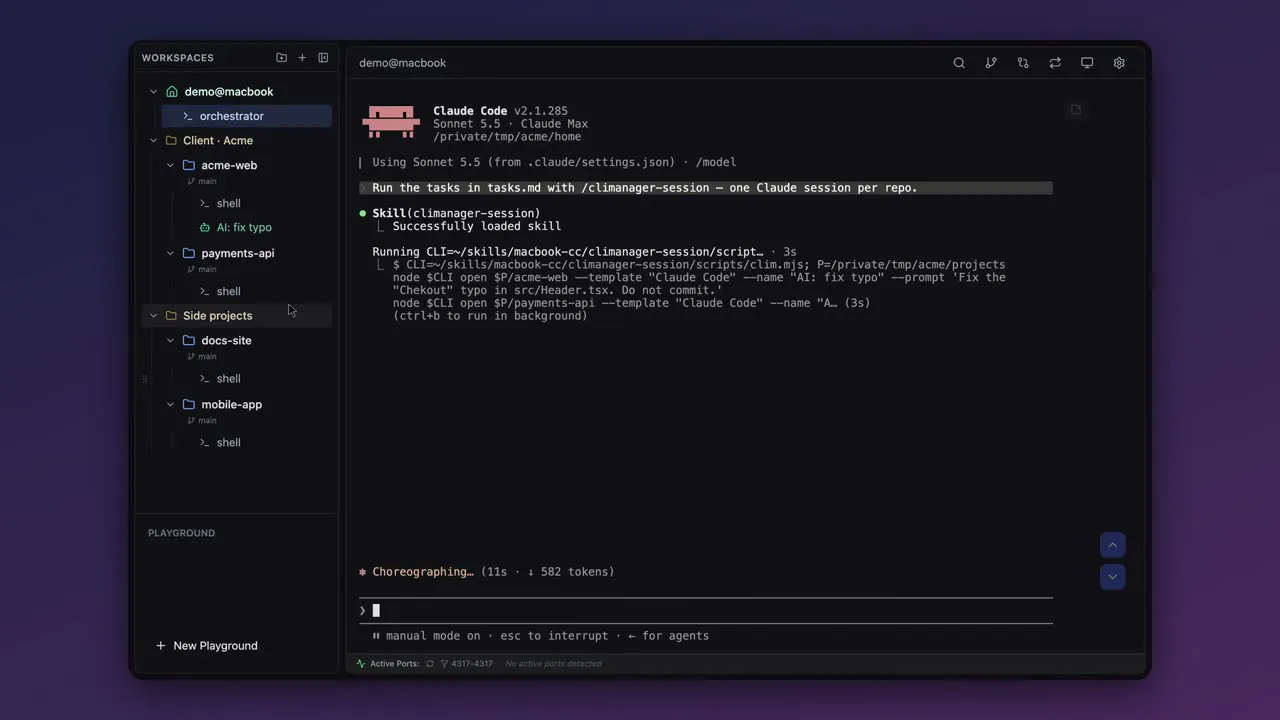
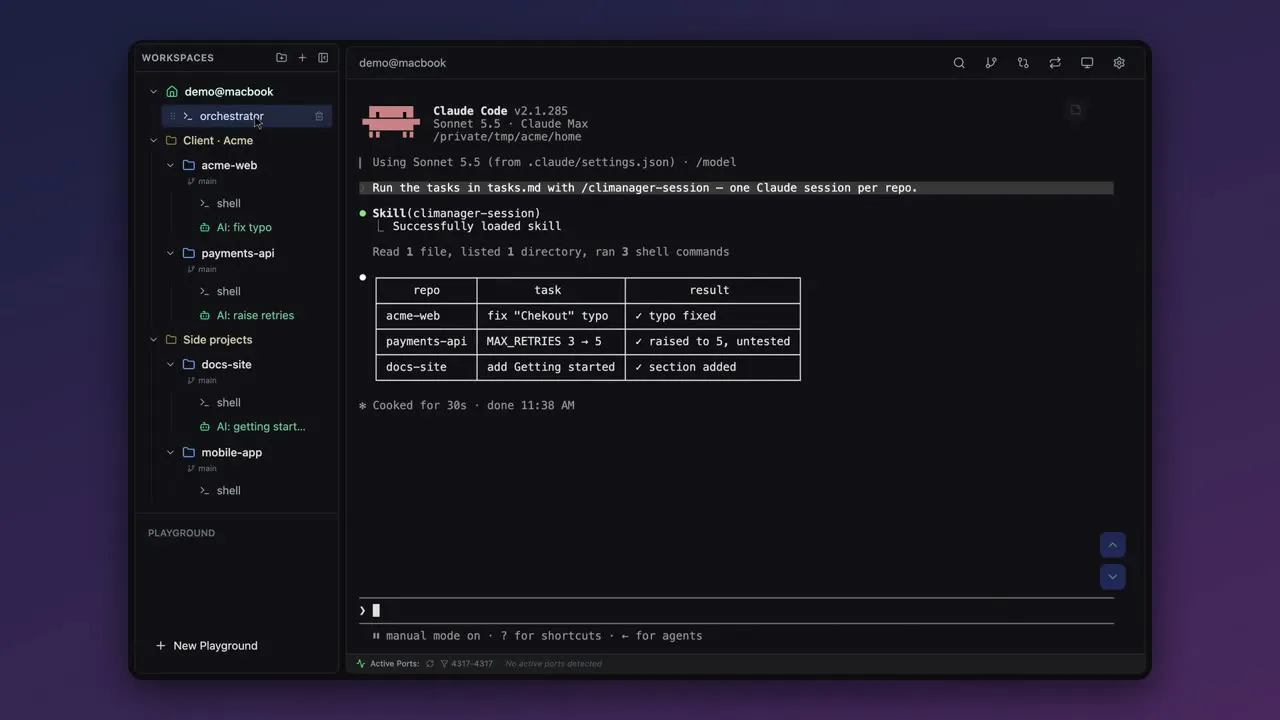
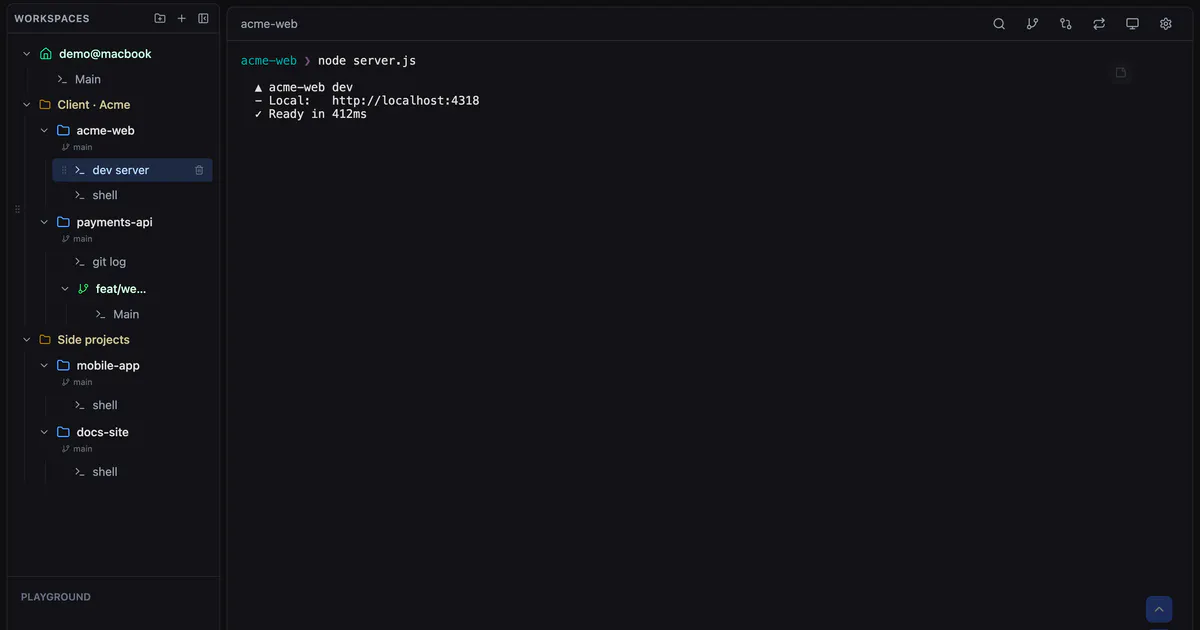
CLI Manager is an innovative open-source tool designed for developers and power users who work extensively with command-line interfaces. It introduces an AI Control API that allows AI agents like Claude Code, Codex, or custom scripts to open, manage, and interact with multiple CLI sessions seamlessly. Users can send prompts, observe terminal outputs in real-time, and orchestrate complex workflows with ease, all within a unified interface. Its unique feature set includes visual indicators for active sessions driven by AI, a crown icon for orchestrators, and the ability to reclaim control from AI agents at any point. Being macOS-specific and operating locally through REST and MCP on localhost ensures privacy and security, making it ideal for development environments that demand control and flexibility. The inclusion of multiple AI integrations from launch, along with its open-source MIT license, makes CLI Manager a compelling tool for developers looking to automate and streamline terminal workflows with AI assistance.
Screenshots
Pros
- ✓Open source with MIT license, promoting transparency and customization
- ✓Supports multiple AI agents (Claude Code, Codex, Gemini CLI) in one interface
- ✓Real-time terminal monitoring with visual session indicators
- ✓Local-only operation enhances security and privacy
- ✓User-friendly orchestration with easy session management and control
Cons
- ✗macOS-only, limiting cross-platform compatibility
- ✗Requires technical setup (REST + MCP) for local operation
- ✗Currently no cloud or remote deployment options
Use Cases
Pricing
Pricing not verified
Quick Info
Topics
Makers

solhun
Alternatives
Similar Tools in Developer Tools




Embed Badge
Add this badge to your website to show that CLI Manager is featured on Visalytica.
<a href="https://www.visalytica.com/tool/cli-manager" target="_blank" rel="noopener noreferrer" style="display:inline-flex;align-items:center;gap:6px;padding:6px 14px;background:#7c3aed;color:#fff;border-radius:8px;font-family:-apple-system,system-ui,sans-serif;font-size:13px;font-weight:600;text-decoration:none;transition:background .2s" onmouseover="this.style.background='#6d28d9'" onmouseout="this.style.background='#7c3aed'"><svg width="14" height="14" viewBox="0 0 24 24" fill="none" stroke="currentColor" stroke-width="2.5" stroke-linecap="round" stroke-linejoin="round"><path d="M12 20V10"/><path d="M18 20V4"/><path d="M6 20v-4"/></svg>Featured on Visalytica</a>