
Claudy
A proper home for Claude Code — multi-session, multi-account
About Claudy
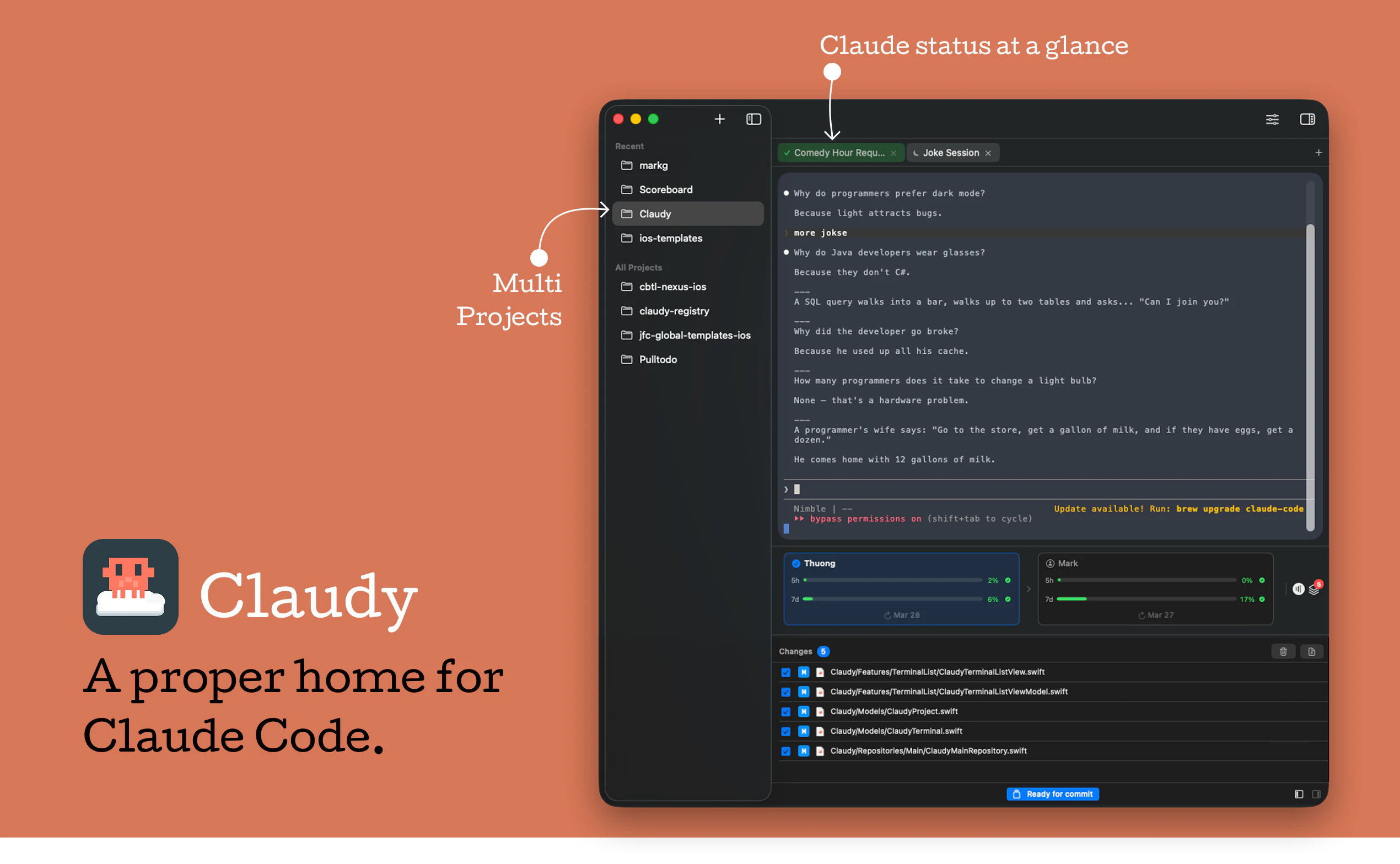
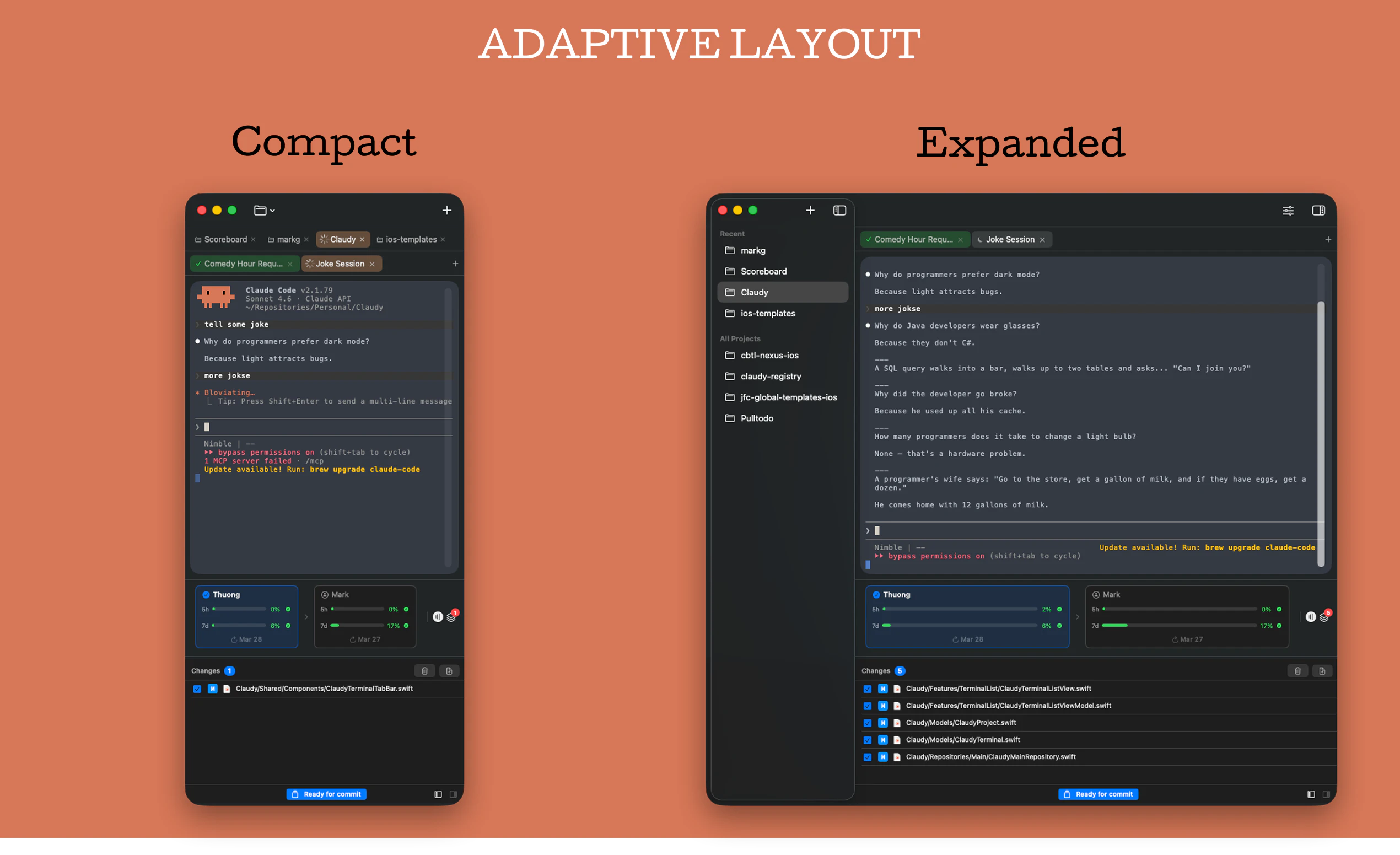
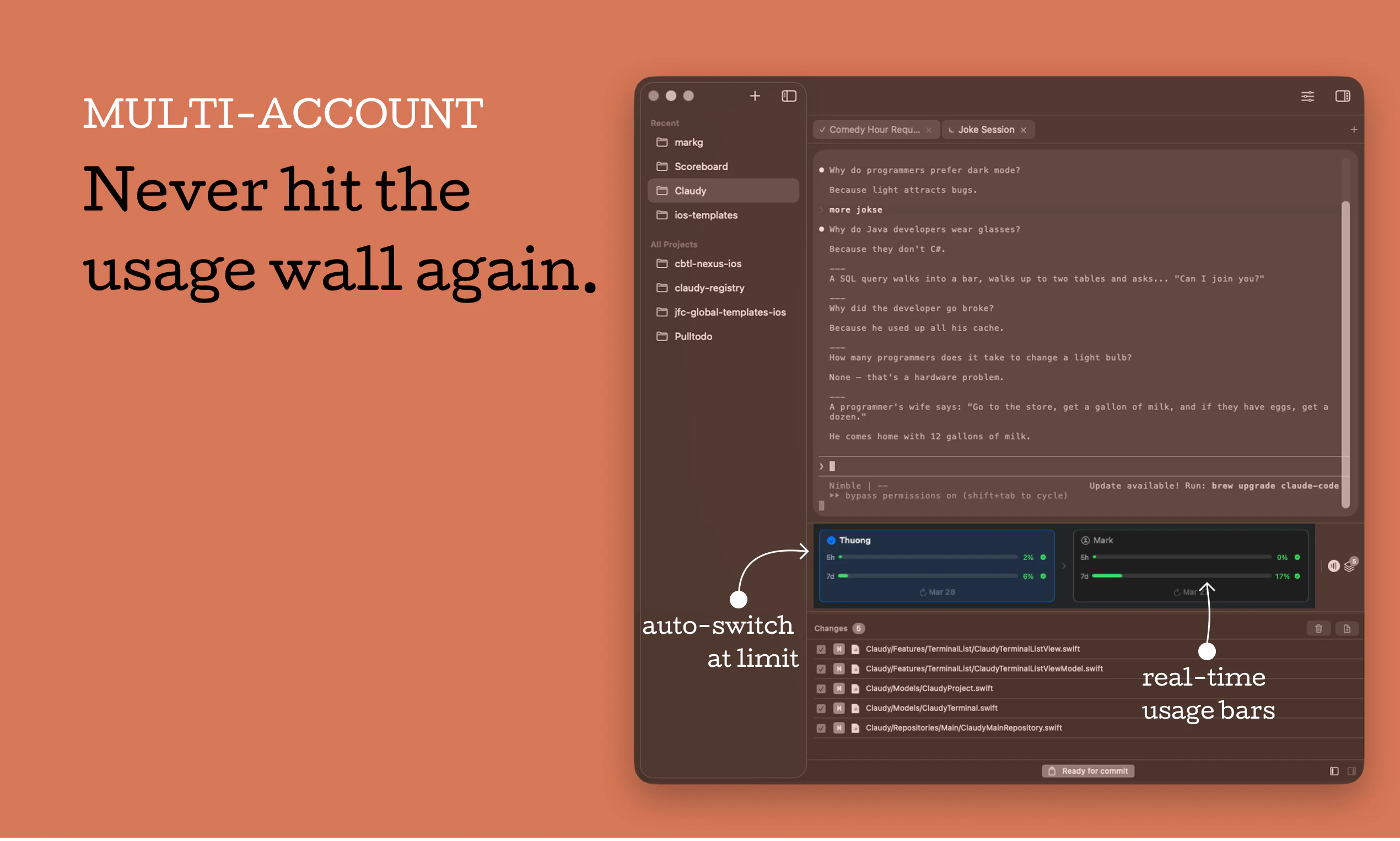
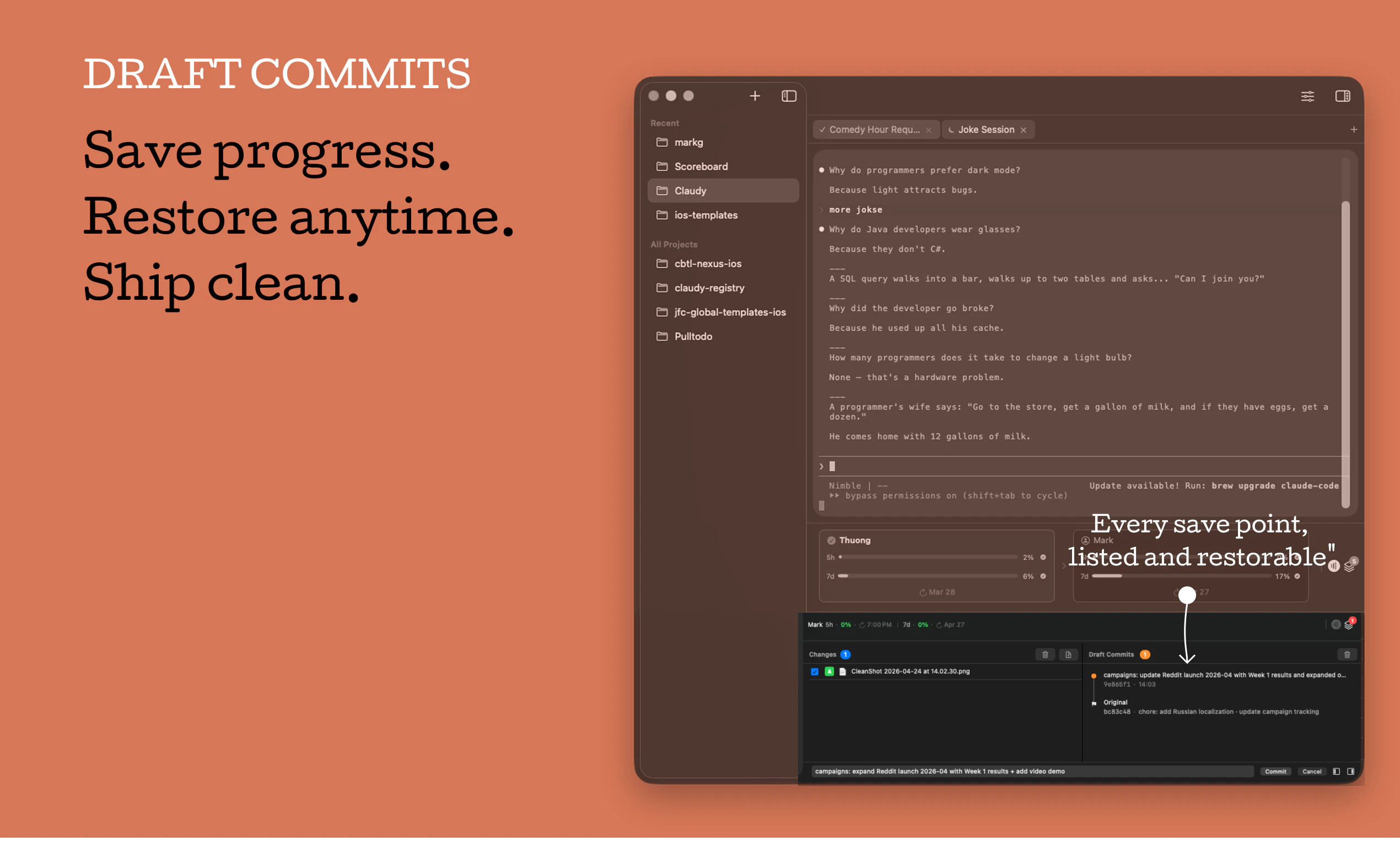
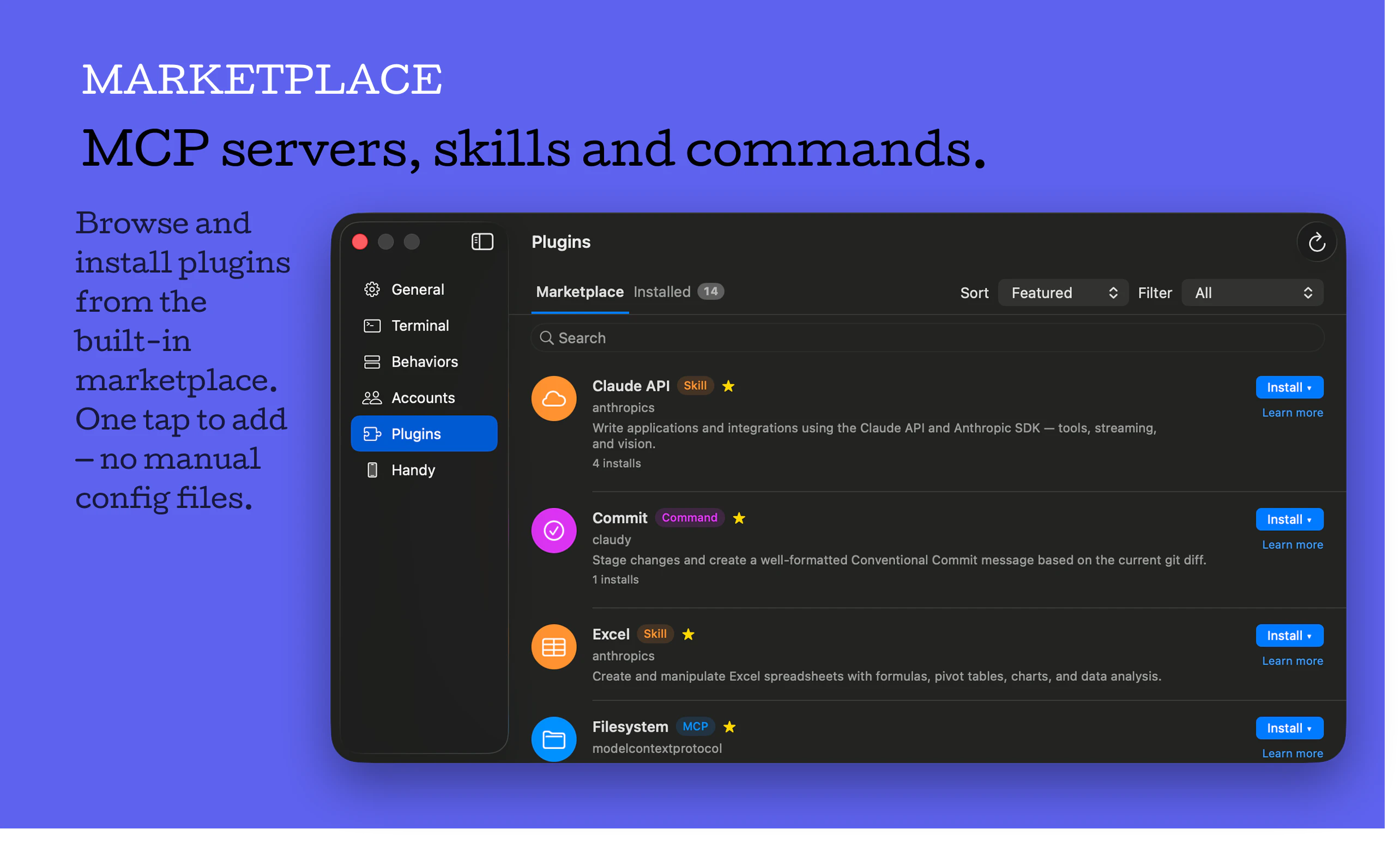
Claudy is a native macOS application designed to optimize the workflow for developers working with Claude Code. It addresses the common frustrations of managing multiple projects across raw terminal tabs by providing a centralized, multi-session, multi-account environment. Features like automatic account switching upon reaching usage limits, Draft Commits for saving work mid-session, and an integrated Marketplace for installing Skills, MCPs, and Commands make it a powerful tool for developers who want to streamline their coding process. Its user-friendly interface and session management capabilities help users maintain focus and productivity, especially when juggling complex projects or multiple client accounts. Claudy stands out by transforming a typically command-line-heavy experience into a more organized, efficient, and accessible workflow on macOS, making it ideal for developers, AI researchers, and productivity enthusiasts alike.
Screenshots
Pros
- ✓Centralized multi-session management for multiple projects
- ✓Auto account switching to handle usage limits seamlessly
- ✓Draft Commit feature for checkpointing and restoring work
- ✓Marketplace integration for one-click skill and command installation
- ✓Native macOS app with a polished user interface
Cons
- ✗Limited to macOS, restricting cross-platform usage
- ✗New tool with potentially limited community support
- ✗Features may be overkill for simple single-project workflows
Use Cases
Pricing
Likely adopts a freemium model with a free tier offering basic session management, and paid plans for advanced features like Marketplace access and auto account switching. Exact pricing details are not publicly confirmed.
Quick Info
Topics
Alternatives
Similar Tools in Developer Tools




Embed Badge
Add this badge to your website to show that Claudy is featured on Visalytica.
<a href="https://www.visalytica.com/tool/claudy" target="_blank" rel="noopener noreferrer" style="display:inline-flex;align-items:center;gap:6px;padding:6px 14px;background:#7c3aed;color:#fff;border-radius:8px;font-family:-apple-system,system-ui,sans-serif;font-size:13px;font-weight:600;text-decoration:none;transition:background .2s" onmouseover="this.style.background='#6d28d9'" onmouseout="this.style.background='#7c3aed'"><svg width="14" height="14" viewBox="0 0 24 24" fill="none" stroke="currentColor" stroke-width="2.5" stroke-linecap="round" stroke-linejoin="round"><path d="M12 20V10"/><path d="M18 20V4"/><path d="M6 20v-4"/></svg>Featured on Visalytica</a>