Claude Usage Tracker
See exactly how much you spend on Claude, across every tool
About Claude Usage Tracker
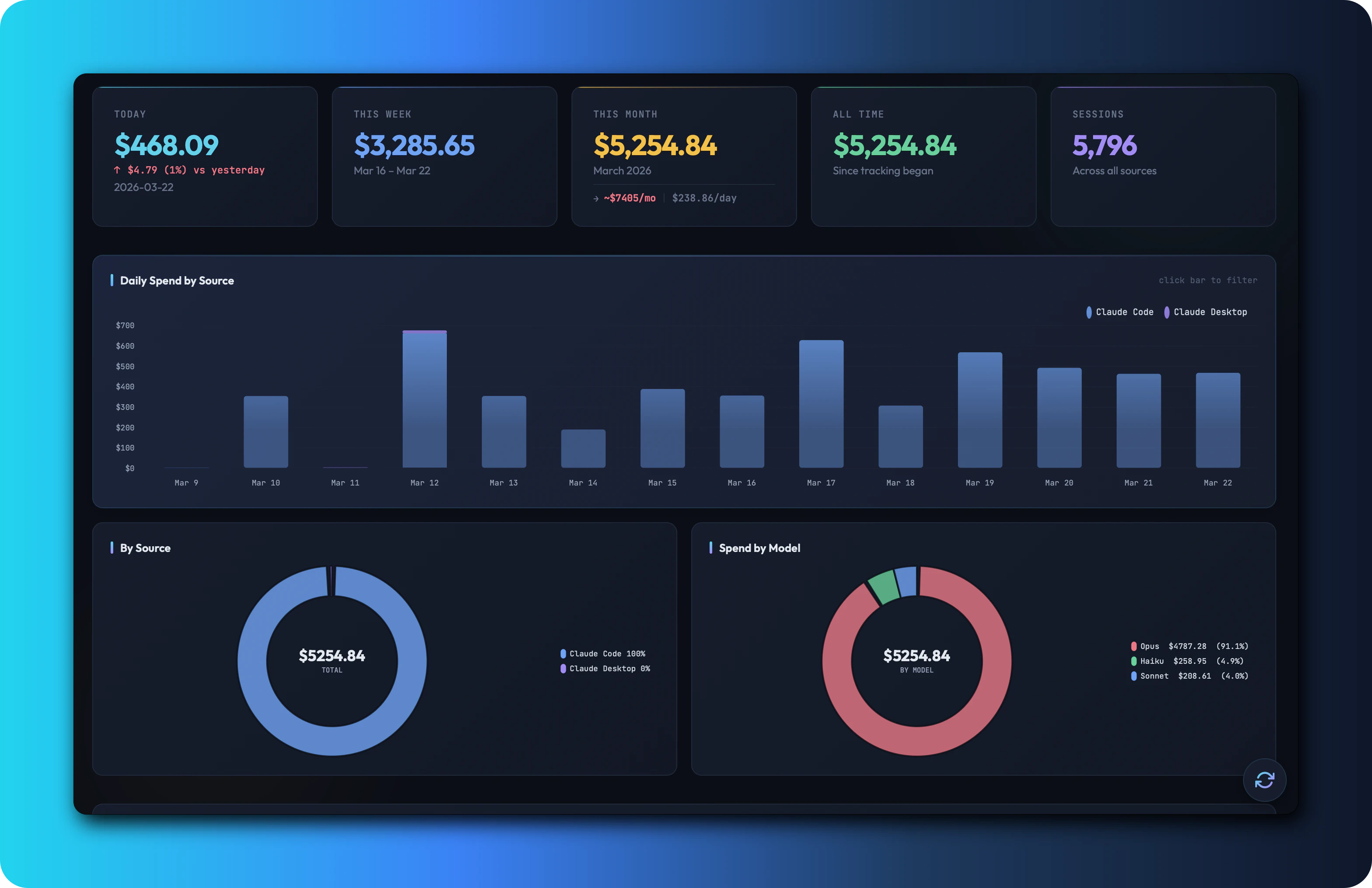
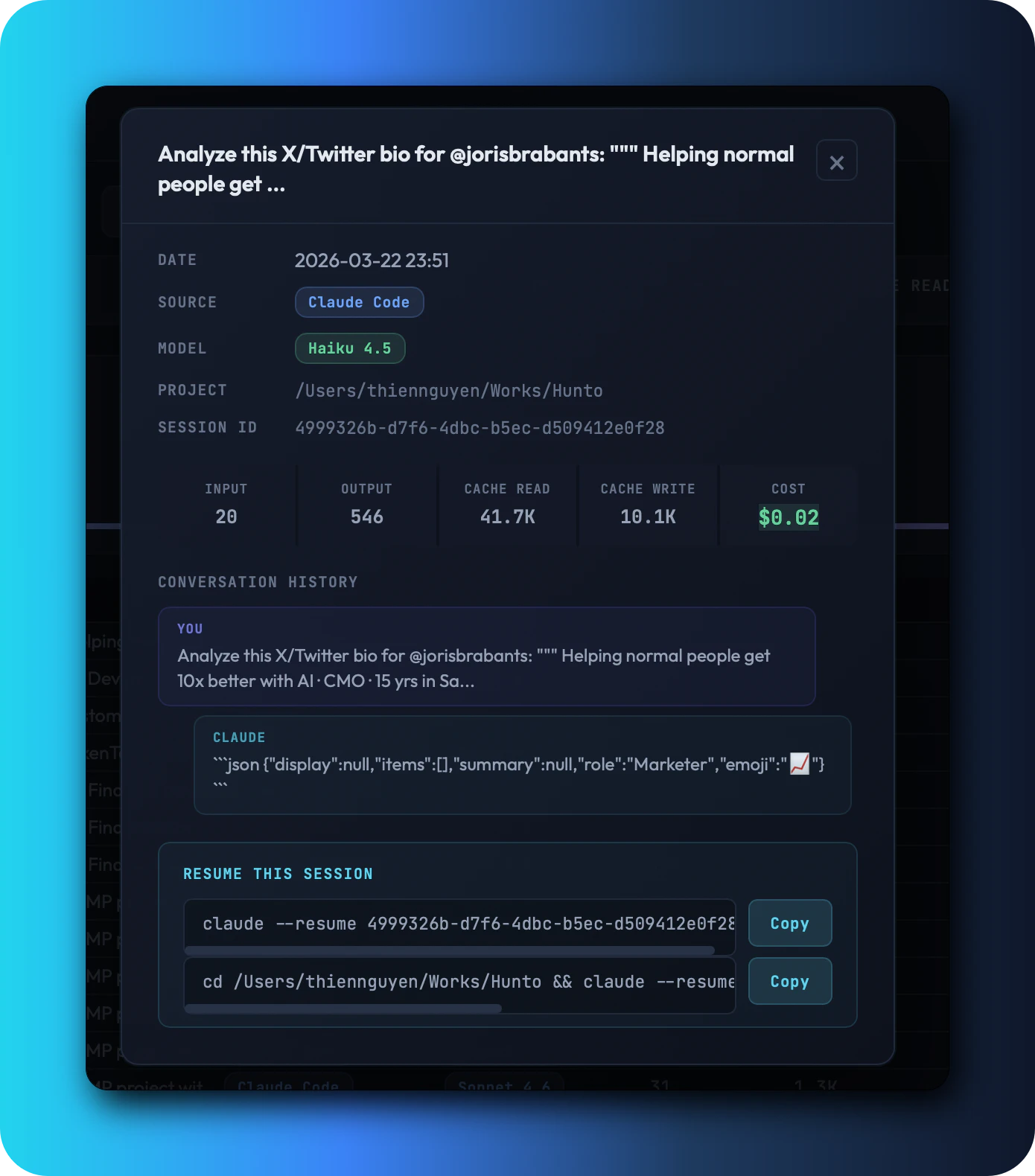
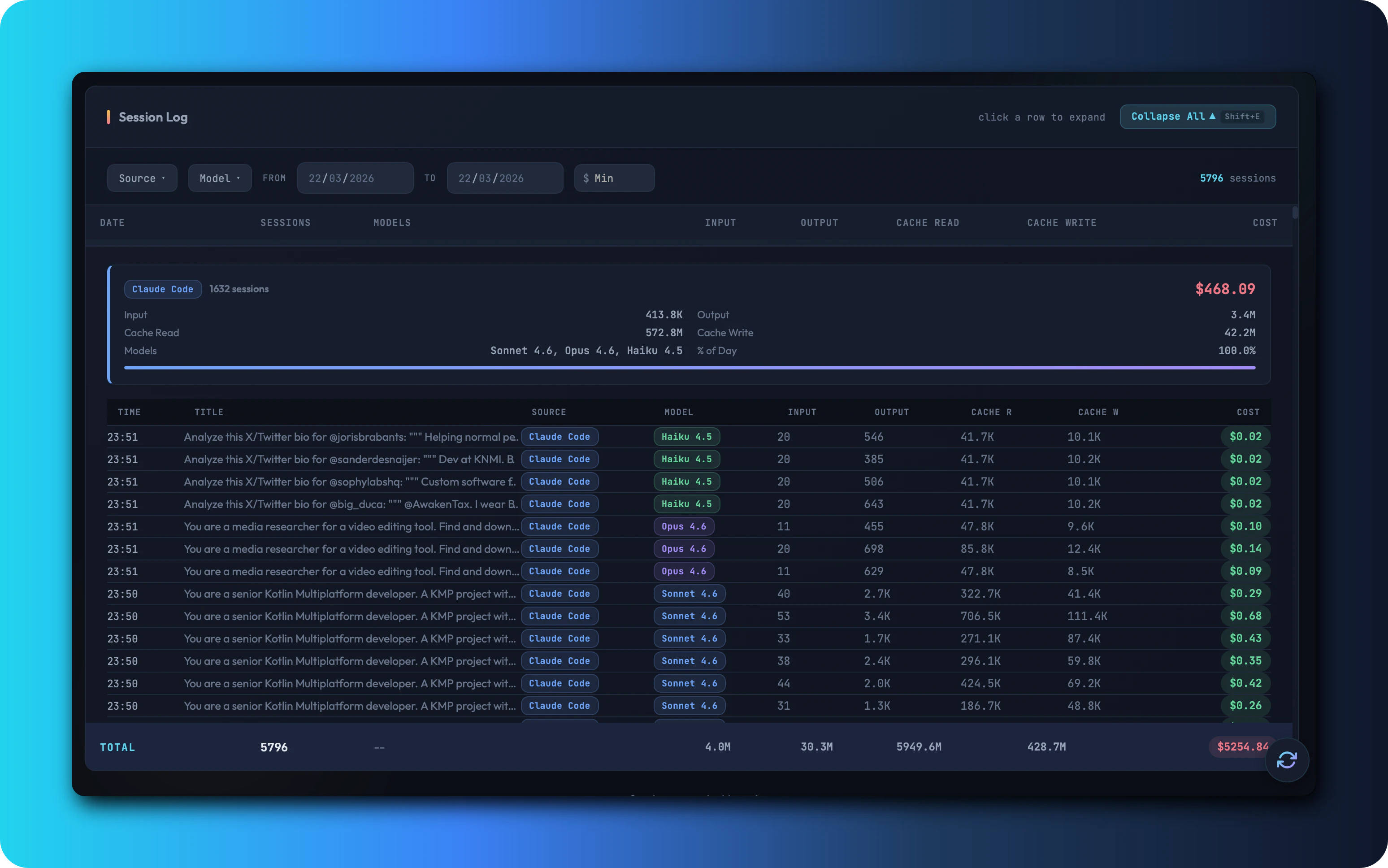
Claude Usage Tracker is an open-source tool designed for users who leverage multiple AI tools powered by Claude. It addresses the common challenge of tracking spending across various platforms like Cursor, Claude Code CLI, Windsurf, and Cline, which often burn tokens separately, making cost management difficult. By automatically detecting over nine different tools and scanning local session data, the tracker consolidates all usage information into a single intuitive dashboard. Users can monitor daily costs, model breakdowns, heatmaps, session logs, and even project monthly expenses, all without relying on cloud services, accounts, or telemetry. Available as a native macOS app or browser mode for other OS devices, Claude Usage Tracker offers a privacy-focused, free, and open-source solution tailored for developers, AI enthusiasts, and cost-conscious teams seeking transparent AI usage monitoring.
Screenshots
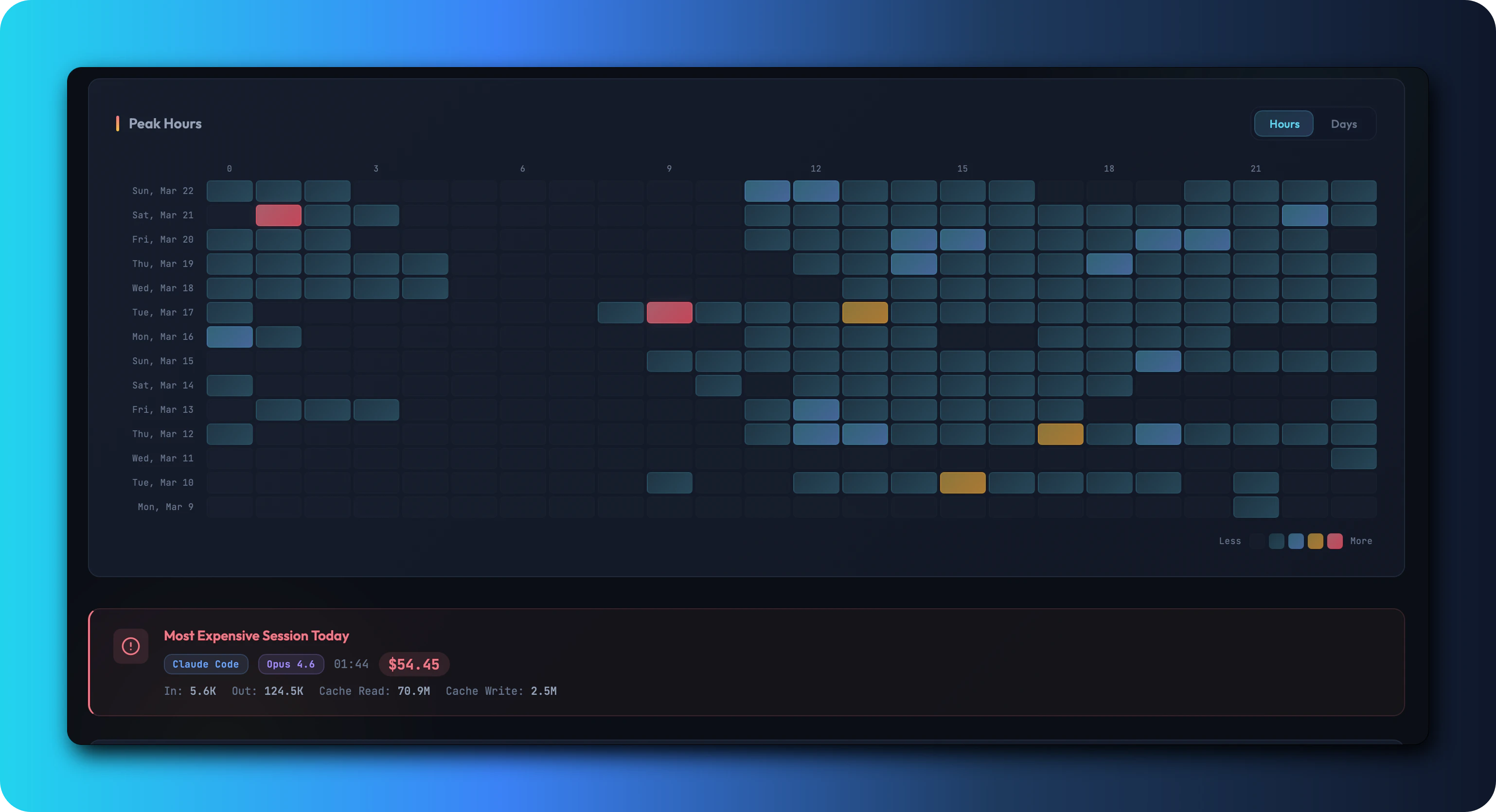
Pros
- ✓Consolidates usage data from multiple Claude-based tools into one dashboard
- ✓Open source with no cloud, accounts, or telemetry for enhanced privacy
- ✓Supports multiple platforms via native macOS app or browser mode
- ✓Automatic detection of over nine tools, reducing manual tracking effort
- ✓Provides detailed insights like cost breakdowns, heatmaps, and session logs
Cons
- ✗Requires local setup and initial configuration, which may be complex for some users
- ✗Limited to tools and platforms that it supports or can detect
- ✗May lack advanced analytics or customization features found in commercial tools
Use Cases
Pricing
Claude Usage Tracker is free and open source, with no paid tiers or subscription costs, making it accessible for individual users and teams alike.
Quick Info
Topics
Alternatives
Similar Tools in Developer Tools




Embed Badge
Add this badge to your website to show that Claude Usage Tracker is featured on Visalytica.
<a href="https://www.visalytica.com/tool/claude-usage-tracker" target="_blank" rel="noopener noreferrer" style="display:inline-flex;align-items:center;gap:6px;padding:6px 14px;background:#7c3aed;color:#fff;border-radius:8px;font-family:-apple-system,system-ui,sans-serif;font-size:13px;font-weight:600;text-decoration:none;transition:background .2s" onmouseover="this.style.background='#6d28d9'" onmouseout="this.style.background='#7c3aed'"><svg width="14" height="14" viewBox="0 0 24 24" fill="none" stroke="currentColor" stroke-width="2.5" stroke-linecap="round" stroke-linejoin="round"><path d="M12 20V10"/><path d="M18 20V4"/><path d="M6 20v-4"/></svg>Featured on Visalytica</a>