
Claude Import Memory
Switch from ChatGPT to Claude with import memory feature
About Claude Import Memory
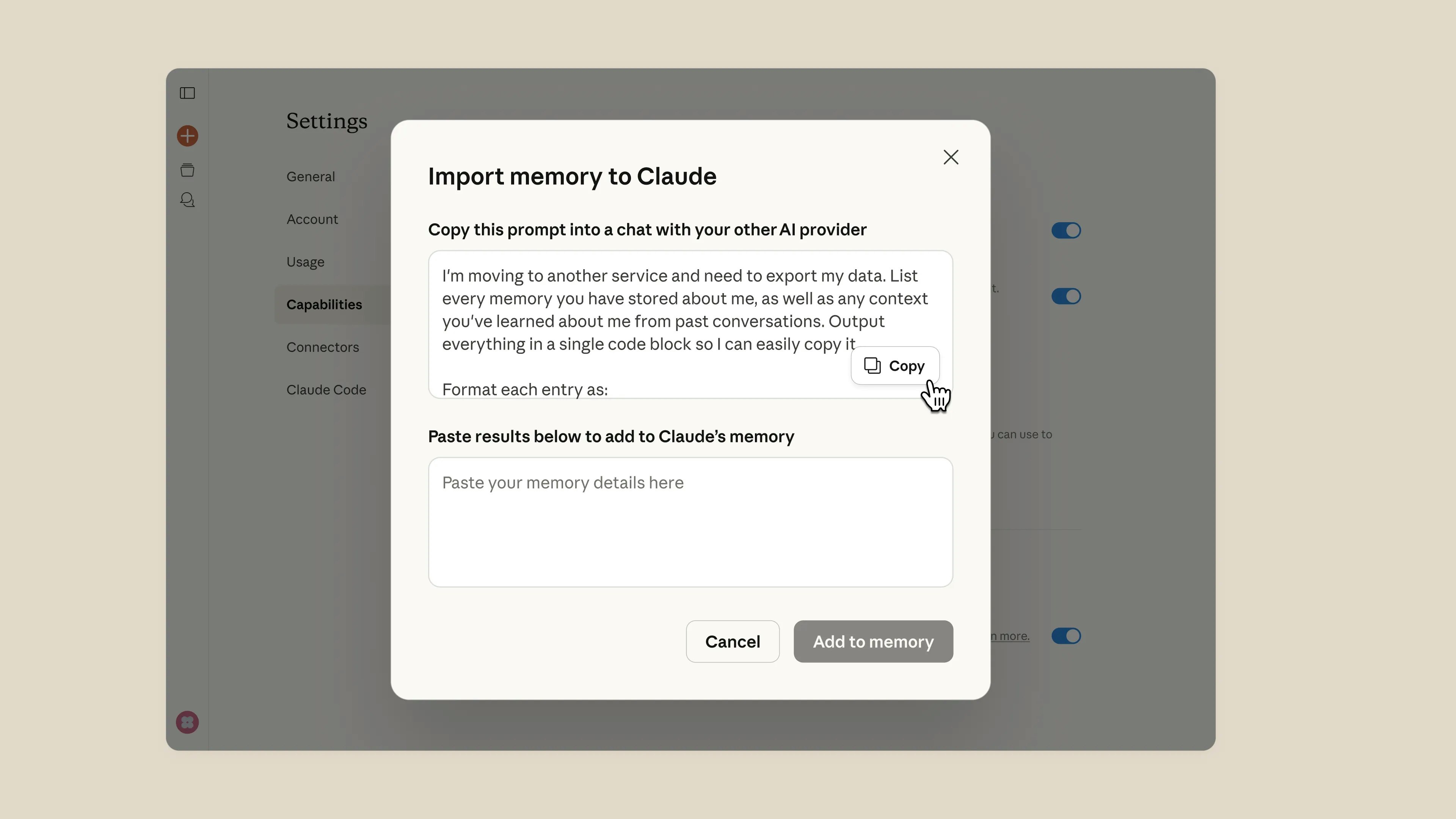
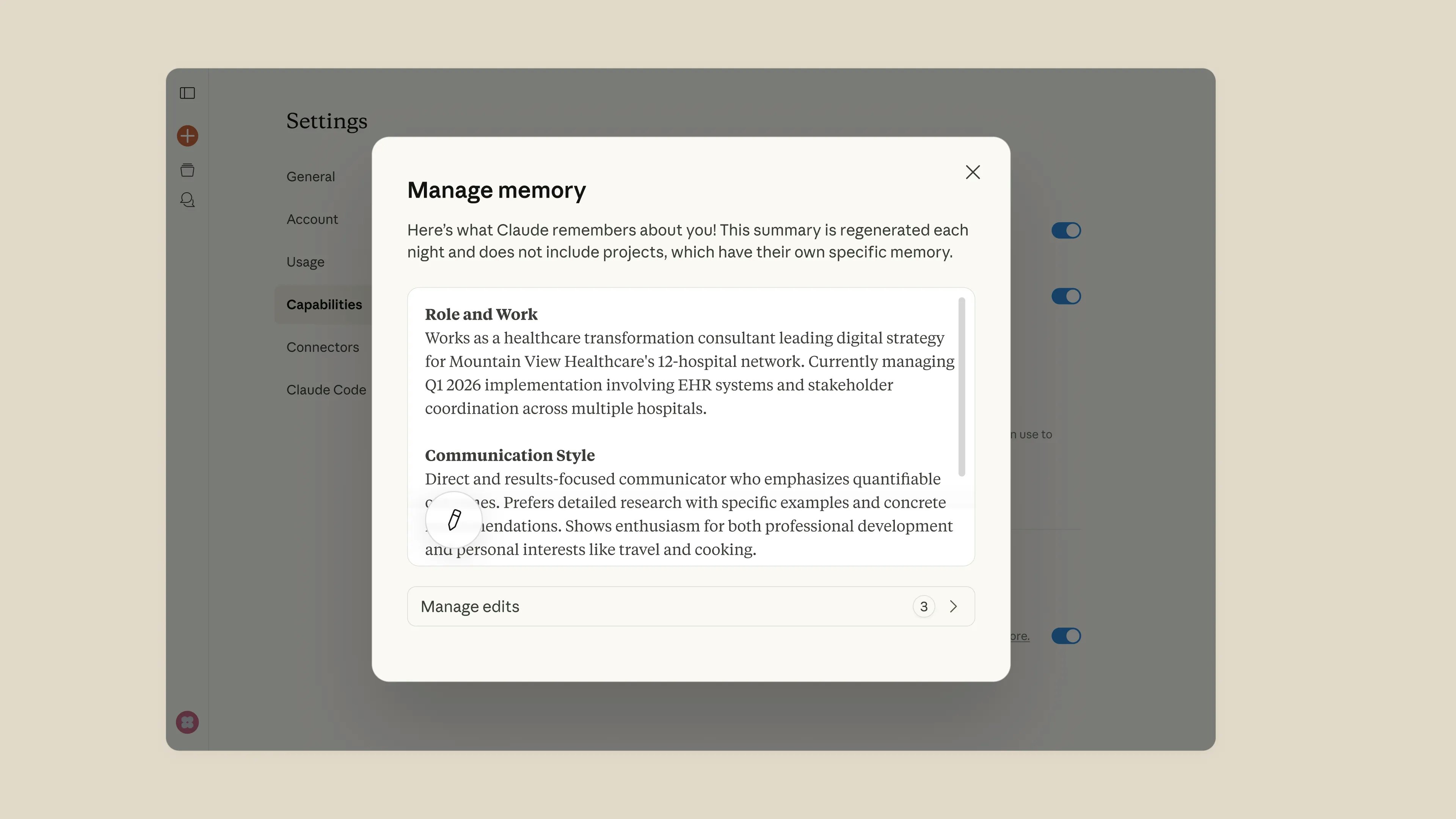
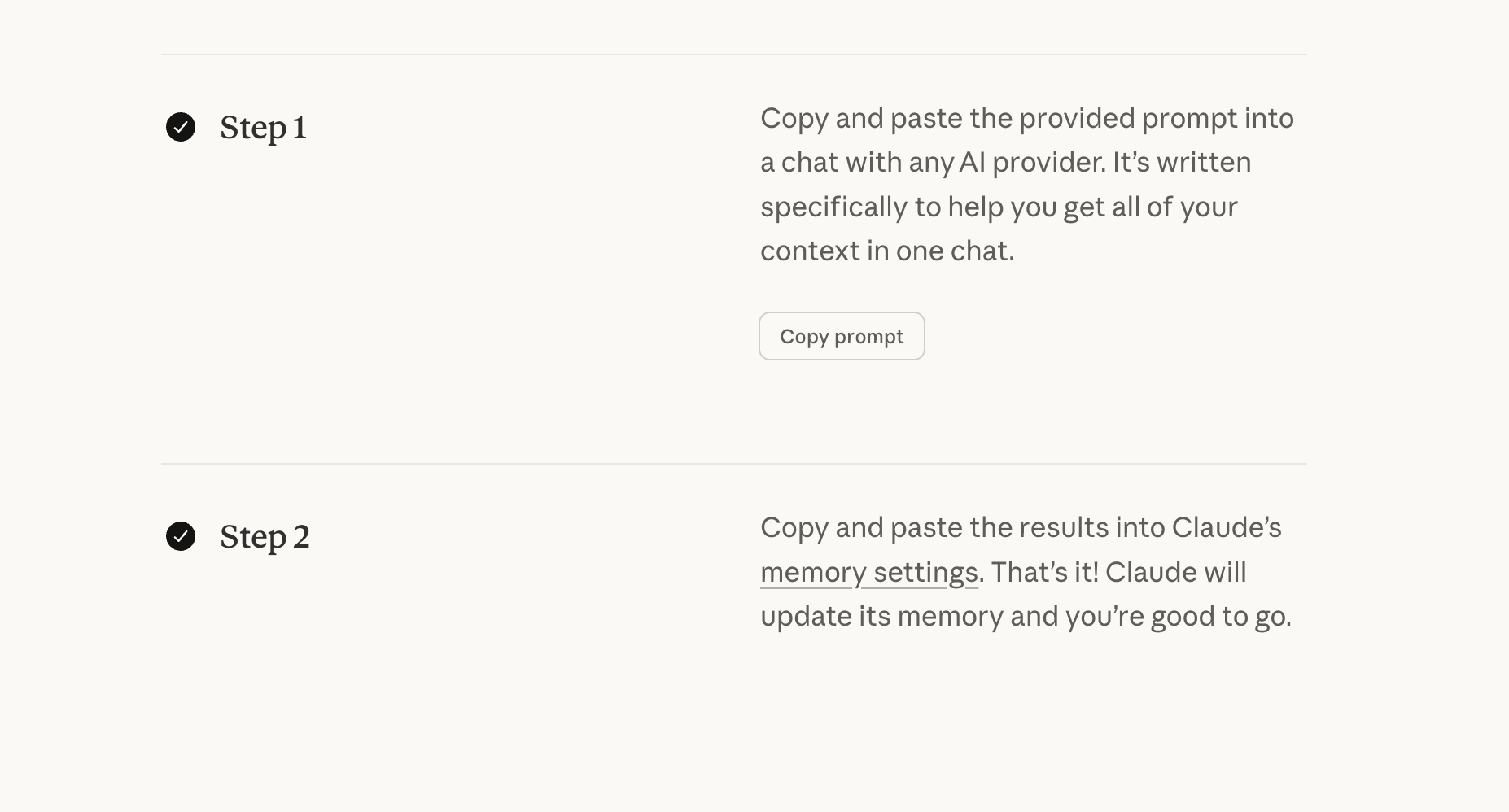
Claude Import Memory offers a seamless way for users to transition their AI workflows from other providers to Claude by importing preferences, projects, and contextual data with a simple copy-paste. This feature ensures that users can switch AI assistants without losing valuable insights or customization, making it ideal for businesses or individuals seeking continuity and efficiency. Its standout feature is the ability to quickly update Claude’s memory, allowing the AI to pick up right where the user left off, thereby saving time and maintaining productivity. Available on all paid plans, this tool emphasizes flexibility and ease of migration, making it attractive for users who want to switch AI providers without starting from scratch. With a user-friendly approach and robust memory transfer capabilities, Claude Import Memory enhances the overall AI experience by bridging the gap between different platforms effortlessly.
Screenshots

Pros
- ✓Simple and quick memory import process with copy-paste functionality
- ✓Ensures continuity by preserving preferences, projects, and context
- ✓Available on all paid plans, making it accessible for various users
- ✓Helps users switch AI providers without losing valuable data or customization
Cons
- ✗Limited details on the extent of memory transfer capabilities
- ✗Potential learning curve for new users unfamiliar with import procedures
- ✗Dependent on paid plans; may not be available on free tiers
Use Cases
Pricing
Likely operates on a subscription-based model with memory import features included in all paid plans, though specific pricing details are not publicly disclosed.
Quick Info
Topics
Alternatives
Similar Tools in AI Assistants




Embed Badge
Add this badge to your website to show that Claude Import Memory is featured on Visalytica.
<a href="https://www.visalytica.com/tool/claude-import-memory" target="_blank" rel="noopener noreferrer" style="display:inline-flex;align-items:center;gap:6px;padding:6px 14px;background:#7c3aed;color:#fff;border-radius:8px;font-family:-apple-system,system-ui,sans-serif;font-size:13px;font-weight:600;text-decoration:none;transition:background .2s" onmouseover="this.style.background='#6d28d9'" onmouseout="this.style.background='#7c3aed'"><svg width="14" height="14" viewBox="0 0 24 24" fill="none" stroke="currentColor" stroke-width="2.5" stroke-linecap="round" stroke-linejoin="round"><path d="M12 20V10"/><path d="M18 20V4"/><path d="M6 20v-4"/></svg>Featured on Visalytica</a>