
Claude Code CLI Proxy
Convert claude desktop as API and save extra API credits.
About Claude Code CLI Proxy
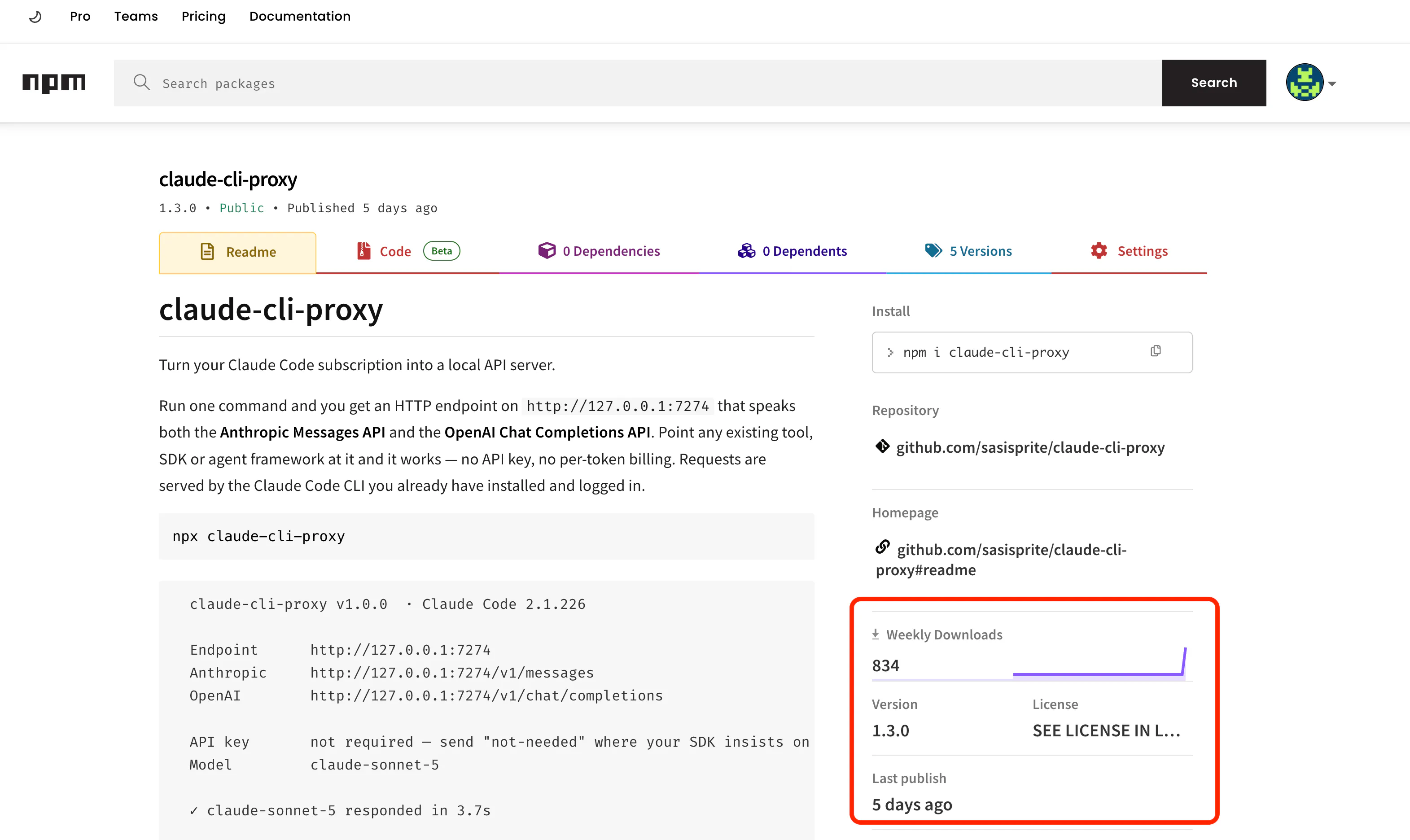
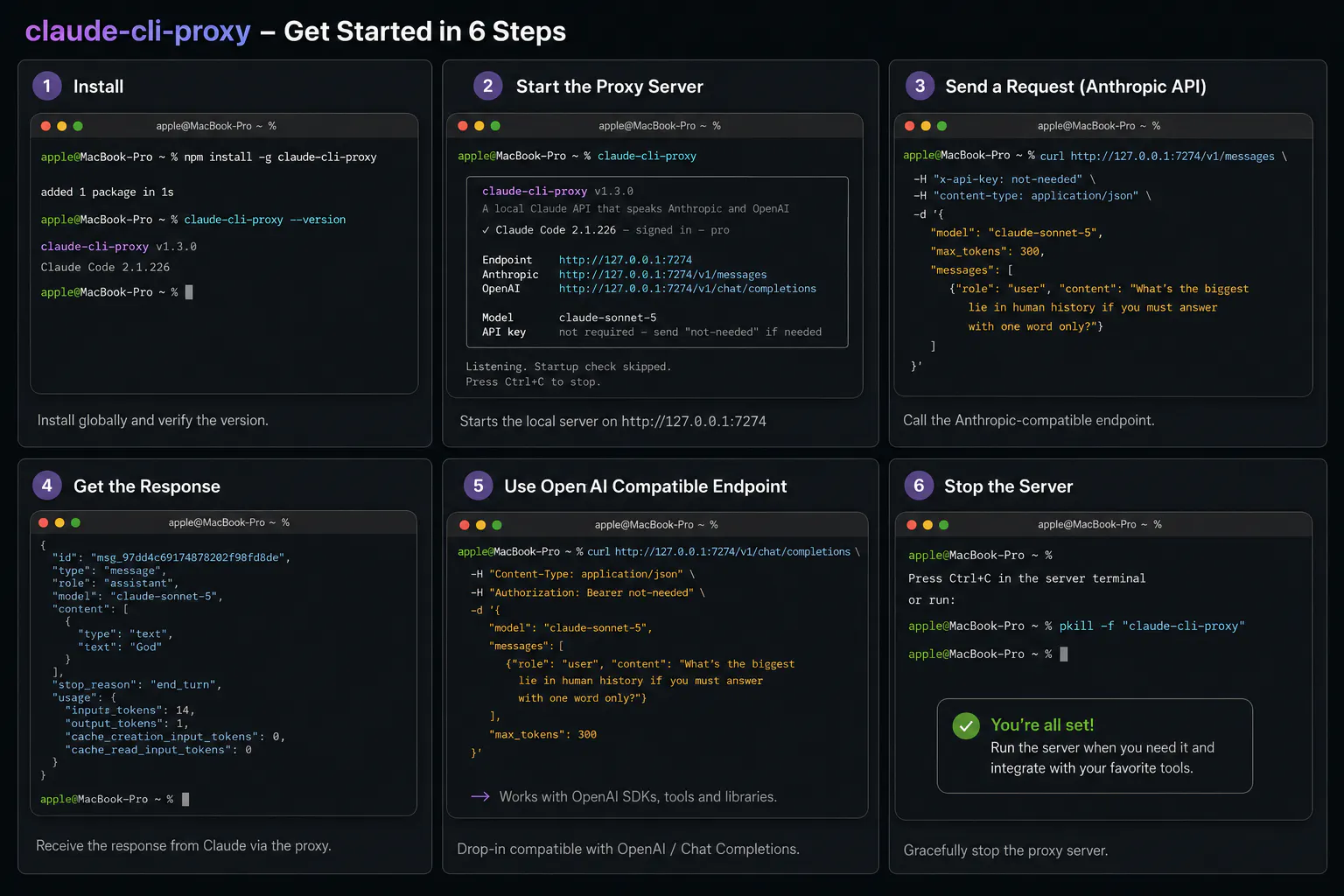
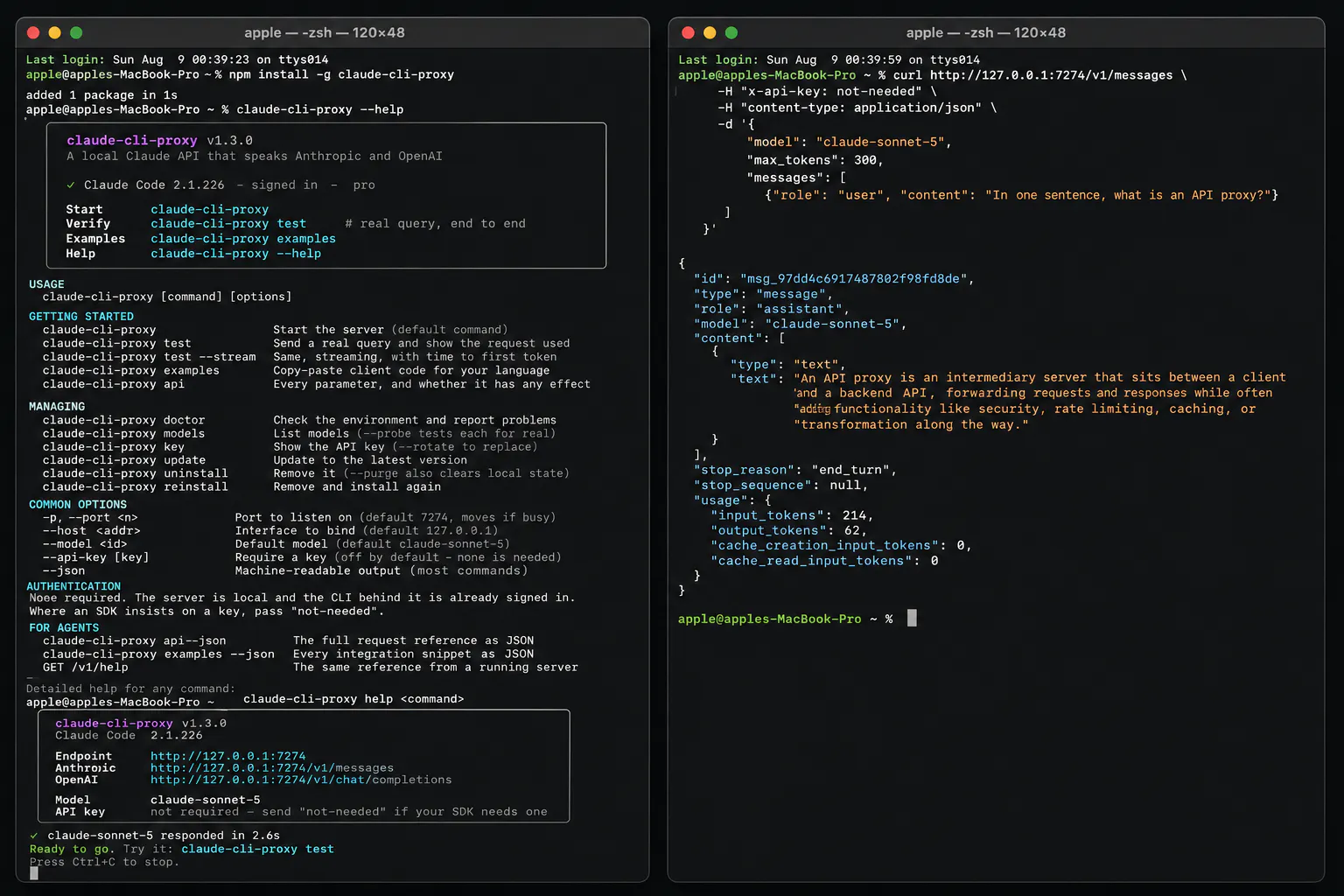
Claude Code CLI Proxy is an innovative tool designed for developers and AI enthusiasts who leverage Claude Code with a subscription. It transforms the desktop CLI into a local API server, allowing users to access Claude's powerful language processing capabilities via localhost (http://127.0.0.1:7274) without needing additional API keys or incurring per-token costs. This setup is ideal for those seeking to optimize their API usage, reduce expenses, and seamlessly integrate Claude into local workflows or automated systems. Its open-source nature and ease of deployment make it a compelling choice for developers aiming to maximize their existing Claude subscription benefits while avoiding redundant API billing. By simplifying local access, Claude Code CLI Proxy enhances efficiency and flexibility for AI-driven development tasks.
Screenshots
Pros
- ✓Eliminates additional API costs by leveraging existing Claude subscription
- ✓Enables local API access for better control and integration
- ✓Simple setup with minimal configuration, using npx command
- ✓Reduces reliance on external API calls, improving speed and privacy
- ✓Open source and easy to integrate into existing workflows
Cons
- ✗Requires users to have an active Claude Code subscription
- ✗Limited to users comfortable with CLI and local server setup
- ✗Potential security considerations when exposing local API endpoints
Use Cases
Pricing
Likely free to use, as it is an open source proxy that leverages existing Claude subscriptions without additional charges. Users only need to maintain their current subscription and possibly incur infrastructure costs for hosting the local server.
Quick Info
Topics
Makers

Sasikumar Yuvaraj
Alternatives
Similar Tools in Developer Tools




Embed Badge
Add this badge to your website to show that Claude Code CLI Proxy is featured on Visalytica.
<a href="https://www.visalytica.com/tool/claude-code-cli-proxy" target="_blank" rel="noopener noreferrer" style="display:inline-flex;align-items:center;gap:6px;padding:6px 14px;background:#7c3aed;color:#fff;border-radius:8px;font-family:-apple-system,system-ui,sans-serif;font-size:13px;font-weight:600;text-decoration:none;transition:background .2s" onmouseover="this.style.background='#6d28d9'" onmouseout="this.style.background='#7c3aed'"><svg width="14" height="14" viewBox="0 0 24 24" fill="none" stroke="currentColor" stroke-width="2.5" stroke-linecap="round" stroke-linejoin="round"><path d="M12 20V10"/><path d="M18 20V4"/><path d="M6 20v-4"/></svg>Featured on Visalytica</a>