
ChatSpeed
Fix ChatGPT lag in long conversations
About ChatSpeed
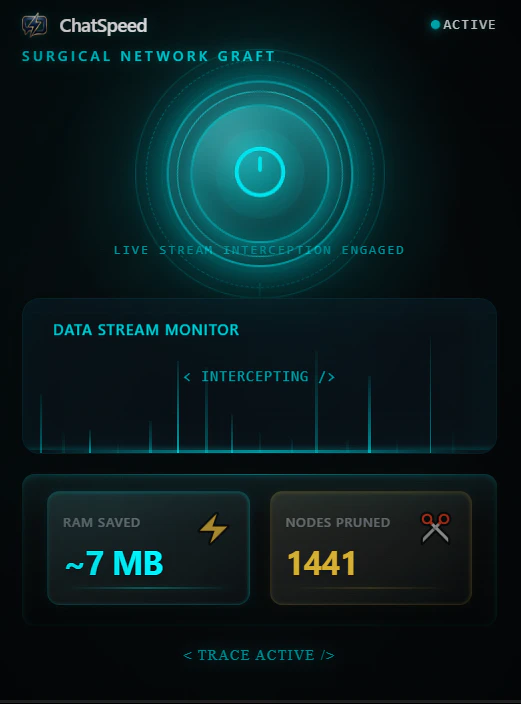
ChatSpeed is a specialized Chrome extension designed to enhance the performance of ChatGPT during long conversations. By intercepting the incoming conversation graph and trimming outdated nodes before React renders, it effectively reduces lag, ensuring smoother scrolling, faster responses, and a more responsive user experience. This tool is particularly valuable for developers, researchers, and power users who engage in extended AI sessions, where performance bottlenecks often occur due to browser memory pressure and UI slowdown. Unlike traditional UI cleaning methods, ChatSpeed offers a seamless, behind-the-scenes optimization that maintains a clean and efficient chat interface, even during lengthy interactions. Its lightweight approach makes it a must-have for anyone who relies heavily on ChatGPT for ongoing projects, research, or creative work, delivering a noticeably more responsive and enjoyable chat experience.
Screenshots

Pros
- ✓Significantly reduces lag and improves chat responsiveness
- ✓Efficiently manages browser memory pressure during long sessions
- ✓Seamless integration as a Chrome extension without complex setup
- ✓Enhances user experience for heavy ChatGPT users
- ✓Optimizes conversation handling without altering UI appearance
Cons
- ✗Limited to Chrome browser only
- ✗Focuses solely on long conversation performance, not overall ChatGPT features
- ✗May require updates to stay compatible with ChatGPT or Chrome updates
Use Cases
Pricing
Likely offered as a free or freemium Chrome extension, with basic features available at no cost and optional paid upgrades for advanced functionalities or priority updates. Specific pricing details are not provided, but such tools generally follow a free core with optional paid tiers.
Quick Info
Topics
Alternatives
Similar Tools in AI Assistants




Embed Badge
Add this badge to your website to show that ChatSpeed is featured on Visalytica.
<a href="https://www.visalytica.com/tool/chatspeed" target="_blank" rel="noopener noreferrer" style="display:inline-flex;align-items:center;gap:6px;padding:6px 14px;background:#7c3aed;color:#fff;border-radius:8px;font-family:-apple-system,system-ui,sans-serif;font-size:13px;font-weight:600;text-decoration:none;transition:background .2s" onmouseover="this.style.background='#6d28d9'" onmouseout="this.style.background='#7c3aed'"><svg width="14" height="14" viewBox="0 0 24 24" fill="none" stroke="currentColor" stroke-width="2.5" stroke-linecap="round" stroke-linejoin="round"><path d="M12 20V10"/><path d="M18 20V4"/><path d="M6 20v-4"/></svg>Featured on Visalytica</a>