
ChatGPT for Excel
Build and update spreadsheets with ChatGPT in real time
About ChatGPT for Excel
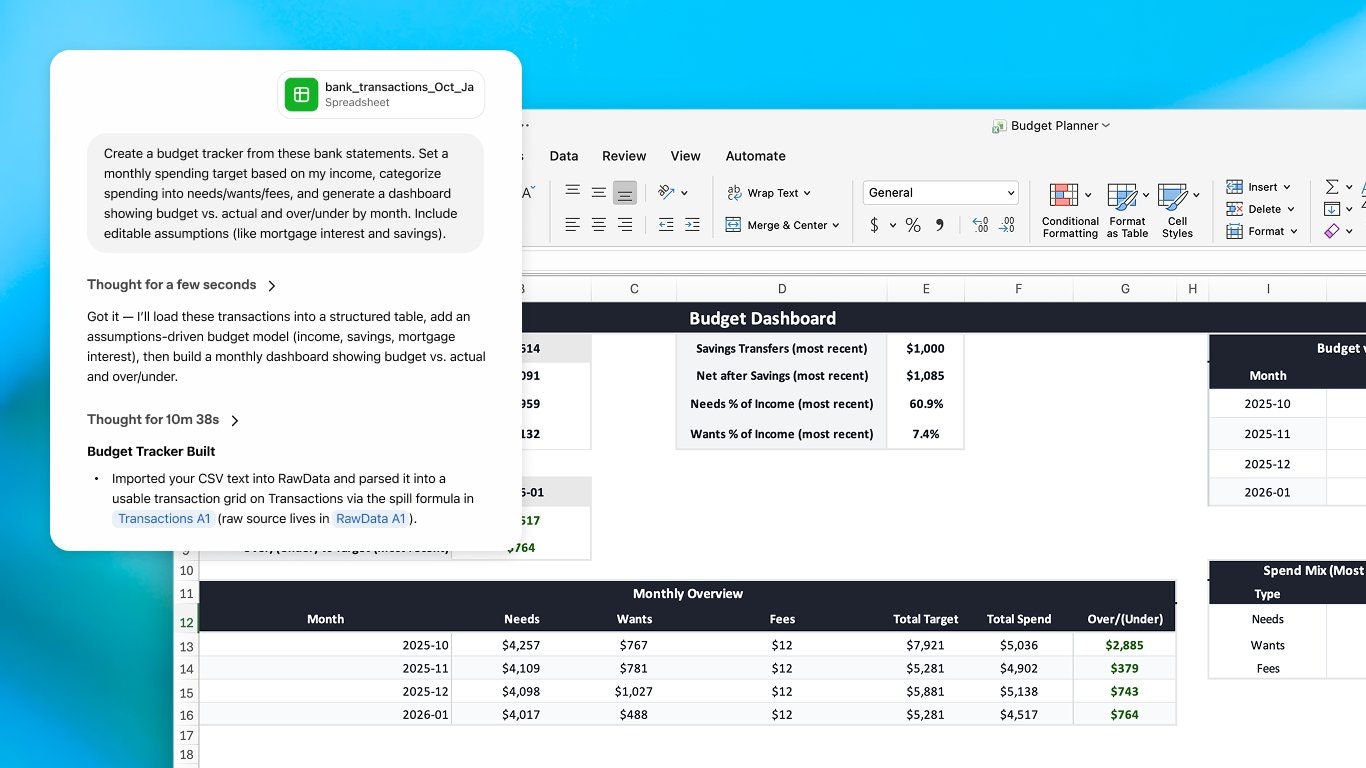
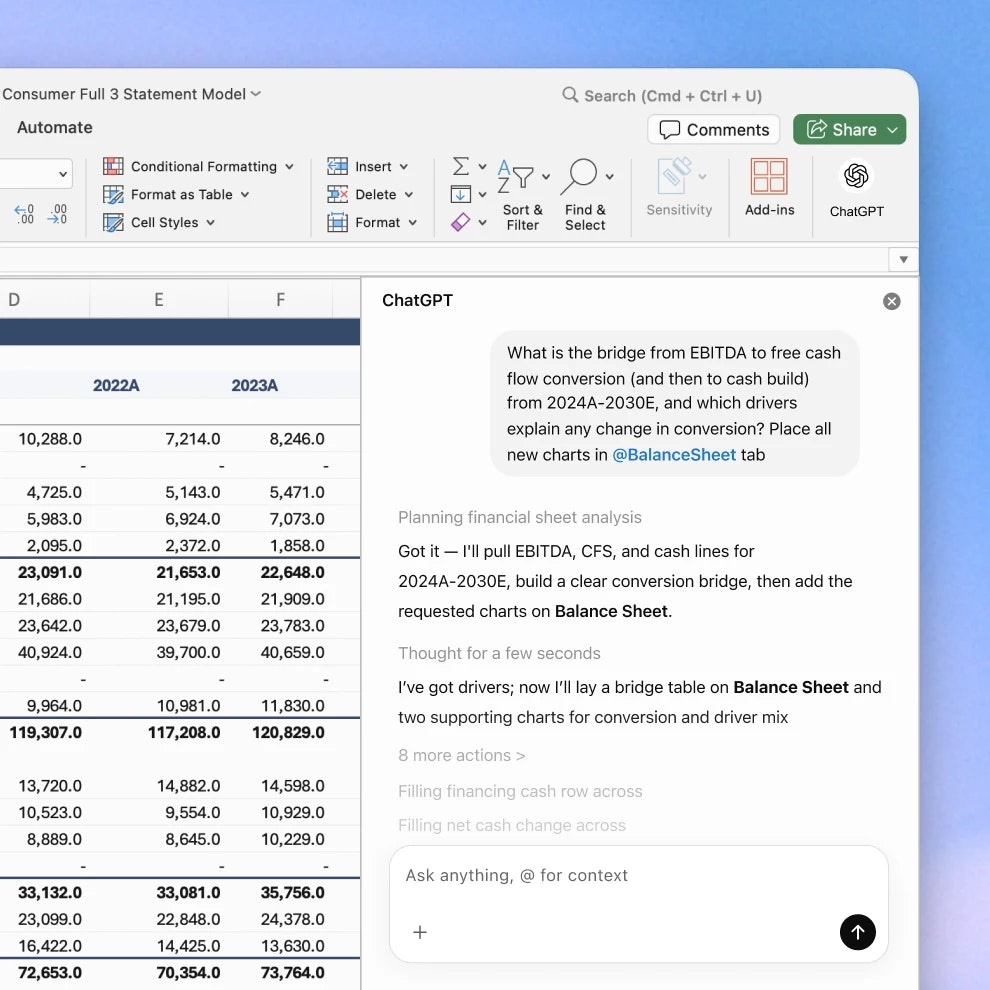
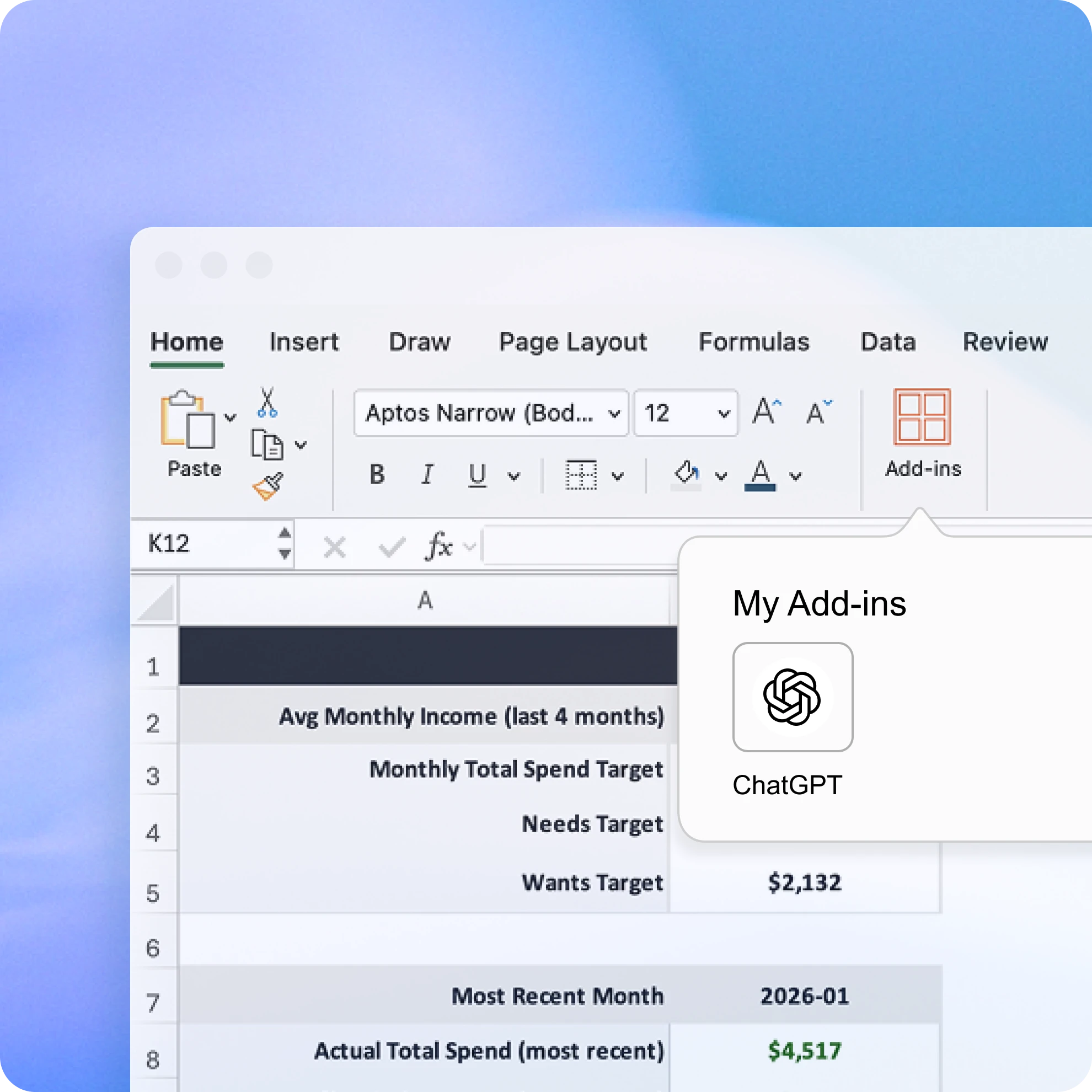
ChatGPT for Excel is an innovative AI-powered add-in that seamlessly integrates conversational intelligence into spreadsheet workflows. Designed for professionals, analysts, and data enthusiasts, it enables users to generate, analyze, and update spreadsheets using plain language commands. The tool excels at building entire sheets from descriptions, analyzing data across multiple tabs, and explaining complex formulas and patterns in an accessible way. Its real-time updates, combined with the ability to link explanations directly to specific cells, make data manipulation more intuitive and efficient. Unlike traditional spreadsheet tools, ChatGPT for Excel enhances productivity by reducing the need to switch between different applications or manually decipher formulas, making it ideal for both technical and non-technical users seeking smarter, faster workflows.
Screenshots
Pros
- ✓Enables spreadsheet creation and editing via natural language commands
- ✓Provides real-time updates and contextual explanations for data changes
- ✓Assists in error fixing, pattern recognition, and data insights
- ✓Links explanations directly to relevant cells for clarity
- ✓Integrates seamlessly into existing Excel workflows
Cons
- ✗Dependent on AI accuracy; may require human oversight for complex tasks
- ✗Potential learning curve for users unfamiliar with AI-assisted tools
- ✗Pricing details are not explicitly stated, which may affect budgeting decisions
Use Cases
Pricing
Likely offers a freemium model with free features and premium plans, possibly starting around a monthly fee, but exact details are not specified.
Quick Info
Topics
Alternatives
Similar Tools in Productivity




Embed Badge
Add this badge to your website to show that ChatGPT for Excel is featured on Visalytica.
<a href="https://www.visalytica.com/tool/chatgpt-for-excel" target="_blank" rel="noopener noreferrer" style="display:inline-flex;align-items:center;gap:6px;padding:6px 14px;background:#7c3aed;color:#fff;border-radius:8px;font-family:-apple-system,system-ui,sans-serif;font-size:13px;font-weight:600;text-decoration:none;transition:background .2s" onmouseover="this.style.background='#6d28d9'" onmouseout="this.style.background='#7c3aed'"><svg width="14" height="14" viewBox="0 0 24 24" fill="none" stroke="currentColor" stroke-width="2.5" stroke-linecap="round" stroke-linejoin="round"><path d="M12 20V10"/><path d="M18 20V4"/><path d="M6 20v-4"/></svg>Featured on Visalytica</a>