
Buffer
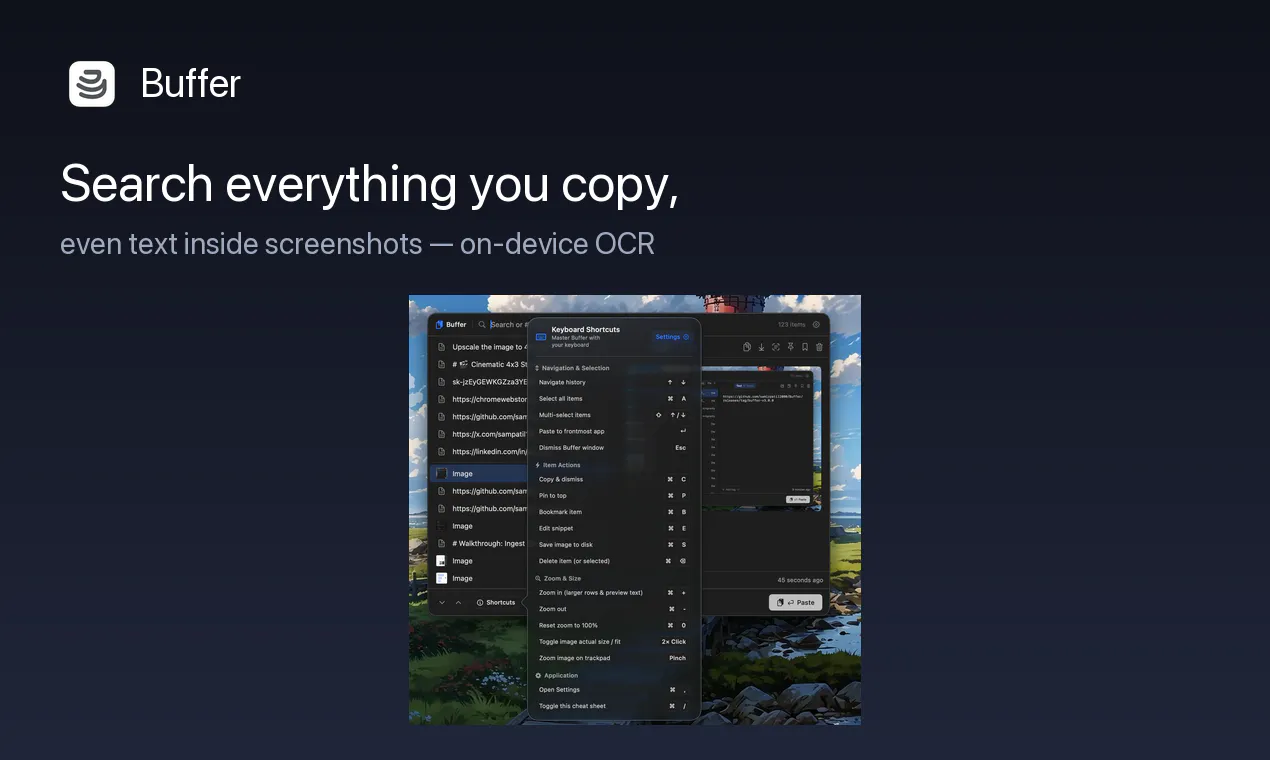
Search everything you copy, even text inside screenshots
About Buffer


Buffer 3.0 is a powerful, open-source clipboard manager designed specifically for macOS users seeking a private and efficient way to handle their copied content. It automatically saves everything you copy—be it text, links, or images—into a searchable local history, accessible with a simple shortcut. Unique to Buffer is its on-device Vision OCR, which enables users to extract and search text from screenshots directly within the app. The interface supports inline editing of saved snippets and offers organizational tools like tags, bookmarks, and multi-select pasting, making content management seamless. New features in version 3.0 include an interactive image canvas, unlimited history tiers, and noise suppression to ensure a clutter-free clipboard experience. With no cloud dependency and no need for accounts, Buffer prioritizes user privacy while providing robust functionality for power users, developers, and content creators alike.
Screenshots
Pros
- ✓Open-source and privacy-focused with local data storage
- ✓On-device Vision OCR for extracting text from images
- ✓Organizational features like tags, bookmarks, and multi-select paste
- ✓Unlimited clipboard history with tiered storage
- ✓No account or cloud required, ensuring data stays on-device
Cons
- ✗Limited to macOS, reducing cross-platform accessibility
- ✗Advanced features may require some learning curve
- ✗Lack of cloud sync could be a downside for users needing multi-device access
Use Cases
Pricing
Pricing not verified
Quick Info
Topics
Makers

Samir Patil
Similar Tools in AI Writing




Embed Badge
Add this badge to your website to show that Buffer is featured on Visalytica.
<a href="https://www.visalytica.com/tool/buffer" target="_blank" rel="noopener noreferrer" style="display:inline-flex;align-items:center;gap:6px;padding:6px 14px;background:#7c3aed;color:#fff;border-radius:8px;font-family:-apple-system,system-ui,sans-serif;font-size:13px;font-weight:600;text-decoration:none;transition:background .2s" onmouseover="this.style.background='#6d28d9'" onmouseout="this.style.background='#7c3aed'"><svg width="14" height="14" viewBox="0 0 24 24" fill="none" stroke="currentColor" stroke-width="2.5" stroke-linecap="round" stroke-linejoin="round"><path d="M12 20V10"/><path d="M18 20V4"/><path d="M6 20v-4"/></svg>Featured on Visalytica</a>