
Browser FX:
Transform your web audio with real-time effects
About Browser FX:
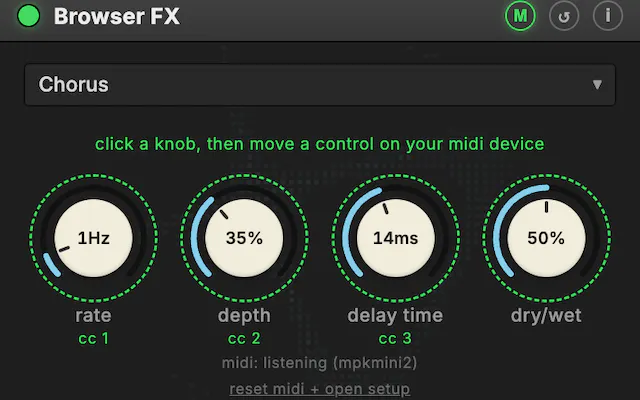
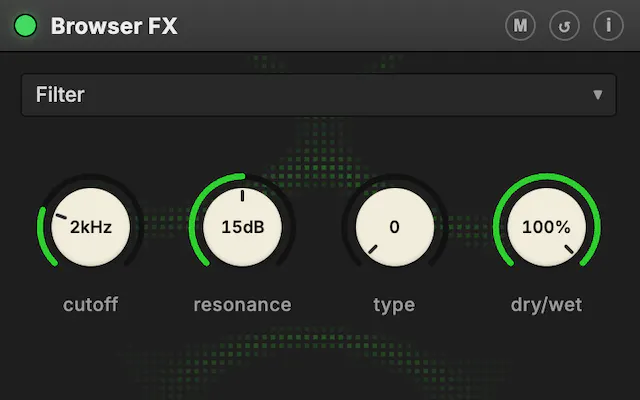
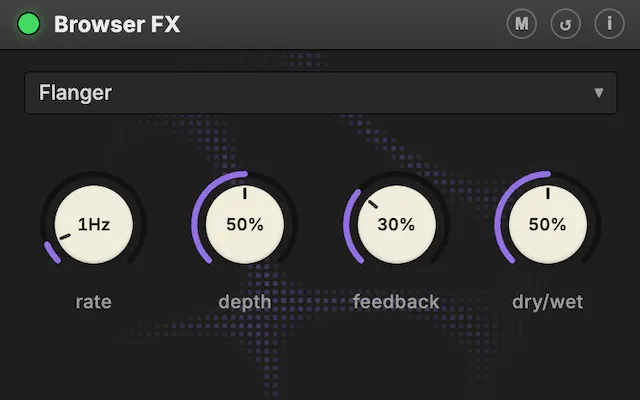
Browser FX is an innovative Chrome extension designed for audio enthusiasts, musicians, and content creators seeking to elevate their web audio experience. It allows users to capture and manipulate any tab’s audio in real time, applying professional-grade effects with intuitive, studio-style controls. The sleek dark interface makes it easy to tweak sound parameters on the fly, while the addition of an audio-reactive cymatic visualizer adds a mesmerizing visual component. Furthermore, users can connect MIDI controllers for hands-on manipulation, making it a versatile tool for live performances, streaming, or creative experimentation. What sets Browser FX apart is its seamless integration with web audio, providing a studio-like environment directly within the browser, perfect for musicians, podcasters, and content creators who want dynamic, real-time audio processing without complex setups.
Screenshots
Pros
- ✓Real-time audio effects with intuitive controls
- ✓MIDI controller support for hands-on operation
- ✓Includes an engaging audio-reactive visualizer
- ✓Captures audio directly from any browser tab
- ✓Sleek, user-friendly dark interface
Cons
- ✗Limited information on pricing and subscription plans
- ✗Potential performance issues with high CPU usage
- ✗Requires some technical familiarity for advanced features
Use Cases
Pricing
Likely operates on a freemium model, offering basic features for free with paid plans for advanced effects or integration, though specific details are not publicly confirmed.
Quick Info
Topics
Makers

Bruce Blay
Alternatives
Similar Tools in AI Audio & Voice




Embed Badge
Add this badge to your website to show that Browser FX: is featured on Visalytica.
<a href="https://www.visalytica.com/tool/browser-fx" target="_blank" rel="noopener noreferrer" style="display:inline-flex;align-items:center;gap:6px;padding:6px 14px;background:#7c3aed;color:#fff;border-radius:8px;font-family:-apple-system,system-ui,sans-serif;font-size:13px;font-weight:600;text-decoration:none;transition:background .2s" onmouseover="this.style.background='#6d28d9'" onmouseout="this.style.background='#7c3aed'"><svg width="14" height="14" viewBox="0 0 24 24" fill="none" stroke="currentColor" stroke-width="2.5" stroke-linecap="round" stroke-linejoin="round"><path d="M12 20V10"/><path d="M18 20V4"/><path d="M6 20v-4"/></svg>Featured on Visalytica</a>