
Better Camera
Manual iPhone camera. No AI. What you see is what you get.
About Better Camera
Better Camera is a dedicated manual photography app for iPhone users who want full control over their camera settings without the interference of AI processing. Unlike the stock Camera app, Better Camera offers precise adjustments for ISO, shutter speed, focus, and white balance, giving photographers the ability to craft images exactly as they envision. It also features 10 film simulations with authentic grain effects rendered through a Metal shader, providing a nostalgic and artistic touch without relying on AI enhancements or scene detection. Designed by a solo developer, the app emphasizes simplicity and transparency—what you see in the viewfinder is exactly what you get in the final shot. It supports advanced features like hardware shutter control and various high-quality output formats including HEIF, JPEG, and lossless TIFF, making it ideal for professional and enthusiast photographers seeking pure, unprocessed images.
Screenshots
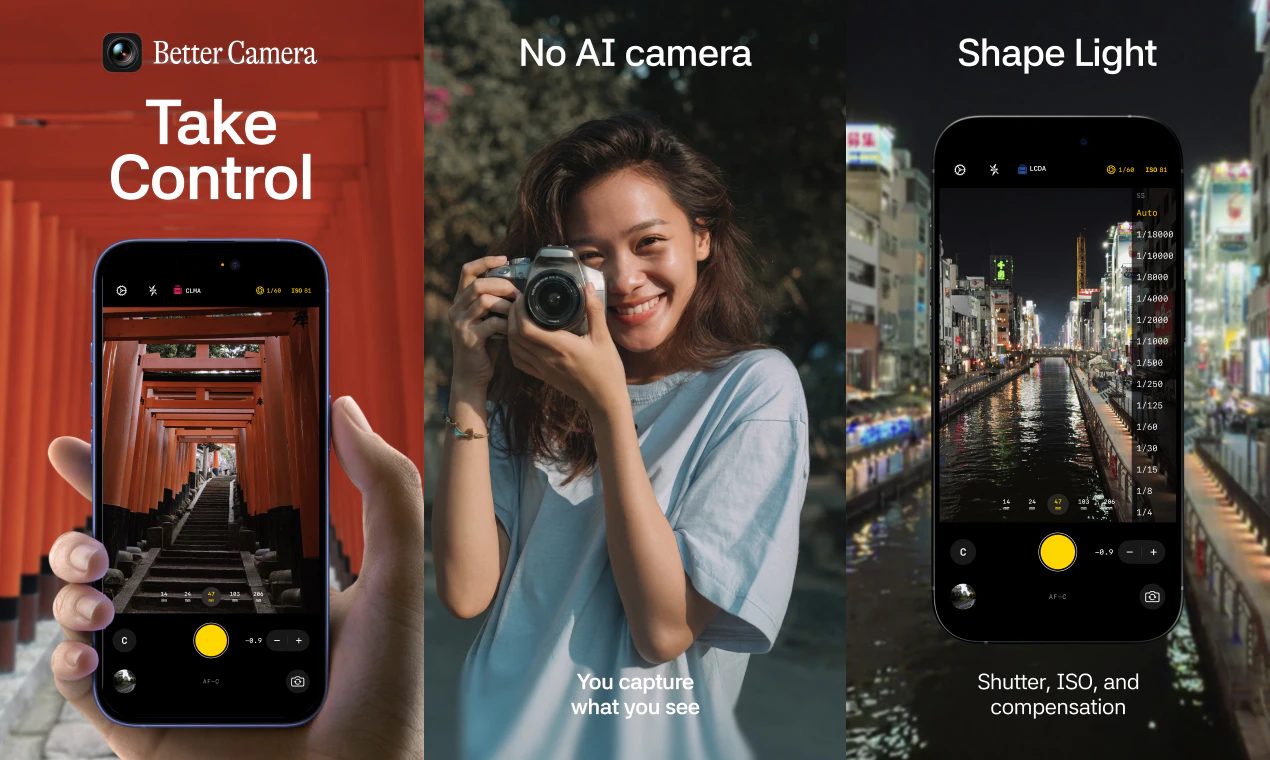
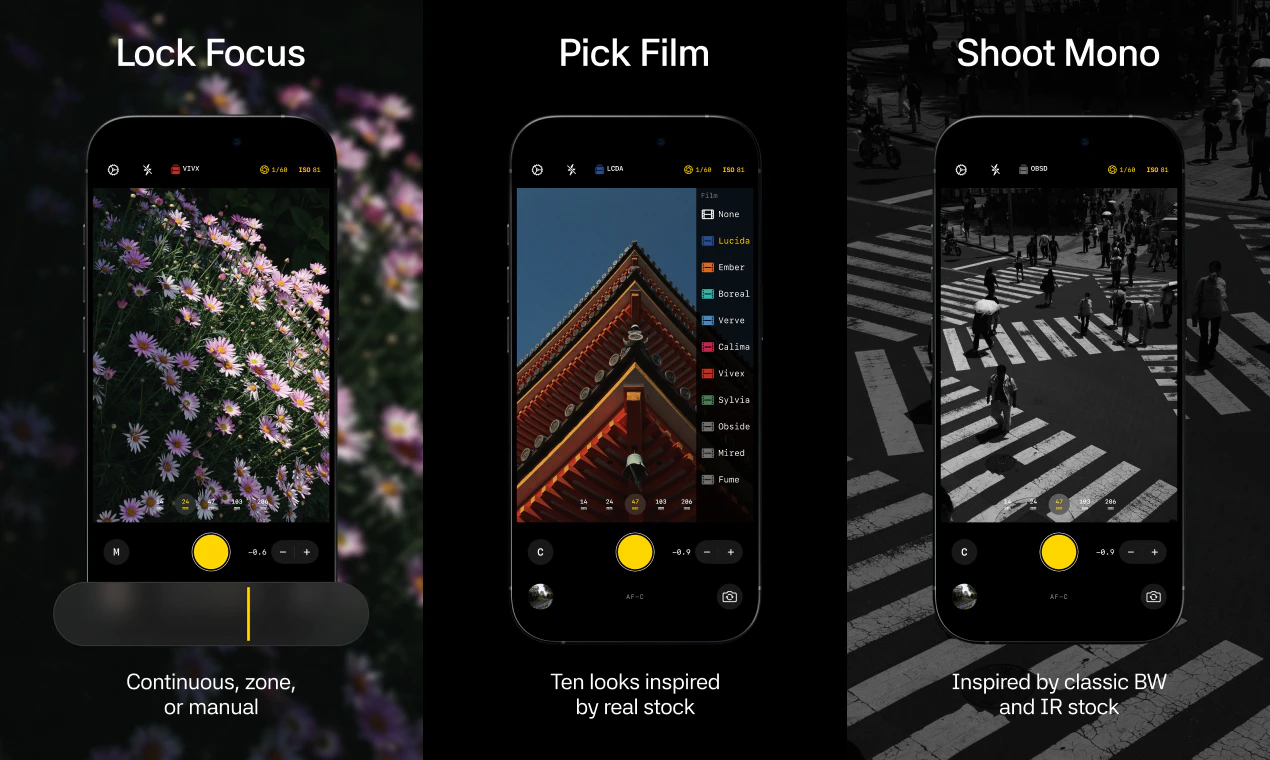
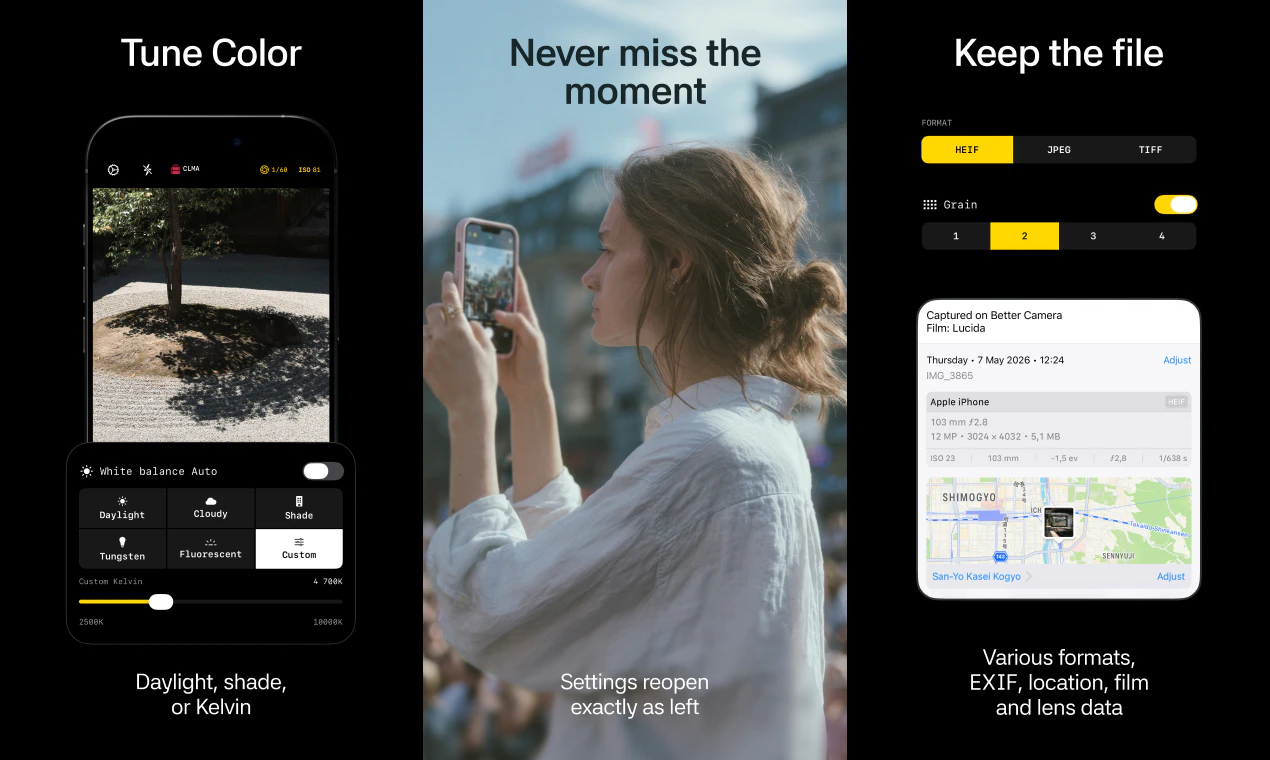
Pros
- ✓Full manual control over camera settings for precise photography
- ✓No AI processing, ensuring authentic image quality
- ✓Realistic film simulations with grain effects
- ✓Supports advanced output formats like TIFF and HEIF
- ✓Simple, intuitive interface for serious photographers
Cons
- ✗Lacks AI enhancements and scene detection features
- ✗May have a steeper learning curve for casual users
- ✗Limited to iOS devices
Use Cases
Pricing
Likely operates on a paid app model, possibly with a one-time purchase or in-app purchase options. Exact pricing details are not specified, but similar niche apps typically range from $5 to $15.
Quick Info
Topics
Alternatives
Similar Tools in AI Assistants




Embed Badge
Add this badge to your website to show that Better Camera is featured on Visalytica.
<a href="https://www.visalytica.com/tool/better-camera" target="_blank" rel="noopener noreferrer" style="display:inline-flex;align-items:center;gap:6px;padding:6px 14px;background:#7c3aed;color:#fff;border-radius:8px;font-family:-apple-system,system-ui,sans-serif;font-size:13px;font-weight:600;text-decoration:none;transition:background .2s" onmouseover="this.style.background='#6d28d9'" onmouseout="this.style.background='#7c3aed'"><svg width="14" height="14" viewBox="0 0 24 24" fill="none" stroke="currentColor" stroke-width="2.5" stroke-linecap="round" stroke-linejoin="round"><path d="M12 20V10"/><path d="M18 20V4"/><path d="M6 20v-4"/></svg>Featured on Visalytica</a>