
Beautiful screenshots for Windows & Mac
Capture, annotate, and share screenshots on Win & macOS
About Beautiful screenshots for Windows & Mac
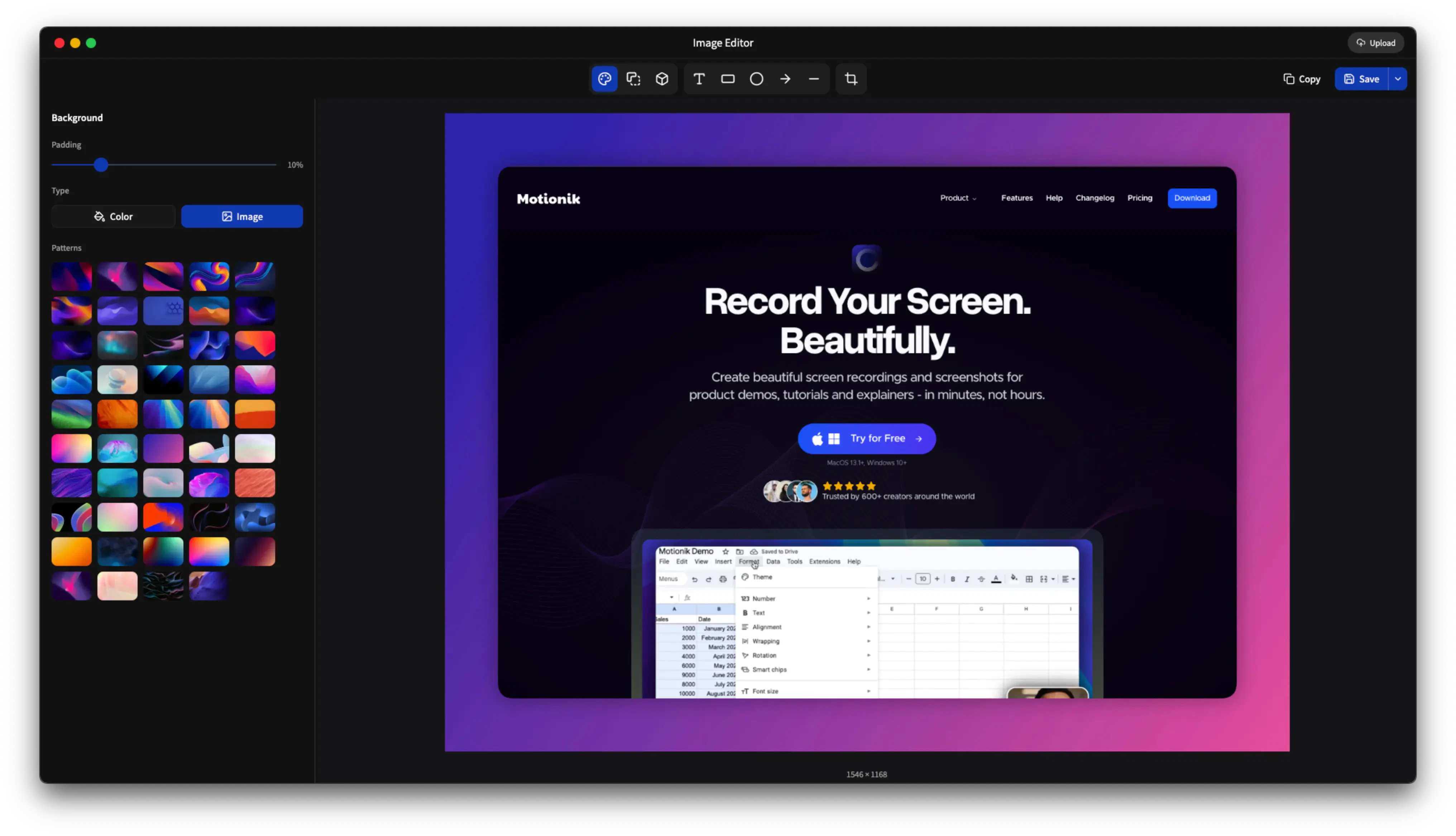



Beautiful Screenshots for Windows & Mac is a versatile and user-friendly tool designed for users who frequently capture, edit, and share screenshots. It offers a comprehensive suite of features including custom backgrounds, annotations, and 3D effects, making screenshots more engaging and visually appealing. Unlike some premium options like CleanShot X, this tool is free and cross-platform, catering to both Windows and macOS users. Its intuitive interface appeals to professionals, educators, and casual users alike who need to produce high-quality visual content quickly. The ability to beautify screenshots with creative enhancements makes it stand out in the productivity space, especially for those looking for an accessible yet powerful screenshot tool without financial commitment.
Screenshots
Pros
- ✓Cross-platform support for Windows and macOS
- ✓Rich editing features including annotations, backgrounds, and 3D effects
- ✓Free to use, providing powerful features without cost
- ✓User-friendly interface suitable for all skill levels
- ✓Easy sharing options to quickly distribute screenshots
Cons
- ✗Lacks advanced editing tools found in premium alternatives
- ✗Limited integration options with other productivity apps
- ✗No mention of collaboration or cloud storage features
Use Cases
Pricing
Likely offers a freemium model with free core features; premium features or advanced effects may require a paid plan, though specific pricing details are not provided.
Quick Info
Topics
Alternatives
Similar Tools in Productivity




Embed Badge
Add this badge to your website to show that Beautiful screenshots for Windows & Mac is featured on Visalytica.
<a href="https://www.visalytica.com/tool/beautiful-screenshots-for-windows-mac" target="_blank" rel="noopener noreferrer" style="display:inline-flex;align-items:center;gap:6px;padding:6px 14px;background:#7c3aed;color:#fff;border-radius:8px;font-family:-apple-system,system-ui,sans-serif;font-size:13px;font-weight:600;text-decoration:none;transition:background .2s" onmouseover="this.style.background='#6d28d9'" onmouseout="this.style.background='#7c3aed'"><svg width="14" height="14" viewBox="0 0 24 24" fill="none" stroke="currentColor" stroke-width="2.5" stroke-linecap="round" stroke-linejoin="round"><path d="M12 20V10"/><path d="M18 20V4"/><path d="M6 20v-4"/></svg>Featured on Visalytica</a>