
Beamhook menubar
Hook mac media keys to a specific app
About Beamhook menubar
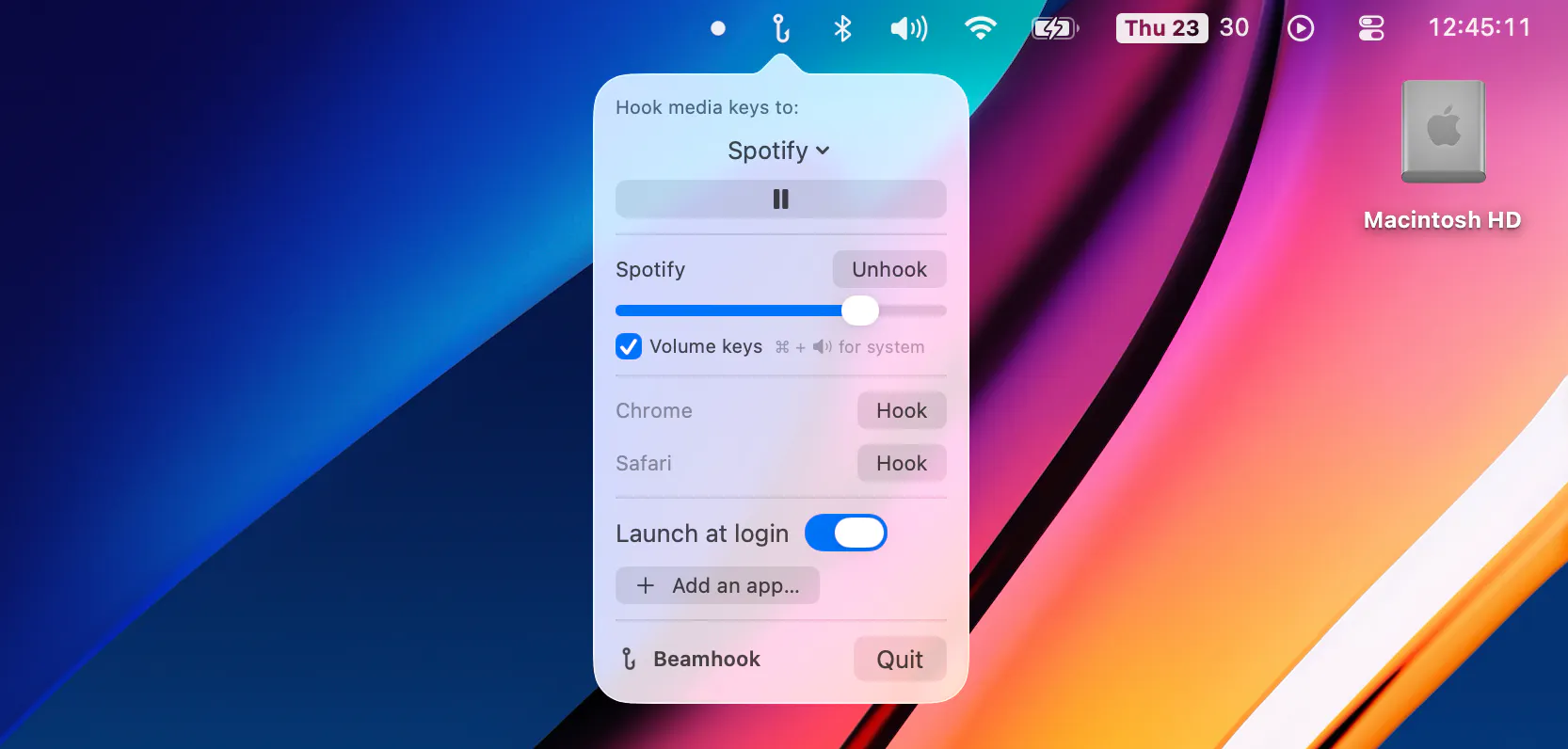
Beamhook Menubar is a handy utility for Mac users who want to gain more control over their media playback experience. By allowing users to assign media keys—such as play/pause, next, previous, and volume—to a specific app, it eliminates the frustration of media keys defaulting to the last played or system-wide media player. This is particularly useful for those who use multiple media apps like Spotify, Apple Music, or custom players, ensuring that media controls consistently target the preferred application. Its simple menu bar interface makes setup straightforward, making it accessible to both casual users and power users who demand precision in media control. Beamhook’s customization enhances workflow efficiency and media management, offering a more predictable and personalized listening experience.
Screenshots
Pros
- ✓Allows precise control by assigning media keys to preferred apps
- ✓Simple, user-friendly menu bar interface
- ✓Improves media key predictability and workflow efficiency
- ✓Supports multiple media applications including Spotify and others
- ✓Helps streamline media playback across different apps
Cons
- ✗Limited information on advanced customization options
- ✗No mention of a free trial or free tier, possibly paid only
- ✗Votes on ProductHunt are currently zero, indicating limited user feedback
Use Cases
Pricing
Likely operates on a paid model, possibly with a one-time purchase or subscription, as it offers specific customization features. There is no confirmed free tier or trial available, making it important for interested users to verify pricing details beforehand.
Quick Info
Topics
Makers

Olli Pikkarainen
Alternatives
Similar Tools in Developer Tools




Embed Badge
Add this badge to your website to show that Beamhook menubar is featured on Visalytica.
<a href="https://www.visalytica.com/tool/beamhook-menubar" target="_blank" rel="noopener noreferrer" style="display:inline-flex;align-items:center;gap:6px;padding:6px 14px;background:#7c3aed;color:#fff;border-radius:8px;font-family:-apple-system,system-ui,sans-serif;font-size:13px;font-weight:600;text-decoration:none;transition:background .2s" onmouseover="this.style.background='#6d28d9'" onmouseout="this.style.background='#7c3aed'"><svg width="14" height="14" viewBox="0 0 24 24" fill="none" stroke="currentColor" stroke-width="2.5" stroke-linecap="round" stroke-linejoin="round"><path d="M12 20V10"/><path d="M18 20V4"/><path d="M6 20v-4"/></svg>Featured on Visalytica</a>