
AutoShelf 2.0
Auto-organize files on your Mac now with MCP & CLI support
About AutoShelf 2.0
AutoShelf 2.0 is a streamlined macOS application designed to simplify file organization by automatically sorting files based on user-defined rules. Ideal for professionals, students, and general users who frequently handle large volumes of files, it eliminates the hassle of manual sorting. With its intuitive interface and support for MCP (Multi-Channel Processing) and CLI (Command Line Interface), AutoShelf offers flexible automation options that integrate seamlessly into the Mac environment. Its core strength lies in its ability to set a rule once and have it consistently applied, saving users time and reducing clutter. The app’s lightweight design and focus on automation make it a valuable addition to anyone looking to maintain a tidy digital workspace effortlessly.
Screenshots

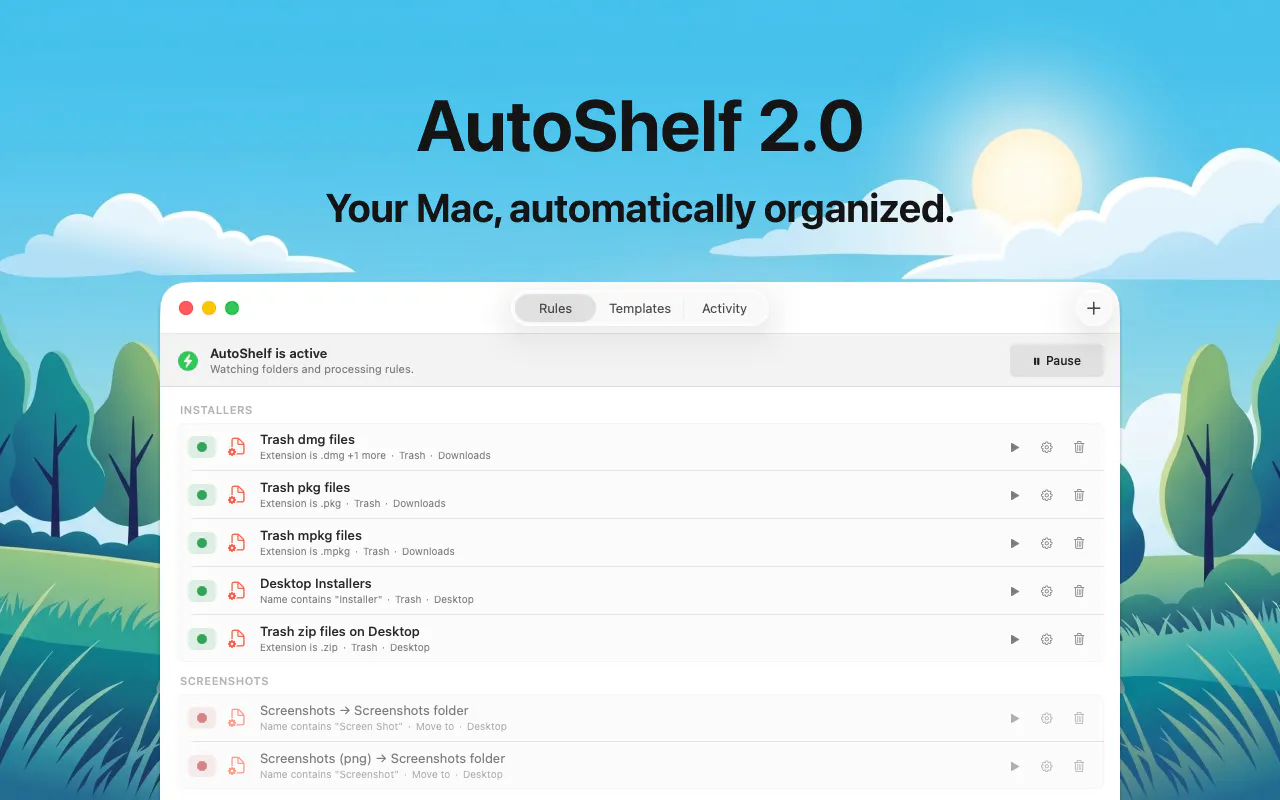
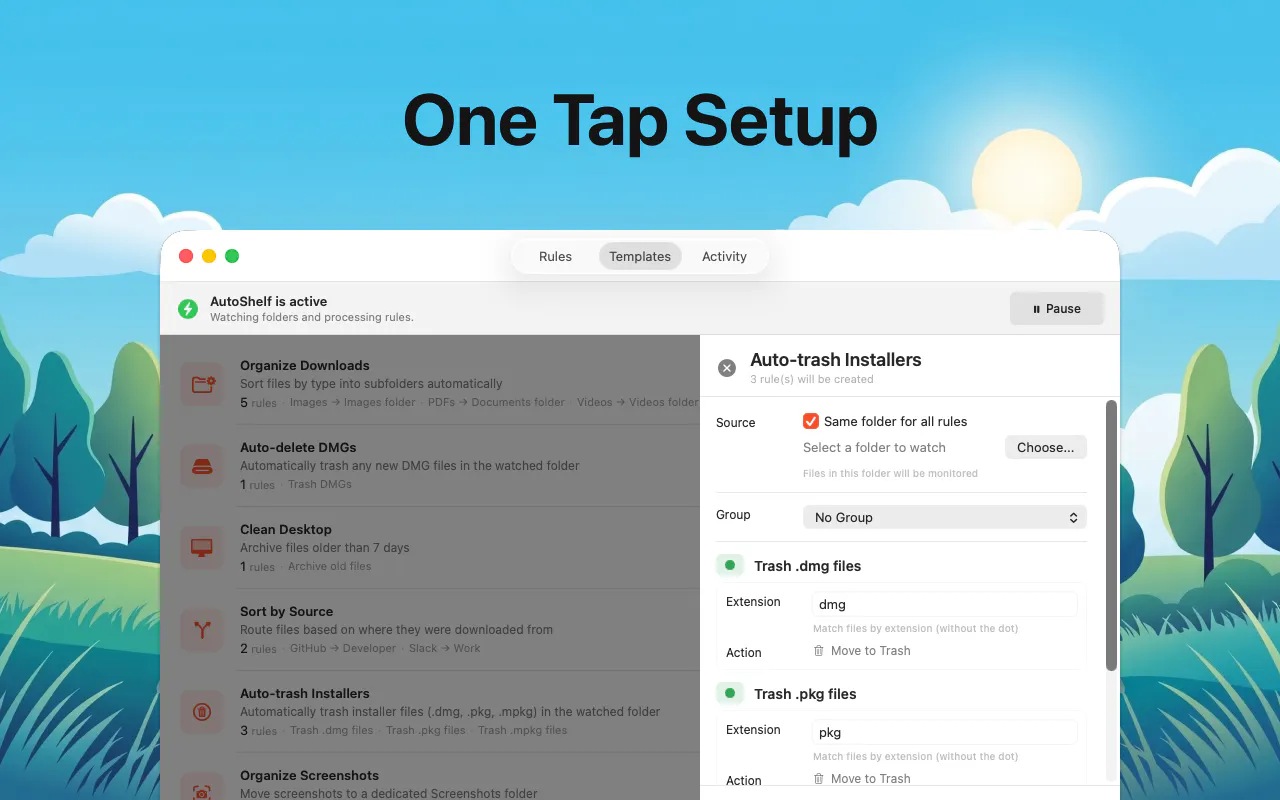
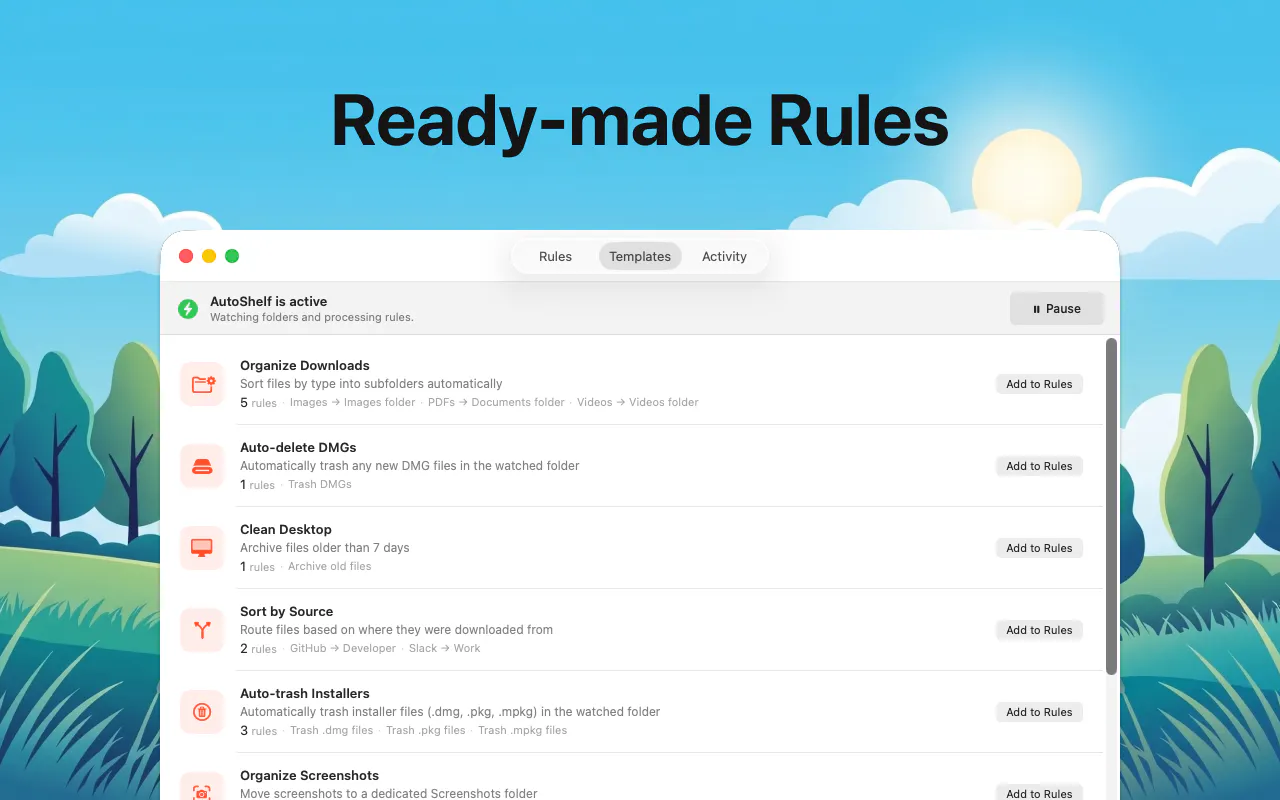


+1 more screenshots
Pros
- ✓Automatic file organization based on customizable rules
- ✓Supports MCP and CLI for advanced automation and scripting
- ✓User-friendly interface tailored for Mac users
- ✓One-time purchase unlocks unlimited use
- ✓Integrates well into the Mac ecosystem for seamless operation
Cons
- ✗Limited to macOS, not available on other platforms
- ✗Lacks advanced tagging or metadata management features
- ✗Fewer features compared to more comprehensive file management suites
Use Cases
Pricing
AutoShelf 2.0 offers a free trial, with the full version available for a one-time fee of $19.99, providing unlimited use without recurring charges.
Quick Info
Topics
Makers

Orçun İlbeyli
@nucroAlternatives
Similar Tools in Developer Tools




Embed Badge
Add this badge to your website to show that AutoShelf 2.0 is featured on Visalytica.
<a href="https://www.visalytica.com/tool/autoshelf-2-0" target="_blank" rel="noopener noreferrer" style="display:inline-flex;align-items:center;gap:6px;padding:6px 14px;background:#7c3aed;color:#fff;border-radius:8px;font-family:-apple-system,system-ui,sans-serif;font-size:13px;font-weight:600;text-decoration:none;transition:background .2s" onmouseover="this.style.background='#6d28d9'" onmouseout="this.style.background='#7c3aed'"><svg width="14" height="14" viewBox="0 0 24 24" fill="none" stroke="currentColor" stroke-width="2.5" stroke-linecap="round" stroke-linejoin="round"><path d="M12 20V10"/><path d="M18 20V4"/><path d="M6 20v-4"/></svg>Featured on Visalytica</a>