
Arazio
Convert any file without leaving Finder
About Arazio
Arazio revolutionizes file conversion on Mac by simplifying the process to a single, seamless gesture. Instead of fumbling through multiple steps—opening an app, importing files, selecting formats, and saving—the user simply picks a file in Finder, holds Shift, and a contextual radial menu appears around the cursor. From this intuitive menu, users can instantly choose the desired conversion format, and the converted file lands conveniently next to the original. With support for 283 conversions across 43 formats and 14 tools, Arazio caters to a broad range of media types, making it an essential tool for designers, content creators, and productivity enthusiasts. Its entirely local operation ensures privacy and speed, as all conversion engines run on the user's Mac without any network dependency, verified by strict testing. This streamlined approach saves time and enhances workflow efficiency, making file conversion less of a chore and more of a quick, elegant gesture.
Screenshots
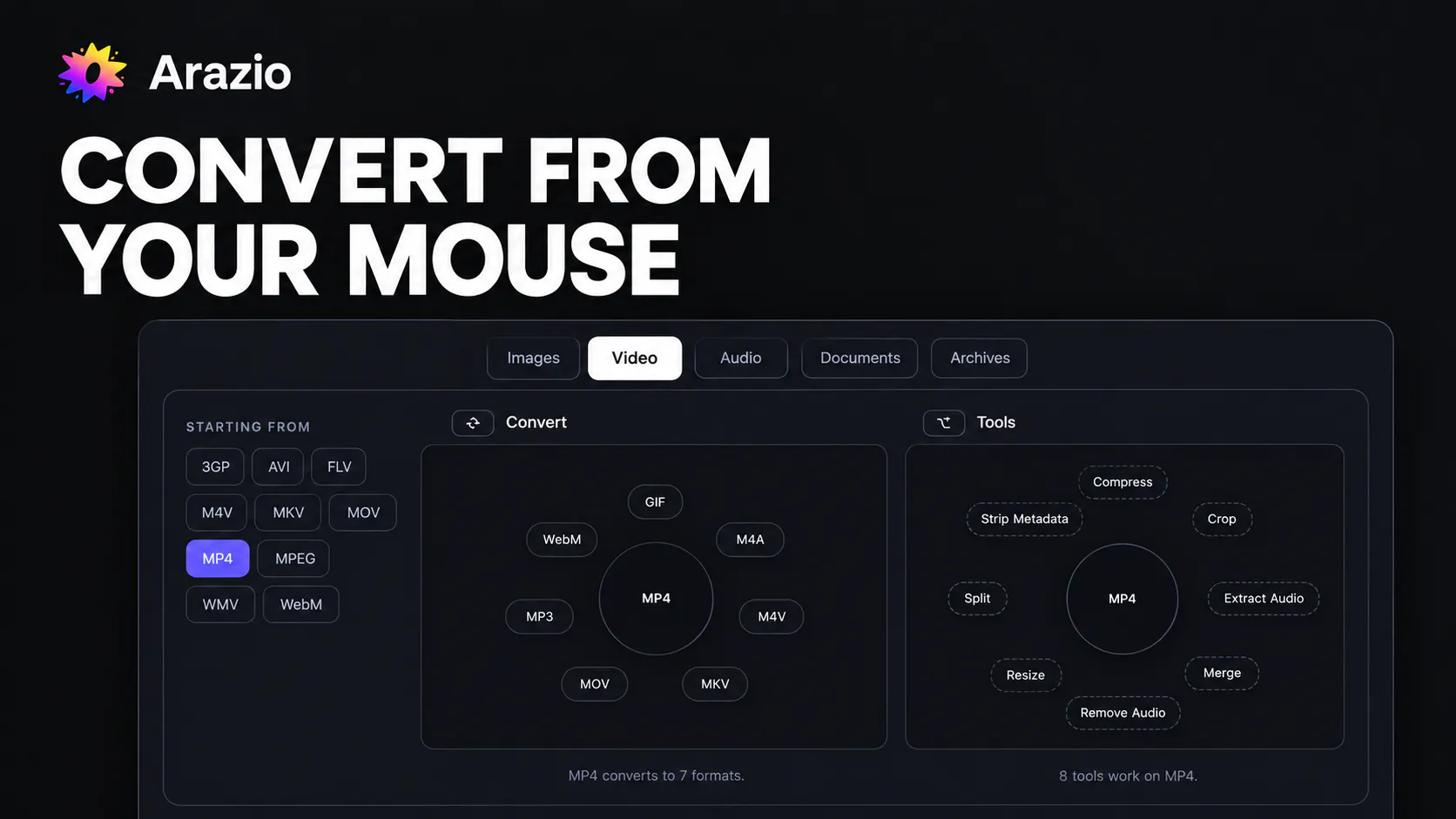
Pros
- ✓Ultra-fast, one-step file conversion directly from Finder
- ✓Supports a wide range of formats and tools for versatile use
- ✓No internet required, ensuring privacy and speed
- ✓Intuitive radial menu with minimal learning curve
- ✓Runs entirely on Mac, with no network dependencies
Cons
- ✗Limited to Mac users—not available for other platforms
- ✗Requires familiarity with using Shift + right-click for quick access
- ✗Potentially limited for users needing bulk or automated conversions
Use Cases
Pricing
Pricing not verified
Quick Info
Topics
Makers

Ritesh Sethia
Similar Tools in AI Assistants




Embed Badge
Add this badge to your website to show that Arazio is featured on Visalytica.
<a href="https://www.visalytica.com/tool/arazio" target="_blank" rel="noopener noreferrer" style="display:inline-flex;align-items:center;gap:6px;padding:6px 14px;background:#7c3aed;color:#fff;border-radius:8px;font-family:-apple-system,system-ui,sans-serif;font-size:13px;font-weight:600;text-decoration:none;transition:background .2s" onmouseover="this.style.background='#6d28d9'" onmouseout="this.style.background='#7c3aed'"><svg width="14" height="14" viewBox="0 0 24 24" fill="none" stroke="currentColor" stroke-width="2.5" stroke-linecap="round" stroke-linejoin="round"><path d="M12 20V10"/><path d="M18 20V4"/><path d="M6 20v-4"/></svg>Featured on Visalytica</a>