
AppShot
Create App Store and Google Play screenshots with templates.
About AppShot
AppShot is a streamlined tool designed for app developers and marketers to create visually compelling App Store and Google Play screenshots effortlessly. It offers a range of customizable templates, device presets, and AI-assisted layout options that simplify the process of designing professional-quality visuals. Whether launching a new app or refreshing existing listings, users can generate export-ready images optimized for various device sizes, saving time and ensuring consistency across platforms. Its user-friendly interface makes it accessible for both designers and non-designers, enabling quick visual content creation without the need for advanced graphic skills. What sets AppShot apart is its combination of automation and customization, allowing users to produce high-quality screenshots that stand out in crowded app stores, ultimately helping improve app visibility and downloads.
Screenshots
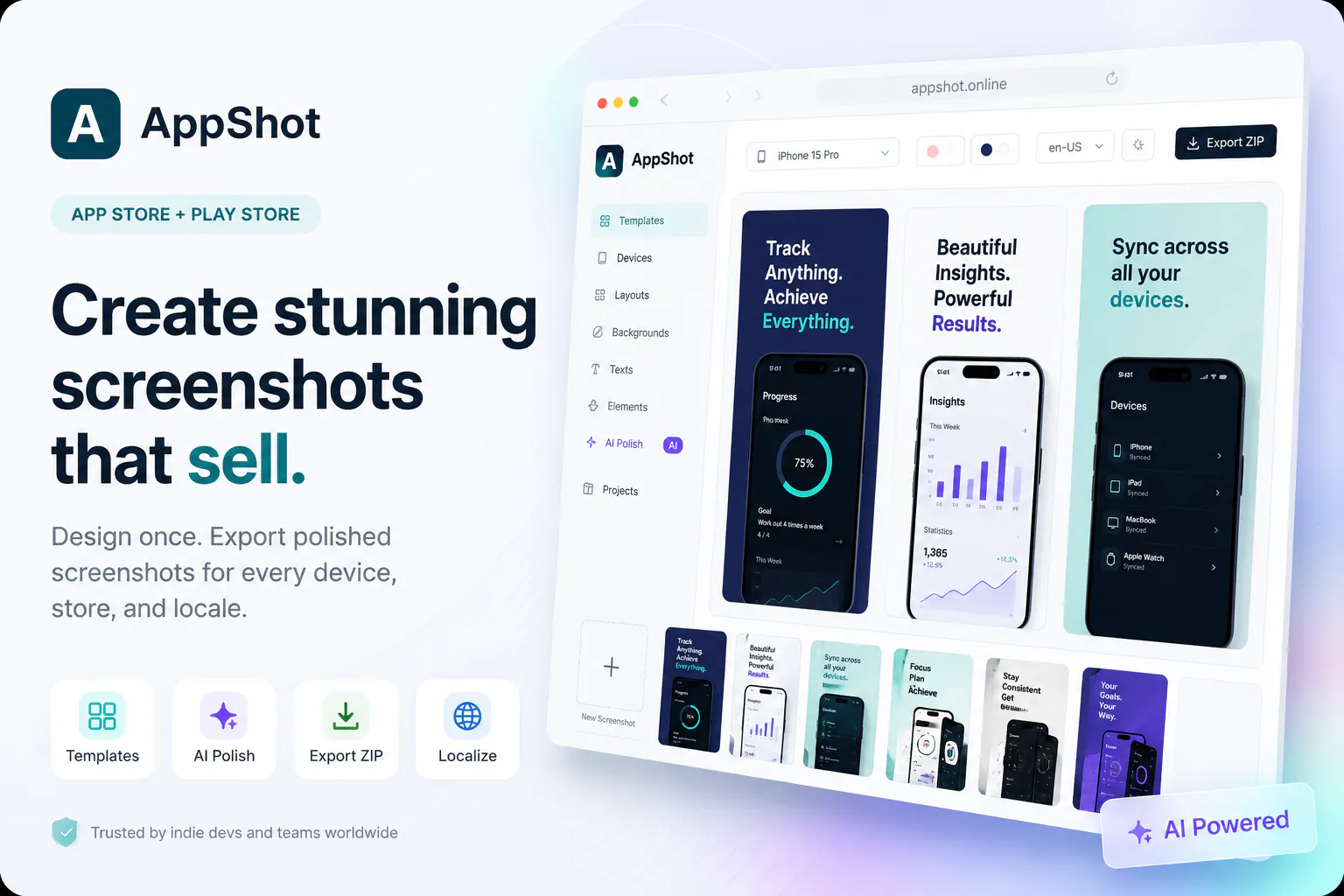
Pros
- ✓Easy-to-use interface suitable for non-designers
- ✓AI-assisted layout options for quick customization
- ✓Wide range of device presets and templates
- ✓Export-ready images optimized for app store requirements
- ✓Time-saving automation features
Cons
- ✗Limited advanced design customization options
- ✗Uncertain pricing structure; may have tiered plans or pay-per-export
- ✗No mention of collaborative features for teams
Use Cases
Pricing
Likely operates on a freemium model with a free tier offering basic features, and paid plans starting around $10-$20/month for additional templates, export options, and AI-assisted features. Exact pricing details are not specified.
Quick Info
Topics
Makers

Semih Yavuz Parlak
Alternatives
Similar Tools in E-commerce



Embed Badge
Add this badge to your website to show that AppShot is featured on Visalytica.
<a href="https://www.visalytica.com/tool/appshot" target="_blank" rel="noopener noreferrer" style="display:inline-flex;align-items:center;gap:6px;padding:6px 14px;background:#7c3aed;color:#fff;border-radius:8px;font-family:-apple-system,system-ui,sans-serif;font-size:13px;font-weight:600;text-decoration:none;transition:background .2s" onmouseover="this.style.background='#6d28d9'" onmouseout="this.style.background='#7c3aed'"><svg width="14" height="14" viewBox="0 0 24 24" fill="none" stroke="currentColor" stroke-width="2.5" stroke-linecap="round" stroke-linejoin="round"><path d="M12 20V10"/><path d="M18 20V4"/><path d="M6 20v-4"/></svg>Featured on Visalytica</a>