
AppFunctions
Expose Android app capabilities to OS agents via Jetpack
About AppFunctions
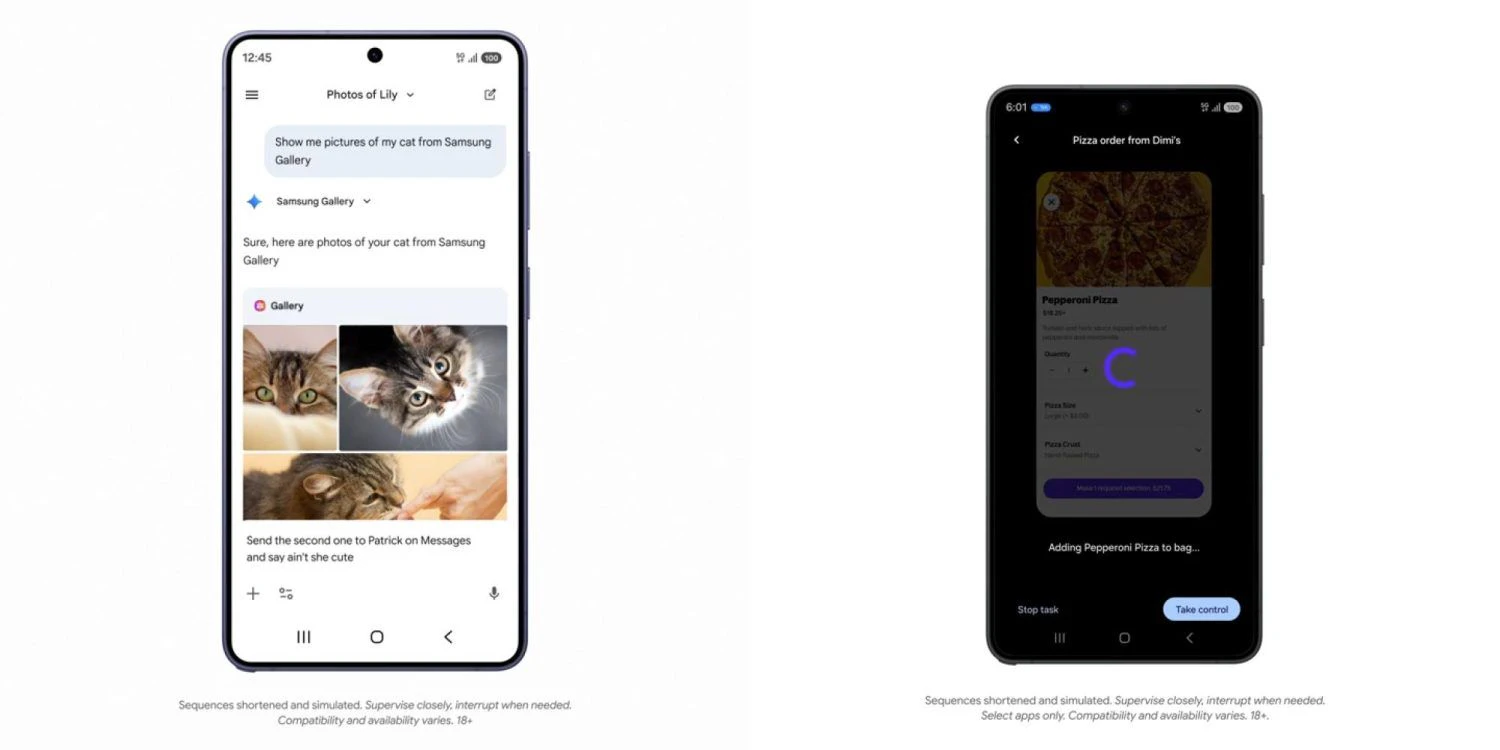
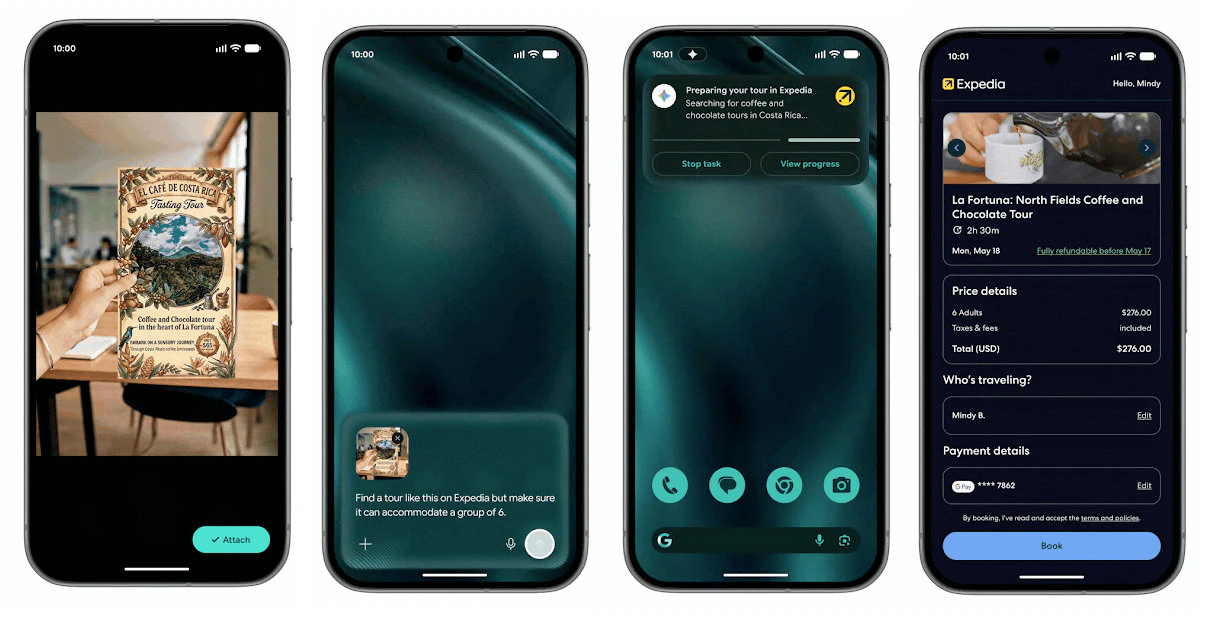
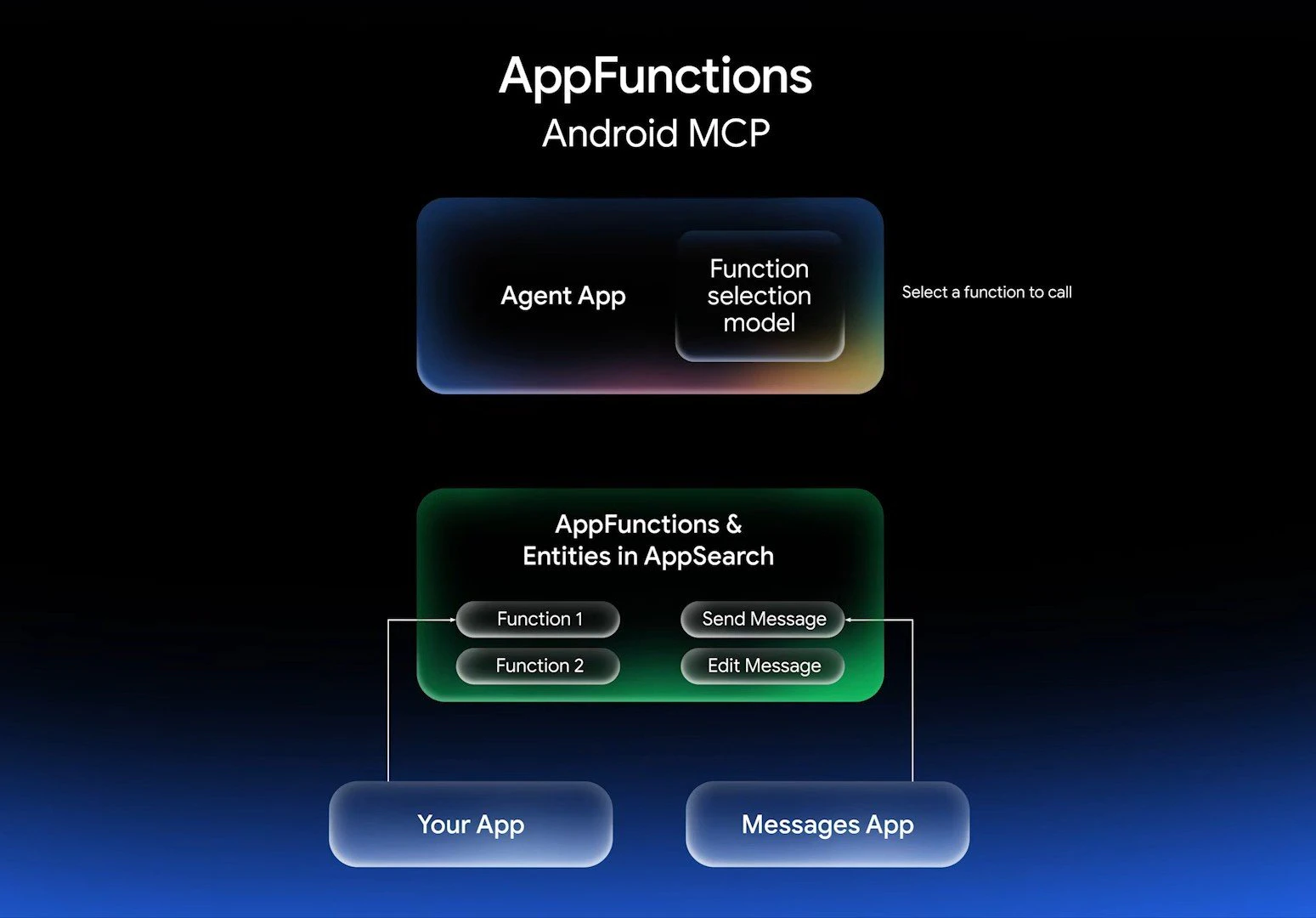
AppFunctions is a powerful Jetpack library and Android platform API designed for developers aiming to enhance their apps' integration with OS-level agents like Gemini. By allowing developers to declare app capabilities as executable tools, it facilitates seamless communication between the app and OS agents, enabling functionalities to be triggered directly from the device's operating system. The standout feature is its ability to run functions on-device using live app state, eliminating the need for external servers and ensuring faster, more secure interactions. This makes AppFunctions particularly appealing to Android developers targeting devices running Android 16 and above who want to extend their app's capabilities in a secure and efficient manner. Its integration into the Android ecosystem simplifies the process of exposing app features to OS agents, opening new possibilities for automation and AI-driven interactions within Android environments.
Screenshots
Pros
- ✓Enables direct on-device execution of app capabilities, reducing latency
- ✓No external server dependency enhances security and privacy
- ✓Deep integration with Android Jetpack simplifies development
- ✓Supports real-time app state interaction for dynamic functionalities
- ✓Ideal for developers targeting Android 16+ seeking automation features
Cons
- ✗Limited to Android devices running Android 16 and above
- ✗Requires familiarity with Jetpack and Android platform APIs
- ✗Currently has limited adoption and community support
Use Cases
Pricing
Likely offered as a free library for Android developers, with no additional licensing costs. Since it's a Jetpack library and API, it probably falls under open source or included in Android SDKs, but specific premium features or support might incur costs depending on usage.
Quick Info
Topics
Alternatives
Similar Tools in Data & Analytics


Embed Badge
Add this badge to your website to show that AppFunctions is featured on Visalytica.
<a href="https://www.visalytica.com/tool/appfunctions" target="_blank" rel="noopener noreferrer" style="display:inline-flex;align-items:center;gap:6px;padding:6px 14px;background:#7c3aed;color:#fff;border-radius:8px;font-family:-apple-system,system-ui,sans-serif;font-size:13px;font-weight:600;text-decoration:none;transition:background .2s" onmouseover="this.style.background='#6d28d9'" onmouseout="this.style.background='#7c3aed'"><svg width="14" height="14" viewBox="0 0 24 24" fill="none" stroke="currentColor" stroke-width="2.5" stroke-linecap="round" stroke-linejoin="round"><path d="M12 20V10"/><path d="M18 20V4"/><path d="M6 20v-4"/></svg>Featured on Visalytica</a>