
Apparent for Gmail
Make Gmail easier to read and manage.
About Apparent for Gmail
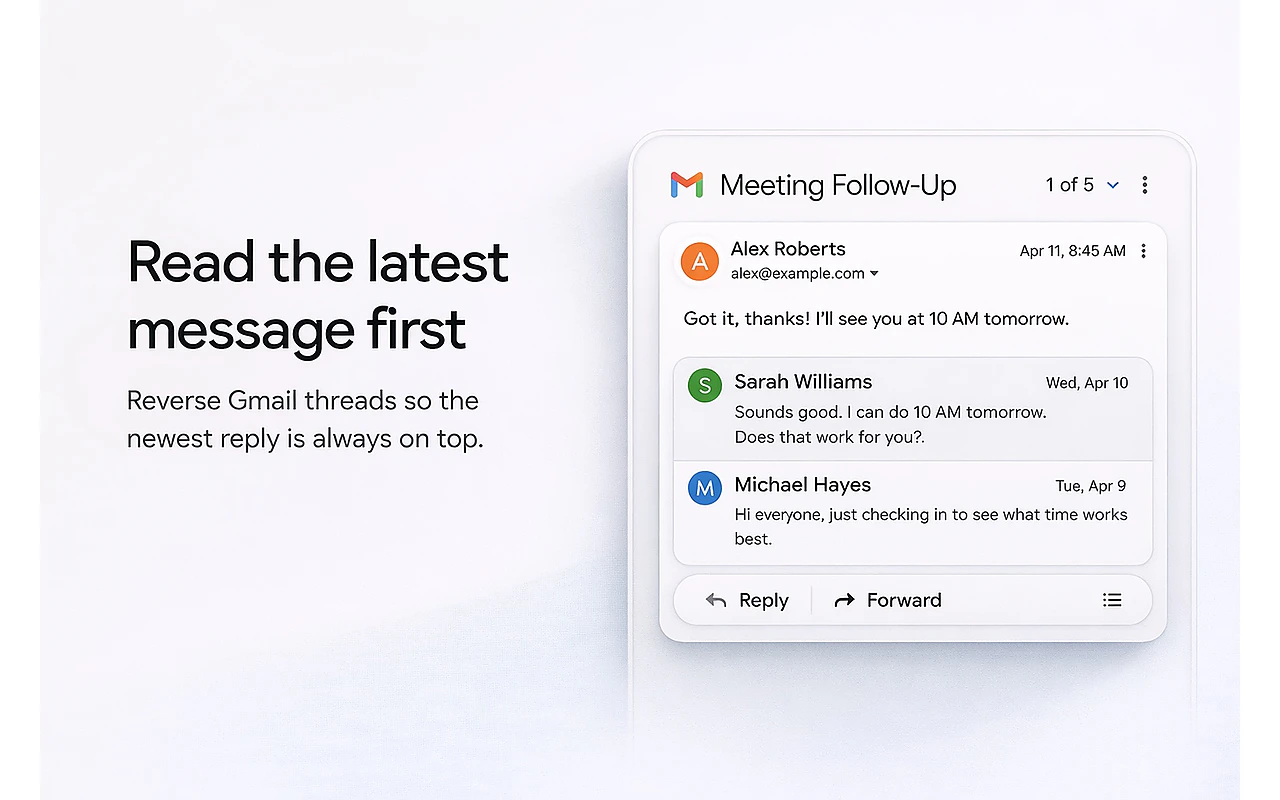
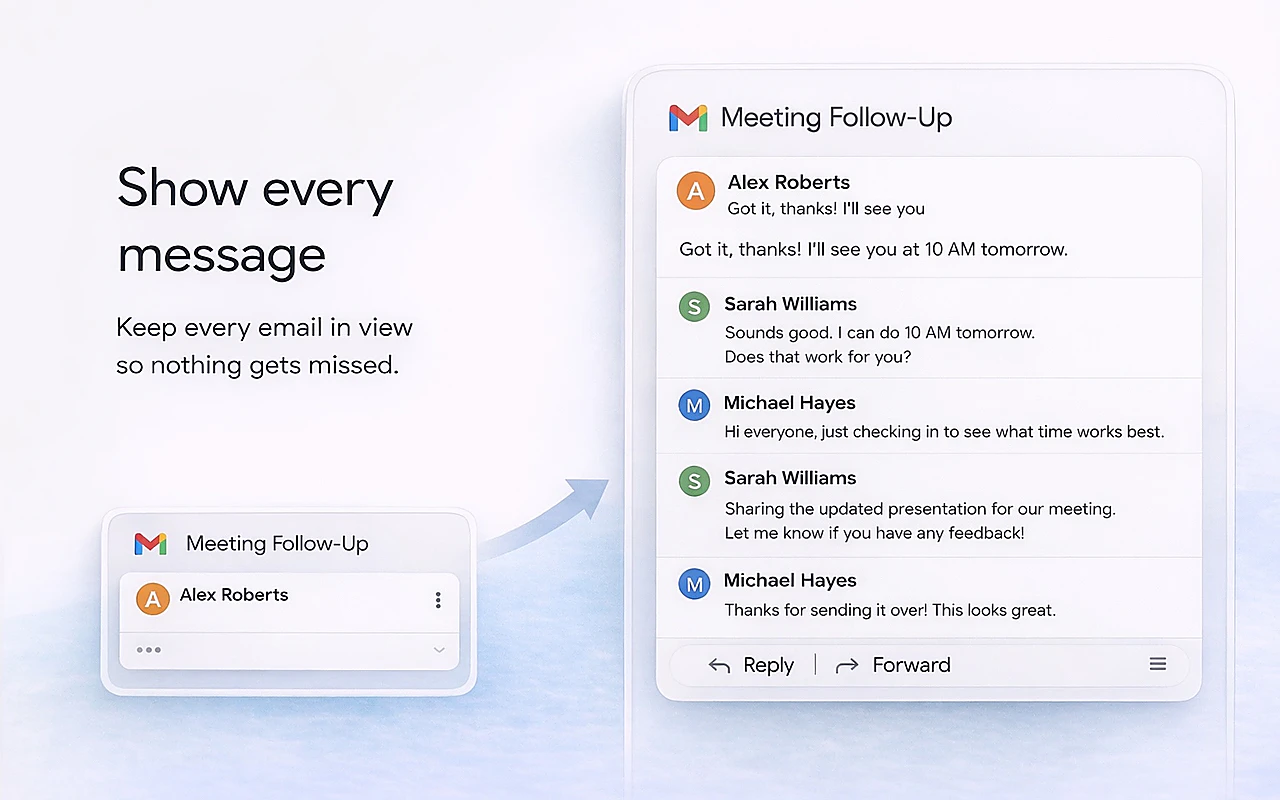
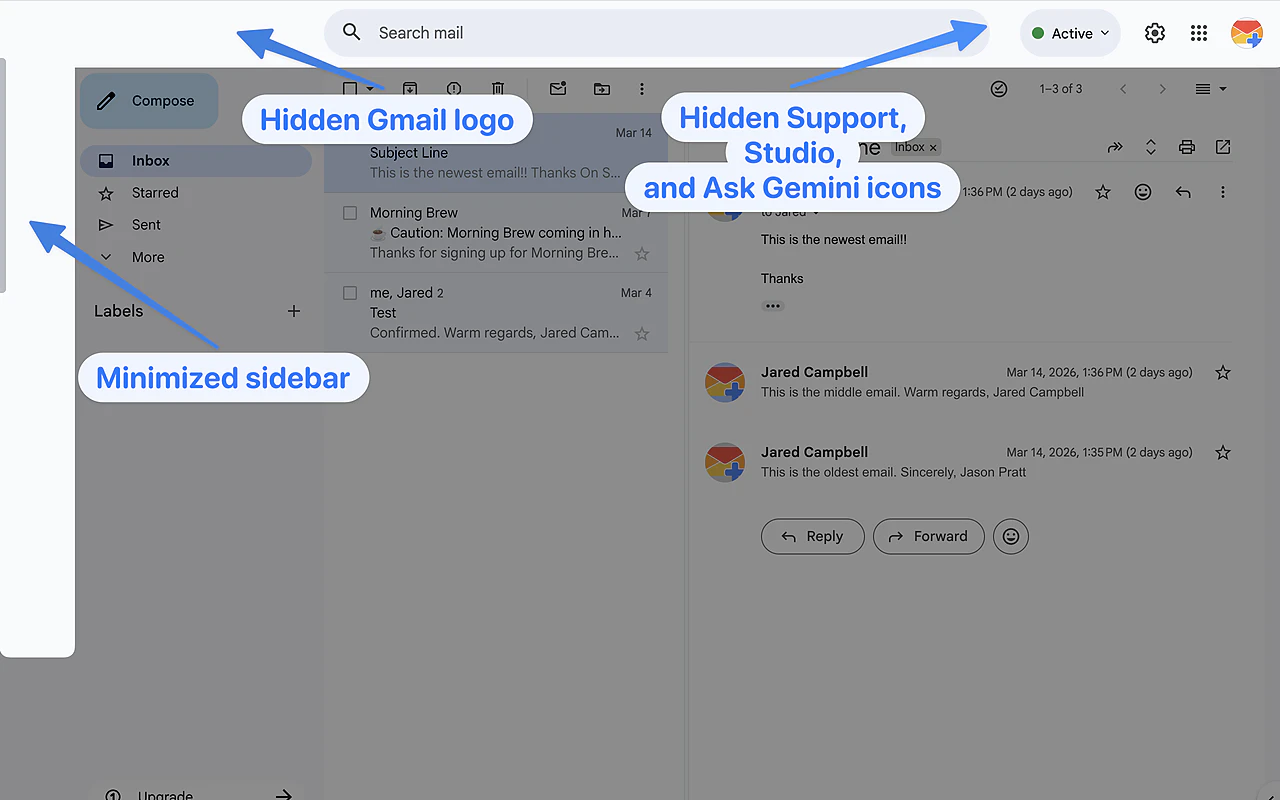
Apparent for Gmail is a browser extension designed to enhance the Gmail experience by simplifying and decluttering the interface. It offers features such as displaying the latest message first, revealing all messages within conversation threads, and hiding AI-generated overviews to reduce visual noise. Its emphasis on local processing means it operates entirely within the user's browser, ensuring privacy and zero reliance on remote servers. This tool is perfect for users who want a cleaner, more manageable email interface without compromising on data security. Its straightforward design makes it especially appealing to busy professionals and power users seeking a more efficient way to handle their inboxes. By focusing solely on interface improvements and privacy, Apparent stands out as a privacy-conscious, user-centric solution for managing Gmail more effectively.
Screenshots
Pros
- ✓Operates locally in the browser, ensuring user privacy
- ✓Reduces visual clutter for a cleaner inbox
- ✓Enhances readability by showing messages in preferred order
- ✓No account setup required, easy to install and use
- ✓Simple, focused features tailored for Gmail users
Cons
- ✗Limited to Gmail, not available for other email providers
- ✗May lack advanced email management features found in full-fledged clients
- ✗Depends on browser compatibility and updates
Use Cases
Pricing
Likely free, as it is a browser extension that runs locally without subscription fees, with potential optional paid features in the future.
Quick Info
Topics
Alternatives
Similar Tools in AI Assistants




Embed Badge
Add this badge to your website to show that Apparent for Gmail is featured on Visalytica.
<a href="https://www.visalytica.com/tool/apparent-for-gmail" target="_blank" rel="noopener noreferrer" style="display:inline-flex;align-items:center;gap:6px;padding:6px 14px;background:#7c3aed;color:#fff;border-radius:8px;font-family:-apple-system,system-ui,sans-serif;font-size:13px;font-weight:600;text-decoration:none;transition:background .2s" onmouseover="this.style.background='#6d28d9'" onmouseout="this.style.background='#7c3aed'"><svg width="14" height="14" viewBox="0 0 24 24" fill="none" stroke="currentColor" stroke-width="2.5" stroke-linecap="round" stroke-linejoin="round"><path d="M12 20V10"/><path d="M18 20V4"/><path d="M6 20v-4"/></svg>Featured on Visalytica</a>