
Apollodorus
Batch-edit hundreds of images without leaving your browser.
About Apollodorus
Apollodorus is a browser-based batch image processing tool designed for product and catalog photography. It allows users to effortlessly drop multiple images into a pipeline, preview the results in real-time, and export without the need to upload files to a server—ensuring privacy and speed. Built by a solo developer, this lightweight yet powerful solution caters to photographers, e-commerce teams, and designers who need flexible image editing on the go, whether on a desktop, mobile device, or PWA. Its intuitive interface and no-install requirement make it accessible for users working across different devices and locations. The platform offers a free tier for smaller batches, with a premium option unlocking unlimited processing, advanced studio tools, and multi-size exports, making it suitable for both casual and professional workflows.
Screenshots
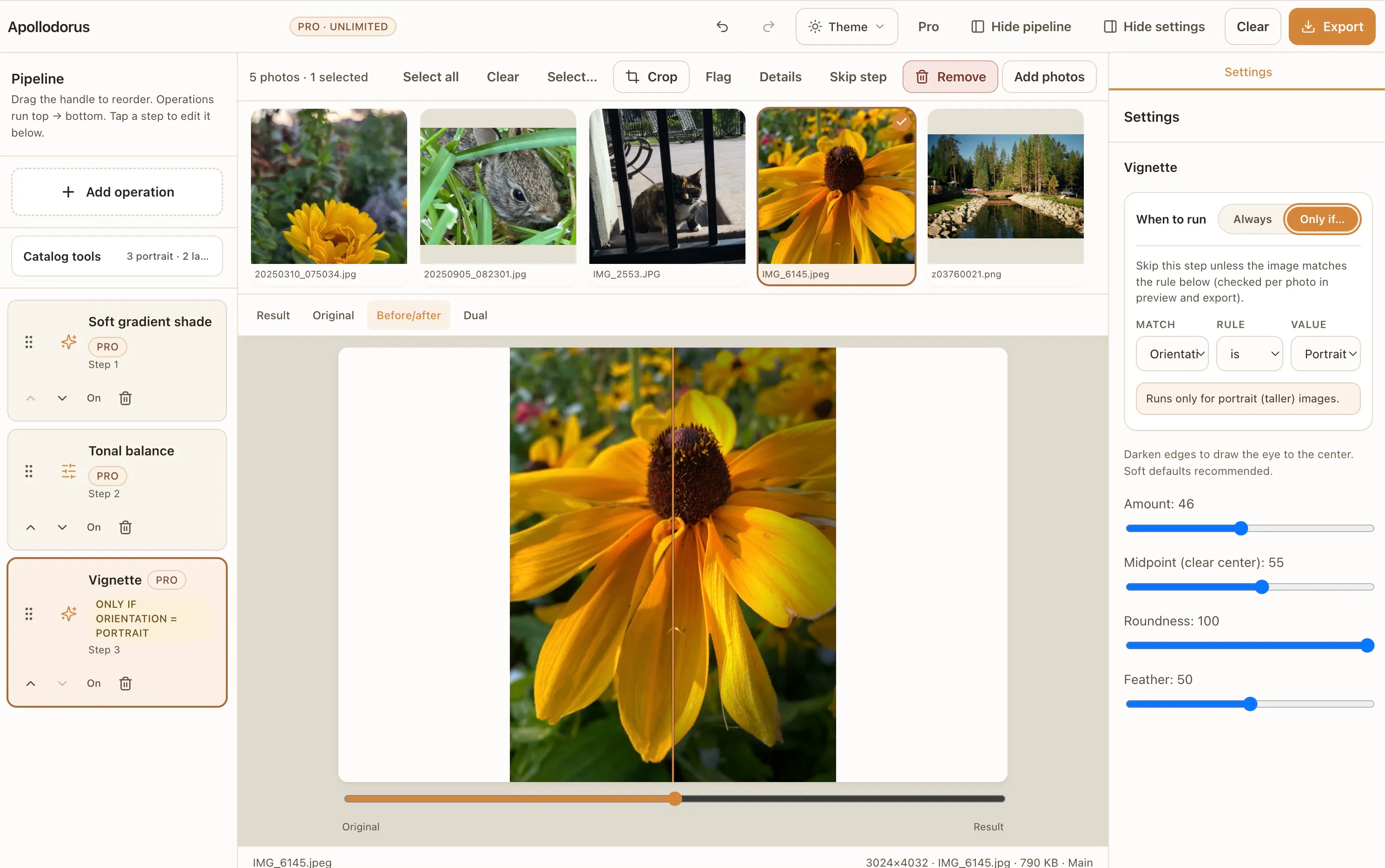
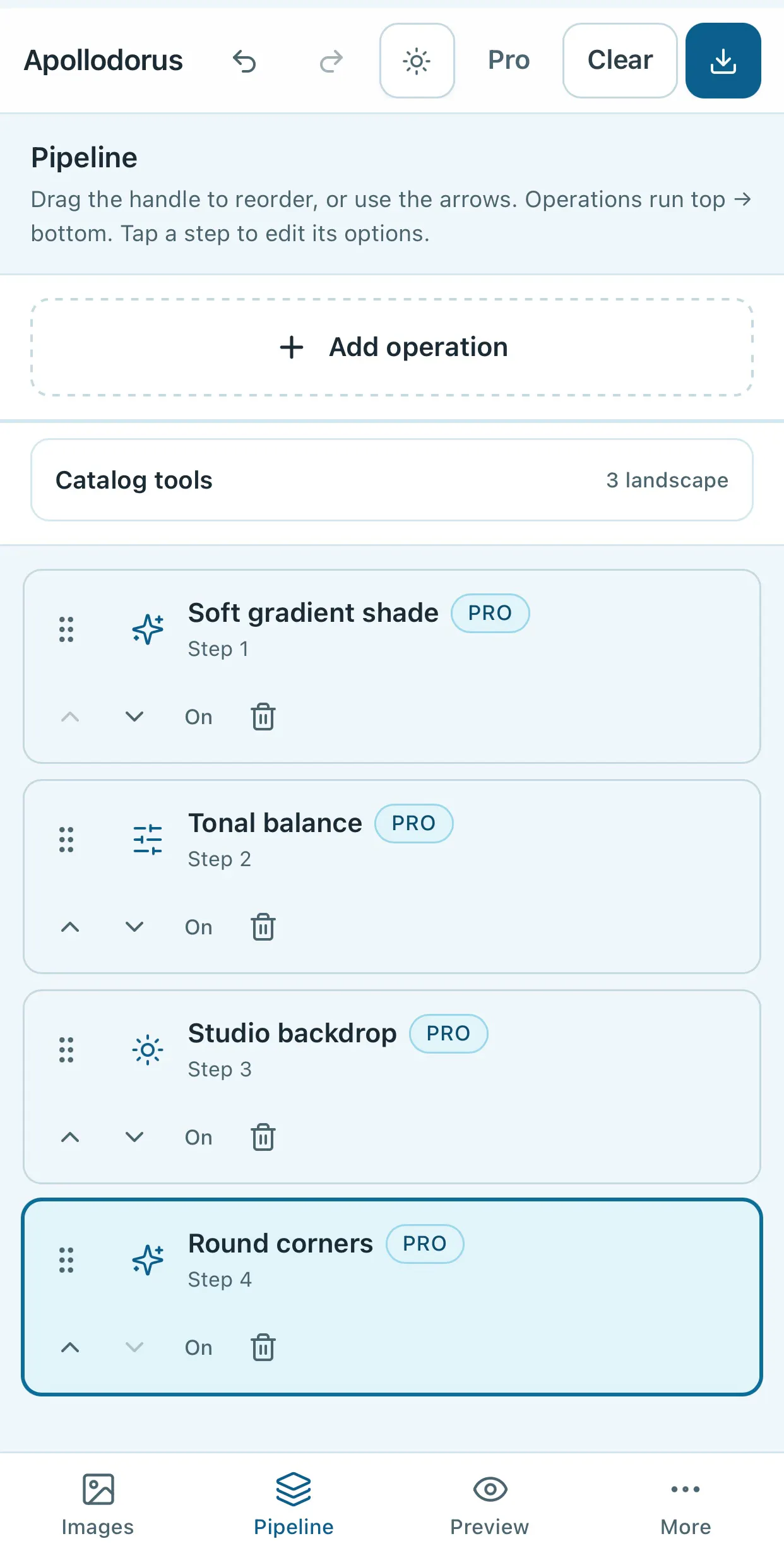
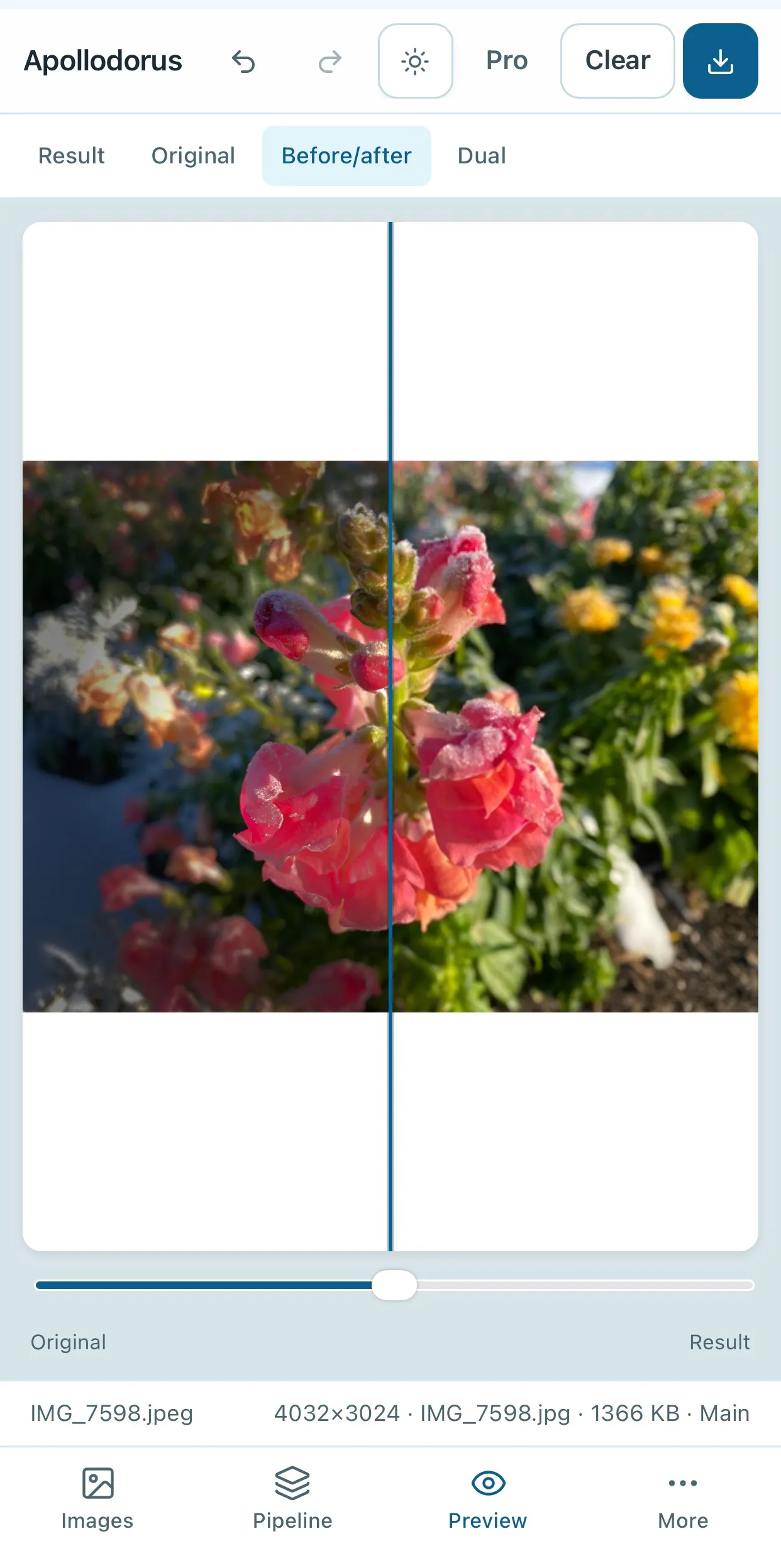
Pros
- ✓Browser-based with no installation required
- ✓Privacy-conscious, no server uploads
- ✓Supports batch processing for efficiency
- ✓Flexible use across devices with PWA compatibility
- ✓Affordable premium features for professional use
Cons
- ✗Limited advanced editing features compared to desktop software
- ✗No cloud storage or automatic backups
- ✗Potential performance limitations with very large batches
Use Cases
Pricing
Likely operates on a freemium model, offering free usage for small batches and paid licenses for unlimited processing and advanced features.

Similar Tools in AI Image & Design




Embed Badge
Add this badge to your website to show that Apollodorus is featured on Visalytica.
<a href="https://www.visalytica.com/tool/apollodorus" target="_blank" rel="noopener noreferrer" style="display:inline-flex;align-items:center;gap:6px;padding:6px 14px;background:#7c3aed;color:#fff;border-radius:8px;font-family:-apple-system,system-ui,sans-serif;font-size:13px;font-weight:600;text-decoration:none;transition:background .2s" onmouseover="this.style.background='#6d28d9'" onmouseout="this.style.background='#7c3aed'"><svg width="14" height="14" viewBox="0 0 24 24" fill="none" stroke="currentColor" stroke-width="2.5" stroke-linecap="round" stroke-linejoin="round"><path d="M12 20V10"/><path d="M18 20V4"/><path d="M6 20v-4"/></svg>Featured on Visalytica</a>