
AI Shadowing
Turn any YouTube video into a language shadowing lesson
About AI Shadowing
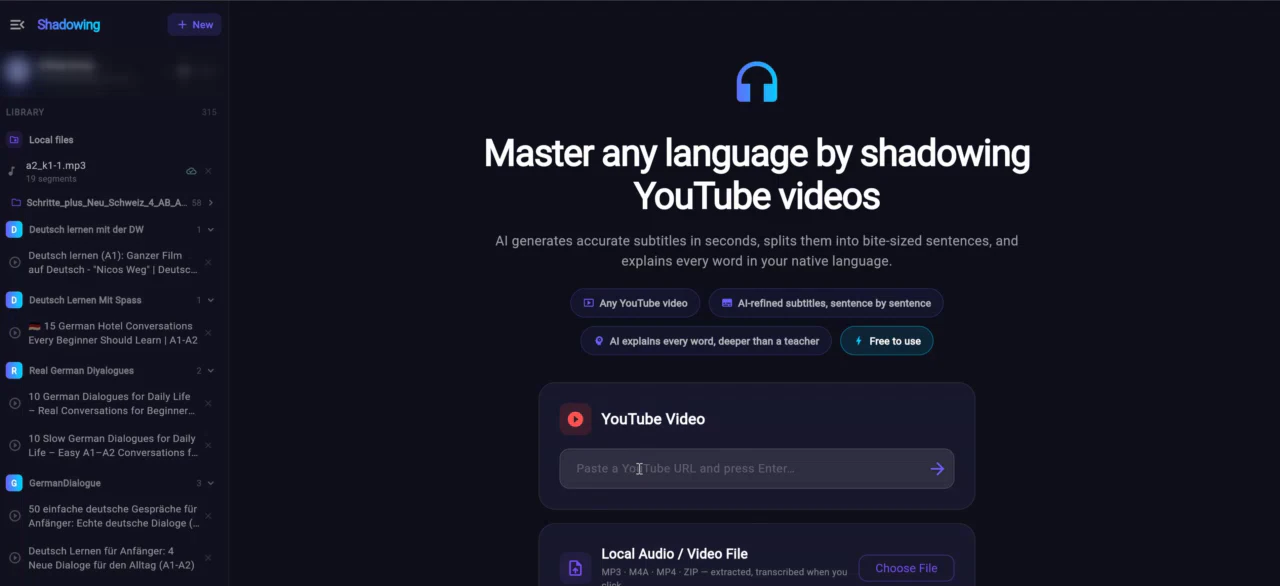
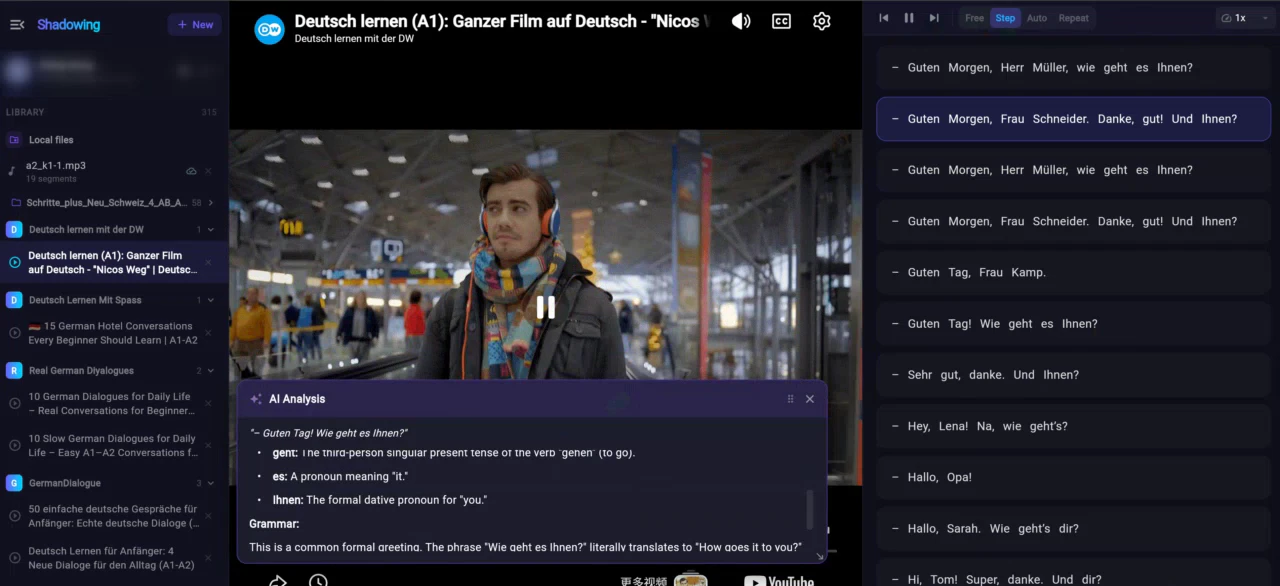
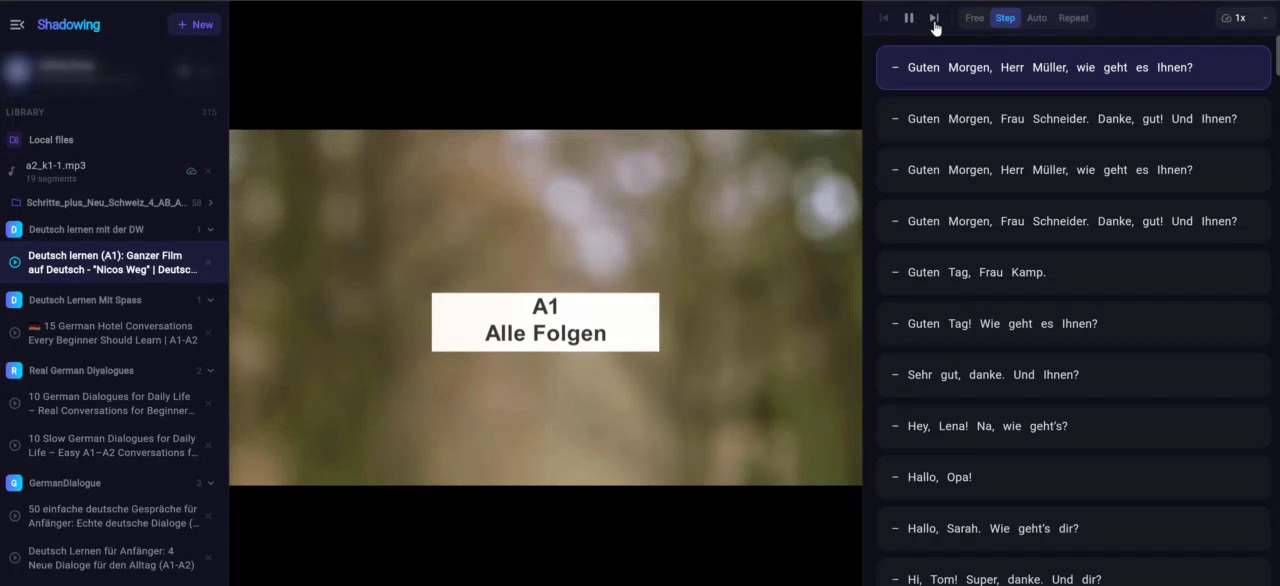
AI Shadowing is an innovative browser-based tool designed to enhance language learning through YouTube videos. It allows users to seamlessly turn any YouTube clip into a personalized shadowing lesson without the hassle of scrubbing or switching to dictionaries. Users can click on any sentence to loop it, or click on individual words for instant AI-powered grammar explanations, making language practice more interactive and contextual. Built by a self-taught German learner, the tool reflects a user-centric approach, making language acquisition accessible for beginners and intermediate learners alike. Its free availability, no sign-up requirement, and compatibility with both browsers and Android devices make it highly accessible for learners on the go. AI Shadowing stands out for its simplicity, real-time interaction, and focus on immersive listening and speaking practice, which are critical for language mastery.
Screenshots
Pros
- ✓No sign-up required, instantly accessible
- ✓Interactive features like sentence looping and word explanations
- ✓Supports both browser and Android devices for flexibility
- ✓Free to use, lowering the barrier for learners
- ✓User-friendly interface tailored for language learners
Cons
- ✗Limited advanced features compared to paid language platforms
- ✗Depends on YouTube videos, so quality varies
- ✗Potential lack of structured curriculum or progress tracking
Use Cases
Pricing
Free to use with no signup required; likely supported by optional premium features or future monetization, but currently offers full functionality at no cost.
Quick Info
Topics
Alternatives
Similar Tools in Developer Tools




Embed Badge
Add this badge to your website to show that AI Shadowing is featured on Visalytica.
<a href="https://www.visalytica.com/tool/ai-shadowing" target="_blank" rel="noopener noreferrer" style="display:inline-flex;align-items:center;gap:6px;padding:6px 14px;background:#7c3aed;color:#fff;border-radius:8px;font-family:-apple-system,system-ui,sans-serif;font-size:13px;font-weight:600;text-decoration:none;transition:background .2s" onmouseover="this.style.background='#6d28d9'" onmouseout="this.style.background='#7c3aed'"><svg width="14" height="14" viewBox="0 0 24 24" fill="none" stroke="currentColor" stroke-width="2.5" stroke-linecap="round" stroke-linejoin="round"><path d="M12 20V10"/><path d="M18 20V4"/><path d="M6 20v-4"/></svg>Featured on Visalytica</a>