
Agent Activity
See what your AI agents do behind
About Agent Activity
Agent Activity is a powerful macOS tool designed for developers working with AI coding agents, including Claude Code and Xcode. It provides deep insights into what these AI agents are doing behind the scenes by capturing detailed session logs, build processes, test runs, and screenshots. The tool offers real-time and per-agent activity tracking, allowing users to monitor and analyze the behavior of their AI-powered development environment. What sets Agent Activity apart is its ability to read disk activity left by these AI agents on macOS, providing transparency and control over AI interactions. Users can choose to enable usage and crash data sharing, ensuring privacy and security while gaining valuable insights. Compatible with macOS 26 and Xcode 27, it is an essential tool for developers seeking to optimize their AI-assisted workflows and troubleshoot issues more effectively.
Screenshots

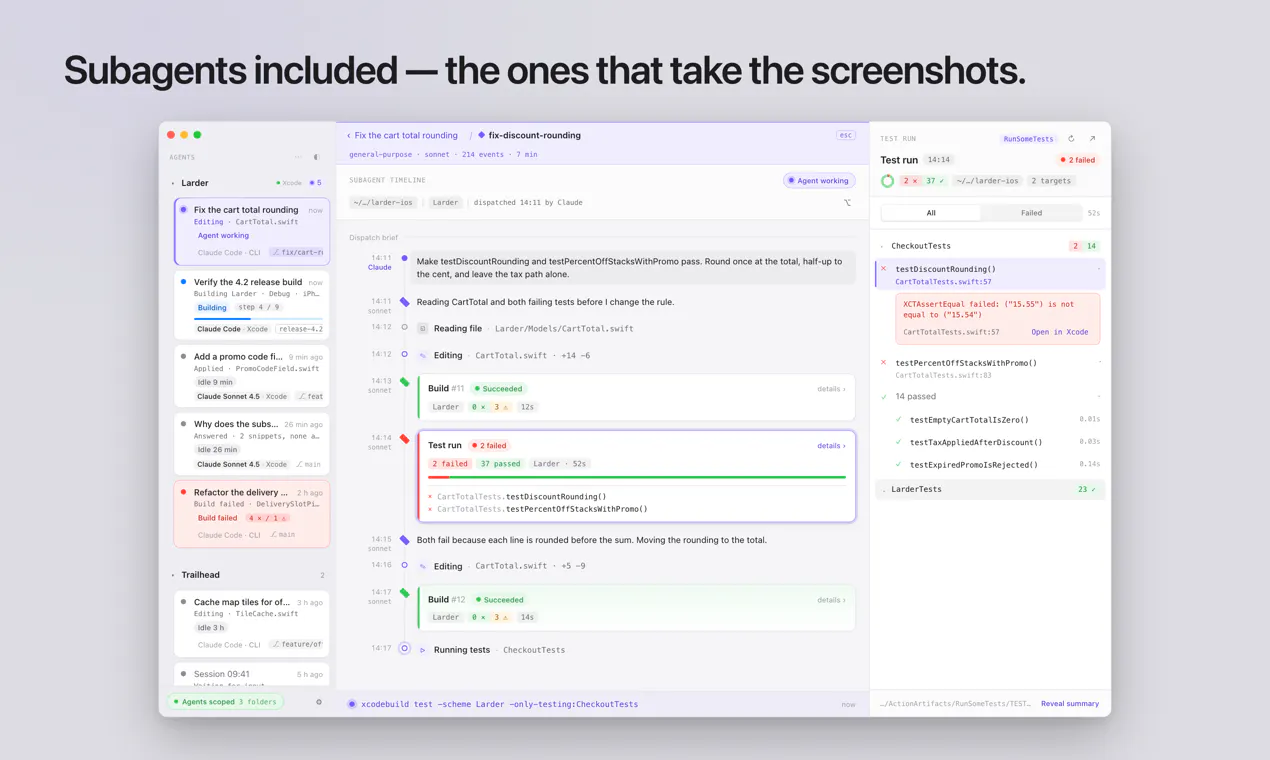
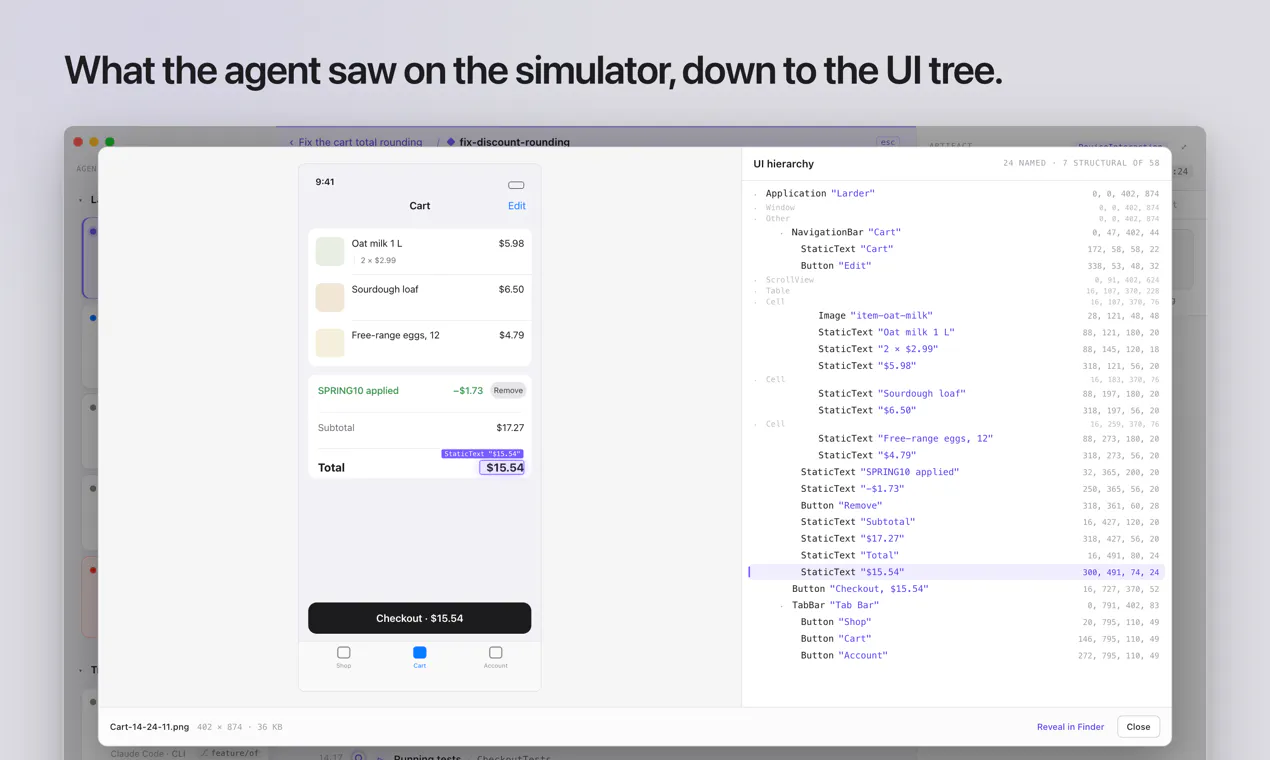

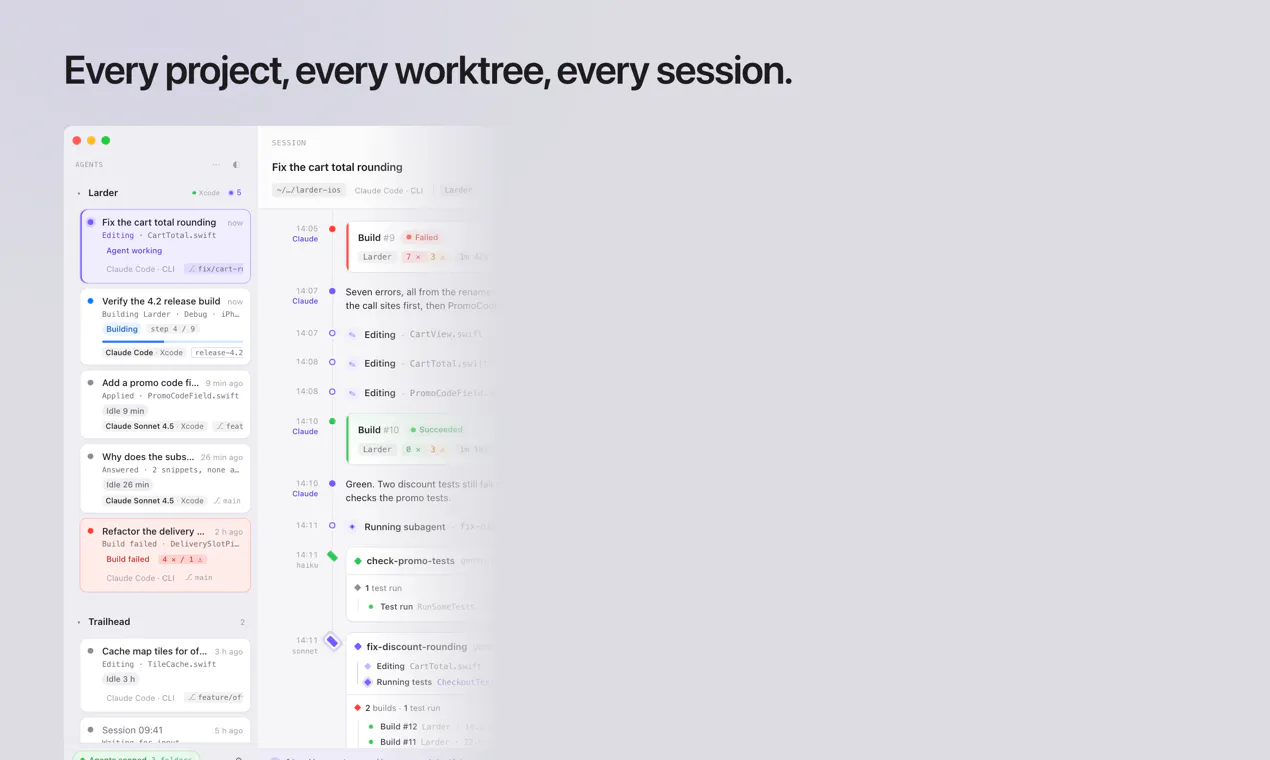

+2 more screenshots
Pros
- ✓Provides detailed real-time activity tracking of AI coding agents
- ✓Reads disk activity from Claude Code and Xcode on macOS
- ✓Enhances transparency into AI agent operations
- ✓Supports session, build, test, and screenshot logging
- ✓User-controlled data sharing for privacy
Cons
- ✗Limited to macOS 26 and Xcode 27 environments
- ✗No information on pricing or subscription plans
- ✗Potential learning curve for new users unfamiliar with AI agent workflows
Use Cases
Pricing
Pricing not verified
Quick Info
Topics
Makers

Maksym Tartachnyk
Alternatives
Similar Tools in AI Assistants




Embed Badge
Add this badge to your website to show that Agent Activity is featured on Visalytica.
<a href="https://www.visalytica.com/tool/agent-activity" target="_blank" rel="noopener noreferrer" style="display:inline-flex;align-items:center;gap:6px;padding:6px 14px;background:#7c3aed;color:#fff;border-radius:8px;font-family:-apple-system,system-ui,sans-serif;font-size:13px;font-weight:600;text-decoration:none;transition:background .2s" onmouseover="this.style.background='#6d28d9'" onmouseout="this.style.background='#7c3aed'"><svg width="14" height="14" viewBox="0 0 24 24" fill="none" stroke="currentColor" stroke-width="2.5" stroke-linecap="round" stroke-linejoin="round"><path d="M12 20V10"/><path d="M18 20V4"/><path d="M6 20v-4"/></svg>Featured on Visalytica</a>