
2Gcal
Sync your Outlook Calendar to Google Calendar
About 2Gcal
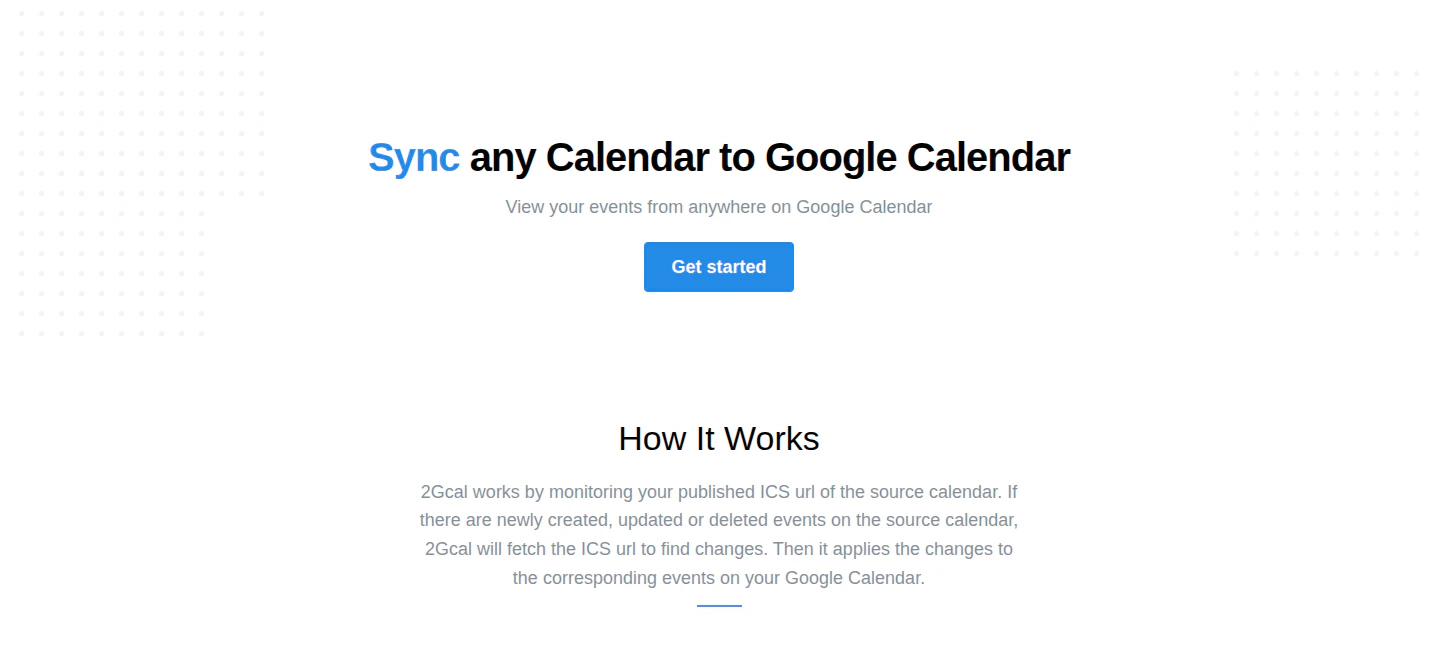
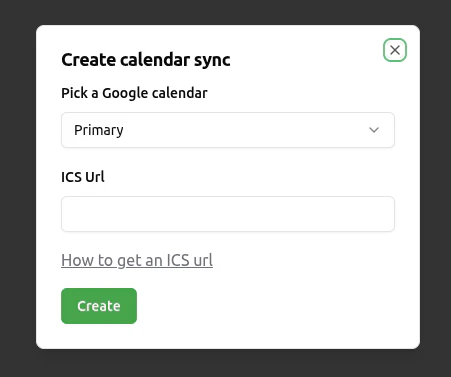
2Gcal is a streamlined synchronization tool designed to bridge the gap between Outlook Calendar and Google Calendar. Ideal for professionals who rely on both platforms but lack the IT permissions to integrate them directly, 2Gcal offers a quick and hassle-free solution by polling a shared ICS link to keep calendars in sync. Setting up takes less than 30 seconds, making it accessible for users of all technical levels. Its primary benefit is preventing double bookings and missed appointments, ensuring seamless scheduling across different services. What makes 2Gcal stand out is its simplicity and independence from complex integrations, empowering users to maintain accurate, up-to-date calendars without relying on IT support or cumbersome software. Whether for personal use or small teams, 2Gcal offers an efficient way to unify your scheduling tools effortlessly.
Screenshots
Pros
- ✓Quick setup in under 30 seconds
- ✓No IT permissions required
- ✓Prevents double bookings and missed events
- ✓Supports synchronization from shared ICS links
- ✓User-friendly and accessible for non-technical users
Cons
- ✗Limited customization options compared to full calendar integrations
- ✗Dependent on polling frequency, which might cause slight delays
- ✗Lacks advanced features like event editing or two-way sync
Use Cases
Pricing
Likely operates on a freemium model with basic features available for free and premium plans offering additional options, though specific details are not publicly confirmed.
Quick Info
Topics
Makers

Thai Ng
Alternatives
Similar Tools in Productivity




Embed Badge
Add this badge to your website to show that 2Gcal is featured on Visalytica.
<a href="https://www.visalytica.com/tool/2gcal" target="_blank" rel="noopener noreferrer" style="display:inline-flex;align-items:center;gap:6px;padding:6px 14px;background:#7c3aed;color:#fff;border-radius:8px;font-family:-apple-system,system-ui,sans-serif;font-size:13px;font-weight:600;text-decoration:none;transition:background .2s" onmouseover="this.style.background='#6d28d9'" onmouseout="this.style.background='#7c3aed'"><svg width="14" height="14" viewBox="0 0 24 24" fill="none" stroke="currentColor" stroke-width="2.5" stroke-linecap="round" stroke-linejoin="round"><path d="M12 20V10"/><path d="M18 20V4"/><path d="M6 20v-4"/></svg>Featured on Visalytica</a>